Meeting notes
AI meeting notes without a bot in your call
NoteOwl is an AI note taker without a bot: a Mac app that records your microphone and your Mac’s own audio, so nothing joins your Zoom, Google Meet or Teams call.
The transcript, summary, decisions and action items are written on your Mac with on-device AI, it works offline, and there is no meeting length limit.
Read the transcript
You know that moment when a bot joins your call… and everyone gets a little weird?
Yeah. NoteOwl doesn’t do that.
It’s a Mac app that takes your meeting notes right on your computer. Nothing leaves your Mac.
When you hang up? Summary, decisions, action items. All done.
Every promise gets tracked, so nothing slips through.
And you can chat with all your past meetings. Even offline.
NoteOwl. Free to download. Your next call’s the test.
How do you record a meeting without a bot?
Record from your own Mac instead of sending a participant into the call. NoteOwl captures two channels — your microphone, and your Mac’s audio, which carries everyone else — so it works with any call app and nobody sees a guest join.
- 1
Start taking notes
Press ⌥Space or click Start Meeting. Or turn on call detection, and NoteOwl offers “Scribe this meeting?” in the notch when a call starts — or starts on its own, if you choose.
- 2
Talk as usual
NoteOwl records your microphone and your Mac’s audio as two channels. Jot anything that matters in the notes box; it feeds the summary.
- 3
Stop when the call ends
NoteOwl writes the speaker-labelled transcript, then the summary, the decisions and the action items with owners — all on your Mac.
Which call apps does a bot-free note taker work with?
Any app that plays sound on your Mac. Because NoteOwl records your Mac’s audio rather than joining a meeting platform, the call app doesn’t matter — and with call detection on, NoteOwl offers to take notes when one of these starts.
- Zoom
- Google Meet
- Microsoft Teams
- FaceTime
- Webex
- Slack huddles
- Discord
- …and any other app that plays sound
Call detection has three settings: Off, Offer (a “Scribe this meeting?” prompt in the notch) and Auto-start. Google Meet is detected in the browser.
What do you get when the call ends?
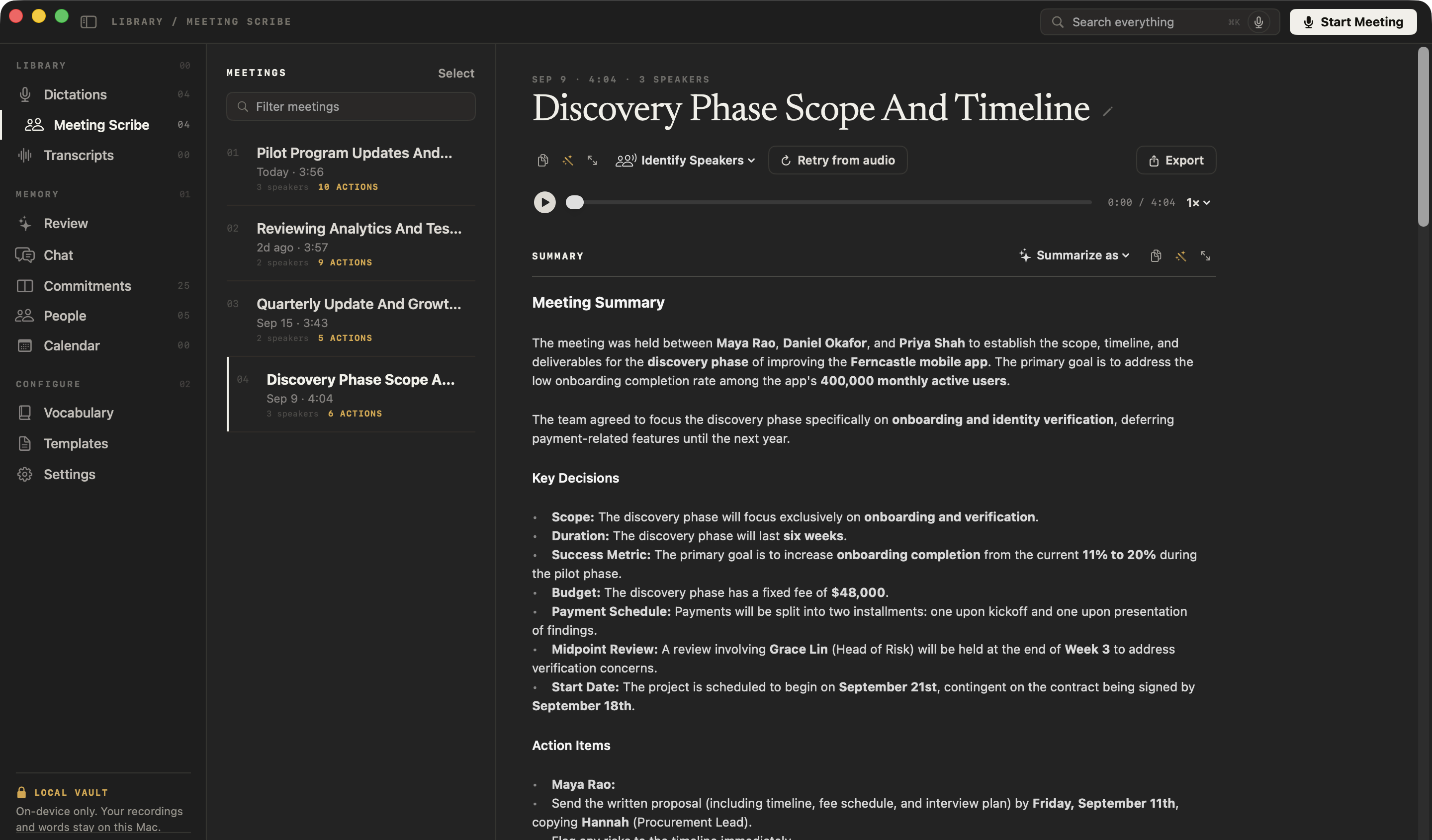
A speaker-labelled transcript, a summary, the decisions, and the action items with their owners — written on your Mac, and you can rewrite the summary in any of 22 templates. Your action items become commitments you can track, and you can chat with the meeting later.
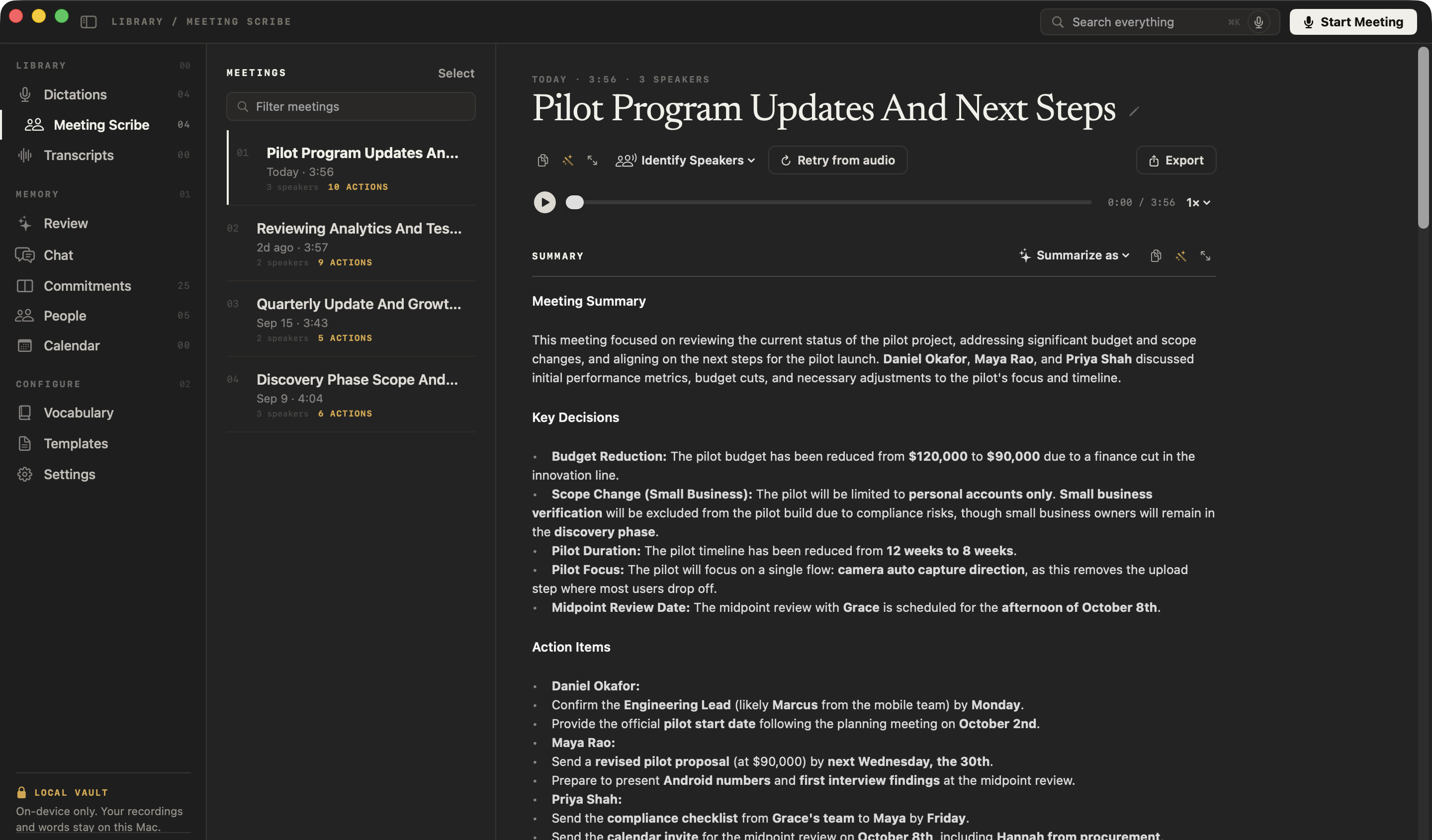
From a real NoteOwl summary
Key decisions
- – The pilot budget has been reduced from $120,000 to $90,000 due to a finance cut in the innovation line.
- – The pilot will be limited to personal accounts only.
- – The pilot timeline has been reduced from 12 weeks to 8 weeks.
Action items
- – Daniel Okafor: confirm the engineering lead (likely Marcus from the mobile team) by Monday.
- – Maya Rao: send a revised pilot proposal (at $90,000) by next Wednesday, the 30th.
- – Priya Shah: send the compliance checklist from Grace’s team to Maya by Friday.
Is a bot-free note taker private?
It can be — not having a bot is only half of it. NoteOwl also transcribes and summarizes on your Mac with on-device AI models, so recordings, transcripts and notes are never uploaded, and it keeps working offline after a one-time model download.
- Joins the call
- A meeting botYes — a participant everyone can see
- NoteOwlNo — nothing joins
- Works with
- A meeting botThe meeting platforms the service connects to
- NoteOwlAny app that plays sound on your Mac
- Where the recording is processed
- A meeting botOn the note-taking service’s servers
- NoteOwlOn your Mac
- Works offline
- A meeting botNo — the notes are written in the cloud
- NoteOwlYes, after the one-time model download
- Meeting length limit
- A meeting botDepends on the service
- NoteOwlNone
| A meeting bot | NoteOwl | |
|---|---|---|
| Joins the call | Yes — a participant everyone can see | No — nothing joins |
| Works with | The meeting platforms the service connects to | Any app that plays sound on your Mac |
| Where the recording is processed | On the note-taking service’s servers | On your Mac |
| Works offline | No — the notes are written in the cloud | Yes, after the one-time model download |
| Meeting length limit | Depends on the service | None |
NoteOwl meeting notes at a glance
The facts, in one table. Meeting notes are part of NoteOwl Pro; dictation is free.
- What it records
- Your microphone and your Mac’s audio, as two channels
- Who joins the call
- Nobody — there is no bot
- Call apps
- Any app that plays sound on your Mac
- Meeting length
- No limit; audio is saved to disk as you record
- After a crash or flat battery
- Retry from audio rebuilds the transcript and notes
- Where the AI runs
- On your Mac, with on-device AI models; works offline
- Requirements
- macOS 26 or later, Apple Silicon (M1 or newer), 16 GB memory minimum, 24 GB recommended
Do you need to tell people you’re taking notes?
Yes. Because NoteOwl doesn’t join the call, nobody sees a note taker — so say that you’re taking notes. It’s the right thing to do and, in many places, the law. NoteOwl is for keeping a record, never for recording people without their knowledge.
FAQ
Questions about AI meeting notes without a bot
Which meeting note taker works without a bot on a Mac?
NoteOwl is a meeting note taker for Mac that works without a bot: it records your microphone and your Mac’s own audio, so it takes notes in Zoom, Google Meet, Microsoft Teams, FaceTime, Webex, Slack huddles or Discord with nothing joining the call.
Does NoteOwl join my Zoom call?
No. NoteOwl never joins a Zoom, Google Meet or Microsoft Teams call. It records your microphone and your Mac’s audio from your own computer, so no bot or extra participant appears in the meeting.
Can other people on the call see that NoteOwl is taking notes?
No, nothing appears in the call — which is why you should tell the people you are meeting that you are taking notes with NoteOwl. It is the right thing to do and, in many places, the law.
Does NoteOwl work with Google Meet in a browser?
Yes. NoteOwl takes notes on Google Meet in any browser the same way it does for Zoom, Teams, FaceTime, Webex, Slack huddles and Discord: from your Mac’s audio, and it can offer to start when the call begins.
Is there a meeting length limit in NoteOwl?
No. NoteOwl has no meeting length limit. Audio is saved to disk as you record, and if your Mac crashes or the battery runs out, Retry from audio rebuilds the transcript and notes.
Does NoteOwl upload my meeting recordings?
No. NoteOwl transcribes and summarizes meetings on your Mac with on-device AI models; recordings, transcripts and notes are never uploaded, and it works offline after the one-time model download.
Is recording meetings without a bot free in NoteOwl?
Meeting notes are part of NoteOwl Pro, a one-time $79 purchase for one Mac with no subscription, and you can try every Pro feature free for 7 days in the app. Dictation into any app is free forever.
Related
- Transcription with speaker labels Every line labelled with who said it, and voices recognised in later meetings.
- Chat with your meetings, offline Ask about any past meeting and get an answer that cites the passage.
- AI note taker for founders Customer calls, investor updates and 1:1s, with every promise tracked.
- NoteOwl Pro, $79 once What is free, what is in Pro, and the 7-day trial.
Keep exploring
Related features
- AI meeting summariesAI meeting summaries, decisions and action items written on your Mac from any template, when the call ends
- Action items and commitmentsAction items that involve you become commitments: what you owe and what you are owed, sorted by what is due
- Speaker recognitionTranscripts that say who said what: speakers separated automatically, and a voice named once is recognised in later meetings, on your Mac
Who uses it
- AI note taker for salesDiscovery calls and demos with no bot in the call: next steps written, promises to prospects tracked, follow-ups drafted, free dictation into your CRM
- AI note taker for lawyersClient calls and consultations transcribed and summarized on your Mac; no third party processes the audio, and every answer cites the moment it was said
Guides
Free tools
- Meeting recording to textMeeting transcription free in your browser: drop in a Zoom, Teams, Google Meet or Webex recording and get a transcript with times; only the sound is sent, nothing is stored
- Mic testA free online mic test: a live level meter, a microphone picker and a 5-second recording to play back, in your browser
- Webcam testSee your camera’s live picture, resolution and measured frame rate, whether it’s too dark or frozen, and your microphone level; nothing is recorded
- Meeting agenda templateA meeting agenda template to copy or fill in online, with start times for every item, a team meeting example and how to write one
Take your next meeting’s notes without a bot
Free to download. Runs entirely on your Mac.
macOS 26 or later · Apple Silicon (M1 or newer) · 16 GB memory minimum, 24 GB recommended
About NoteOwl
NoteOwl is private AI meeting notes and memory for the Mac. It captures meetings without a bot joining the call, labels every speaker, writes summaries and action items, and builds a memory of every conversation that you can chat with — fully offline, because the speech recognition and the AI run on the Mac itself. Dictation into any app is free; Pro is a one-time purchase.
NoteOwl pricing: what’s free and what Pro adds
Last updated