For students
AI lecture note taker for students
NoteOwl is an AI lecture note taker for students on a Mac: it records lectures in the room or in an online class, transcribes lectures you’ve already recorded, and turns each one into study notes — the topics, definitions, examples and what’s flagged for the exam.
Before the exam, ask your lectures a question and see the passage behind every answer. It all runs on your Mac, even offline; recording lectures is part of NoteOwl Pro, and dictating your essays is free.
How do students use an AI lecture note taker?
To capture every lecture without typing through it: in the room, in an online class, or from a recording you already have. NoteOwl’s lecture recorder transcribes each one on your Mac, and the notes, search and answers come from there.
In the lecture hall
Record through your Mac
Press ⌥Space or click Start Meeting as the lecture begins. NoteOwl records through your Mac’s microphone; type a note under Notes & questions and it feeds the summary.
Online classes
Nothing joins the class
On Zoom, Microsoft Teams or Google Meet, NoteOwl records your microphone and your Mac’s audio, so no bot appears in the class.
Lectures already recorded
Import the file
Drag in a lecture you downloaded or recorded on your phone — mp3, m4a, wav, mp4 and more — and it’s transcribed on your Mac, with the speakers labelled.
Before the exam
Ask your lectures
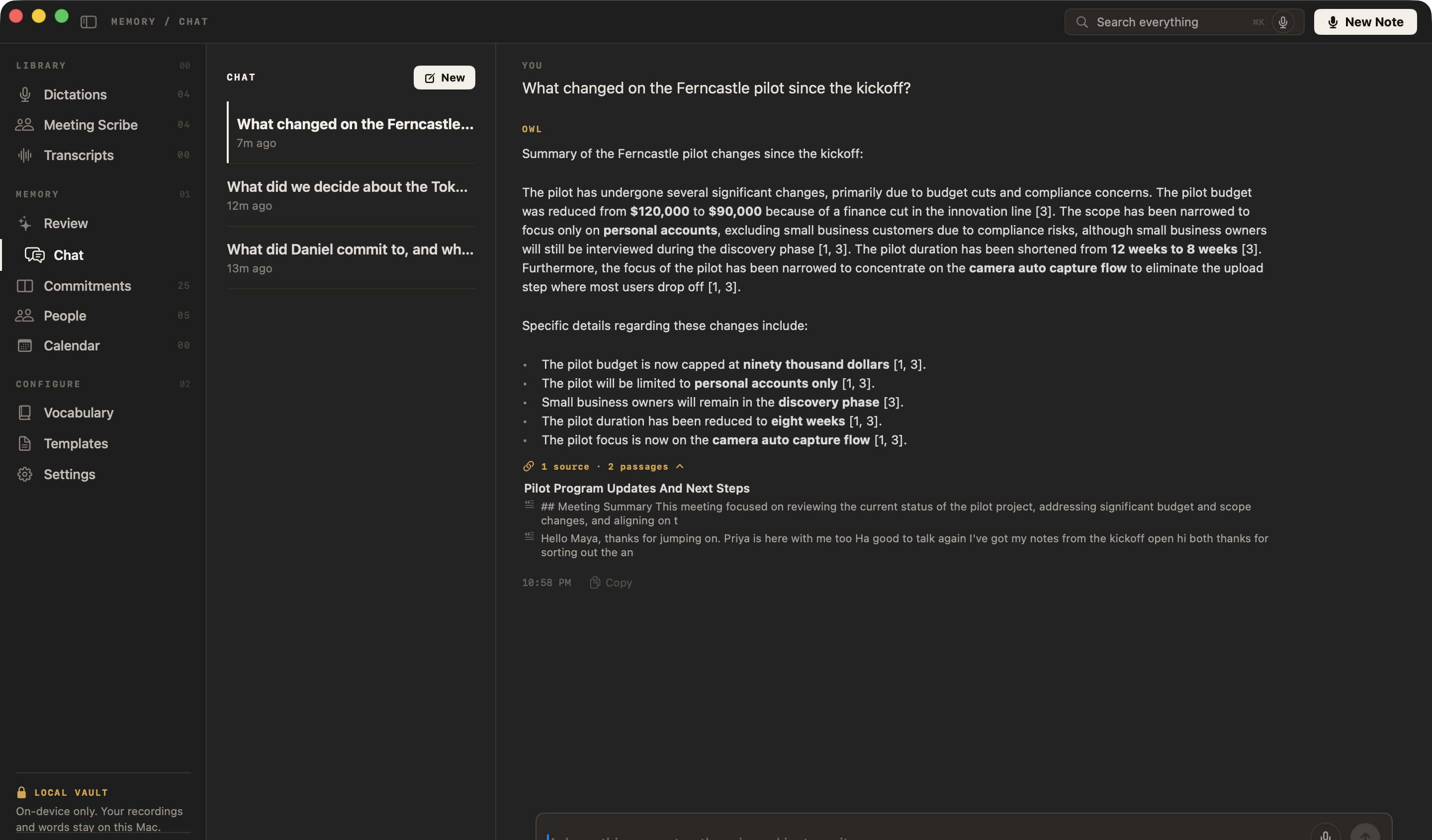
Ask what was flagged for the exam, or how a term was defined, and NoteOwl answers from your own lectures, citing the passage it used.
Recorded the lecture on your phone? See how to transcribe a voice memo on Mac, or every step from a lecture file to study notes in transcribe a lecture recording.
What do NoteOwl’s study notes from a lecture look like?
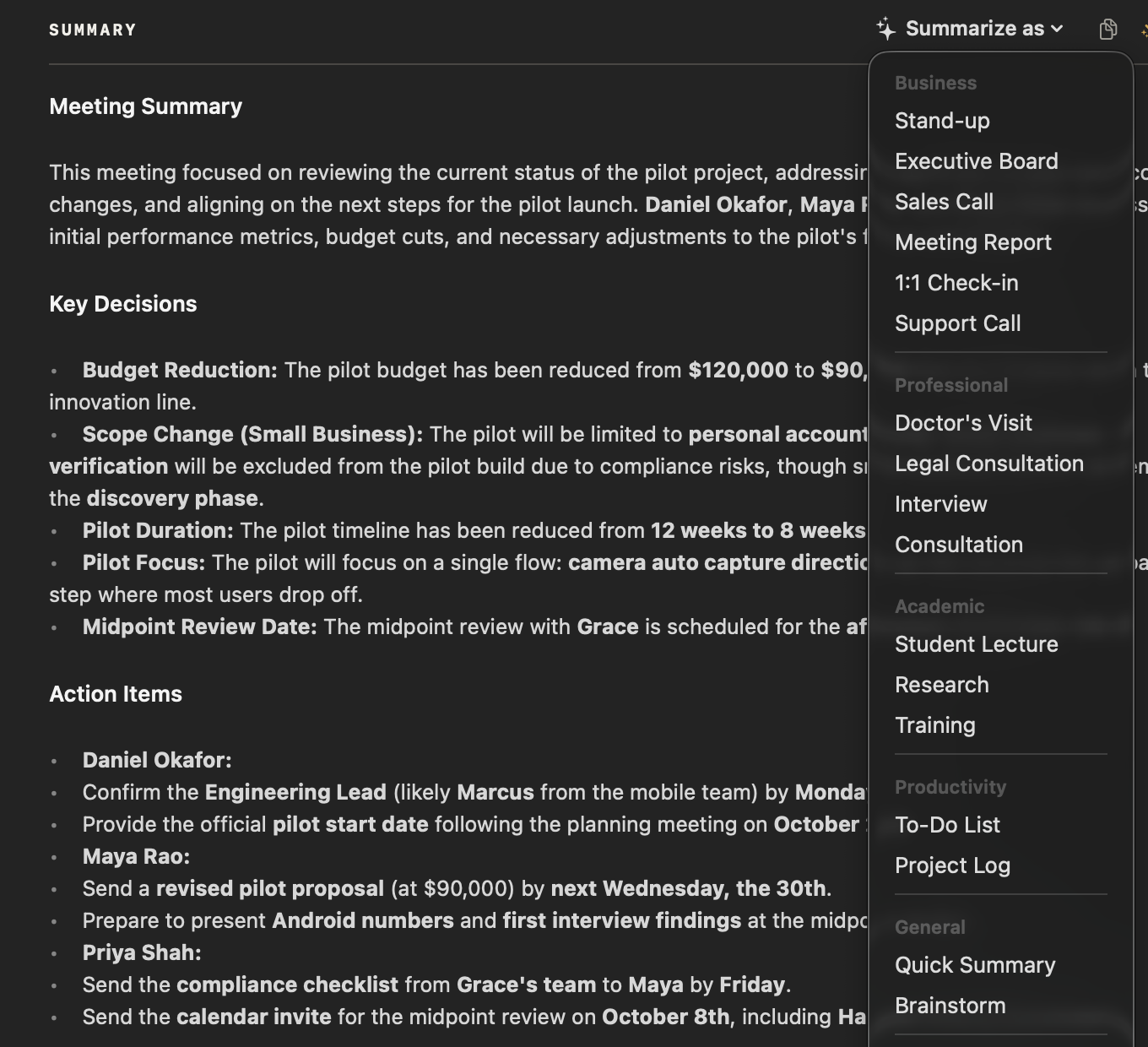
Four sections: the main topics, the key concepts and definitions, the important examples, and everything flagged for the exam. Choose Summarize as → Student Lecture on any recorded or imported lecture.
The full example, and a template to copy: lecture notes template.
Main Topics
- What price elasticity of demand measures.
- How to calculate it with the midpoint method.
- What makes demand elastic or inelastic.
- The total revenue test: whether a price rise brings in more money or less.
Flagged for the Exam
- The midpoint formula will be on the midterm. Show your working, not just the final number.
- There is always a question on the total revenue test: be able to explain it with an example.
- You don't need the four determinants word for word, but be able to explain each one with an example of your own.
Can you ask your lectures questions before an exam?
Yes, with NoteOwl Pro. Ask chat with your meetings a question and it answers only from your own recorded and imported lectures, citing the passage behind each answer. Press ⌘K to search every lecture by word or meaning.
Questions you could ask a term of lectures
- What did the lecturer flag for the midterm?
- How was price elasticity of demand defined?
- Which lectures covered the total revenue test?
- What example did she use for inelastic demand?
Can NoteOwl transcribe lectures in other languages?
Yes. NoteOwl understands 34 languages and detects the language automatically, including Hindi and English mixed in one sentence. Teach it course names and jargon once with custom vocabulary, a Pro feature.
Studying abroad
Record lectures in the language they’re taught in, and read the transcript at your own pace.
Course terms
Add a lecturer’s name, a theorem or a drug name to Vocabulary, and every later lecture spells it your way.
Replay a line
Every line of a transcript has a play button, so you can hear a hard sentence again in the lecturer’s own voice.
Can you dictate essays for free?
Yes. Tap fn in Word, Pages or any app and talk; the words type at your cursor, free and with no limit. Voice notes of your own voice are free too, for thinking through an essay plan out loud.
How it works: free speech to text for Mac and voice notes. Recording lectures is part of NoteOwl Pro: $79 once, with a 7-day free trial in the app and no card.
- Dictation into any app (essays, emails, notes)
- FreeUnlimited
- ProUnlimited
- Voice notes of your own voice
- FreeUnlimited
- ProUnlimited
- Record lectures in the room or in an online class
- FreeNo
- ProYes
- Import lecture recordings
- FreeNo
- ProYes
- Study notes with the Student Lecture template
- FreeNo
- ProYes
- Ask your lectures questions, and search them all
- FreeNo
- ProYes
- Custom vocabulary for course terms
- FreeNo
- ProYes
| Free | Pro | |
|---|---|---|
| Dictation into any app (essays, emails, notes) | Unlimited | Unlimited |
| Voice notes of your own voice | Unlimited | Unlimited |
| Record lectures in the room or in an online class | No | Yes |
| Import lecture recordings | No | Yes |
| Study notes with the Student Lecture template | No | Yes |
| Ask your lectures questions, and search them all | No | Yes |
| Custom vocabulary for course terms | No | Yes |
Does NoteOwl work offline in a lecture hall?
Yes. After the one-time model download, NoteOwl records, transcribes, writes notes and answers questions on your Mac with no internet connection, so weak campus Wi-Fi doesn’t matter. Your recordings never leave the Mac.
Every connection NoteOwl makes: offline AI meeting notes and NoteOwl’s privacy policy.
- Recording and transcribing a lecture
- NoteOwlWorks offline
- Study notes, search and chat
- NoteOwlWorks offline
- When NoteOwl connects
- NoteOwlThe one-time model download, checking for app updates, and for Pro: signing in, activating your Mac and an at-most-weekly licence check
- What it never sends
- NoteOwlYour recordings, transcripts, notes or questions
| NoteOwl | |
|---|---|
| Recording and transcribing a lecture | Works offline |
| Study notes, search and chat | Works offline |
| When NoteOwl connects | The one-time model download, checking for app updates, and for Pro: signing in, activating your Mac and an at-most-weekly licence check |
| What it never sends | Your recordings, transcripts, notes or questions |
Which Macs can run NoteOwl?
A Mac with Apple silicon (M1 or newer) on macOS 26 or later, with at least 16 GB of memory; 24 GB is recommended. Many student MacBook Airs have 8 GB, which is below the minimum, so check yours first under Apple menu → About This Mac.
The details: NoteOwl system requirements.
- Chip
- NeededApple Silicon (M1 or newer)
- macOS
- NeededmacOS 26 or later
- Memory
- Needed16 GB memory minimum, 24 GB recommended. A Mac with 8 GB is below the minimum.
- Storage
- NeededOn-device AI models: about 8 GB, downloaded once after install (keep around 10 GB free)
| Needed | |
|---|---|
| Chip | Apple Silicon (M1 or newer) |
| macOS | macOS 26 or later |
| Memory | 16 GB memory minimum, 24 GB recommended. A Mac with 8 GB is below the minimum. |
| Storage | On-device AI models: about 8 GB, downloaded once after install (keep around 10 GB free) |
FAQ
Questions students ask about NoteOwl
Is there an AI note taker for students that works offline?
Yes. NoteOwl records lectures, transcribes them, writes study notes and answers questions on your Mac with on-device AI models, so after the one-time model download it works with no internet connection, in a lecture hall with poor Wi-Fi as well as at home.
Can NoteOwl record a lecture in the room?
Yes. Press ⌥Space or click Start Meeting when the lecture begins and NoteOwl records it through your Mac’s microphone, with no length limit; the closer the Mac is to the lecturer, the clearer the transcript. Recording lectures is part of NoteOwl Pro.
Can NoteOwl transcribe lecture recordings from Zoom, Teams or my course website?
Yes, when you have the recording as a file. Drag it into NoteOwl’s Transcripts screen — mp3, wav, m4a, aiff, flac, aac or mp4, one at a time — and NoteOwl transcribes it on your Mac, labels the speakers and writes a summary. Importing recordings is part of NoteOwl Pro.
Can I ask NoteOwl questions about my lectures?
Yes. NoteOwl’s chat answers questions from your own recorded and imported lectures, such as what was flagged for the exam, and cites the passage behind each answer; when nothing in your lectures answers it, NoteOwl says so instead of guessing. Chat is part of NoteOwl Pro.
How is NoteOwl different from other AI tools for students?
NoteOwl runs entirely on your Mac: your lectures are recorded, transcribed and summarized there and never uploaded, it works offline, and its answers come only from your own lectures, not the internet. NoteOwl Pro is paid for once, with no subscription.
Will NoteOwl run on my MacBook?
NoteOwl needs Apple Silicon (M1 or newer), macOS 26 or later and at least 16 GB of memory (24 GB recommended), plus about 8 GB for its on-device AI models. A MacBook with 8 GB of memory is below NoteOwl’s minimum. Check yours under Apple menu → About This Mac.
Is NoteOwl free for students?
Dictation into any app and voice notes are free in NoteOwl, with no limit. Recording and importing lectures, study notes, search and chat are part of NoteOwl Pro: $79 once for one Mac, no subscription, with a 7-day free trial in the app and no card needed.
Does NoteOwl transcribe lectures in other languages?
Yes. NoteOwl understands 34 languages and detects the language automatically, including Hindi and English mixed in one sentence, in lectures you record or import and in dictation.
Related
- Lecture recorder for Mac In the room, in an online class, or from a file you already have.
- Lecture notes template The four sections of the Student Lecture template, with an example.
- How to take Cornell notes The method, a template to copy, and how it fits recorded lectures.
- Lecture recording to notes Transcribe a recorded lecture on your Mac and turn it into study notes.
Keep exploring
Made for this work
- Lecture notes templateA template to copy for study notes from a lecture: topics, definitions, examples and exam points, with an example, and how NoteOwl writes it
- Lecture recorderRecord lectures in the room through your Mac’s microphone, in an online class with no bot, or from a file, then turn them into study notes
- Chat with your meetingsAsk your own meetings a question on your Mac, even offline; every answer cites the passage it came from
- Audio to textTranscription software for your Mac: drop in an audio or video file and get a speaker-labelled transcript with timestamps, unlimited, with nothing uploaded
- Custom vocabularyTeach NoteOwl names, jargon and spellings once, and every dictation, meeting and import uses them
Other roles
- AI note taker for foundersCustomer calls, investor updates and 1:1s — commitments tracked, answers cited — plus free dictation into any app
- AI note taker for consultantsClient calls, workshops and interviews with every commitment tracked and answers cited, on your Mac
- AI note taker for salesDiscovery calls and demos with no bot in the call: next steps written, promises to prospects tracked, follow-ups drafted, free dictation into your CRM
Every lecture, turned into study notes on your Mac
Free to download. Runs entirely on your Mac.
macOS 26 or later · Apple Silicon (M1 or newer) · 16 GB memory minimum, 24 GB recommended
About NoteOwl
NoteOwl is private AI meeting notes and memory for the Mac. It captures meetings without a bot joining the call, labels every speaker, writes summaries and action items, and builds a memory of every conversation that you can chat with — fully offline, because the speech recognition and the AI run on the Mac itself. Dictation into any app is free; Pro is a one-time purchase.
NoteOwl pricing: what’s free and what Pro adds
Last updated