For podcasters
AI transcription for podcasters
NoteOwl is AI transcription for podcasters on your Mac: drop in an episode and get a transcript with every speaker labelled and a time on every line, then show notes from the Podcast Show Notes template and an SRT file of subtitles.
Nothing is uploaded — an unreleased episode stays on your Mac, transcribed by on-device AI models, even offline. Importing recordings is part of NoteOwl Pro; dictating scripts and notes is free.
How do podcasters use AI transcription?
For everything around an episode: the transcript, the show notes, subtitles for the video version, and a record of the pre-interview call. NoteOwl transcribes recordings on your Mac, and nothing is uploaded.
Before you record
Guest names, spelled right
Add your guest’s name, their company and any jargon to Vocabulary once, and NoteOwl spells them your way in every transcript after.
Remote guests
A record of the call, no bot
NoteOwl records your microphone and your Mac’s audio in Zoom, Meet, FaceTime or any call app, for a transcript and notes. It keeps speech-quality audio, so record the episode itself with your usual setup.
After the edit
Import the episode
Drag the finished file into NoteOwl — mp3, wav, m4a, mp4 and more — for a transcript with each speaker labelled and a time on every line.
Publishing
Show notes and subtitles
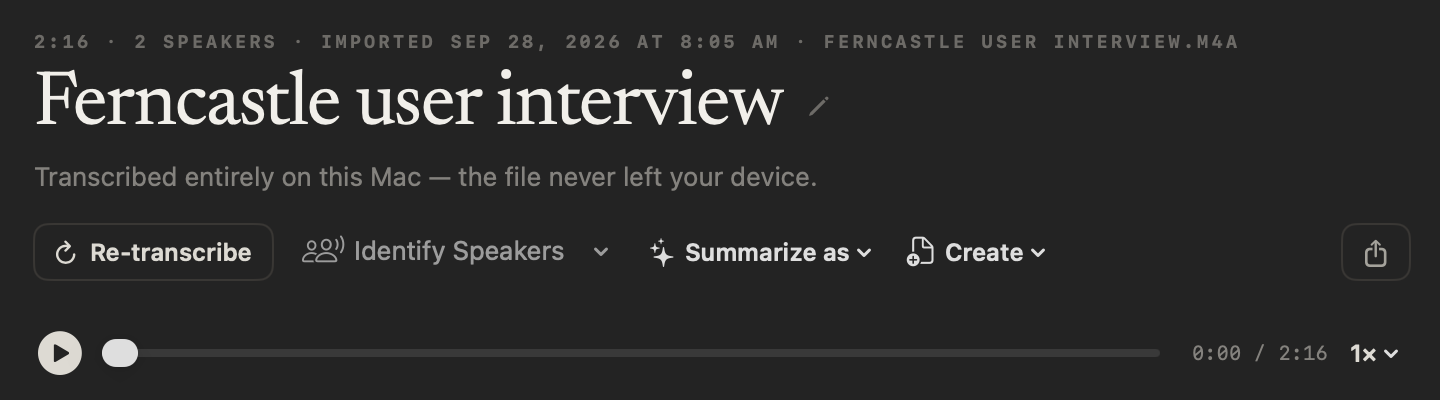
Summarize as → Podcast Show Notes writes the overview, topics, quotes and resources; Save Subtitles saves an SRT file for the video version.
Can you dictate show notes and scripts instead of typing?
Yes, and it’s free. Tap fn in your notes, a doc or an email — anywhere you can type — and talk. NoteOwl types your words at the cursor, and one tap on Polish tidies them in the tone set for that app. How free dictation works on your Mac
Casual in chat
Hey Leo, quick update from the Ferncastle call. They cut the pilot budget to $90,000, so let’s focus only on the camera auto-capture flow. Can you prioritize those wireframes for Thursday? Thanks.
- To
- Daniel Okafor
- Subject
- Next steps
Hi Daniel,
Thanks for the update today. Just confirming next steps: I will send the revised pilot proposal at $90,000 by Wednesday, the 30th. It will cover an eight-week pilot focused on camera auto-capture for personal accounts only.
I look forward to hearing who your engineering lead will be by Monday. Thanks again.
12export const pilot = {13 budgetCap: 90_000,14 weeks: 8,15 accounts: 'personal',16};17
- Voice notes — an episode idea recorded the moment you have it, audio and text kept together
- Rewrite by voice — select a paragraph, press ⌥X and say how to change itPro
- Custom vocabulary — guest and show names spelled your wayPro
- 34 languages — detected automatically
How do you transcribe a podcast on a Mac?
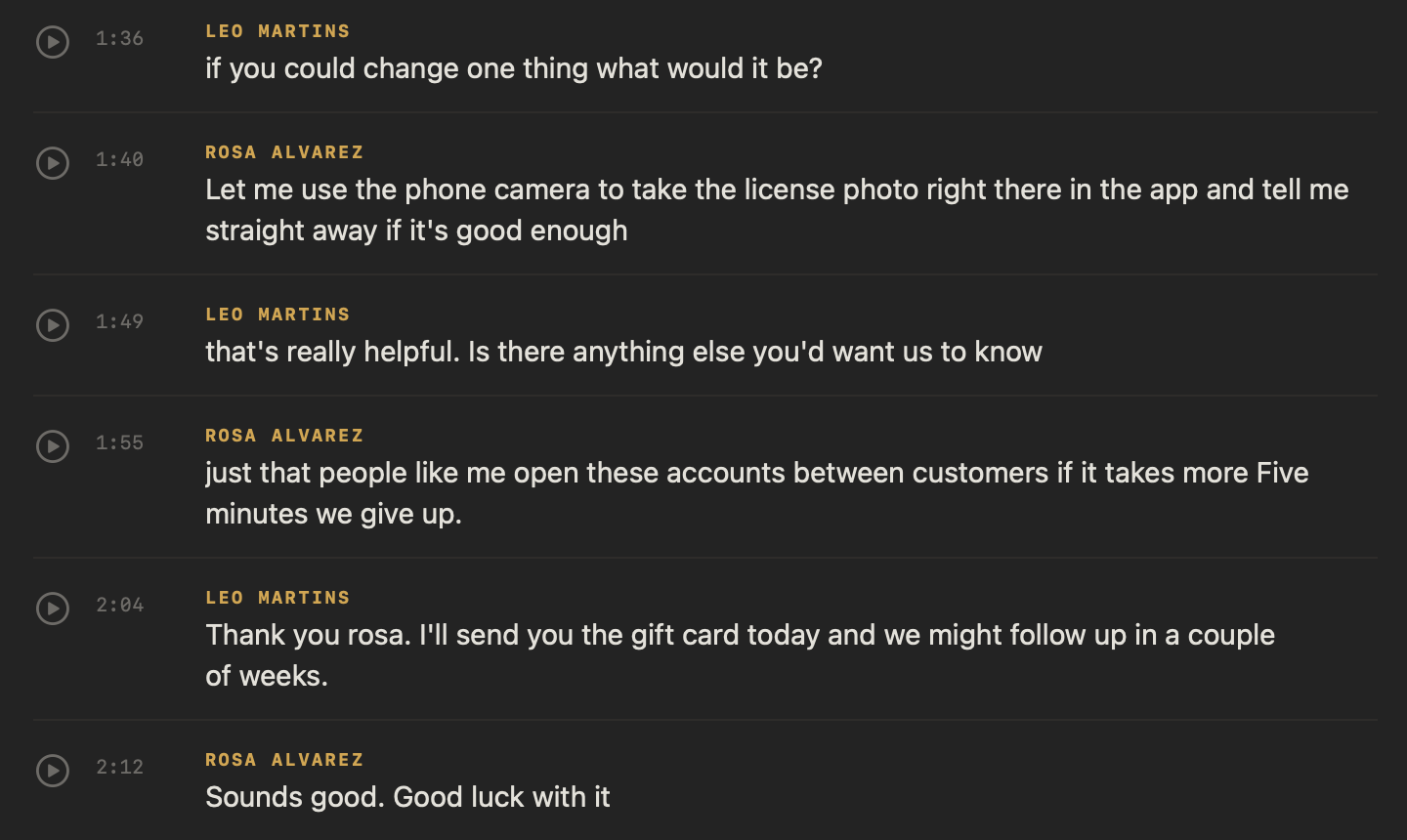
Import it into NoteOwl. Podcast transcription happens on your Mac: drop the episode on the Transcripts screen or click Import Recording, and NoteOwl writes a transcript with each speaker labelled and a time on every line. Importing recordings is part of NoteOwl Pro.
Step 1
Open Transcripts
In NoteOwl’s sidebar, click Transcripts, under Library.
Step 2
Import the episode
Click Import Recording and choose the file, or drag it onto the screen: mp3, wav, m4a, aiff, flac, aac or mp4, one at a time.
Step 3
Let NoteOwl transcribe it
NoteOwl transcribes it on your Mac, writes a summary and a title, and labels each speaker right after the transcript appears.
Step 4
Name the voices
Click Rename speakers and type the host’s and guest’s names; every line updates. Right-click a line and choose Assign to if one is wrong.
Tap any line to hear it again, or play the whole episode at 0.75× to 2×. NoteOwl keeps an audio copy for playback, not your original file — for a video, the sound, not the picture — so keep the master for publishing.
How do you write show notes from an episode?
Let NoteOwl draft them. Open the imported episode and choose Summarize as → Podcast Show Notes: NoteOwl rewrites the summary as an episode overview, the main topics, notable quotes and the resources mentioned. Check the quotes against the audio and add the links yourself.
Template · Podcast Show Notes
“Write show notes: a 1-2 sentence episode overview, main topics/segments as a bulleted outline, notable quotes, and any resources or links mentioned.”
- 01
Episode overview (1–2 sentences)
What the episode is about and who is on it. It is often the only part people read before they press play.
- 02
Main topics/segments
A bulleted outline of what the episode covers, in the order it comes up. Add a timestamp to each if you publish them.
- 03
Notable quotes
Two or three lines worth sharing, word for word, with who said them. Check each one against the recording.
- 04
Resources or links mentioned
Every book, tool, website or earlier episode mentioned, with its link. Guest links and credits can go here too.
A blank copy to paste into your podcast host, and an example: the podcast show notes template.
How do you make subtitles for a video podcast?
Import the video, then click the Share button and choose Save Subtitles. NoteOwl saves an SRT file with numbered cues, timecodes taken from the transcript and each speaker’s name, ready for your video editor or video site.
Every export option, step by step: turn audio into an SRT file on your Mac.
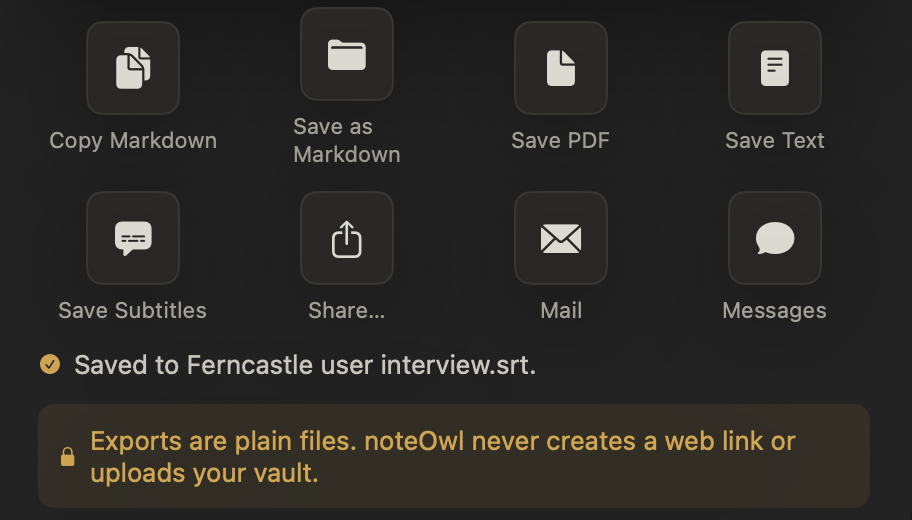
Cues 27–32 of an SRT file NoteOwl saved
27
00:01:36,160 --> 00:01:39,760
Leo Martins: if you could change one thing what would it be?

28
00:01:40,160 --> 00:01:44,560
Rosa Alvarez: Let me use the phone camera to take the license photo right there in the app

29
00:01:45,280 --> 00:01:47,120
Rosa Alvarez: and tell me straight away if it's good enough

30
00:01:48,800 --> 00:01:49,200
Leo Martins: that's really

31
00:01:49,760 --> 00:01:53,040
Leo Martins: helpful. Is there anything else you'd want us to know

32
00:01:54,800 --> 00:01:58,240
Rosa Alvarez: just that people like me open these accounts between customers
How do you find a quote across every episode?
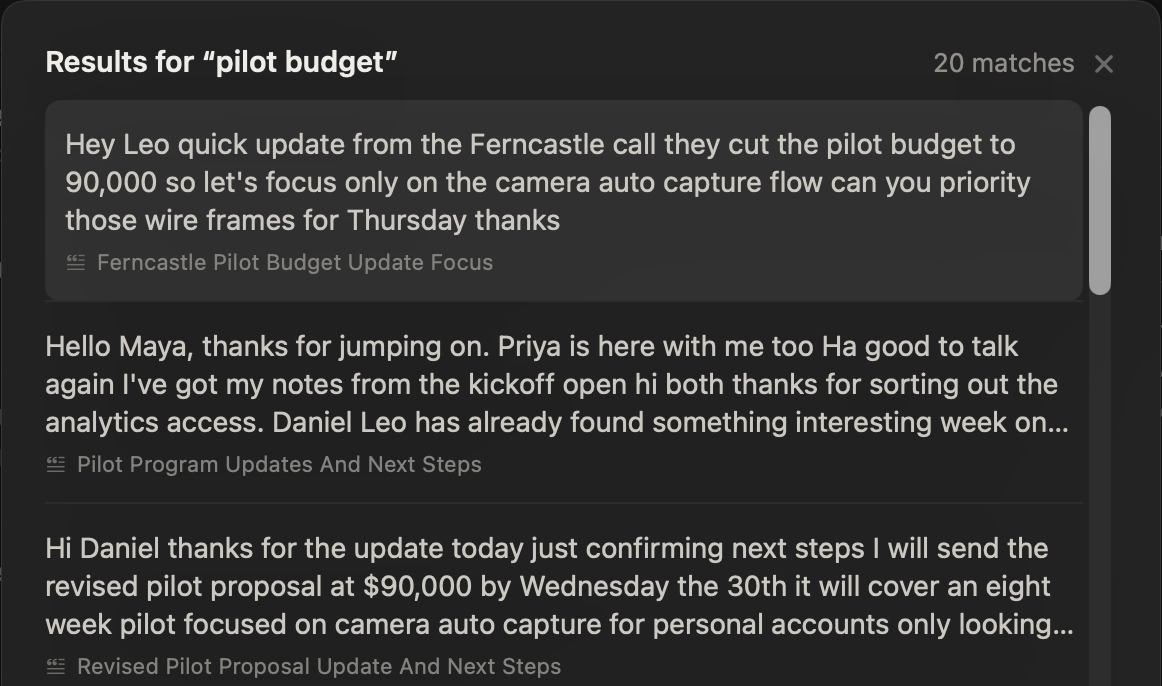
Search for the words you remember. Press ⌘K to search all your meetings and recordings: every matching passage appears with the episode it came from, and opens there. Or ask chat with your meetings a question, and it cites its passages.
Questions you could ask your back catalogue
- Which episode did we talk about pricing in?
- What exactly did our guest say about her first hire?
- Who first mentioned the listener survey?
What else does NoteOwl do for a podcaster?
Everything around the episode: speakers fixed in a click, blog and social posts drafted, ideas captured as voice notes — all on your Mac, even with Wi-Fi off.
Fix who said what
Rename a speaker once and the whole transcript updates. Merge a voice that was split in two, right-click a line to assign it, or pick 2 to 8 speakers and NoteOwl separates them again.
Blog and social posts
Create turns an episode into a blog post, a social post, an email draft or a report, written on your Mac.
Re-transcribe any time
Added a guest’s name to Vocabulary? Re-transcribe the episode from its saved audio and the new spelling is used.
Copy the whole transcript
Copy above the transcript puts every line on your clipboard with its speaker, ready to paste into your site.
Voice notes for episode ideas
Record an idea in NoteOwl the moment you have it; the audio and the text are kept together. Free.
Files you own
Save a transcript as text, SRT, Markdown or PDF, or export all your data as one zip of plain files, on every plan.
Works with Wi-Fi off
Transcription, show notes, search and chat run on your Mac with no network.
Recall from any app
Press ⌥Z while you write and ask out loud; the answer, with its source, appears in the notch.
Episodes in 34 languages
Episodes, calls and dictation in 34 languages, detected automatically — Hindi and English in one sentence included.
Which summary templates suit a podcast?
Podcast Show Notes, for most episodes. Summarize as rewrites any recording in one of the 22 meeting notes templates; these five fit a show’s week.
| Recording | Template | What it writes |
|---|---|---|
| Every episode | Podcast Show Notes | Overview · Segments · Notable quotes · Resources |
| Talks and live recordings | Presentation | Main message · Key points · Standout moments · Q&A |
| A short recap to share | Quick Summary | 3–5 key points · Bottom line |
| Planning calls with a co-host | Brainstorm | Ideas by theme · Standouts · Next experiments |
| Production check-ins | To-Do List | High priority · Medium · Low · Owners & deadlines |
Do unreleased episodes leave your Mac?
No. NoteOwl transcribes, writes show notes and answers questions on your Mac with on-device AI models; episodes and transcripts are never uploaded, and it works offline after the one-time model download. An episode stays on your Mac until you publish it yourself.
| When NoteOwl connects | What it sends |
|---|---|
| The one-time model download | Model files are downloaded to your Mac; nothing of yours is sent |
| Checking for app updates | No personal data or content |
| Starting the trial or activating Pro | Your email address and an identifier for this Mac |
| A licence check, at most once a week (Pro) | Only the certificate identifier |
Recordings, transcripts, notes and memory are never sent. To remove an episode, right-click it and choose Delete: it leaves your library, search and memory, and its files move to the macOS Trash (delete a recording or all your data). The details are in NoteOwl’s privacy policy.
Do you need to tell a guest you’re recording the call?
Yes — tell them. No bot joins and NoteOwl doesn’t notify anyone on the call, so say at the start that you’re recording. The rules on recording conversations differ from place to place; follow the ones that apply to you.
FAQ
Questions podcasters ask about NoteOwl
Can NoteOwl transcribe a podcast episode?
Yes. Drag the episode into NoteOwl’s Transcripts — mp3, wav, m4a, aiff, flac, aac or mp4, one at a time — and NoteOwl transcribes it on your Mac, with each speaker labelled and a time on every line. Importing recordings is part of NoteOwl Pro.
Does NoteOwl label the host and the guest in a podcast transcript?
Yes. NoteOwl labels each voice as Speaker 1, Speaker 2 and so on right after the transcript appears. Click Rename speakers to give them real names, pick 2 to 8 speakers if it guessed wrong, or right-click a line to assign it to someone else.
Can NoteOwl write podcast show notes?
Yes. Open the imported episode and choose Summarize as → Podcast Show Notes: NoteOwl writes an overview, the main topics, notable quotes and the resources mentioned, on your Mac. It names each resource but doesn’t search the web, so paste in the links before you publish.
Can NoteOwl make subtitles for a video podcast?
Yes. Import the mp4 into NoteOwl, then click the Share button and choose Save Subtitles: NoteOwl saves an SRT file with numbered cues, timecodes and each speaker’s name. NoteOwl keeps the sound, not the picture, so keep your original video.
Can NoteOwl record an interview with a remote guest?
It can record the call for a transcript and notes: NoteOwl records your microphone and your Mac’s audio in any call app, with no bot joining. It keeps speech-quality audio, not a file to publish, so record the episode with your usual setup and tell your guest you’re recording.
Does NoteOwl upload unreleased episodes?
No. NoteOwl transcribes episodes and writes show notes on your Mac with on-device AI models, so the audio, the transcript and the show notes are never uploaded, and it works offline after the one-time model download.
How much does NoteOwl cost for a podcaster?
Importing and transcribing episodes, show notes, subtitles, search and chat are part of NoteOwl Pro: $79 once for one Mac, no subscription, with a 7-day free trial in the app and no card needed. Buy it inside the app (the … menu next to your name → License…). Dictation and voice notes are free.
Related
- Podcast show notes template The four sections, a template to copy, and an example.
- Subtitle generator for Mac Turn a recording into an SRT file with timecodes and speaker names.
- Transcribe audio to text Any recording, speaker-labelled and timestamped, on your Mac.
- NoteOwl Pro, $79 once No subscription; one Mac; try it free first.
Keep exploring
Made for this work
- Podcast show notes templateA podcast show notes template to copy, what each section holds, an example, and how NoteOwl writes show notes from an episode
- Subtitle generatorTurn a recording into an SRT subtitle file with timecodes and speaker names, on your Mac
- Audio to textTranscription software for your Mac: drop in an audio or video file and get a speaker-labelled transcript with timestamps, unlimited, with nothing uploaded
- Export your notesExport meetings, dictations and notes as Markdown or PDF, imported transcripts as text or SRT, or everything as plain files; nothing is locked in
Other roles
- AI note taker for lawyersClient calls and consultations transcribed and summarized on your Mac; no third party processes the audio, and every answer cites the moment it was said
- AI notes for therapistsSession notes dictated the moment the client leaves, on your Mac; no third party processes the audio, and your recordings and notes are never uploaded
- AI note taker for doctorsVisit notes dictated on your own Mac for doctors in private practice; no third party processes patient audio, and no subscription
Every episode transcribed, on your Mac
Free to download. Runs entirely on your Mac.
macOS 26 or later · Apple Silicon (M1 or newer) · 16 GB memory minimum, 24 GB recommended
About NoteOwl
NoteOwl is private AI meeting notes and memory for the Mac. It captures meetings without a bot joining the call, labels every speaker, writes summaries and action items, and builds a memory of every conversation that you can chat with — fully offline, because the speech recognition and the AI run on the Mac itself. Dictation into any app is free; Pro is a one-time purchase.
NoteOwl pricing: what’s free and what Pro adds
Last updated