Template
Memories template
This memories template has four sections — who was there, where and when it happened, what happened, and why it mattered — so a story told once can be kept as a keepsake. It copies as plain text into Apple Notes, Notion, Google Docs or a family memory book.
In NoteOwl, record someone telling the story, as a voice memo on your iPhone or a voice note on your Mac, and NoteOwl writes it up in these sections, with the details and the feeling kept; an example is below.
Memories · 4 sections
- 01Who was there
- 02Where and when
- 03What happened
- 04Why it mattered
What should you write down about a memory?
Four things: who was there, where and when it happened, what happened, and why it mattered. Keep the small details — what someone said, a smell, a song — because they are what bring a memory back when you read it years later.
- Who was there
- What to writeEveryone in the story, with how they are related to you, and who told it.
- Where and when
- What to writeThe place and the date, or as close as anyone remembers: a season, a year, “the summer before you were born”.
- What happened
- What to writeThe story in order, in short lines, with the small details: what people said, ate, wore or laughed about.
- Why it mattered
- What to writeWhy the story is still told, and what it meant to the people in it. A line in the teller’s own words is best.
| Section | What to write |
|---|---|
| Who was there | Everyone in the story, with how they are related to you, and who told it. |
| Where and when | The place and the date, or as close as anyone remembers: a season, a year, “the summer before you were born”. |
| What happened | The story in order, in short lines, with the small details: what people said, ate, wore or laughed about. |
| Why it mattered | Why the story is still told, and what it meant to the people in it. A line in the teller’s own words is best. |
A memories template to copy
Paste it into Apple Notes, Google Docs, Word or a family memory book, and fill it in while the story is fresh, one memory to a page. It is plain text, so it keeps its shape anywhere.
The sections match NoteOwl’s built-in Memories, so keepsakes you write by hand and keepsakes NoteOwl writes from a recording read the same.
MEMORY

Title:
Told by:
Recorded on:

1. WHO WAS THERE
- Name, and how they're related to you
-
-

2. WHERE AND WHEN
Place:
Date (or as close as anyone remembers):

3. WHAT HAPPENED
- First,
- Then,
- In the end,

4. WHY IT MATTERED
In the teller's own words:

Details to keep (a saying, a smell, a song, an object):
-
What questions help someone tell a memory?
Open questions that start with who, where, what and why, asked one at a time, then quiet while they answer. Here are questions for each section, for recording a parent, a grandparent or a friend.
- Who was there
- Questions to askWho was with you? How did you know them? Who else would remember it?
- Where and when
- Questions to askWhere were you? How old were you? What time of year was it?
- What happened
- Questions to askHow did the day start? What happened next? What did people say?
- Why it mattered
- Questions to askWhy do you still remember it? What did it change? What would you want us to know about it?
- The small details
- Questions to askWhat could you see, hear or smell? Was there a song, a meal or an object from that day?
| Section | Questions to ask |
|---|---|
| Who was there | Who was with you? How did you know them? Who else would remember it? |
| Where and when | Where were you? How old were you? What time of year was it? |
| What happened | How did the day start? What happened next? What did people say? |
| Why it mattered | Why do you still remember it? What did it change? What would you want us to know about it? |
| The small details | What could you see, hear or smell? Was there a song, a meal or an object from that day? |
What does a good memory keepsake look like?
Like this: NoteOwl’s Memories for a two-minute recording of a bakery owner telling her daughter about the day she opened her shop. Every detail comes from the recording, and the feeling of the day is kept.
The Day the Bakery Opened
Who Was There
- Rosa Alvarez, opening her bakery
- Sofia, her daughter, then seven, in charge of samples
- Sofia's dad, who painted the shop with Rosa the week before
- Grandmother Carmen, who taught Rosa to bake in her kitchen, standing on a chair
- Mr. Hale from the flower shop next door, the first customer
Where and When
Saturday 15 March 2014, on the corner of Alder Street, in the same shop as today. The walls were still a little sticky from the paint.
What Happened
- They got up at four, and Carmen came over in the dark with her apron already on.
- The new oven was hotter than Rosa thought, and she burned the first tray of rolls. She nearly cried; Carmen laughed and said, "The first tray is for the birds."
- They opened at seven. For an hour nobody came, and Sofia's dad kept checking the street.
- Then Mr. Hale bought two conchas. He still comes in every Saturday.
- By nine there was a queue out of the door, and Sofia gave away more samples than they sold.
- By two o'clock nothing was left, so they closed early. The four of them sat on the back step and ate the burnt rolls.
Why It Mattered
Carmen always wanted a bakery of her own and never had one; that day it was hers as much as Rosa's. Rosa still keeps the first dollar Mr. Hale paid her, taped behind the till, for Sofia to have one day.
How do you get a memory written up automatically?
Record the story on your iPhone and import it into NoteOwl — it can transcribe audio to text on your Mac — then choose Summarize as → Memories. NoteOwl writes the keepsake from the recording with on-device AI models, and nothing is uploaded.
- 1
Record the story
Record it with Voice Memos on your iPhone, or any recorder, and bring the file to your Mac. Ask one question at a time, and let the storyteller talk.
- 2
Import it into NoteOwl
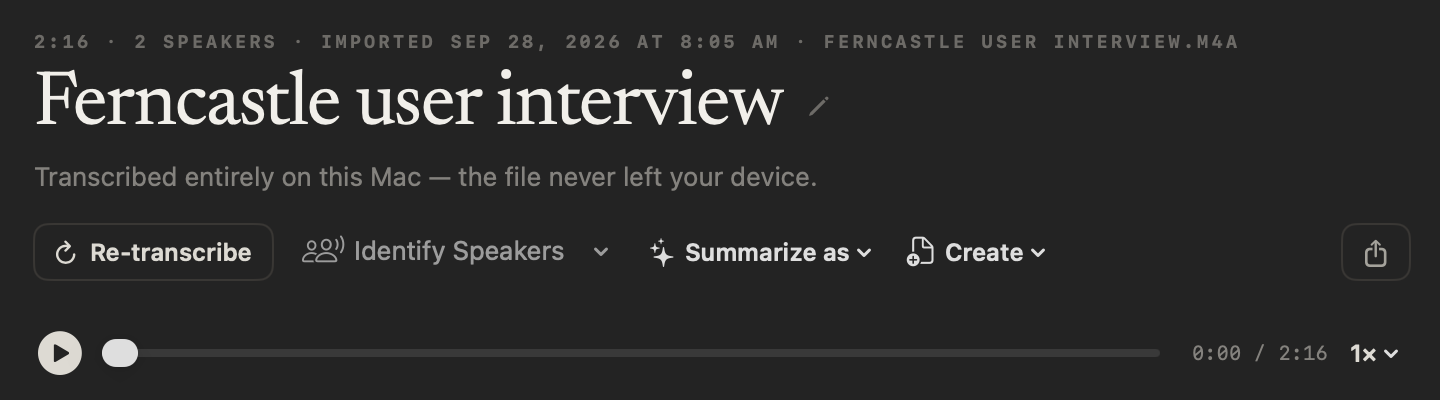
On the Transcripts screen, click Import Recording, or drag the file onto it. NoteOwl writes the transcript, with each speaker labelled, and a first summary, on your Mac.
- 3
Choose Summarize as → Memories
At the top of the recording, open Summarize as and pick Memories, in the Personal group. NoteOwl rewrites the summary as who was there, where and when, what happened and why it mattered.
- 4
Keep it with the recording
The keepsake, the transcript and the audio stay together on your Mac, so you can hear the voice again. Export them as Markdown or PDF to print or share with the family.
Importing recordings and templates are part of NoteOwl Pro, with a 7-day free trial in the app. Recording a voice note on your Mac is free; Transform as → Memories turns it into a keepsake with Pro.
What does NoteOwl’s Memories template ask for?
Exactly the four sections above, with the meaningful details and the feeling of the moment kept. This is the template’s instruction to NoteOwl, word for word; you can change it, or write your own, in NoteOwl’s Templates screen.
“Capture this memory as a keepsake: who was there, where and when it took place, what happened, and why it mattered. Preserve the meaningful details and the feeling of the moment.”
For the steps, see choose or write a summary template in the NoteOwl docs.
FAQ
Questions about recording memories
How do you record family memories?
Sit somewhere quiet with the person, put a phone between you and ask one question at a time: who was there, where and when, what happened and why it mattered. Let them talk, and ask about the small details. NoteOwl can turn the recording into a written keepsake.
How long should a recorded memory be?
As long as the story needs; one memory often takes a few minutes to tell. Keep one story to a recording, so each keepsake stays about one moment and is easy to find later.
Can I use this template for a family memory book?
Yes. It is plain text, so it pastes into Apple Notes, Google Docs, Word or a photo book, and every memory keeps the same four sections. Used for every story, it works as a family memories template that anyone in the family can fill in.
Can NoteOwl write up a memory from a recording?
Yes. Import the recording into NoteOwl, then choose Summarize as → Memories, and it writes who was there, where and when, what happened and why it mattered, on your Mac with on-device AI models. Importing recordings and templates are part of NoteOwl Pro: $79 once for one Mac, with a 7-day free trial in the app.
Can I record the story on my Mac instead?
Yes. Record a voice note in NoteOwl, which is free and unlimited, then open the note’s style menu and choose Transform as → Memories. NoteOwl rewrites the note as a keepsake and keeps the raw words beside it. Transform as and the templates are part of NoteOwl Pro.
Does NoteOwl keep the recording?
Yes. NoteOwl keeps an audio copy of an imported recording to play back beside its transcript, so you can hear the voice again. It doesn’t keep your original file, so keep that somewhere safe too.
Are family recordings uploaded anywhere?
No. NoteOwl transcribes the recording and writes the keepsake on your Mac with on-device AI models, so the audio, the transcript and the keepsake are never uploaded. They stay on your Mac until you choose to share them.
Related
- Journal template Reflections, mood and highlights, and gratitude, from a voice note or on paper.
- How to transcribe a voice memo on Mac Bring a recording from your iPhone’s Voice Memos into NoteOwl as text.
- Voice notes on your Mac Record in NoteOwl and each note is saved as searchable text, with the audio. Free.
- Transcribe audio to text Import any recording and get a speaker-labelled transcript, on your Mac.
Keep exploring
More templates
- Legal consultation notes templateA legal consultation notes template to copy, what each section holds, an example, and how NoteOwl writes it on your Mac
- Therapy session notes templateTherapy session notes templates to copy, what each section holds, and how NoteOwl writes them on your Mac
- Doctor visit notes templateA doctor visit notes template to copy, what each section holds, an example, and how NoteOwl writes a plain-language visit summary on your Mac
- Lecture notes templateA template to copy for study notes from a lecture: topics, definitions, examples and exam points, with an example, and how NoteOwl writes it
Keep your family’s stories on your Mac
Free to download. Runs entirely on your Mac.
macOS 26 or later · Apple Silicon (M1 or newer) · 16 GB memory minimum, 24 GB recommended
About NoteOwl
NoteOwl is private AI meeting notes and memory for the Mac. It captures meetings without a bot joining the call, labels every speaker, writes summaries and action items, and builds a memory of every conversation that you can chat with — fully offline, because the speech recognition and the AI run on the Mac itself. Dictation into any app is free; Pro is a one-time purchase.
NoteOwl pricing: what’s free and what Pro adds
Last updated