Template
To-do list template
This to-do list template is a checklist in three groups — high, medium and low priority — where every task starts with a verb and has an owner and a deadline when you know them. It copies as plain text into Apple Notes, Notion, Google Docs or a task app, or onto paper.
In NoteOwl, pick To-Do List and it turns a meeting or a voice note into this checklist, on your Mac; an example is below.
To-Do List · 4 parts
- 01High priority
- 02Medium priority
- 03Low priority
- 04Owner and deadline
What should a to-do list include?
Every task, one per line, each starting with a verb, grouped by priority so the important ones come first. Add who does it and by when, when you know. A task you can finish and tick off beats a vague goal.
- High priority
- What goes thereTasks due in the next day or two, or that someone else is waiting on. Keep it short: if everything is high priority, nothing is.
- Medium priority
- What goes thereTasks that matter this week or next, but won’t hold anyone up today.
- Low priority
- What goes thereNice-to-haves and tasks with no date. Look through them once a week and delete what no longer matters.
- Owner and deadline
- What goes thereOn every task, when you know them: who does it, and by when. On a list for yourself, the deadline is enough.
| Part | What goes there |
|---|---|
| High priority | Tasks due in the next day or two, or that someone else is waiting on. Keep it short: if everything is high priority, nothing is. |
| Medium priority | Tasks that matter this week or next, but won’t hold anyone up today. |
| Low priority | Nice-to-haves and tasks with no date. Look through them once a week and delete what no longer matters. |
| Owner and deadline | On every task, when you know them: who does it, and by when. On a list for yourself, the deadline is enough. |
A to-do list template to copy
Paste it into Apple Notes, Notion, Google Docs or a task app, or print it, and fill it in. It is plain text, so it keeps its shape anywhere; your app’s checklist button turns each line into a box to tick.
The groups match what NoteOwl’s To-Do List writes, so lists you write by hand and lists NoteOwl writes read the same.
TO-DO LIST

Date:
For: me / team / project

HIGH PRIORITY
[ ] Verb + task (owner, by when)
[ ]
[ ]

MEDIUM PRIORITY
[ ]
[ ]

LOW PRIORITY
[ ]
[ ]

DONE
[x]
How do you decide a task’s priority?
Ask two things of each task: when is it due, and is anyone waiting on it? Due soon or holding someone up makes it high priority; due later makes it medium; no date and nobody waiting makes it low. Then start with the high-priority tasks.
- High
- What goes thereDue in the next day or two, or someone is waiting on it
- ExampleSend the prototype to the engineering lead by Monday
- Medium
- What goes thereDue this week or next, and nobody is held up yet
- ExampleOrder six more gift cards this week
- Low
- What goes thereNo date, and nothing depends on it
- ExampleTidy up the research folder
- Not a task yet
- What goes thereA topic with no action in it
- ExampleNot “Website”, but “Update the case study on the website”
| Priority | What goes there | Example |
|---|---|---|
| High | Due in the next day or two, or someone is waiting on it | Send the prototype to the engineering lead by Monday |
| Medium | Due this week or next, and nobody is held up yet | Order six more gift cards this week |
| Low | No date, and nothing depends on it | Tidy up the research folder |
| Not a task yet | A topic with no action in it | Not “Website”, but “Update the case study on the website” |
What does a good to-do list look like?
Like this: NoteOwl’s To-Do List for a two-minute planning call at a small design studio. Every task starts with a verb, sits under its priority, and names the owner and the deadline where they were said.
To-Do List: Midpoint Review Planning
High Priority
- Send the auto capture prototype to Marcus (Owner: Leo, Deadline: Monday the 5th)
- Pick up the three Android phones from Marcus (Owner: Leo, Deadline: tomorrow)
- Ask Marcus whether Android deletes the licence photo after upload (Owner: Leo, Deadline: tomorrow)
- Draft the midpoint review deck with the Android numbers, interview findings and prototype (Owner: Maya, Deadline: Tuesday the 6th)
- Check the prototype screens in the deck (Owner: Leo, Deadline: Tuesday afternoon)
Medium Priority
- Book the six new interview participants into next week's free slots (Owner: Nina, Deadline: Monday)
- Send gift cards to the two participants already interviewed (Owner: Nina, Deadline: today)
- Order six more gift cards for the new participants (Owner: Nina, Deadline: this week)
- Send the invite for the review dry run, Wednesday the 7th at 10:00 (Owner: Nina)
- Do the portfolio walkthroughs for contractor candidates (Owner: Maya and Leo)
Low Priority
- Tidy up the research folder (Owner: Nina, no rush)
- Update the case study on the website once the pilot is signed (Owner: Maya)
How do you get a to-do list written automatically?
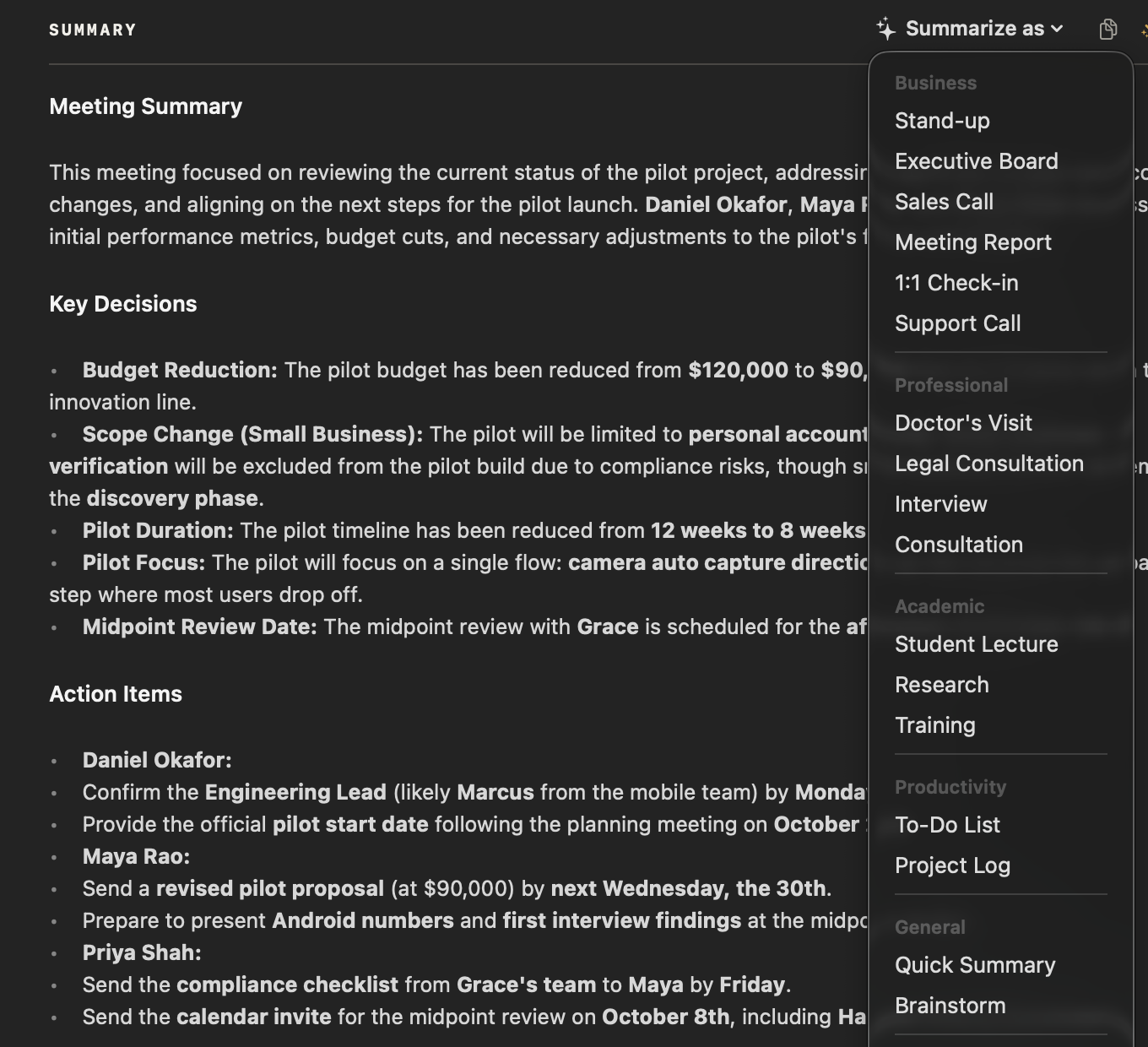
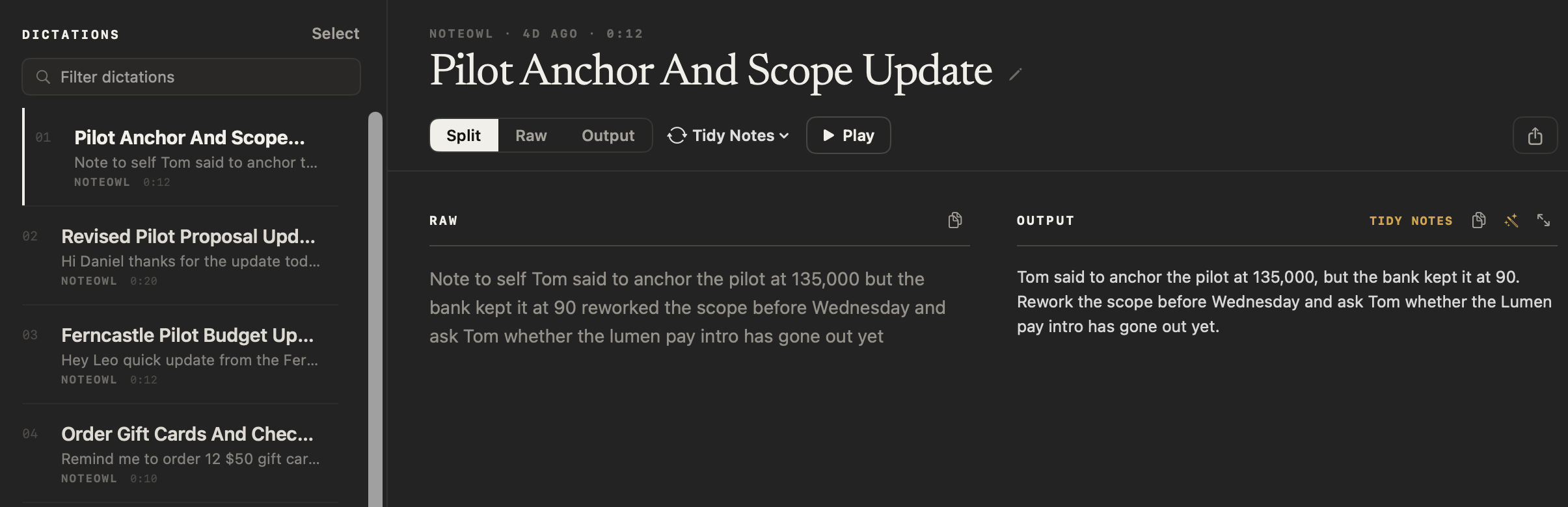
Record the meeting in NoteOwl — it takes meeting notes without a bot — and choose Summarize as → To-Do List, or pick To-Do List under Transform as on a voice note. NoteOwl pulls out every task, with owners and deadlines, on your Mac with on-device AI models; nothing is uploaded.
- 1
Record a meeting or a voice note
For a call, press ⌥Space or click Start Meeting; no bot joins the call. For a list you speak yourself, click New Dictation on the Dictations screen, say your tasks and press Stop.
- 2
Let NoteOwl write it up
When the meeting ends, NoteOwl writes the speaker-labelled transcript and a summary. A voice note is saved with your raw words and a polished version. Both stay on your Mac.
- 3
Choose To-Do List
On a meeting, open Summarize as above the summary and pick To-Do List. On a voice note, open the style menu beside Split, Raw and Output and pick To-Do List under Transform as.
- 4
Copy the checklist
Copy it into Notion, Obsidian or your task app, or use Export to save it as Markdown or PDF.
Voice notes are free. Turning one into a to-do list uses a template, and templates and meeting notes are part of NoteOwl Pro, with a 7-day free trial in the app. A meeting’s action items that involve you also land on your Commitments board: see action items and commitments.
What does NoteOwl’s To-Do List template ask for?
Every task as a checklist grouped by priority, each starting with a verb, with its owner and deadline when said. This is the template’s instruction to NoteOwl, word for word; you can change it, or write your own, in NoteOwl’s Templates screen (see how to customize a template).
“Extract every actionable task as a Markdown checklist, grouped High/Medium/Low priority. Start each item with an action verb and include the owner and deadline when stated.”
FAQ
Questions about to-do lists
How do you make a to-do list?
Write down every task, one per line, starting each with a verb. Sort them into high, medium and low priority, and add an owner and a deadline where there is one. Start with the high-priority tasks and tick each one off when it is done.
How many tasks should be on a daily to-do list?
Few enough to finish in a day, often three to five, taken from the top of your full list. Keep the rest under medium or low priority, and move tasks up as their deadlines get closer.
What is the difference between a to-do list and action items?
Action items come out of a meeting: each is a task someone agreed to, ideally with an owner and a date. A to-do list is any list of tasks, from a meeting, a voice note or your own head. NoteOwl’s To-Do List pulls every task out of a meeting and groups them by priority.
Can NoteOwl make a to-do list from a meeting automatically?
Yes. Record the meeting in NoteOwl, then choose Summarize as → To-Do List, and it writes every task as a checklist grouped by priority, with owners and deadlines where they were said, on your Mac with on-device AI models. Meeting notes and templates are part of NoteOwl Pro: $79 once for one Mac, with a 7-day free trial in the app.
Can I speak a to-do list instead of typing it?
Yes. Record a voice note in NoteOwl — free and unlimited — and say your tasks as they come to you. With NoteOwl Pro, pick To-Do List under Transform as and NoteOwl rewrites the note as a checklist grouped by priority; your raw words stay as they are.
Can I use this to-do list template in Notion, Google Docs or Apple Notes?
Yes. It is plain text, so it pastes into Notion, Google Docs, Word or Apple Notes and keeps its three priority groups. Turn each line into a tickable box with the app’s own checklist button.
Can I change how NoteOwl’s To-Do List groups tasks?
Yes. In NoteOwl’s Templates screen you can customize the To-Do List — for example, to group tasks by person or by day instead of priority — or write your own template, then use it on any meeting or voice note.
Related
- All 22 meeting notes templates Stand-ups, 1:1s, sales calls, project updates and more, with their sections.
- Action items and commitments One board of what you owe and what you’re owed, from every meeting.
- Voice notes on your Mac Free voice notes saved as searchable text, with the audio kept.
- AI meeting summaries The decisions and action items NoteOwl writes when a meeting ends.
Keep exploring
More templates
- Meeting summary templateA meeting summary template to copy, what each section holds, an example, and how NoteOwl writes it
- Presentation notes templateA presentation notes template to copy, what each section holds, an example, and how NoteOwl writes it
- Journal templateA journal template to copy, what each section holds, an example, and how NoteOwl writes it
- Memories templateA memories template to copy, what each section holds, an example, and how NoteOwl writes it
Turn your meetings into to-do lists on your Mac
Free to download. Runs entirely on your Mac.
macOS 26 or later · Apple Silicon (M1 or newer) · 16 GB memory minimum, 24 GB recommended
About NoteOwl
NoteOwl is private AI meeting notes and memory for the Mac. It captures meetings without a bot joining the call, labels every speaker, writes summaries and action items, and builds a memory of every conversation that you can chat with — fully offline, because the speech recognition and the AI run on the Mac itself. Dictation into any app is free; Pro is a one-time purchase.
NoteOwl pricing: what’s free and what Pro adds
Last updated