Template
Consultation notes template
This consultation notes template has four sections — the client’s situation and goals, the advice or recommendations you gave, the options or alternatives discussed, and the agreed next steps or documents needed — and it copies as plain text into Google Docs, Notion, Word or any notes app.
In NoteOwl, the Consultation template writes these notes from the recording of a client consultation, on your Mac; an example is below.
Consultation · 4 sections
- 01The client’s situation and goals
- 02Advice or recommendations given
- 03Options or alternatives discussed
- 04Agreed next steps or documents needed
What should consultation notes include?
Four things: the client’s situation and goals, the advice or recommendations you gave, the options discussed with their costs and trade-offs, and the agreed next steps, including any documents you need. Write the client’s goal in their words, so every recommendation can be checked against it.
- The client’s situation and goals
- What to writeWhere the client is now, the problem in their words, the numbers they gave, and what they want to achieve, by when.
- Advice or recommendations given
- What to writeEach recommendation you made and the reason for it. Note anything you said needs checking with someone else first.
- Options or alternatives discussed
- What to writeEach option with its cost, time and trade-offs, and which one the client leaned towards.
- Agreed next steps or documents needed
- What to writeWho does what by when, on both sides, the documents or data you need from the client, and the next meeting.
| Section | What to write |
|---|---|
| The client’s situation and goals | Where the client is now, the problem in their words, the numbers they gave, and what they want to achieve, by when. |
| Advice or recommendations given | Each recommendation you made and the reason for it. Note anything you said needs checking with someone else first. |
| Options or alternatives discussed | Each option with its cost, time and trade-offs, and which one the client leaned towards. |
| Agreed next steps or documents needed | Who does what by when, on both sides, the documents or data you need from the client, and the next meeting. |
A consultation notes template to copy
Paste it into Google Docs, Notion, Word or Apple Notes and fill it in during or straight after the consultation. It is plain text, so it keeps its shape anywhere, including a CRM note or a proposal.
The sections match NoteOwl’s Consultation template, so notes you write by hand and notes NoteOwl writes read the same.
CONSULTATION NOTES

Client:
Company:
Date:
Consultant:
Meeting: first consultation / follow-up

1. SITUATION AND GOALS
- Where things stand now:
- The problem, in the client's words:
- The goal, and by when:

2. ADVICE / RECOMMENDATIONS
- Recommendation, and why
- Recommendation, and why

3. OPTIONS DISCUSSED
Option | Cost | Time | Trade-offs
A      |      |      |
B      |      |      |
The client's preference:

4. NEXT STEPS / DOCUMENTS NEEDED
Owner  | Next step or document | By when
Client |                       |
Us     |                       |

Next meeting:
What questions should you ask in a client consultation?
Questions that fill the four sections: where the client is and what they want, what limits your advice, what they can spend and how fast, and what each side does next. Ask about the goal first, and recommend only once you understand it.
- Situation and goals
- Questions to askWhat prompted this now? What have you tried already? What would success look like, and by when?
- Advice
- Questions to askWhat limits should I know about — budget, rules, people? Who else has to agree before anything changes?
- Options
- Questions to askWhat budget and timeline are you working with? What matters most to you: cost, speed or scope?
- Next steps
- Questions to askWhat do you need from me to decide? What can you send me before our next call?
| Section | Questions to ask |
|---|---|
| Situation and goals | What prompted this now? What have you tried already? What would success look like, and by when? |
| Advice | What limits should I know about — budget, rules, people? Who else has to agree before anything changes? |
| Options | What budget and timeline are you working with? What matters most to you: cost, speed or scope? |
| Next steps | What do you need from me to decide? What can you send me before our next call? |
What do good consultation notes look like?
Like this: NoteOwl’s Consultation notes for a first call in which a design studio’s founder advises a small fintech on why companies give up on its sign-up. Each recommendation comes with its reason, and each option with its price.
Consultation Summary: Brightwater
Client: Ravi Patel, Brightwater · Consultant: Maya Rao, Northlight Studio
Client's Situation and Goals
- Brightwater makes a company expense card for small teams, mostly shops and trades with 5 to 20 staff. About 3,000 companies have signed up.
- Problem: only about a third of companies that start an application finish it.
- Where they drop off: the company documents step (the registration certificate and ID for every director). People start on their phone and don't have the documents with them.
- Goal: get half of applications to finish, with the new sign-up live by early December, before a new plan launches in January.
Advice / Recommendations Given
- Measure first: split the drop-off step by step, on phone and desktop separately, before any design. With a bank client, Android turned out to be far worse than the average.
- Save and come back: let people save the application and finish it later, for example on a laptop at the office, without starting again.
- Documents at the end: ask for the documents at the end, not in the middle, so people get as far as they can first.
- Documents after opening the account: a question for Brightwater's compliance partner. Check what the partner bank allows before designing around it.
Options Discussed
- Option 1: Two-week audit, $14,000. A review of the flow and the analytics, with a prioritised list of fixes.
- Option 2: Six-week discovery, $52,000. The audit plus 12 customer interviews and two tested prototypes.
- Starting with the audit: Ravi prefers the six-week option, but $52,000 is more than he planned. The audit is the first two weeks of the discovery, so nothing is wasted if the rest is added later.
- Timing risk: for a December launch, the full discovery would need to start by mid-October.
Agreed Next Steps / Documents Needed
- Ravi Patel: talk to his co-founder Anna about the budget.
- Ravi Patel: send a funnel export (by step and by device) and a screen recording of the current sign-up by Friday.
- Ravi Patel: send the list of documents the partner bank requires (may take a week).
- Maya Rao: send a short proposal with both options by Monday.
- Next call: next Thursday, same time.
How do you get consultation notes written automatically?
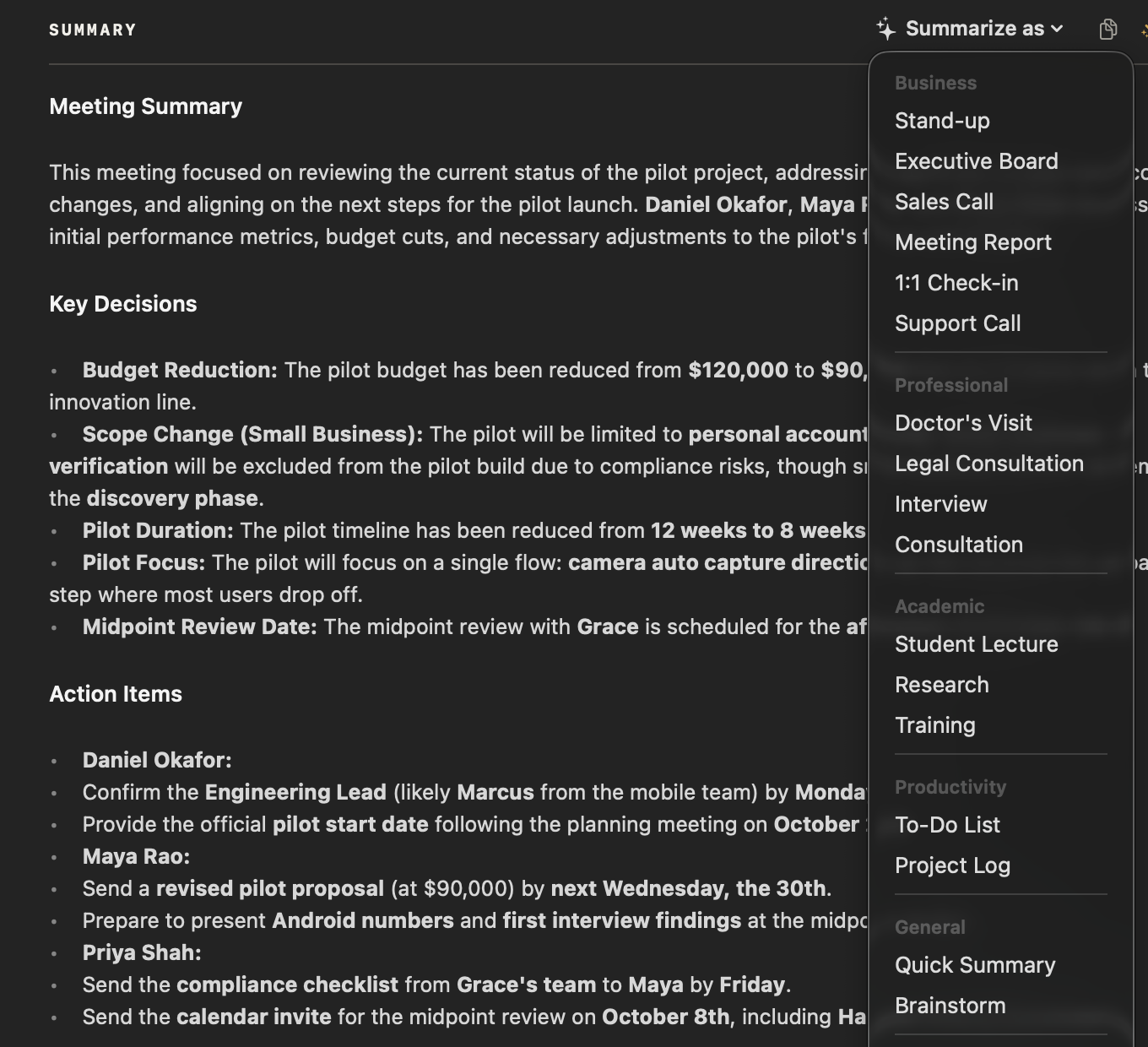
Record the consultation in NoteOwl — it takes meeting notes without a bot — then choose Summarize as → Consultation. NoteOwl writes the client’s situation and goals, your recommendations, the options and the next steps from the recording, on your Mac with on-device AI models, and nothing is uploaded.
- 1
Record the consultation
Press ⌥Space or click Start Meeting when the call begins. NoteOwl records your microphone and your Mac’s audio; no bot joins the call.
- 2
Open it in Meeting Scribe
When the call ends, NoteOwl writes the speaker-labelled transcript and a summary, on your Mac.
- 3
Choose Summarize as → Consultation
Above the summary, open Summarize as and pick Consultation. NoteOwl rewrites the notes as the client’s situation and goals, your recommendations, the options and the next steps.
- 4
Send the client a recap
Copy the notes as Markdown into your follow-up email or proposal, or use Export to save them as Markdown or PDF. Action items that involve you land on your Commitments board.
Tell the client you’re recording. Meeting notes and templates are part of NoteOwl Pro, with a 7-day free trial in the app. For the recap, NoteOwl can also draft a meeting follow-up email from the call; see AI meeting summaries for the summary every call gets.
What does NoteOwl’s Consultation template ask for?
Exactly the four sections above. This is the template’s instruction to NoteOwl, word for word; you can change it, or write your own, in NoteOwl’s Templates screen (see how to customize a template).
“Summarize this consultation: the client's situation and goals, the advice or recommendations given, the options or alternatives discussed, and the agreed next steps or documents needed.”
FAQ
Questions about consultation notes
What are consultation notes?
Consultation notes are the written record of a meeting where you advise a client: their situation and goals, what you recommended, the options you discussed and what happens next. NoteOwl’s Consultation template writes them in those four sections from the recording of the call.
Should you send consultation notes to the client?
Usually, yes: a short recap the same day, with your recommendations, the options and who does what next, so the client can correct anything you got wrong. Keep your private working notes out of the version you send.
Can I use this client consultation template for coaching or advisory calls?
Yes. The sections fit any meeting where you advise a client: consulting, coaching, agency or advisory work. For a legal consultation, NoteOwl also has a Legal Consultation template, with the matter, key facts, advice given, risks and next steps.
Can NoteOwl write consultation notes automatically?
Yes. Record the consultation in NoteOwl, then choose Summarize as → Consultation, and it writes the client’s situation and goals, your recommendations, the options and the next steps from the recording, on your Mac with on-device AI models. Meeting notes and templates are part of NoteOwl Pro: $79 once for one Mac, with a 7-day free trial in the app.
Is it private to record a client consultation with NoteOwl?
NoteOwl records, transcribes and summarizes the consultation on your Mac with on-device AI models, so the recording, the transcript and the notes are never uploaded, and no bot joins the call. Tell the client you are recording before you start.
Can NoteOwl remind me what I recommended to a client last time?
Yes. NoteOwl keeps every recorded consultation in a searchable memory on your Mac, so you can search for a client or a recommendation, or ask Chat, and the answer cites the call it came from. Chat and memory are part of NoteOwl Pro.
Can I change the sections of NoteOwl’s Consultation template?
Yes. In NoteOwl’s Templates screen you can customize the Consultation template — for example, to add fees and risks — or write your own, then summarize any recorded consultation again in the new format.
Related
- All 22 meeting notes templates Stand-ups, 1:1s, sales calls, interviews and more, with their sections.
- AI note taker for consultants Client calls, workshops and stakeholder interviews, with every commitment tracked.
- Meeting follow-up email A recap email with the decisions, owners and dates, drafted from the call on your Mac.
- AI meeting summaries The decisions and action items NoteOwl writes when a meeting ends.
Keep exploring
Who uses it
- AI note taker for consultantsClient calls, workshops and interviews with every commitment tracked and answers cited, on your Mac
- AI note taker for lawyersClient calls and consultations transcribed and summarized on your Mac; no third party processes the audio, and every answer cites the moment it was said
More templates
- Training notes templateA training notes template to copy, what each section holds, an example, and how NoteOwl writes it
- To-do list templateA to-do list template to copy, what each section holds, an example, and how NoteOwl writes it
- Meeting summary templateA meeting summary template to copy, what each section holds, an example, and how NoteOwl writes it
- Presentation notes templateA presentation notes template to copy, what each section holds, an example, and how NoteOwl writes it
Get your consultation notes written on your Mac
Free to download. Runs entirely on your Mac.
macOS 26 or later · Apple Silicon (M1 or newer) · 16 GB memory minimum, 24 GB recommended
About NoteOwl
NoteOwl is private AI meeting notes and memory for the Mac. It captures meetings without a bot joining the call, labels every speaker, writes summaries and action items, and builds a memory of every conversation that you can chat with — fully offline, because the speech recognition and the AI run on the Mac itself. Dictation into any app is free; Pro is a one-time purchase.
NoteOwl pricing: what’s free and what Pro adds
Last updated