Template
User interview template
This user interview template has four sections — the questions or hypotheses you set out to explore, the key findings, the evidence each finding rests on, and the open questions still to investigate — and it copies as plain text into Notion, Google Docs or any notes app.
In NoteOwl, the Research template writes these research notes from a recorded or imported user interview, on your Mac; an example is below.
Research · 4 sections
- 01Questions or hypotheses explored
- 02Key findings and insights
- 03Sources or evidence
- 04Open questions or gaps
What should user interview notes include?
Four things: the questions you set out to answer, what you learned, the evidence behind each finding, and what is still open. Keep findings and evidence apart, so you can see which findings rest on one person’s word and which you have heard again and again.
- Questions or hypotheses explored
- What to writeWhat you set out to learn, or the assumptions you were testing, written before the interview.
- Key findings and insights
- What to writeWhat you learned: problems, workarounds, surprises, and what the participant would change.
- Sources or evidence
- What to writeWhat each finding rests on — a quote, something you watched them do, or a number they gave.
- Open questions or gaps
- What to writeWhat this interview didn’t answer, and what to check in the next sessions.
| Section | What to write |
|---|---|
| Questions or hypotheses explored | What you set out to learn, or the assumptions you were testing, written before the interview. |
| Key findings and insights | What you learned: problems, workarounds, surprises, and what the participant would change. |
| Sources or evidence | What each finding rests on — a quote, something you watched them do, or a number they gave. |
| Open questions or gaps | What this interview didn’t answer, and what to check in the next sessions. |
A user interview template to copy
Paste it into Notion, Google Docs, Word or Apple Notes, fill in the questions before the session, and the rest during or straight after it. It is plain text, so it keeps its shape anywhere.
The sections match NoteOwl’s Research template, so research notes you write by hand and notes NoteOwl writes read the same.
USER INTERVIEW NOTES

Study:
Participant (ID or first name, and segment):
Date:
Interviewer:
Consent to record: yes / no

1. QUESTIONS OR HYPOTHESES
- What we want to learn:
- What we think is true (to test):

2. KEY FINDINGS AND INSIGHTS
- Finding:
- Finding:

3. SOURCES OR EVIDENCE
Finding | Evidence (quote, observation, number)
Finding | "What they said, in their words"

4. OPEN QUESTIONS OR GAPS
- Still unknown:
- To check in the next sessions:
What questions should you ask in a user interview?
Open questions about what people actually did, not what they might do: “Tell me about the last time…”, “What happened next?”, “Why?”. Start broad, follow their story, and ask what they would change only at the end. Avoid leading questions, and don’t pitch your idea.
- Warm-up
- Questions to askWhat’s your role? How often do you [do the task]?
- The last time
- Questions to askTell me about the last time you [did the task]. What happened first?
- Digging in
- Questions to askWhat happened next? Why do you think that happened? What did you do then?
- Workarounds and stakes
- Questions to askWhat did you try instead? What made you keep going, or give up?
- Wrap-up
- Questions to askIf you could change one thing, what would it be? Is there anything else you’d want us to know?
| Part of the interview | Questions to ask |
|---|---|
| Warm-up | What’s your role? How often do you [do the task]? |
| The last time | Tell me about the last time you [did the task]. What happened first? |
| Digging in | What happened next? Why do you think that happened? What did you do then? |
| Workarounds and stakes | What did you try instead? What made you keep going, or give up? |
| Wrap-up | If you could change one thing, what would it be? Is there anything else you’d want us to know? |
What do good user interview notes look like?
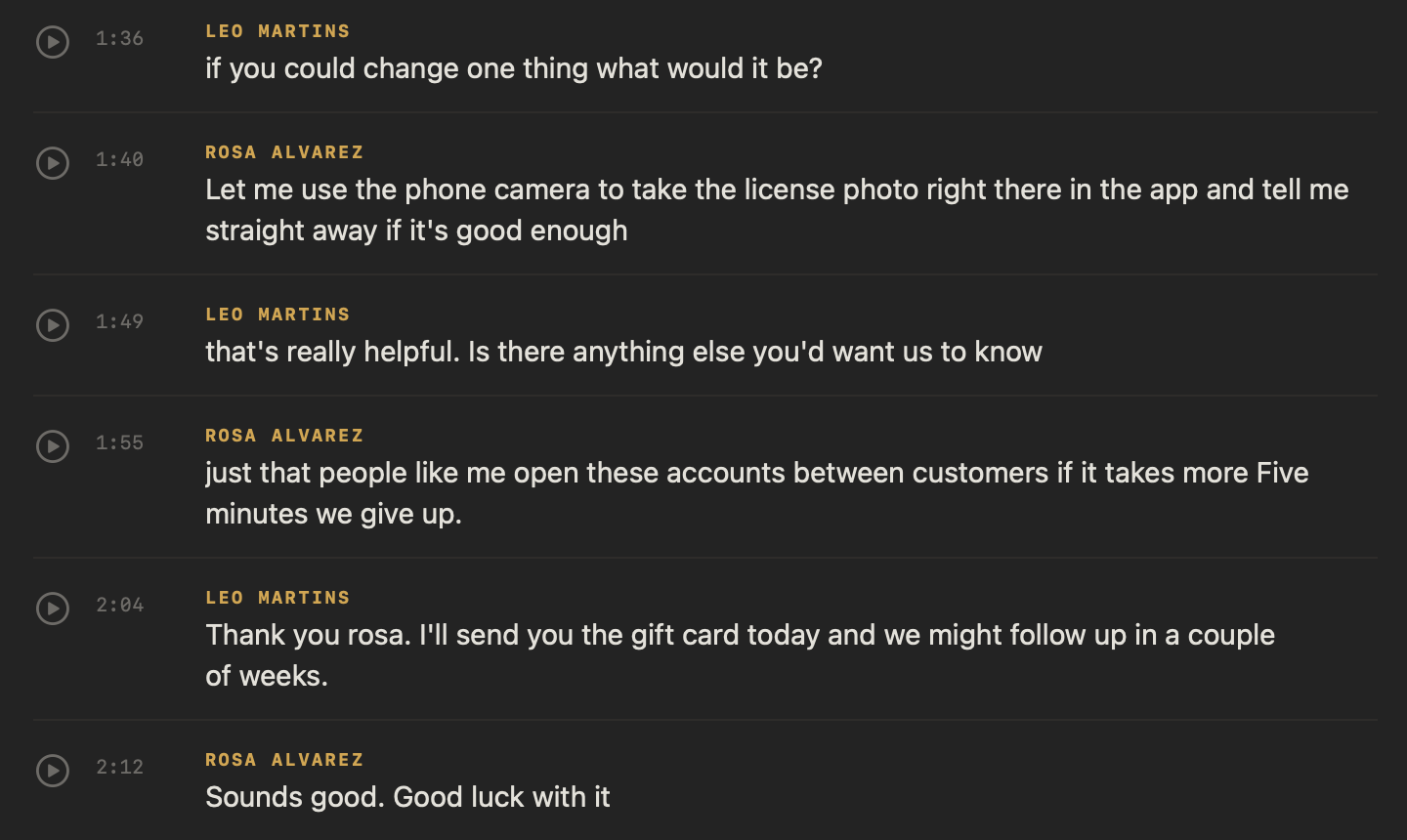
Like this: NoteOwl’s Research notes for a two-minute interview, imported as a recording, in which a designer asks a bakery owner how opening a business account in her bank’s app went. Each finding comes from something she said.
Research summary — Ferncastle user interview
With: Leo Martins (Northlight Studio) and Rosa Alvarez, a bakery owner who banks with Ferncastle
Questions explored
- How did opening a business account in the Ferncastle app go for Rosa, and what went wrong?
- If she could change one thing, what would it be?
Key findings and insights
- Three tries: Opening her business account in the spring took Rosa three tries.
- A blurry photo restarts everything: A rejected driving licence photo sent her back to the very start, to type her name, address and business number again.
- The selfie step stopped her: On the second try the app wanted a selfie holding the licence. She stopped and almost went to another bank.
- Fees brought her back: Her accountant said Ferncastle had the lowest fees for card payments.
- No confirmation: The third try took about twenty minutes, and she wasn't sure it had worked until an email came the next day.
- What she would change: Take the licence photo with the phone camera in the app and be told straight away if it is good enough.
- Five minutes or less: People like her open these accounts between customers. After five minutes, they give up.
Sources and evidence
- Rosa's own account of her three attempts, in one interview. The point about fees is her accountant's advice, as she reported it.
Open questions and gaps
- Do other small business owners hit the same problems?
- Why does a rejected photo restart the whole flow, not just the photo step?
- Why was there no confirmation until the next day?
How do you get user interview notes written automatically?
Record the interview call in NoteOwl — it takes meeting notes without a bot — or import a recording you already have, then choose Summarize as → Research. NoteOwl writes the questions, findings, evidence and open questions on your Mac with on-device AI models, and nothing is uploaded.
- 1
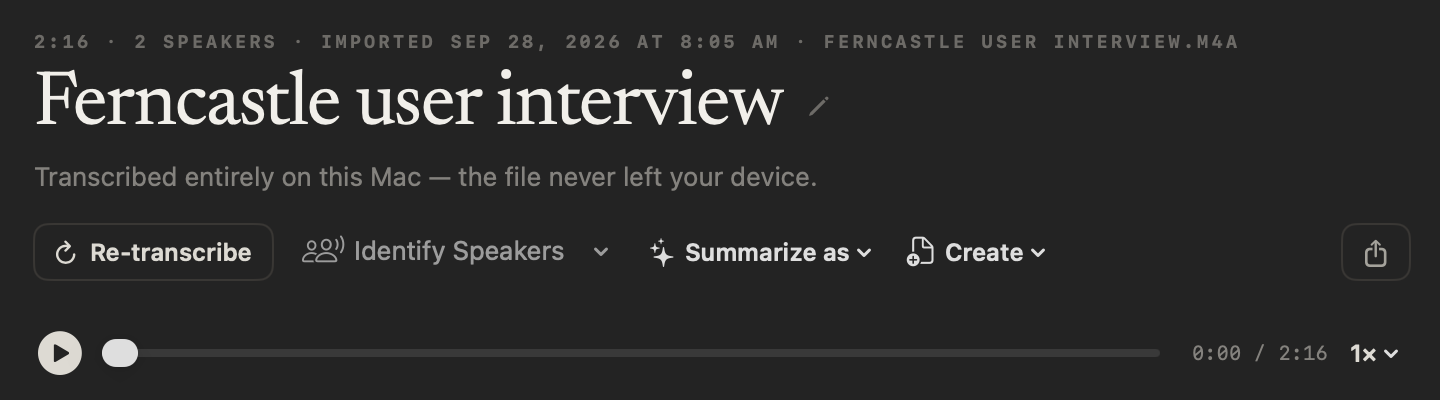
Record or import the interview
For a call, press ⌥Space or click Start Meeting; no bot joins. For a recording you already have, click Import Recording in Transcripts, or drag the file in.
- 2
Check who said what
NoteOwl labels each speaker once the transcript appears. Rename a speaker once, such as the participant, and the whole transcript updates.
- 3
Choose Summarize as → Research
Open Summarize as — above a meeting’s summary, or in an imported recording’s header — and pick Research. NoteOwl writes the questions, findings, evidence and open questions.
- 4
Copy or export the notes
Copy the notes into your research repository, or use Export to save them as Markdown or PDF. An imported transcript also saves as text or SRT subtitles.
Ask for the participant’s consent before you record. Imported recordings, meeting notes and templates are part of NoteOwl Pro, with a 7-day free trial in the app.
What does NoteOwl’s Research template ask for?
Exactly the four sections above. This is the template’s instruction to NoteOwl, word for word; you can change it, or write your own, in NoteOwl’s Templates screen (see how to customize a template).
“Summarize this research discussion: the questions or hypotheses explored, key findings and insights, the sources or evidence they rest on, and the open questions or gaps still to investigate.”
FAQ
Questions about user interviews
What is a user interview?
A user interview is a one-to-one conversation with someone who uses, or might use, your product, about what they actually do, what gets in their way and why. NoteOwl’s Research template writes the notes as the questions explored, findings, evidence and open questions.
What is the difference between findings and evidence?
A finding is what you learned; the evidence is what it rests on — a quote, something you watched the participant do, or a number they gave. Keeping them apart shows which findings rest on one person’s word and which you have heard again and again.
Should I record user interviews or take notes?
Record them if the participant agrees, and keep your own notes to a few words, so you can listen and follow up. A recording lets you check exact words later. NoteOwl turns it into a speaker-labelled transcript and research notes on your Mac, and nothing is uploaded.
Can I import user interviews I recorded elsewhere?
Yes. In NoteOwl’s Transcripts, click Import Recording or drag in an mp3, wav, m4a, aiff, flac, aac or mp4 file, one at a time. NoteOwl transcribes it on your Mac and labels the speakers; then Summarize as → Research writes the notes.
Can I use this user interview template in Notion or Google Docs?
Yes. The user interview template is plain text, so it pastes into Notion, Google Docs, Word or Apple Notes and keeps its four sections; the evidence works as a list or as a two-column table.
Can NoteOwl write user interview notes automatically?
Yes. Record the interview call or import the recording, then choose Summarize as → Research, and NoteOwl writes the questions explored, key findings, evidence and open questions, on your Mac with on-device AI models. Imported recordings, meeting notes and templates are part of NoteOwl Pro: $79 once for one Mac, with a 7-day free trial in the app.
Can I change the sections of NoteOwl’s Research template?
Yes. In NoteOwl’s Templates screen you can customize the Research template — for example, to add a section for quotes or one for each hypothesis — or write your own, then summarize any interview again in the new format.
Related
- All 22 meeting notes templates Stand-ups, 1:1s, sales calls, interviews and more, with their sections.
- AI note taker for researchers User interviews transcribed speaker by speaker, searchable across a whole study.
- AI note taker for product teams Customer interviews, design reviews and stand-ups, with every decision written down.
- AI meeting summaries The decisions and action items NoteOwl writes when a meeting ends.
Keep exploring
Who uses it
- AI note taker for researchersUser interviews transcribed speaker by speaker, past recordings imported, searchable and askable across a study; nothing uploaded
- AI note taker for product teamsCustomer interviews, design reviews and stand-ups: decisions and owners written down, every interview searchable, plus free dictation
More templates
- Podcast show notes templateA podcast show notes template to copy, what each section holds, an example, and how NoteOwl writes show notes from an episode
- Brainstorming templateA brainstorming template to copy, what each section holds, an example, and how NoteOwl writes brainstorm notes
- Project update templateA project update template to copy, what each section holds, an example, and how NoteOwl writes project update notes
- Support call notes templateA support call notes template to copy, what each section holds, an example, and how NoteOwl writes it
Get your user interview notes written on your Mac
Free to download. Runs entirely on your Mac.
macOS 26 or later · Apple Silicon (M1 or newer) · 16 GB memory minimum, 24 GB recommended
About NoteOwl
NoteOwl is private AI meeting notes and memory for the Mac. It captures meetings without a bot joining the call, labels every speaker, writes summaries and action items, and builds a memory of every conversation that you can chat with — fully offline, because the speech recognition and the AI run on the Mac itself. Dictation into any app is free; Pro is a one-time purchase.
NoteOwl pricing: what’s free and what Pro adds
Last updated