Glossary
What is speaker diarization?
Speaker diarization is the process of working out who spoke when in a recording: the audio is cut into segments by speaker, and segments with the same voice are grouped under one label, such as Speaker 1, without knowing who anyone is.
NoteOwl, a Mac app for private AI meeting notes, does it on your Mac when a meeting ends, and puts real names on the voices you have named before.
How does speaker diarization work?
Software finds the stretches of speech in a recording, cuts them into short segments, turns each segment into a voice fingerprint and groups the segments whose fingerprints are close. Each group becomes one speaker, labelled Speaker 1, Speaker 2 and so on.
- 1
Find the speech
Silence, music and background noise are set aside, so only the stretches where someone is talking are kept.
- 2
Cut it into segments
The speech is cut into pieces short enough to hold one voice each, often at the points where the voice seems to change.
- 3
Describe each voice
Each segment becomes a voice fingerprint: a list of numbers that captures how the voice sounds, not what it says.
- 4
Group the segments
Segments with close fingerprints are grouped. Each group is one speaker, and every line of the transcript in it gets that speaker’s label.
- 0:01 – 0:06Speaker 1
- 0:07 – 0:11Speaker 2
- 0:12 – 0:26Speaker 3
- 0:27 – 0:33Speaker 1
An illustration: what diarization produces for the first half-minute of a three-person call. The speakers are grouped, but nobody is named yet.
What is the difference between diarization and speaker recognition?
Diarization answers “who spoke when?” with anonymous labels such as Speaker 1. Speaker recognition answers “whose voice is this?” by matching a voice to a known person, so it needs that person’s voice first. Transcription is the separate job of turning the speech into words.
Speaker verification, a close relative of recognition, checks that a voice belongs to the person it claims to be, as in a voice login.
- The question it answers
- TranscriptionWhat was said?
- DiarizationWho spoke when?
- RecognitionWhose voice is this?
- What you get
- TranscriptionThe words, with times
- DiarizationSpeech grouped under Speaker 1, Speaker 2 and so on
- RecognitionA known person’s name on a voice
- Needs each person’s voice first
- TranscriptionNo
- DiarizationNo
- RecognitionYes
- In NoteOwl
- TranscriptionOn your Mac, in 34 languages
- DiarizationWhen a meeting ends, and after an import is transcribed
- RecognitionIn later meetings, for the voices you have named
| Transcription | Diarization | Recognition | |
|---|---|---|---|
| The question it answers | What was said? | Who spoke when? | Whose voice is this? |
| What you get | The words, with times | Speech grouped under Speaker 1, Speaker 2 and so on | A known person’s name on a voice |
| Needs each person’s voice first | No | No | Yes |
| In NoteOwl | On your Mac, in 34 languages | When a meeting ends, and after an import is transcribed | In later meetings, for the voices you have named |
Why does diarization mix up speakers?
Because it only has the sound of each voice to go on. Overlapping speech, short turns, voices that sound alike and one microphone shared by a room all blur the differences it relies on, so it can merge two people or split one person in two.
- 01
Overlapping speech
When two people talk at once, a segment holds two voices and fits neither group well, so one of them is often lost or given to the wrong speaker.
- 02
Short turns
A quick “yes” or “mm-hm” is too short to describe a voice reliably, so brief replies are the lines most often put under the wrong label.
- 03
Voices that sound alike
Two people with a similar pitch, accent and way of speaking can have fingerprints close enough to be grouped as one speaker.
- 04
One microphone in a room
When several people share one microphone, their voices arrive mixed, at different distances and with the room’s echo, which blurs the differences between them.
- 05
An unknown number of people
The software has to guess how many people spoke as well as when. A wrong guess merges two people into one speaker or splits one person in two.
How does NoteOwl work out who spoke when?
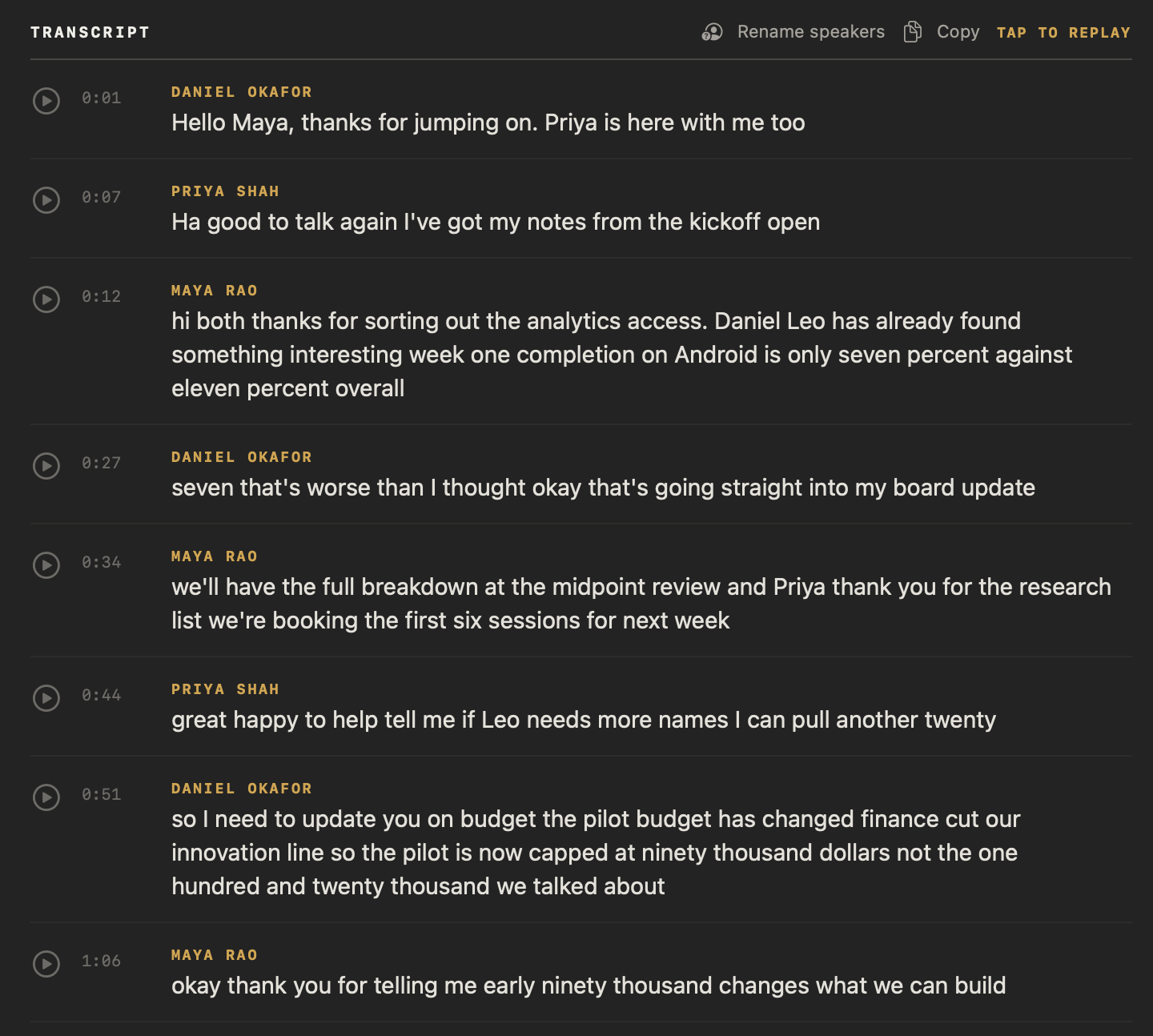
On your Mac, when a meeting ends. Your microphone is labelled You, and your Mac’s audio, where everyone else on the call is heard, is split into Speaker 1, Speaker 2 and so on. Name them once with Rename speakers, and NoteOwl recognises those voices in every meeting after.
How NoteOwl handles the hard parts
Your microphone is its own channel
Your microphone is labelled You, so only the voices in your Mac’s audio need separating.
Wrong number of speakers
Open Identify Speakers under the meeting’s title and choose from 2 to 8 speakers, or Automatic. NoteOwl separates the voices again.
One person split in two
Give both speakers the same name in Rename speakers, and their lines merge under it.
People in the room with you
NoteOwl separates the voices in your Mac’s audio, not your microphone, so people sharing your Mac’s microphone are all labelled You.
Voice profiles stay on your Mac
NoteOwl learns a voice only when you name a speaker, keeps it only on your Mac, and Forget on the person’s profile removes it.
See how NoteOwl gives you transcription with speaker identification, and the steps to name speakers and recognise voices in NoteOwl. Speaker labels come with meetings and imported recordings in NoteOwl Pro.
FAQ
Questions about diarization and NoteOwl
What does diarization mean?
Diarization means splitting a recording by speaker: working out who spoke when and labelling each stretch of speech Speaker 1, Speaker 2 and so on, without knowing who the speakers are. The word comes from diary, a record of what happened when.
Is diarization the same as speaker recognition?
No. Diarization separates the voices in a recording without knowing whose they are; speaker recognition matches a voice to a known person. NoteOwl uses both: it separates the voices when a meeting ends, then labels the ones you have already named.
Does NoteOwl separate speakers on my Mac?
Yes. NoteOwl separates the speakers on your Mac when a meeting ends, with no upload. Your microphone is labelled You, and the other people on the call become Speaker 1, Speaker 2 and so on until you name them with Rename speakers.
How many speakers can NoteOwl tell apart?
NoteOwl works out the number of speakers automatically. If it gets the count wrong, open Identify Speakers under the meeting’s title, choose from 2 to 8 speakers, and NoteOwl separates the voices again and keeps that count.
Can NoteOwl tell apart people sharing one microphone?
No. NoteOwl separates the voices in your Mac’s audio, where the other people on a call are heard, not in your microphone. Several people in a room sharing your Mac’s microphone are all labelled You in the NoteOwl transcript.
Does NoteOwl store anyone’s voice when it separates speakers?
No. Separating the speakers in a meeting stores no one’s voice. NoteOwl learns a voice only when you name a speaker in Rename speakers and save, and that voice profile stays on your Mac until you remove it with Forget.
Are speaker labels free in NoteOwl?
Speaker labels come with meetings and imported recordings, which are part of NoteOwl Pro: $79 once for one Mac, with no subscription. You can try NoteOwl Pro free for 7 days in the app; dictation and voice notes are free.
Related
- Meeting notes glossary 16 terms in plain words, from action items to SRT files.
- What is speaker recognition? Identifying a person by their voice, in one plain definition.
- What is an SRT file? The subtitle format a timed, speaker-labelled transcript can be saved as.
- People profiles Every named voice belongs to a profile built from your meetings.
Keep exploring
Related
- Speaker recognitionTranscripts that say who said what: speakers separated automatically, and a voice named once is recognised in later meetings, on your Mac
- Audio to textTranscription software for your Mac: drop in an audio or video file and get a speaker-labelled transcript with timestamps, unlimited, with nothing uploaded
- What is an SRT fileWhat an SRT file is, what SRT stands for, the format of each cue with an example, and how to make one from a recording
See who spoke when in your next meeting
Free to download. Runs entirely on your Mac.
macOS 26 or later · Apple Silicon (M1 or newer) · 16 GB memory minimum, 24 GB recommended
About NoteOwl
NoteOwl is private AI meeting notes and memory for the Mac. It captures meetings without a bot joining the call, labels every speaker, writes summaries and action items, and builds a memory of every conversation that you can chat with — fully offline, because the speech recognition and the AI run on the Mac itself. Dictation into any app is free; Pro is a one-time purchase.
NoteOwl pricing: what’s free and what Pro adds
Last updated