Ask questions about your meetings in Chat
Last updated Checked against NoteOwl 1.0.0
To ask about your meetings, open Chat in NoteOwl, click New chat and type or say your question. NoteOwl answers on your Mac from your own meetings and transcripts, shows the passages it used, and says so when nothing you've recorded matches.
Chat is part of NoteOwl Pro. It works offline, and nothing you ask leaves your Mac.
How do I ask a question?
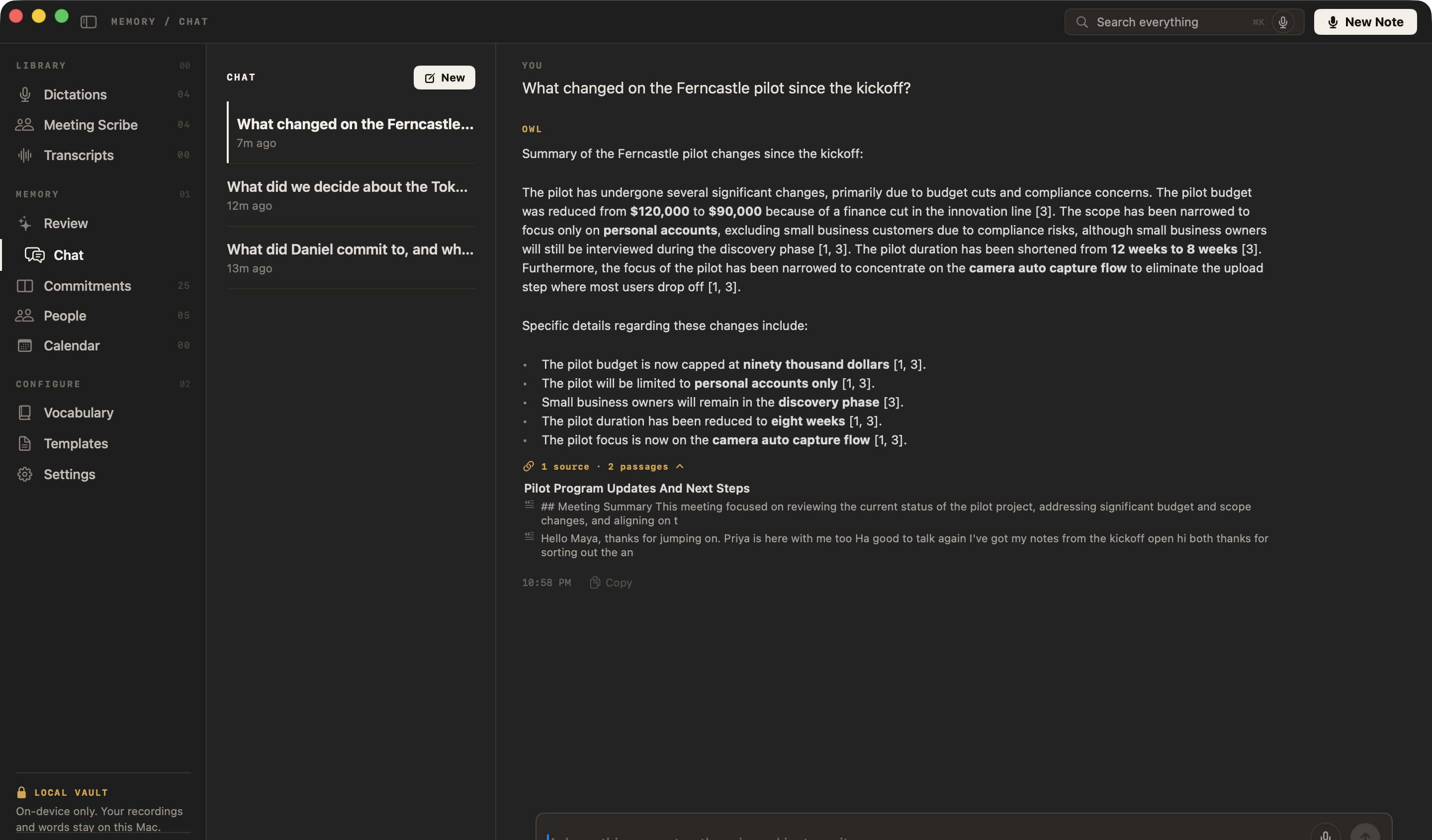
Open Chat, start a new chat and type your question in the box at the bottom, then press Return. You can also click the microphone and say it. NoteOwl writes the answer under OWL, with a link to its sources.
- Click Chat in the sidebar.
- Click New chat. If you already have chats, click New above the list.
- Type your question in the box at the bottom, such as "What did we decide about the budget?", and press Return. To say it instead, click the microphone.
- Read the answer. While NoteOwl works it shows Consulting your memory…, and you can stop it with the stop button.
Press ⌥Return to start a new line without sending. A new chat suggests three questions, some based on your own meetings and commitments, such as What's overdue?. Click one to ask it. Your first question becomes the chat's name in the list.
To ask from any app without opening NoteOwl, press ⌥ Z and say your question. The answer appears in the NoteOwl panel at the top of the screen and is never typed into the app.
Can I ask follow-up questions?
Yes. Ask in the same chat, and NoteOwl reads your recent questions and answers there to work out what you mean. "What did she say about pricing?" follows on from the question before it. Click New to start a fresh chat for an unrelated topic.
How do I see where an answer came from?
Click the line under the answer, such as 1 source · 2 passages. It lists every passage the answer used, grouped by recording. Click a passage to open that recording at that line of its transcript. In a meeting, click the play button beside the line to hear it.
- NoteOwl lists only the passages the answer actually used, not everything it read.
- A passage from a recording you've since deleted is shown as A source that’s no longer in your library and can't be opened.
- If NoteOwl couldn't check which passages were relevant, it says so under the answer: Sources not verified — the relevance check was unavailable, so these excerpts may be off-topic.
Can I ask about a particular week or month?
Yes. Say when in the question, and NoteOwl searches only recordings made then. It understands today, yesterday, this week, last week, this month and last month.
It also understands a month after "in", "during" or "around", or with a date or year, such as "in June", "June 12" or "June 2026".
A month name on its own isn't treated as a date, so "What did May decide?" still searches everything for May.
What happens when nothing matches?
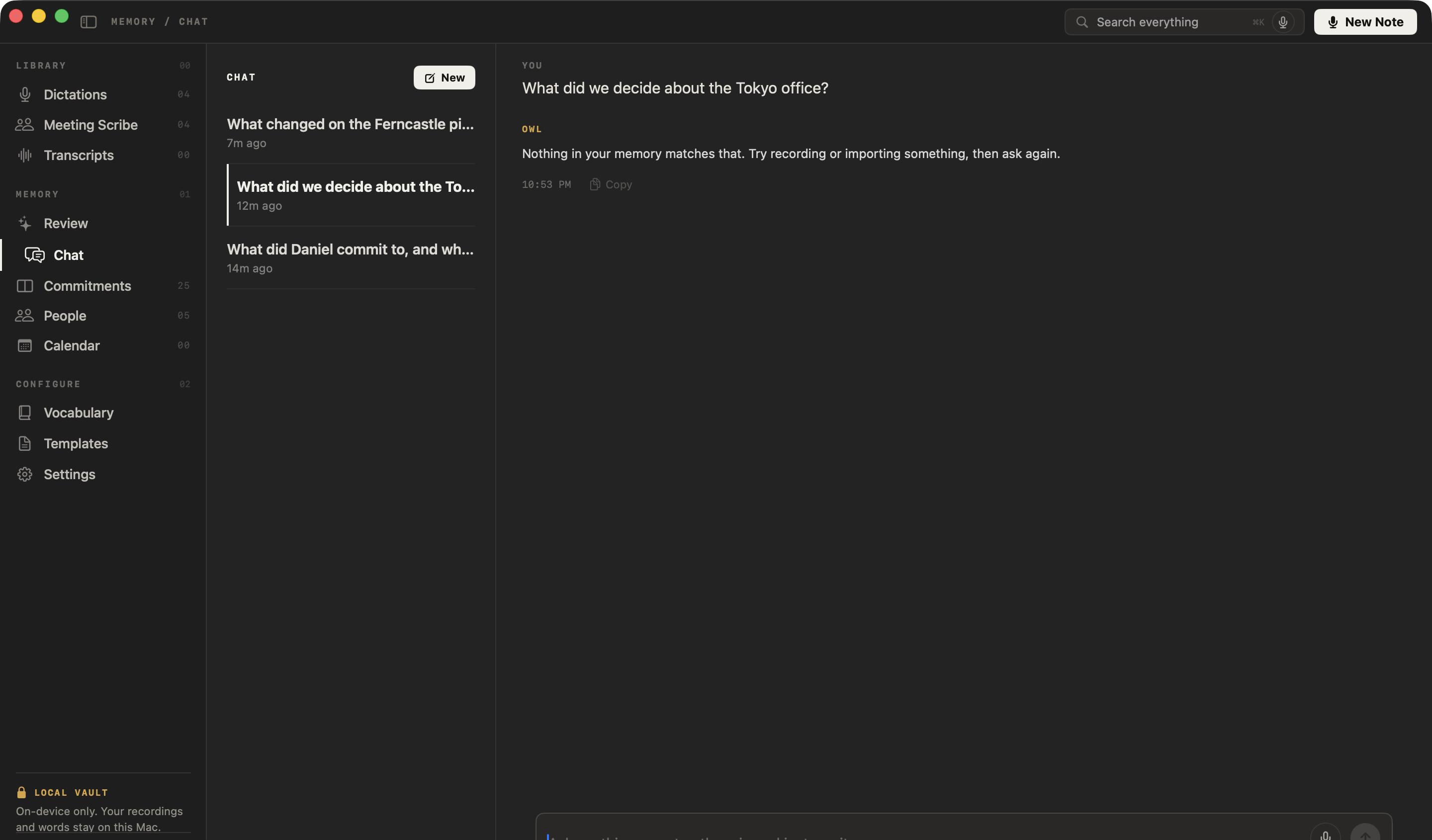
NoteOwl says so instead of guessing. If nothing you've recorded matches the question, the answer is Nothing in your memory matches that. Try recording or importing something, then ask again., with no sources.
When NoteOwl finds passages but they don't hold the answer, it's told to say plainly that your memory doesn't contain it. Rephrasing with the words people used in the meeting often helps.
What does Chat search?
Your meetings and imported transcripts. Under the question box, NoteOwl shows what it's searching: Meetings & transcripts. Click it to include your dictations too, and it changes to Meetings, transcripts & dictations.
To delete a chat, right-click it in the list and choose Delete. That removes the conversation only: your recordings and memory are untouched.
Common questions
Does NoteOwl Chat work offline?
Yes. NoteOwl Chat answers on your Mac with on-device AI models, from your own meetings and transcripts. It works without an internet connection, and your questions and answers are never sent anywhere.
Can NoteOwl Chat search my dictations?
Yes, if you choose. NoteOwl Chat searches your meetings and imported transcripts by default. Click Meetings & transcripts under the question box to include dictations; it then reads Meetings, transcripts & dictations.
Why does NoteOwl Chat say nothing in my memory matches?
NoteOwl found nothing in your recordings that matches the question, so it says so rather than guessing. Try the words people actually used in the meeting, name the meeting, or say when it happened, such as last week.
Is Chat part of NoteOwl Free?
No. Chat is part of NoteOwl Pro, along with meetings and summaries. You can try NoteOwl Pro free for 7 days, with no card.
Transcribe an audio or video file
Import an mp3, wav, m4a, aiff, flac, aac or mp4 file in NoteOwl's Transcripts and get a speaker-labelled transcript you can replay, re-transcribe and export.
Ask your memory out loud from any app (⌥Z)
Press ⌥Z in any app and ask NoteOwl a question out loud. The answer appears in the NoteOwl panel with its source and is never typed into the app.