Recover a meeting after a crash or power loss
Last updated Checked against NoteOwl 1.0.0
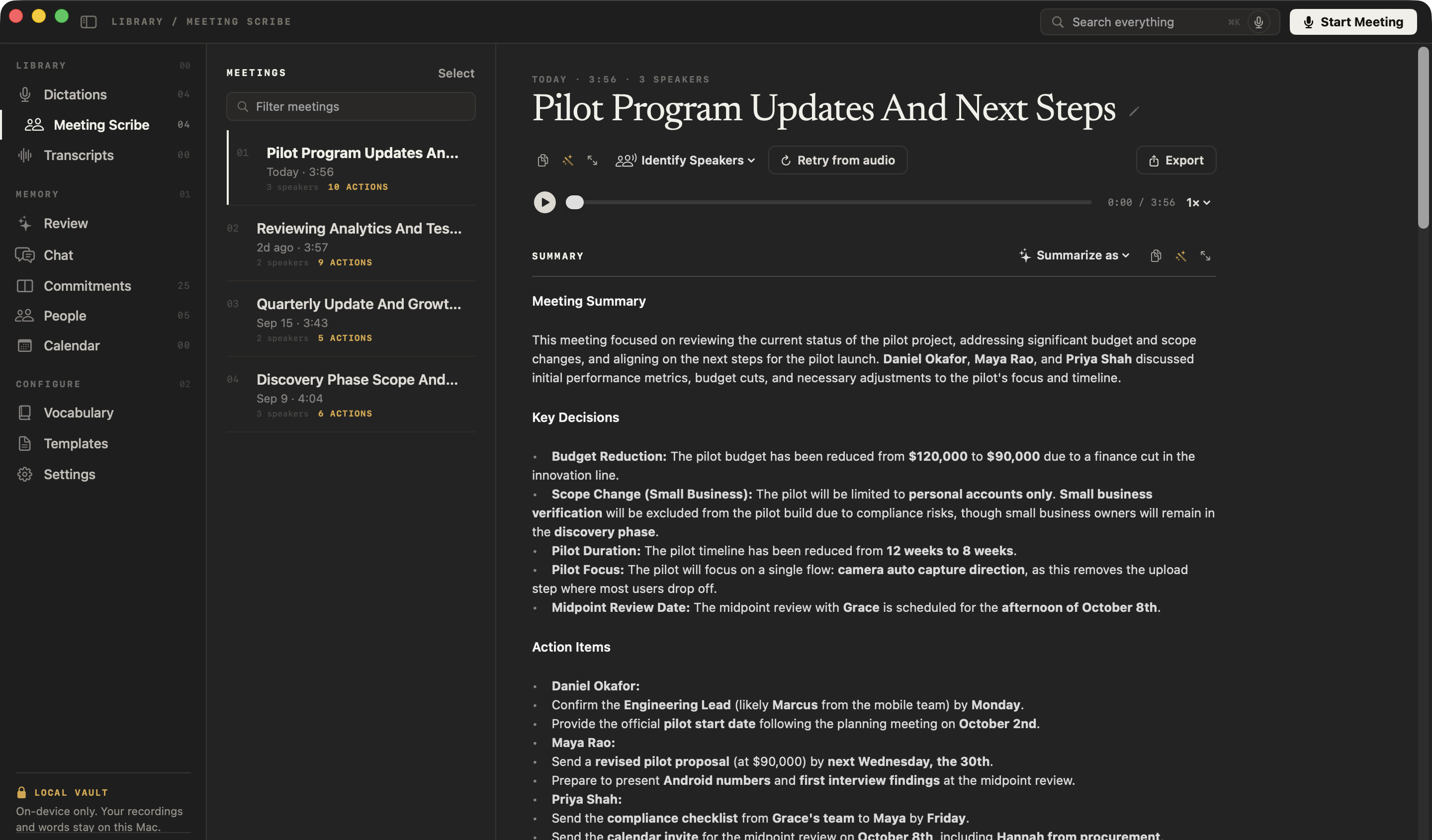
NoteOwl saves a meeting's audio to disk while it records, so a crash, a force quit or a flat battery keeps what was captured. Open NoteOwl again, open the meeting in Meeting Scribe and click Retry from audio to rebuild its transcript, speakers, summary and memory from the recording.
Recording meetings, and rebuilding them, are part of NoteOwl Pro.
What happens to a meeting if NoteOwl or my Mac stops mid-recording?
The audio captured up to that moment is already on disk, and the meeting is in your library with whatever transcript had been written. When you next open NoteOwl, it finishes saving the interrupted recording so you can play it and rebuild from it. Nothing is reprocessed on its own.
While a meeting records, the Capture section of the Meeting Scribe screen confirms this with Saved to disk as it records — a crash or a quit keeps what has been captured. If it says The recording is NOT being saved to disk — nothing will survive a crash. instead, that meeting can't be recovered after a crash.
Rebuild a meeting from its recording
- Open NoteOwl and click Meeting Scribe in the sidebar.
- Click the meeting in the list. If its transcript is missing, NoteOwl says No transcript for this meeting. The recording is on disk: play it above, or use “Retry from audio” to rebuild the transcript.
- Click Retry from audio, under the meeting's title.
- Wait while NoteOwl transcribes the recording and writes the notes on your Mac. The meeting's processing row shows Transcribing on-device… while it works.
- When it finishes, open the meeting. It has a new transcript with speaker labels, a summary and action items, and it's back in your memory for Chat.
Retry from audio replaces the meeting's transcript with the new one. A title you gave the meeting yourself is kept.
What if only one step failed?
Retry just that step. After you stop a meeting, the Processing section lists each step, and a failed one offers its own button, such as Retry summary. Retrying a step reuses the transcript you already have, so it's quicker than rebuilding everything.
| Button | What it does |
|---|---|
| Retry summary | Writes the summary again from the existing transcript |
| Retry speakers | Works out who spoke when again |
| Retry memory | Adds the meeting's commitments and people to your memory again |
| Retry indexing | Makes the meeting searchable again |
| Retry transcription or Rebuild from recording | Rebuilds the whole meeting from its recording, like Retry from audio |
If you click Cancel processing after stopping, NoteOwl keeps the recording and whatever transcript it had written, and the row says so, for example Stopped — recording and transcript kept. You can rebuild the meeting later with Retry from audio.
When can't a meeting be rebuilt?
A meeting can only be rebuilt from audio that reached the disk. NoteOwl says so when it can't:
- No recording. If a meeting has none, it says No transcript for this meeting, and no recording left to rebuild one from., and Retry from audio doesn't appear.
- Part of the audio is missing. If some audio couldn't be written while recording, the Capture section said so, for example 2 chunks of audio could not be written. The recording is incomplete. A rebuild uses the audio that was saved.
- NoteOwl is busy. Retry from audio is hidden while NoteOwl is dictating, recording a meeting or processing one. Try again when it has finished.
- The rebuild fails. NoteOwl tells you why on the meeting's processing row, for example Transcription failed — the recording is unchanged, so this can be retried. Your existing transcript stays as it was.
If NoteOwl crashed, it keeps a crash report on your Mac. Choose Help → Reveal Crash Reports to find it, and email it to support@noteowl.ai if you'd like us to look. NoteOwl never sends it by itself.
Common questions
Will I lose a NoteOwl meeting if my Mac runs out of battery?
No, not the audio captured before it stopped. NoteOwl writes a meeting's audio to disk as it records, so a flat battery, a crash or a force quit keeps what was captured. Open NoteOwl again, open the meeting and click Retry from audio to rebuild its transcript and notes.
Does Retry from audio change my NoteOwl meeting?
Yes. Retry from audio replaces the meeting's transcript with a new one made from the recording, then writes the speakers, summary and memory again. A title you gave the meeting yourself is kept.
Why can't I see Retry from audio on a NoteOwl meeting?
Retry from audio appears only when the meeting has a saved recording and NoteOwl isn't busy. It's hidden while NoteOwl is dictating, recording a meeting or processing one, and for meetings with no recording to rebuild from.
Name speakers and recognise voices
NoteOwl separates the voices in a meeting transcript. Name them once with Rename speakers, and NoteOwl can recognise those voices in later meetings.
Transcribe an audio or video file
Import an mp3, wav, m4a, aiff, flac, aac or mp4 file in NoteOwl's Transcripts and get a speaker-labelled transcript you can replay, re-transcribe and export.