Dictation · iPhone and Mac · Free
Dictate into any app on your iPhone and Mac
NoteOwl types what you say into the app you’re already using. On iPhone, switch to the NoteOwl keyboard and tap the microphone; on a Mac, tap fn. It’s free and unlimited on both, and your speech becomes text on the device.
Messages and Reminders each have a page below, step by step with real screens, and Safari is answered here too. For everything dictation does, see speech to text on a Mac and the NoteOwl keyboard for iPhone.
Which apps can you dictate into with NoteOwl?
Any app you type in. On iPhone, the NoteOwl keyboard types into the app in front of you; on a Mac, NoteOwl types at the cursor in any app. Pick the app you use most and follow its steps.
Dictate in Messages
How to dictate an iMessage with the free NoteOwl keyboard on iPhone or with fn in Messages on a Mac, a casual tone in one tap, and how it compares with Apple’s Dictation and audio messages.
Dictate in Reminders
How to say a to-do into Apple Reminders with the NoteOwl keyboard on iPhone or fn on a Mac, when Siri fits better, and what to say.
Safari
A search in the address bar, or a text box on a web page, on iPhone and Mac.
Every other app on a Mac
Tap fn anywhere there’s a cursor, with a tone for each app.
Every other app on iPhone
Switch to the NoteOwl keyboard wherever you type.
Does NoteOwl dictation work in Safari?
Yes. On iPhone, tap Safari’s address bar or a text box on a page, switch to the NoteOwl keyboard and tap the microphone; with a dictation session already on, it listens right there. On a Mac, click in the field and tap fn.
Apple says its own Dictation may send what you dictate into a search box to the search provider[1]. With NoteOwl, your speech becomes text on your iPhone or Mac, and the search reaches your search engine when you submit it, as a typed one would.
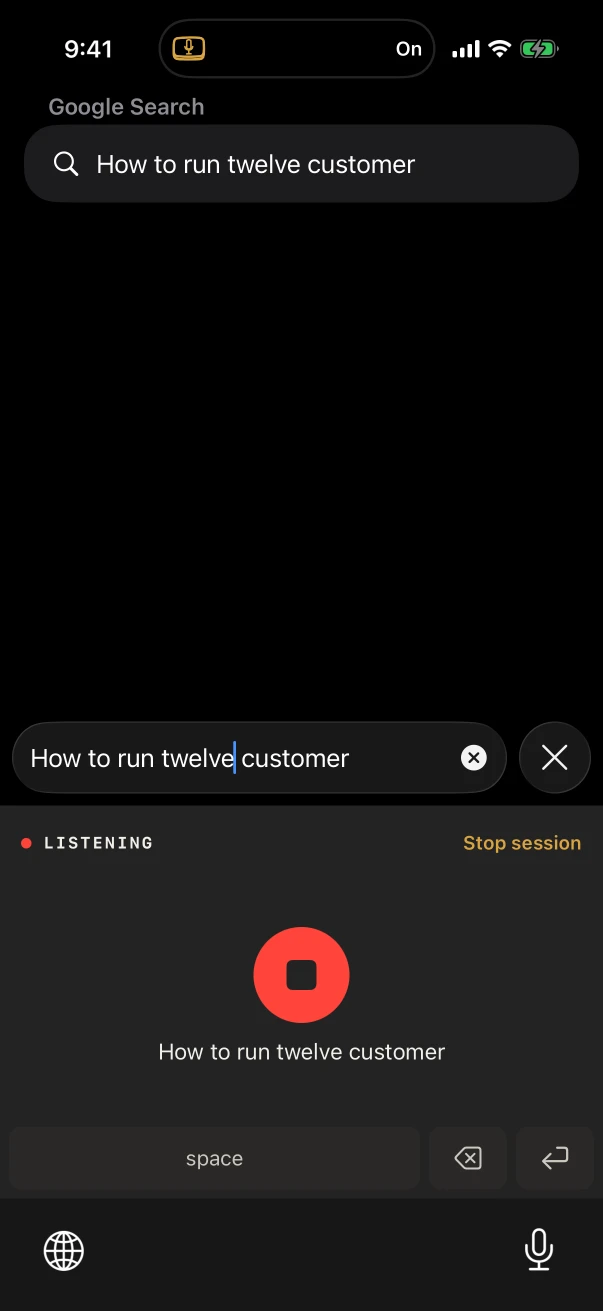
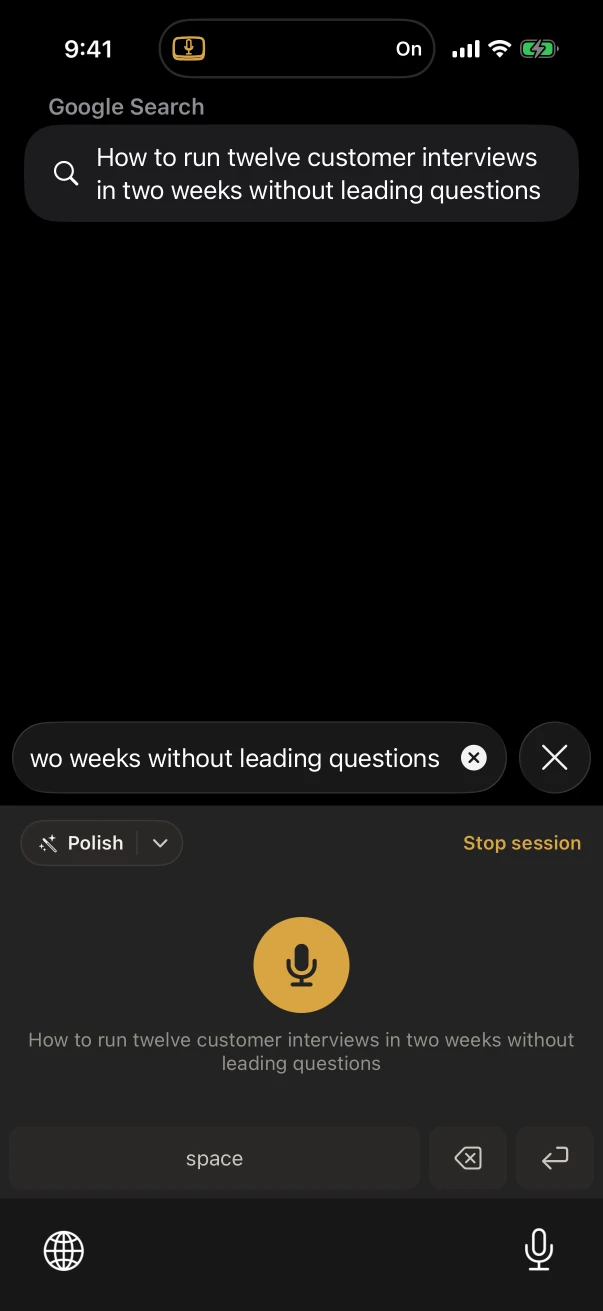
How do you start dictating on iPhone and Mac?
On iPhone, add the NoteOwl keyboard in the Settings app and turn on Allow Full Access, then tap the globe key and the microphone in any app. On a Mac, install NoteOwl, allow the microphone, Accessibility and Input Monitoring, then tap fn wherever the cursor is.
On iPhone
- Spoken languages: Auto-detect, English, Hindi, Spanish, French and German.
- Polish in one tap on iPhone 15 Pro or later.
- Every dictation kept under Notes › Dictations.
- Every step: the NoteOwl keyboard for iPhone.
On Mac
- 34 languages, detected automatically.
- A tone for each app, set in Settings → Auto-Context.
- Every dictation kept in Dictations, raw words beside the polished version.
- Every setting: speech to text on a Mac.
Sources
Last checked . Apple’s own page, for what its Dictation does.
- [1]Apple, Dictate text on iPhone (iOS 26)
Dictate into any app, free on iPhone and Mac
Free to download. Runs entirely on your Mac or iPhone.
Mac: macOS 26 or later · Apple Silicon (M1 or newer) · 16 GB memory minimum, 24 GB recommended · iPhone: iOS 26 or later
About NoteOwl
NoteOwl is private AI meeting notes and memory for Mac and iPhone. It captures meetings without a bot joining the call, labels every speaker, writes summaries and action items, and builds a memory of every conversation that you can chat with — fully offline, because the speech recognition and the AI run on the Mac or iPhone itself. Dictation into any app is free; Pro is a lifetime licence.
NoteOwl pricing: what’s free and what Pro adds
Last updated