For coaches
AI note taker for coaches
NoteOwl is an AI note taker for coaches who want to listen instead of write: executive, leadership, career and life coaches. Record an in-person or walking session on your iPhone and the transcript is free; sessions on Zoom or Teams are recorded on your Mac with no bot.
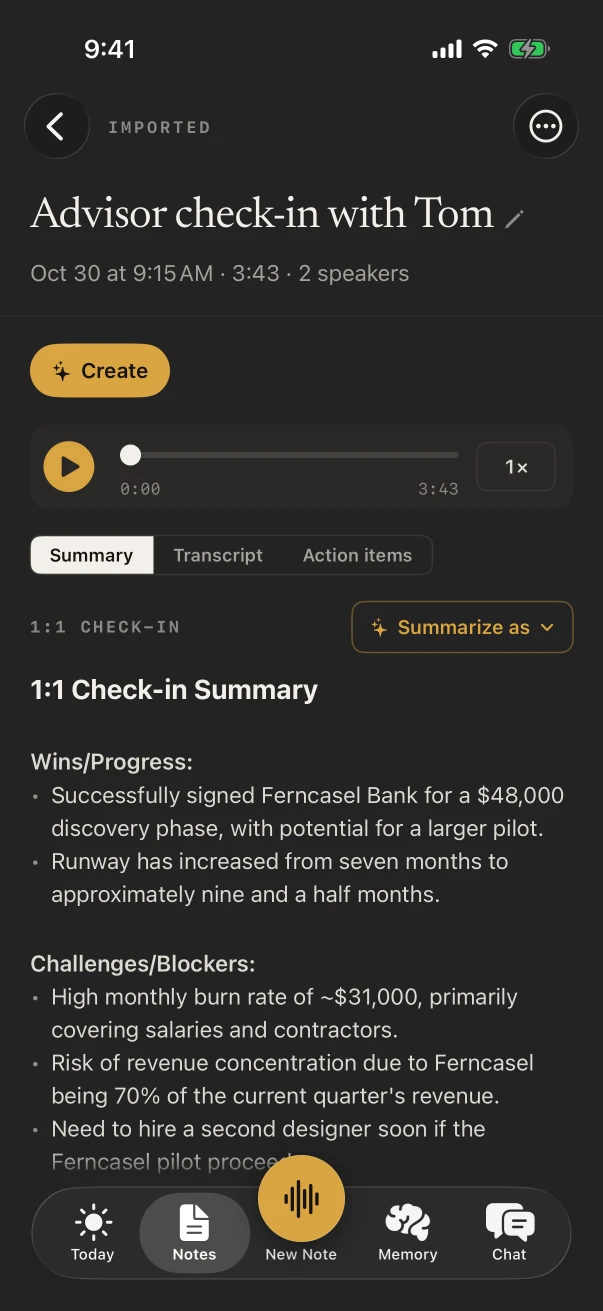
With NoteOwl Pro, the 1:1 Check-in template writes wins, challenges, feedback, growth topics and the commitments your client made, and every client gets a profile with all their sessions. NoteOwl never uploads what you record.
How do coaches use an AI note taker?
To stay in the conversation. With the session recorded, a coach can hold eye contact, follow the thread and ask the next question, then read back what the client actually said, and what they committed to, before the next session.
In-person session
Present, not typing
The iPhone sits on the table and the transcript fills in as you talk. With NoteOwl Pro, the notes are written when you stop.
Walk-and-talk
Outdoors, hands free
Lock the iPhone and walk. NoteOwl keeps recording, with the timer and a stop button on the Lock Screen.
Chemistry meeting
Their goals, from the first conversation
The Consultation template writes the situation and goals, what you suggested, the options and the agreed next steps.
After the session
Your own reflection
A voice note of your observations on the way out is free and unlimited, and stays with your other notes.
What does NoteOwl do in an in-person coaching session?
It records the conversation through the iPhone’s microphone and writes the transcript as you talk, free. With NoteOwl Pro, the 1:1 Check-in template turns it into wins, challenges, feedback both ways, growth topics and agreed follow-ups, each with an owner.
- 1
Set the default once
In Settings › Templates › Defaults, choose 1:1 Check-in for Meeting, and every session is written that way.
- 2
Let NoteOwl know your voice
Teach it your voice at setup and your lines show as You, with your client’s under their name. NoteOwl Pro.
- 3
Read the commitments
The Action items tab lists what your client said they’d do and what you said you’d send, with dates when they were said.
Can you see a client’s whole coaching history before a session?
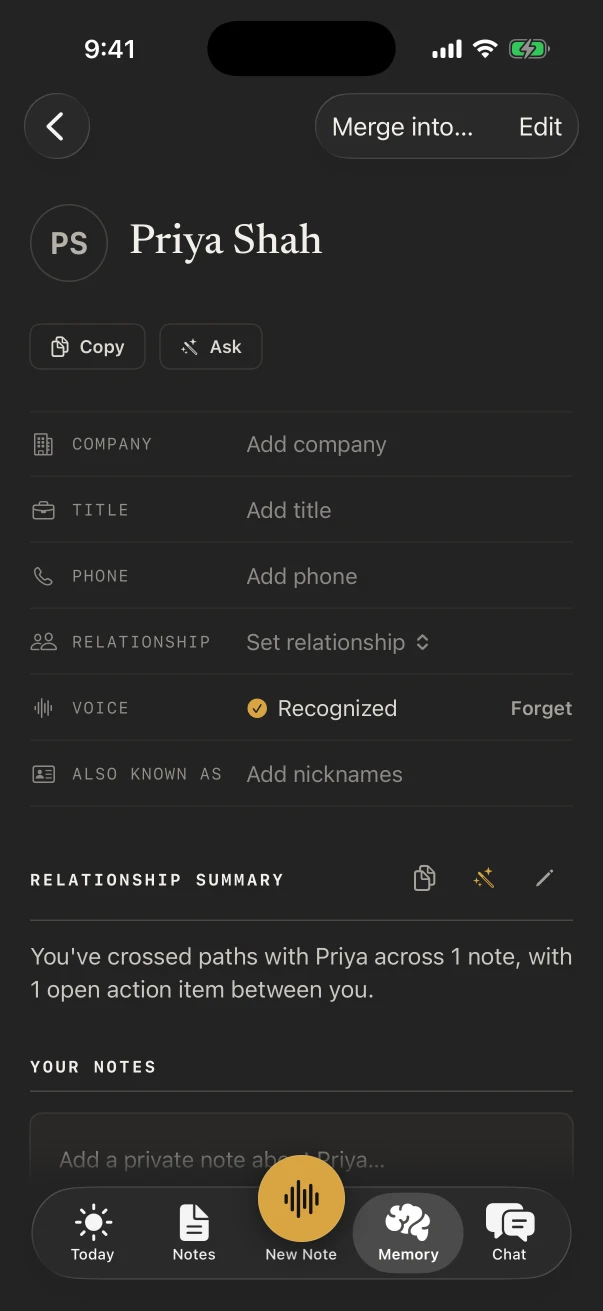
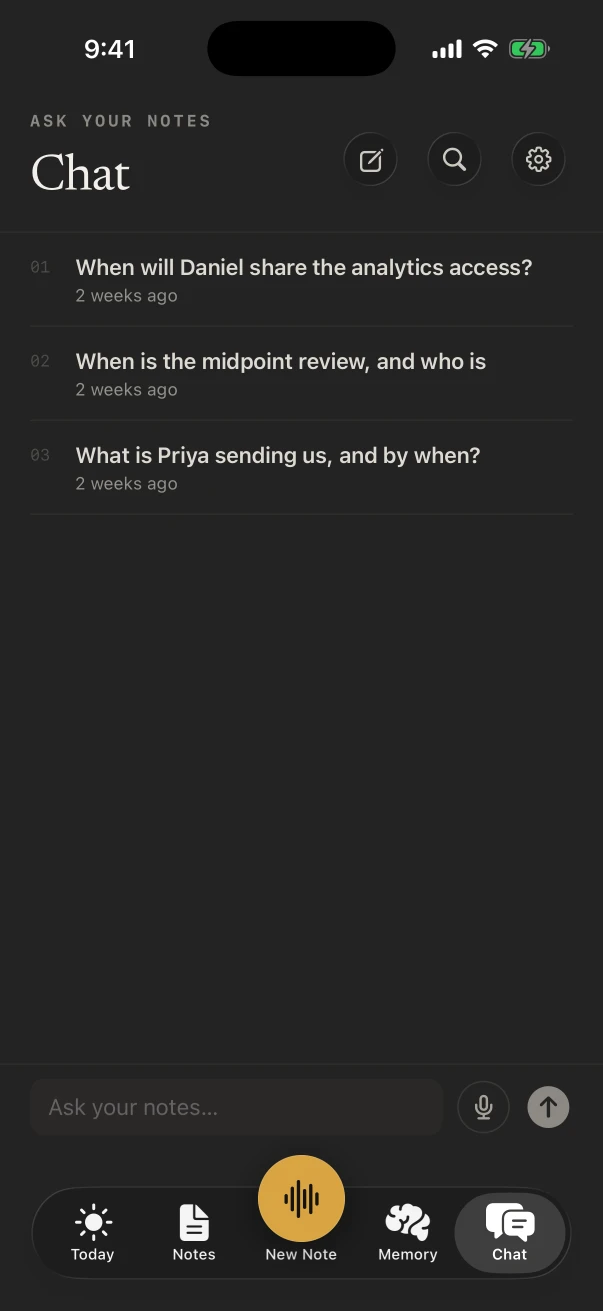
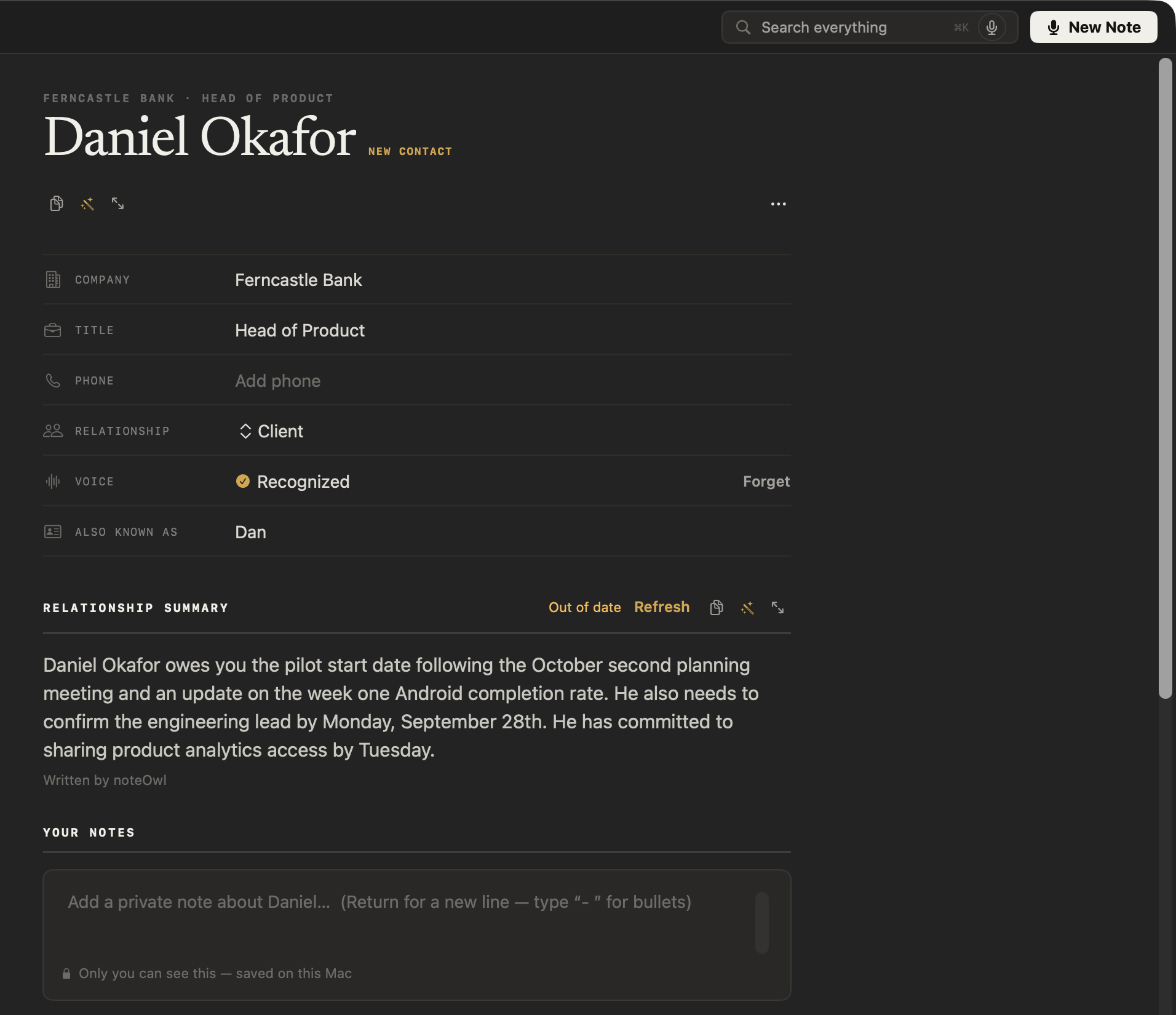
Yes, with NoteOwl Pro. Memory › People keeps a profile for each client: a relationship summary, your private notes, the open action items and every session you recorded. Chat answers questions such as what they committed to last month, and shows the notes it used.
Which notes templates fit coaching sessions?
1:1 Check-in for a regular session, Consultation for the first meeting with a prospective client, Project Log for a quarterly look at goals, and Training for a workshop you lead. Choose under Summarize as, or write your own coaching template, with NoteOwl Pro.
- A regular coaching session
- Template1:1 Check-in
- What it writesWins · Blockers · Feedback · Growth · Follow-ups
- Chemistry or discovery meeting
- TemplateConsultation
- What it writesSituation & goals · Advice · Options · Next steps
- Quarterly review of goals
- TemplateProject Log
- What it writesProgress · Decisions · Blockers · Next milestones
- A team workshop you facilitate
- TemplateTraining
- What it writesObjectives · Skills & steps · Takeaways · Pitfalls
| The moment | Template | What it writes |
|---|---|---|
| A regular coaching session | 1:1 Check-in | Wins · Blockers · Feedback · Growth · Follow-ups |
| Chemistry or discovery meeting | Consultation | Situation & goals · Advice · Options · Next steps |
| Quarterly review of goals | Project Log | Progress · Decisions · Blockers · Next milestones |
| A team workshop you facilitate | Training | Objectives · Skills & steps · Takeaways · Pitfalls |
| Your voice note after a session | Quick Summary | 3–5 key points · Bottom line |
Can you message clients by voice between sessions?
Yes, free. The NoteOwl keyboard types what you say into Messages, Mail or any other app on the iPhone. Tap its microphone and talk; NoteOwl opens for a moment to start listening, and every dictation is kept under Notes › Dictations.
- The recap and the one thing to try this week
- A link and a line about why you’re sending it
- Rescheduling, without typing on a train
- A reminder to ask how the board presentation went
What about coaching sessions on Zoom?
Those run on your Mac. NoteOwl on Mac records Zoom, Teams, Google Meet or any call app with no bot joining, and writes the notes on the Mac when the session ends.
Video sessions, no bot
NoteOwl ProYour microphone and the Mac’s audio are recorded, with no bot in the call.
A profile for each client
NoteOwl ProOn the Mac too: a relationship summary, what each of you owes, and every call.
Write by voice
FreeTap fn in any app on the Mac to dictate session plans, proposals and emails.
Where do coaching recordings go?
They stay in NoteOwl on your iPhone. What a client says about their manager, their doubts or their next move is transcribed and summarized on the phone by on-device AI models, and NoteOwl never uploads what you record.
- Processed
- On the iPhone, with on-device AI models
- Uploaded
- Nothing you record
- Keep a source out of Chat
- Settings › What feeds memory switches Notes, Imported audio or Dictations off
- Forget a learned voice
- Settings › Speakers, then Delete voice
How much does NoteOwl cost for a coach?
Recording an in-person session, its transcript and the keyboard are free. 1:1 Check-in notes, People, Chat and action items are NoteOwl Pro: $20 lifetime on iPhone, with no subscription and a 7-day free trial. Pro on a Mac, for video sessions, is $79 lifetime for one Mac.
- Record an in-person session, with the live transcript
- FreeYes
- NoteOwl ProYes
- Voice notes of your own reflections
- FreeYes
- NoteOwl ProYes
- The dictation keyboard in any app
- FreeYes
- NoteOwl ProYes
- 1:1 Check-in notes and the other templates
- FreeNo
- NoteOwl ProYes
- A profile per client, with private notes
- FreeNo
- NoteOwl ProYes
- Chat across every session
- FreeNo
- NoteOwl ProYes
| Free | NoteOwl Pro | |
|---|---|---|
| Record an in-person session, with the live transcript | Yes | Yes |
| Voice notes of your own reflections | Yes | Yes |
| The dictation keyboard in any app | Yes | Yes |
| 1:1 Check-in notes and the other templates | No | Yes |
| A profile per client, with private notes | No | Yes |
| Chat across every session | No | Yes |
FAQ
Questions coaches ask about NoteOwl
Can NoteOwl record coaching sessions on Zoom?
Yes, on a Mac: NoteOwl on Mac records Zoom, Teams, Google Meet or any call app with no bot joining. NoteOwl on iPhone records sessions in the room only, and never captures a call.
Is NoteOwl a coaching notes app?
It writes your coaching notes for you. Record the session, and with NoteOwl Pro the 1:1 Check-in template writes wins, challenges, feedback, growth topics and follow-ups; each client’s profile keeps those notes with your own private ones.
Can I keep a private note about a client?
Yes. Open the client in Memory › People and type in the private note box on their profile. People is part of NoteOwl Pro.
Does NoteOwl work without an internet connection?
Yes. Its on-device AI models download once at setup (about 3.2 GB); after that, a session in a park or a café with no Wi-Fi is recorded and transcribed on the iPhone.
Is NoteOwl free for coaches?
Recording in the room with the transcript, voice notes and the dictation keyboard are free on iPhone. Templates, People, Chat and action items are NoteOwl Pro, $20 lifetime on iPhone with no subscription; on a Mac, NoteOwl Pro is $79 lifetime for one Mac.
Keep exploring
Made for this work
- 1:1 meeting templateA 1:1 meeting template to copy, a 1:1 meeting agenda builder, what each section holds, an example, and how NoteOwl writes 1:1 notes
- People profilesA personal CRM that fills itself from your meetings: who they are, what is open between you, every conversation
- Chat with your meetingsAsk your own meetings a question on your Mac or iPhone, even offline; every answer cites its sources
More jobs away from a desk
- HRExit interviews, new-hire orientation, benefits sessions and site visits recorded on iPhone, notes in your own template, and what you keep or delete under your control
- PastorsChurch council and staff meetings recorded on iPhone, decisions and action items with the Executive Board template, sermons transcribed free and turned into blog or social post drafts
- Real estate agentsListing appointments, buyer consultations, showings and inspection walk-throughs recorded on iPhone, the Consultation template, a profile per client, and calls on the Mac
In these situations
- In-person meetingsRecord a meeting around a table on iPhone (who said what, a summary and action items) or on a Mac (a hybrid meeting with a call), which device fits, the Meeting Report template, and Free vs Pro
- Ideas on the goRecord an idea by voice in one press on iPhone (Action button, widgets) on a walk or a commute, keep the audio and a searchable transcript, Brainstorm or Quick Summary with Pro, and voice notes on Mac
Take NoteOwl to your next coaching session
Free to download. Runs entirely on your Mac or iPhone.
Mac: macOS 26 or later · Apple Silicon (M1 or newer) · 16 GB memory minimum, 24 GB recommended · iPhone: iOS 26 or later
About NoteOwl
NoteOwl is private AI meeting notes and memory for Mac and iPhone. It captures meetings without a bot joining the call, labels every speaker, writes summaries and action items, and builds a memory of every conversation that you can chat with — fully offline, because the speech recognition and the AI run on the Mac or iPhone itself. Dictation into any app is free; Pro is a lifetime licence.
NoteOwl pricing: what’s free and what Pro adds
Last updated