For insurance adjusters
AI note taker for insurance adjusters
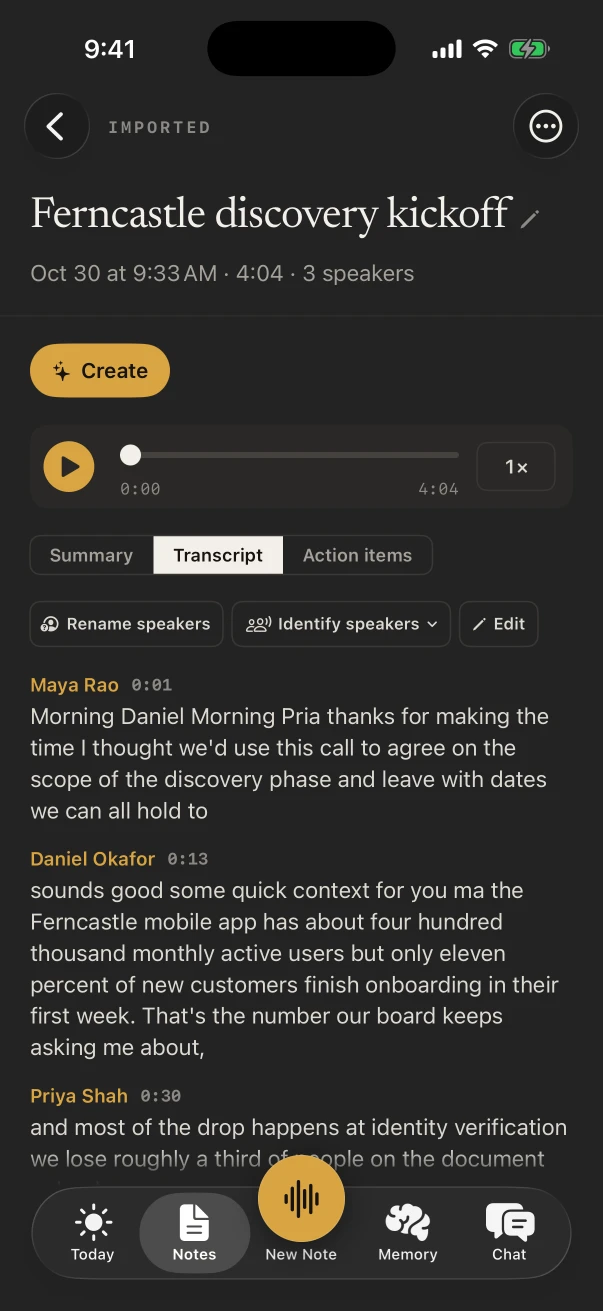
NoteOwl is an AI note taker for insurance adjusters who spend the day at loss sites, not at a desk. Record the inspection with the policyholder and your own room-by-room notes on your iPhone, and the transcript is written as people talk, free.
With NoteOwl Pro, each visit gets speakers, a summary and the action items, and search finds any detail across every claim you’ve recorded. Calls with contractors and examiners run on your Mac with no bot. NoteOwl never uploads what you record.
How do insurance adjusters use an AI note taker?
To get the inspection down while it happens. Field and claims adjusters record the walk with the policyholder, talk through the damage room by room, and meet the contractor on site, then read a summary and a task list in the car instead of rebuilding the visit from scribbles.
The site inspection
What the policyholder shows you
Where the water came in, when they noticed, what they’ve moved or thrown out since. Record the walk and the details are there when you write the file.
Room by room
Damage, described as you see it
Talk through each room in a voice note: the ceiling stain, the swollen baseboards, the measurements. Your own voice notes and their transcripts are free.
Contractor on site
Scope talked through on the spot
What the restoration company found, what they plan to do and when the estimate is coming. NoteOwl Pro lists the action items with names and dates.
Back in the car
The next steps, before the next claim
Read the summary before you drive on: what you owe the policyholder, what you’re waiting for and from whom.
What does NoteOwl do during a claim inspection?
It records the conversation in the room through the iPhone’s microphone and writes the transcript as people talk, free. With NoteOwl Pro, turn on the Meeting chip for speakers, a summary and action items, such as the receipts the policyholder said they would send.
- 1
Title it with the claim number
Tap Untitled note while it records and type the claim number, so the free title search finds it later.
- 2
Jot what you measure
Type a measurement or a model number under Notes & questions. It stays with the note and feeds the summary.
- 3
Name the people once
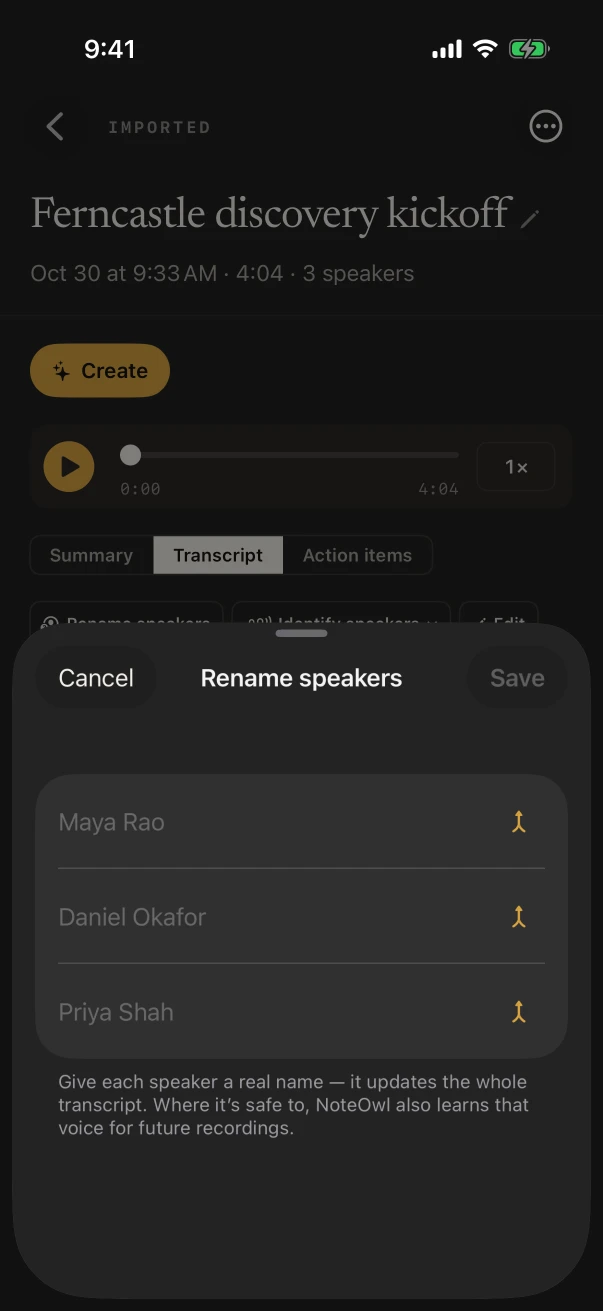
Tap Rename speakers and type each name; NoteOwl Pro learns the voices and updates the whole transcript.
Which notes templates fit a claim visit?
Support Call for the policyholder’s account, since it writes the issue, what was already tried, the outcome and the follow-ups. Quick Summary for a room-by-room voice note, Meeting Report for the contractor, Project Log across a large loss. All with NoteOwl Pro.
- Talking through the loss with the policyholder
- TemplateSupport Call
- What it writesThe issue · Steps tried · Resolution · Follow-ups
- Meeting the contractor on site
- TemplateMeeting Report
- What it writesAttendees · Purpose · Key points · Decisions · Action items · Open questions
- A large loss over several visits
- TemplateProject Log
- What it writesProgress · Decisions · Blockers · Next milestones
- Everything still to send or do
- TemplateTo-Do List
- What it writesHigh priority · Medium · Low · Owners & deadlines
| The moment | Template | What it writes |
|---|---|---|
| Talking through the loss with the policyholder | Support Call | The issue · Steps tried · Resolution · Follow-ups |
| Your room-by-room damage notes | Quick Summary | 3–5 key points · Bottom line |
| Meeting the contractor on site | Meeting Report | Attendees · Purpose · Key points · Decisions · Action items · Open questions |
| A large loss over several visits | Project Log | Progress · Decisions · Blockers · Next milestones |
| Everything still to send or do | To-Do List | High priority · Medium · Low · Owners & deadlines |
Can you find a detail from an inspection weeks later?
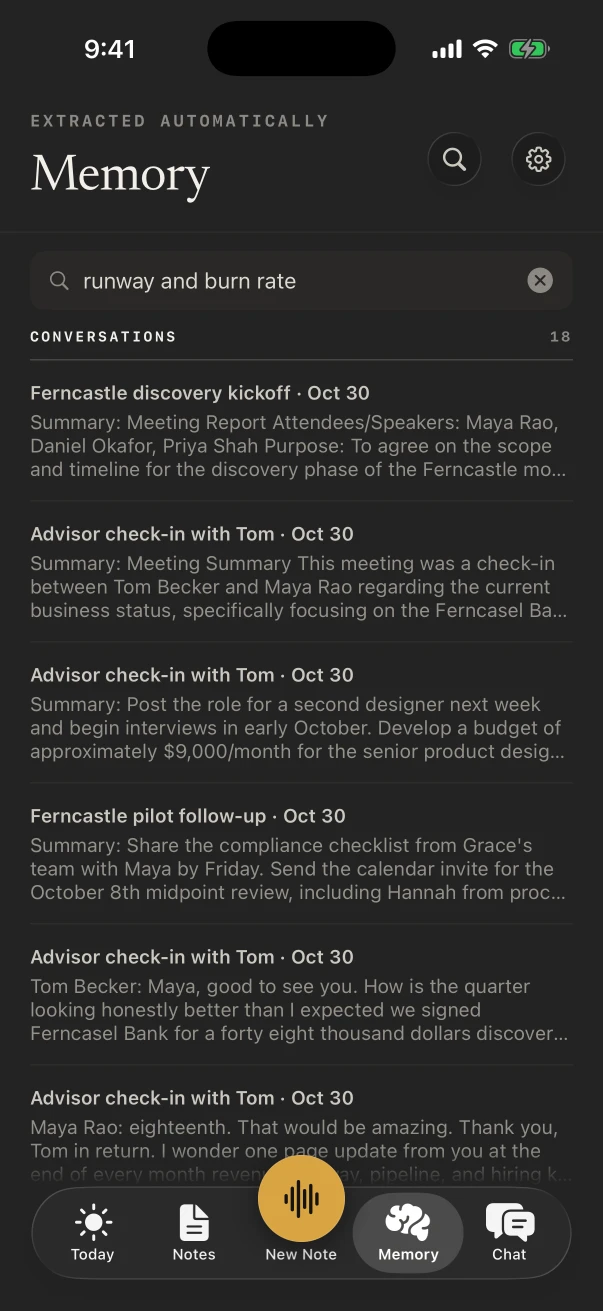
Yes. Title each note with the claim number and the free search finds it. With NoteOwl Pro, search what was said across every note, or ask Chat when the policyholder said the leak started, and open the note the answer came from.
Can you dictate claim notes into another app?
Yes, free. The NoteOwl keyboard types what you say into any app on the iPhone: tap its microphone and talk, and the words appear at the cursor. It dictates in English, Hindi, Spanish, French and German, or detects the language for you.
- Field notes, into the app your firm or carrier uses
- A text to the policyholder confirming the next visit
- An email asking the contractor for the estimate
- Mileage and time for the day
What does NoteOwl on Mac add for an adjuster?
Calls and the write-up. NoteOwl on Mac records calls with contractors, policyholders or your examiner in Zoom, Teams or Google Meet with no bot joining, and dictation with fn types the report in any app, free.
Calls, with no bot
NoteOwl ProThe Mac records your microphone and its own audio, so any call app works, with no bot joining.
Write the report by voice
FreeTap fn in any app on the Mac and talk; the words type at your cursor.
Ask your calls
NoteOwl ProChat answers from the calls on your Mac, such as what the contractor said about the start date, and cites the passage.
Where do claim recordings go?
They stay in NoteOwl on your iPhone. The transcript, summary and action items are written there by on-device AI models, and NoteOwl never uploads what you record. A note leaves the phone only when you share or export it.
- Processed
- On the iPhone, with on-device AI models
- Uploaded
- Never, by NoteOwl
- At a rural loss with no signal
- Records and transcribes offline once the models have downloaded (about 3.2 GB)
- Closed claims
- Delete a note, or everything at once in Settings › Your data
How much does NoteOwl cost for an insurance adjuster?
Recording an inspection, the transcript and the keyboard are free on iPhone, with no limit. Speakers, summaries, action items and search across what was said are NoteOwl Pro: $20 lifetime on iPhone, no subscription, 7 days free to try. On a Mac, Pro is $79 lifetime for one Mac.
- Record an inspection, with the live transcript
- FreeYes
- NoteOwl ProYes
- Room-by-room voice notes
- FreeYes
- NoteOwl ProYes
- Find a note by its title, such as the claim number
- FreeYes
- NoteOwl ProYes
- Speakers, a summary and action items
- FreeNo
- NoteOwl ProYes
- Search what was said, and ask Chat
- FreeNo
- NoteOwl ProYes
- Support Call, Project Log and the other templates
- FreeNo
- NoteOwl ProYes
| Free | NoteOwl Pro | |
|---|---|---|
| Record an inspection, with the live transcript | Yes | Yes |
| Room-by-room voice notes | Yes | Yes |
| Find a note by its title, such as the claim number | Yes | Yes |
| Speakers, a summary and action items | No | Yes |
| Search what was said, and ask Chat | No | Yes |
| Support Call, Project Log and the other templates | No | Yes |
FAQ
Questions insurance adjusters ask about NoteOwl
Can NoteOwl record a phone call with a policyholder?
Not on iPhone: NoteOwl on iPhone records in the room only, and a phone call pauses the recording. On a Mac, NoteOwl records calls in Zoom, Teams, Google Meet or any call app, with no bot joining.
Does NoteOwl work at a loss site with no signal?
Yes. NoteOwl does its work on the iPhone, so once its on-device AI models are downloaded (about 3.2 GB), a loss site with no coverage doesn’t stop the recording or the transcript.
Can NoteOwl write my claim report?
No. NoteOwl gives you the transcript and, with NoteOwl Pro, a summary and the action items from each visit. You write the report in your own system, and the free keyboard can dictate it.
How do I keep several claims a day apart?
Each recording is its own note. Title it with the claim number or the address while it records, and the free search finds it by title; with NoteOwl Pro, search also finds what was said inside each note.
Is NoteOwl free for insurance adjusters?
Recording in the room with a transcript, voice notes and the dictation keyboard are free on iPhone. Speakers, summaries, action items, search across what was said and Chat are NoteOwl Pro, $20 lifetime on iPhone with no subscription.
Related
- AI voice recorder for iPhone Record the room and read the transcript as it happens.
- Search everything Find what was said in any note, by word or meaning.
- Support call notes template The issue, the steps tried, the outcome and the follow-ups.
- Memory and Chat on iPhone Search your notes and ask them questions.
Keep exploring
Made for this work
- Support call notes templateA support call notes template to copy, what each section holds, an example, and how NoteOwl writes it
- Search all your meetingsOne search across every meeting, dictation, transcript and person on your Mac or iPhone, plus Recall by voice from any Mac app
- AI voice recorder for iPhoneRecord in the room on iPhone with a live transcript (free), then speakers, a summary and action items with Pro; the timer on the Lock Screen and in the Dynamic Island
More jobs away from a desk
- Field salesIn-person customer visits on iPhone: Up next before the visit, Sales Call notes during it and a follow-up email draft after, with calls on the Mac
- Interior designersConsultations in the client’s home, showroom visits and concept presentations recorded on iPhone, Consultation and Presentation notes, and email drafts and to-do lists from ✦ Create
- Event plannersVenue walkthroughs, vendor meetings, tastings and client consultations recorded on iPhone, turned into checklists with owners and dates, with what’s due on the Home Screen
In these situations
- Site visitsSite visit notes spoken on iPhone as you walk (Action button, Lock Screen), the Project Log and To-Do List templates for a report and a punch list, sharing as PDF, and dictating the write-up on a Mac
- In-person meetingsRecord a meeting around a table on iPhone (who said what, a summary and action items) or on a Mac (a hybrid meeting with a call), which device fits, the Meeting Report template, and Free vs Pro
Take NoteOwl to your next claim visit
Free to download. Runs entirely on your Mac or iPhone.
Mac: macOS 26 or later · Apple Silicon (M1 or newer) · 16 GB memory minimum, 24 GB recommended · iPhone: iOS 26 or later
About NoteOwl
NoteOwl is private AI meeting notes and memory for Mac and iPhone. It captures meetings without a bot joining the call, labels every speaker, writes summaries and action items, and builds a memory of every conversation that you can chat with — fully offline, because the speech recognition and the AI run on the Mac or iPhone itself. Dictation into any app is free; Pro is a lifetime licence.
NoteOwl pricing: what’s free and what Pro adds
Last updated