Use case · House hunting
House hunting notes for every viewing
House hunting notes, kept for you: record each viewing on your iPhone as you walk round, say what you see and ask the agent your questions, and NoteOwl keeps the transcript of every house.
By the fifth viewing they blur together. With NoteOwl Pro, ask Chat which place had the south-facing yard or what the agent said about the heating, and open the viewing the answer came from.
What should you note at a house viewing?
The things photos don’t show: noise, light at that time of day, smells, damp, the windows and the heating, what’s over the back fence, and every answer the agent gives about the price, other offers, the seller’s timing and what’s included.
Say these out loud as you go
- Room by room: “Kitchen: new cabinets, old window, faces the street.”
- The agent’s answers: how long it’s been listed, other offers, what stays with the house.
- Numbers you’ll compare later: the asking price, the bills, the commute.
- Questions for the inspection or your lender, so they turn up in the transcript.
- Your gut feeling on the doorstep, before the next viewing overwrites it.
How do you record a viewing on iPhone?
Tap New Note at the front door and keep the phone in your hand as you walk round. The transcript fills in as you talk, and it keeps recording if the screen locks. Name the note with the address before you leave.
On iPhone
- One viewing, one note, named with the street, so the Notes list becomes your shortlist.
- Viewing as a couple? With NoteOwl Pro, the transcript tells your voices and the agent’s apart.
- While it records, type a detail under Notes & questions, such as “crack above the back door”.
- Recording, the transcript and sharing it are free.
On Mac
- A video tour, or a call with the agent or your mortgage broker on the Mac? NoteOwl records it with no bot joining, with NoteOwl Pro.
- Writing the offer email or a list for the inspector? Tap fn and dictate it into any app, free. Dictation on Mac
How do you compare houses after several viewings?
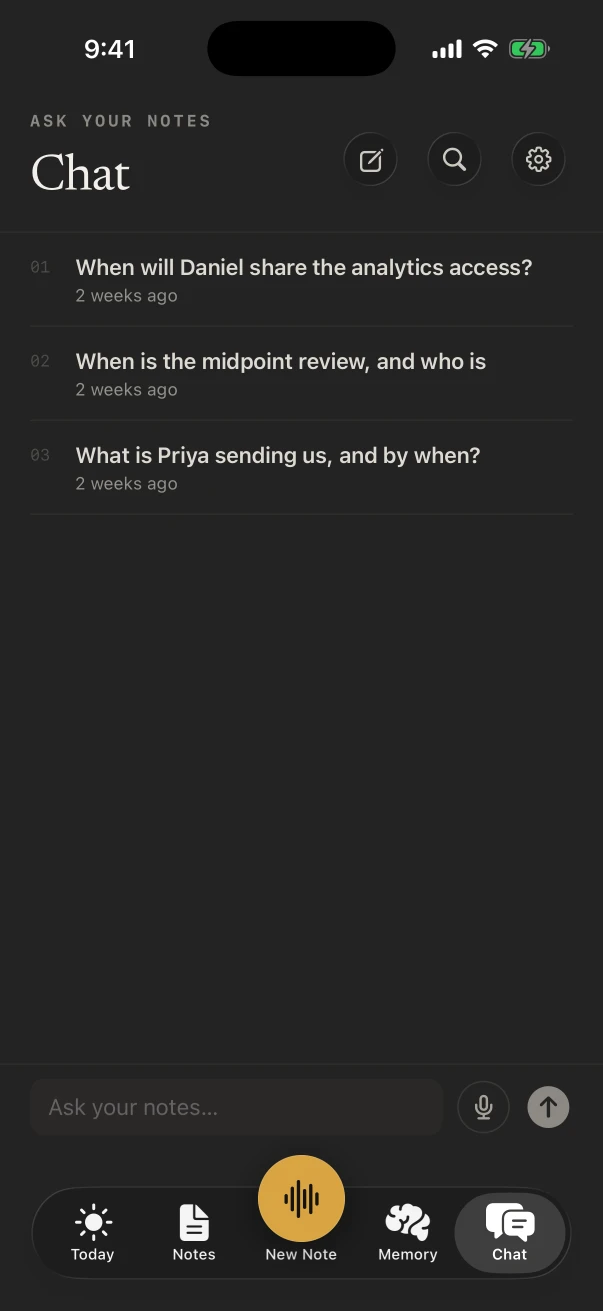
Ask NoteOwl. With NoteOwl Pro, Chat answers across every viewing and lists the notes it used: “Which houses had off-street parking?” or “What did the agent say about the roof on Elm Street?” Search finds the exact words.
Tap a source to open that viewing, then tap a line of its transcript to hear the agent say it again.
Is there a template for house viewing notes?
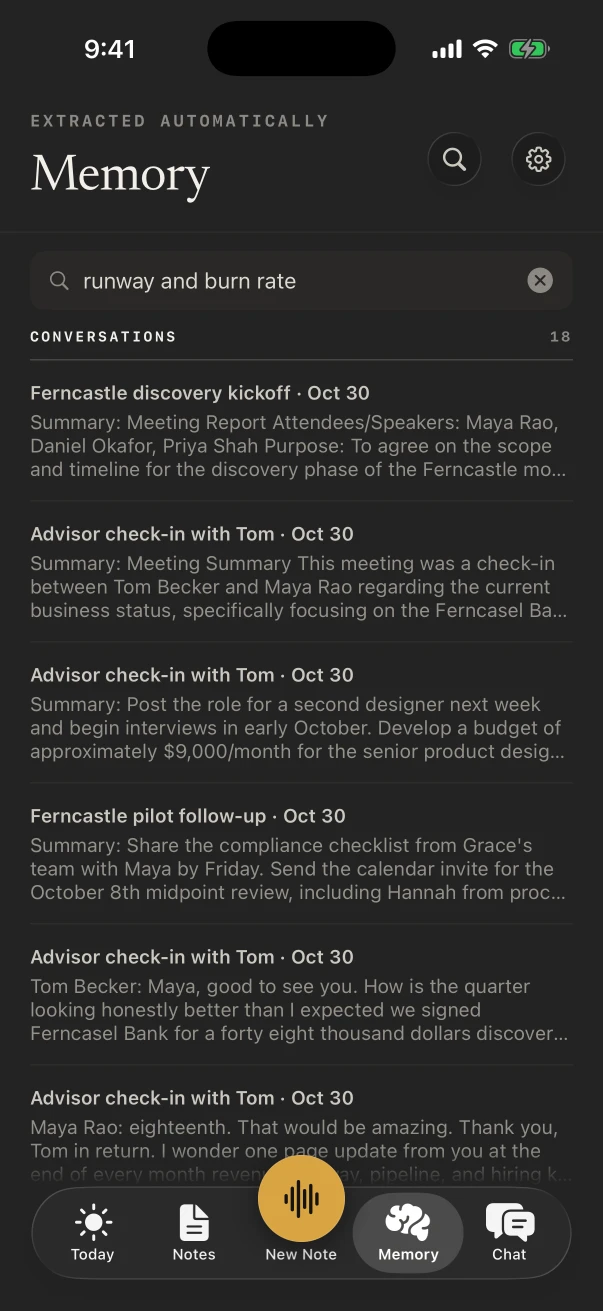
Write one. With NoteOwl Pro, Settings › Templates › New template takes plain words, such as “Address, price, rooms, condition, what the agent said, pros, cons, questions”, or tap Create by speaking and say it. Quick Summary works for a fast first pass.
Built-in template
Quick Summary
- 3–5 key points
- Bottom line
Make your own template the default for voice notes under Defaults, and every viewing is written with the same headings, which is what makes them easy to compare. How templates work on iPhone
Also worth trying
- To-Do List
- Memories
Is NoteOwl free for house hunting?
Recording every viewing and reading the transcripts is free on iPhone, with no limit. Chat across viewings, your own template, speaker names and summaries are NoteOwl Pro, $20 lifetime on iPhone, with a 7-day free trial that covers a weekend of viewings.
On Mac, NoteOwl Pro is $79 lifetime. Neither has a subscription, and NoteOwl never uploads what you record.
FAQ
Questions about house hunting notes
Can I share my viewing notes with my partner?
Yes. Share a note from its ⋯ menu as Markdown, PDF or plain text, or copy the summary into a message. Sharing is free.
Does NoteOwl need signal inside the house?
No. NoteOwl transcribes on the iPhone, so a basement or a rural property with no signal makes no difference once the models have downloaded.
Can NoteOwl make a to-do list from my viewings?
Yes, with NoteOwl Pro: Summarize as › To-Do List on a viewing pulls out everything to do, grouped by priority, with any owners and dates you mentioned, such as booking an inspection or asking for the utility bills.
What’s a good way to name viewings?
Use the address and the day, such as “14 Elm Street, Sat”. Tap Untitled note while recording to name it; with NoteOwl Pro, a note you don’t name gets a title from what was said.
Can NoteOwl record a virtual property viewing?
On a Mac, yes. A video tour or a call with the agent is recorded from the Mac’s audio and your microphone, and NoteOwl Pro writes the notes. NoteOwl on iPhone records the room you’re standing in, not calls.
Keep exploring
Made for this situation
- Chat with your meetingsAsk your own meetings a question on your Mac or iPhone, even offline; every answer cites its sources
- Search all your meetingsOne search across every meeting, dictation, transcript and person on your Mac or iPhone, plus Recall by voice from any Mac app
- To-do list templateA to-do list template to copy, what each section holds, an example, and how NoteOwl writes it
- AI voice recorder for iPhoneRecord in the room on iPhone with a live transcript (free), then speakers, a summary and action items with Pro; the timer on the Lock Screen and in the Dynamic Island
Who it’s for
- Real estate agentsListing appointments, buyer consultations, showings and inspection walk-throughs recorded on iPhone, the Consultation template, a profile per client, and calls on the Mac
- Home inspectorsFindings narrated room by room on iPhone as free voice notes, written up in your own report template with Pro, the buyer walk-through, and dictation into your report app
More situations
- Field researchRecord interviews and spoken observations in the field on iPhone with no signal, transcribed on the phone; the Research template, participant codes, imports from a recorder on Mac, and exporting
- Sermons and Bible studyRecord a sermon on iPhone from your seat and keep every word, the Presentation template, Vocabulary for names, Bible study and small-group notes with who said what, and services watched online on a Mac
- In-person meetingsRecord a meeting around a table on iPhone (who said what, a summary and action items) or on a Mac (a hybrid meeting with a call), which device fits, the Meeting Report template, and Free vs Pro
Bring NoteOwl to your next viewing
Free to download. Runs entirely on your Mac or iPhone.
Mac: macOS 26 or later · Apple Silicon (M1 or newer) · 16 GB memory minimum, 24 GB recommended · iPhone: iOS 26 or later
About NoteOwl
NoteOwl is private AI meeting notes and memory for Mac and iPhone. It captures meetings without a bot joining the call, labels every speaker, writes summaries and action items, and builds a memory of every conversation that you can chat with — fully offline, because the speech recognition and the AI run on the Mac or iPhone itself. Dictation into any app is free; Pro is a lifetime licence.
NoteOwl pricing: what’s free and what Pro adds
Last updated