For field sales
AI note taker for field sales
NoteOwl is an AI note taker for field sales reps whose meetings happen in the customer’s office, on the shop floor or across a counter. Record the visit on your iPhone and the transcript is free; with your calendar on, the Up next widget shows what’s open before you walk in.
With NoteOwl Pro, the Sales Call template writes needs, objections and next steps with dates, and ✦ Create drafts the follow-up email before you start the car. Calls from the home office run on your Mac with no bot. NoteOwl never uploads what you record.
How do field sales reps use an AI note taker?
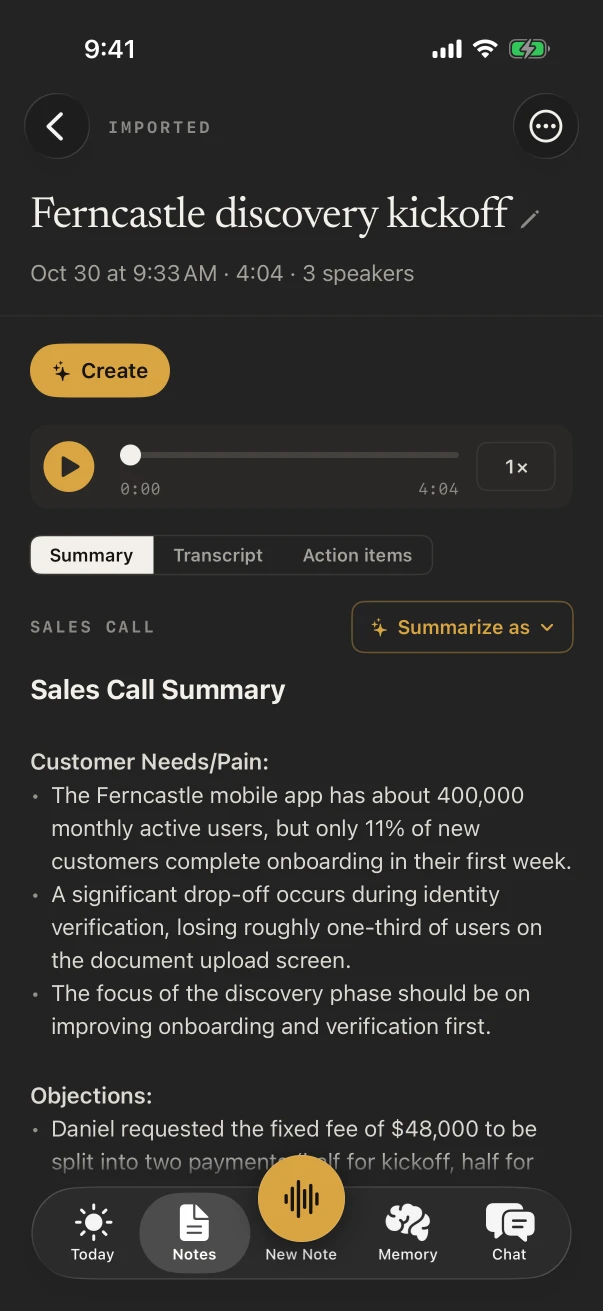
Around every visit, not just during it. Before, to see what was said last time and what you promised. During, to keep the customer’s words instead of your shorthand. After, to send the follow-up and log the visit while you’re still in the parking lot.
Before the visit
What’s open with this account
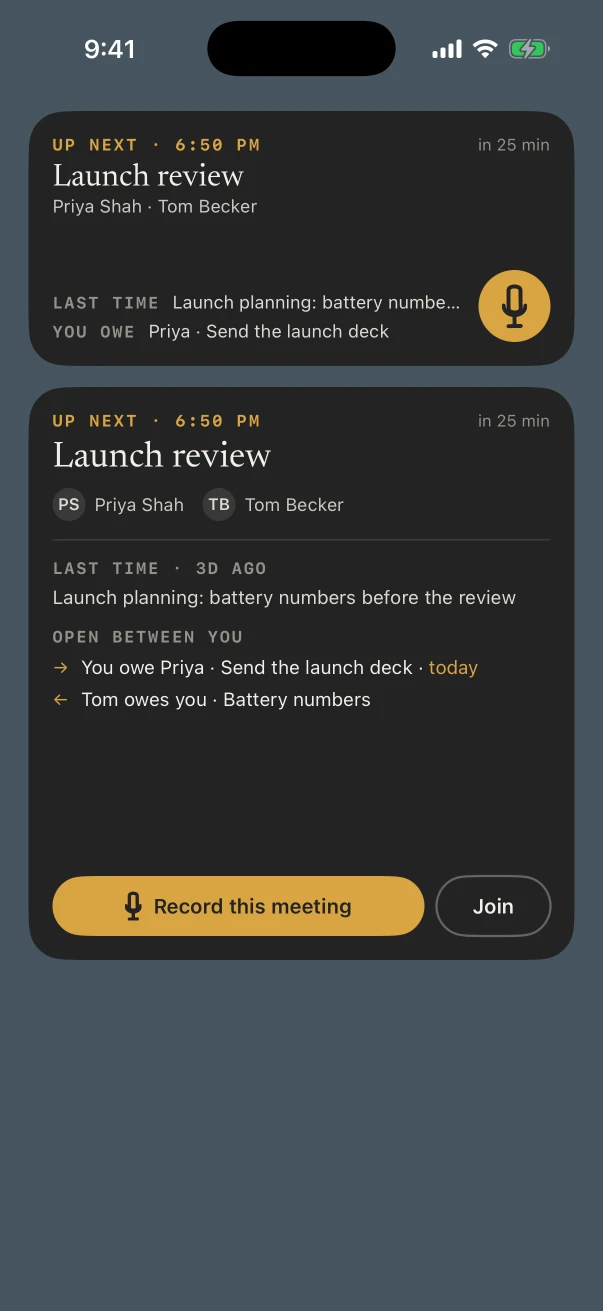
The Up next widget shows the next meeting, the last time you met and what each side owes, with a Record this meeting button. NoteOwl Pro, with your calendar on.
The customer visit
Needs, objections, next steps
Record across the desk and NoteOwl Pro writes it up with the Sales Call template, follow-ups and dates included.
Store walk or plant tour
What the buyer pointed at
Empty facings, the competitor’s display, the line that keeps stopping. Record the walk, or a voice note right after it; the transcript is free.
In the car
The follow-up, before the next stop
✦ Create › Email draft writes the recap from the visit. For a quick text, the free keyboard types what you say.
Can you see what was said last time before a visit?
Yes, with NoteOwl Pro and your calendar switched on. The Up next widget shows your next meeting, when you last met those people and what’s open between you, with a Record this meeting button. Today lists every meeting of the day.
Each meeting’s page shows your notes and the action items still open with the people coming.
What does NoteOwl do during a customer visit?
It records the conversation across the desk through the iPhone’s microphone, with the transcript free. With NoteOwl Pro, the note gets speakers, a summary and action items when you stop, and you can rewrite it with Summarize as › Sales Call.
- 1
Start from Up next
Tap Record this meeting on the widget, or New Note when you sit down. With the Meeting chip on, the note is linked to the event in your calendar.
- 2
Make Sales Call the default
In Settings › Templates › Defaults, choose Sales Call for Meeting, and every visit is written that way.
- 3
Check the dates
The Action items tab lists who owes what to whom, so the sample you promised for Friday is in front of you.
Which notes templates fit field sales?
Sales Call for most visits: customer needs and pain, objections, next steps, and commitments with dates. Meeting Report for a business review, To-Do List for a store walk, Presentation when you demo to a room. All with NoteOwl Pro.
- A first visit to a new account
- TemplateSales Call
- What it writesCustomer needs · Objections · Next steps · Follow-ups with dates
- Quarterly business review at the customer’s office
- TemplateMeeting Report
- What it writesAttendees · Purpose · Key points · Decisions · Action items · Open questions
- A store walk with the store manager
- TemplateTo-Do List
- What it writesHigh priority · Medium · Low · Owners & deadlines
- A demo or a product talk for their staff
- TemplatePresentation
- What it writesMain message · Key points · Standout moments · Q&A
- Ride-along debrief with your manager
- Template1:1 Check-in
- What it writesWins · Blockers · Feedback · Growth · Follow-ups
| The moment | Template | What it writes |
|---|---|---|
| A first visit to a new account | Sales Call | Customer needs · Objections · Next steps · Follow-ups with dates |
| Quarterly business review at the customer’s office | Meeting Report | Attendees · Purpose · Key points · Decisions · Action items · Open questions |
| A store walk with the store manager | To-Do List | High priority · Medium · Low · Owners & deadlines |
| A demo or a product talk for their staff | Presentation | Main message · Key points · Standout moments · Q&A |
| Ride-along debrief with your manager | 1:1 Check-in | Wins · Blockers · Feedback · Growth · Follow-ups |
Can NoteOwl write the follow-up email after a visit?
Yes, with NoteOwl Pro. Open the note, tap ✦ Create › Email draft, and NoteOwl writes the follow-up from the visit on the iPhone, ready to copy or share. You send it yourself, from your own email app.
For a two-line text instead, the NoteOwl keyboard is free in Messages, Mail and any app: tap its microphone and talk.
What does NoteOwl on Mac add for a field rep?
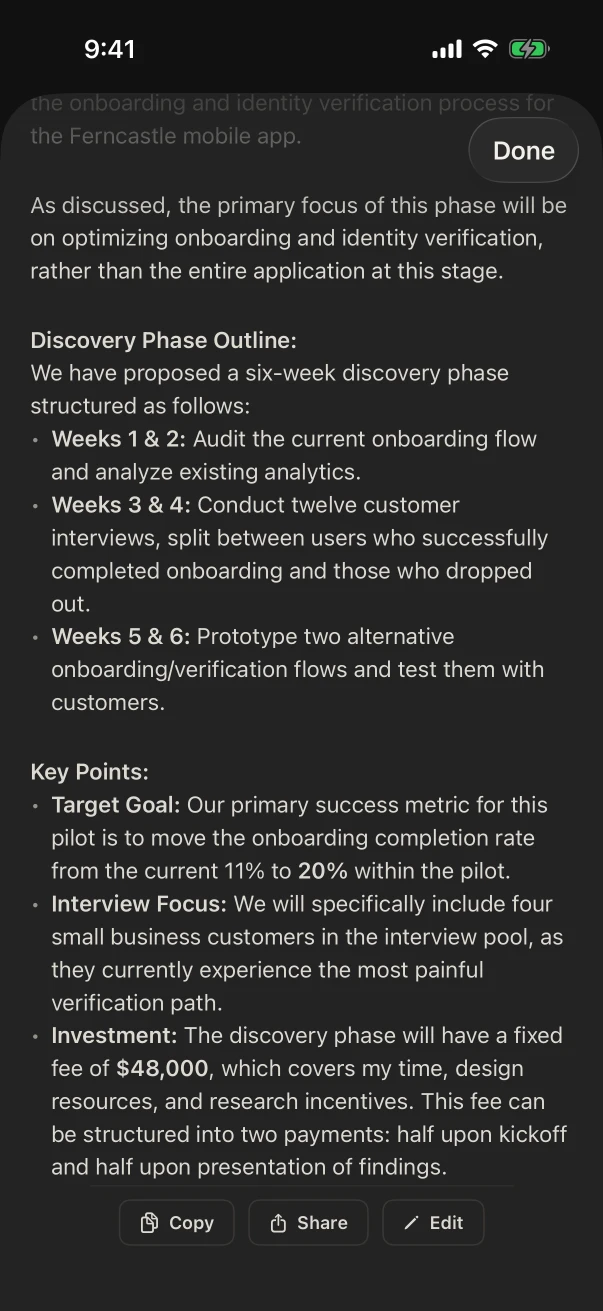
The calls from your home office. NoteOwl on Mac records customer calls in Zoom, Teams or Google Meet with no bot joining, writes them up when they end, and shows a prep page with what’s open before the next one.
Calls with no bot
NoteOwl ProRecorded from your microphone and the Mac’s audio, in whatever call app the buyer uses.
Prep before each call
NoteOwl ProYour calendar’s next meetings, with your notes and the open items with each person.
Dictation in any app
FreeTap fn and talk in your CRM, email or a proposal; the words type at your cursor.
Where do recordings of customer visits go?
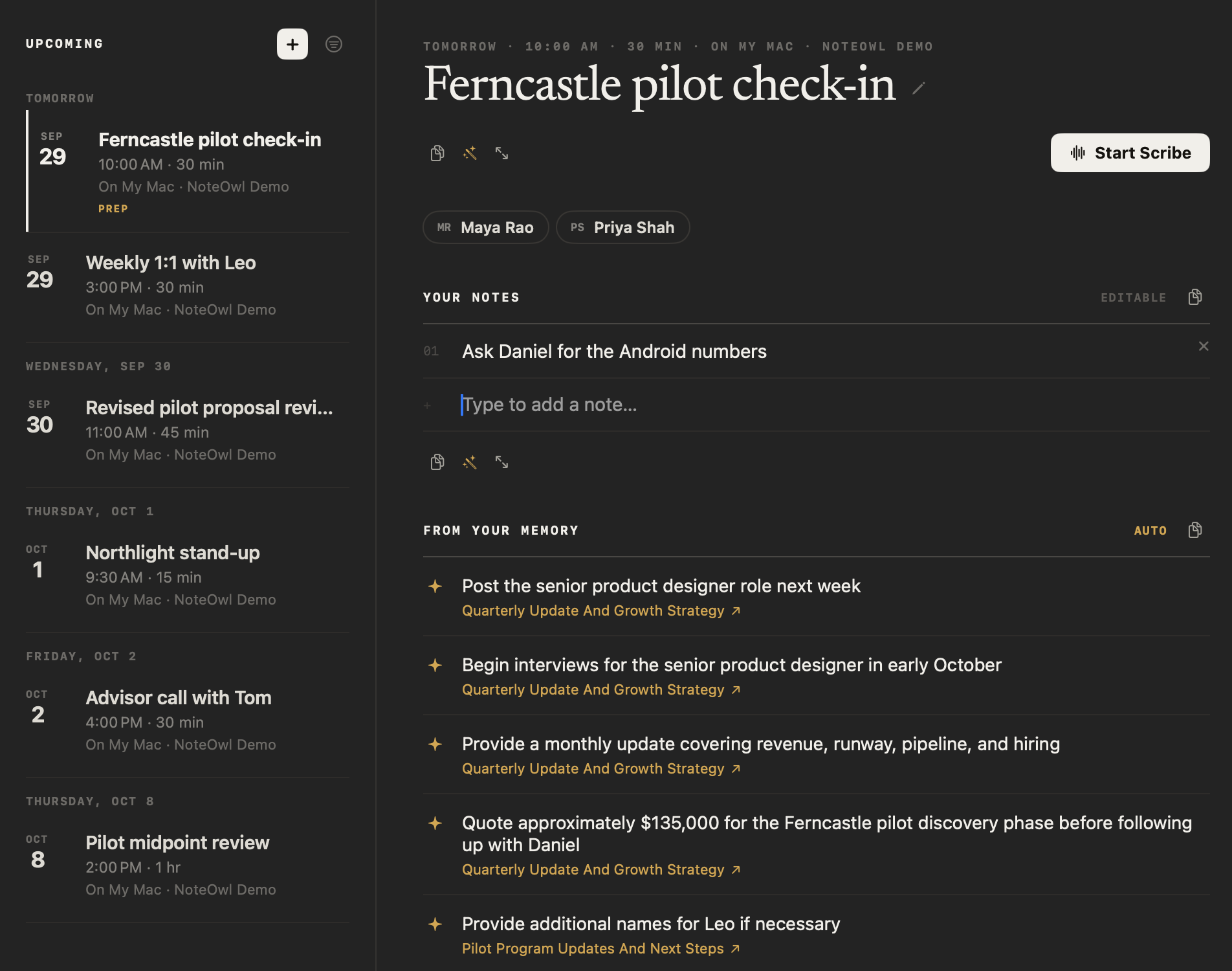
They stay in NoteOwl on your iPhone. Pricing, volumes and what a buyer says about your competitor are transcribed and summarized on the phone by on-device AI models, and NoteOwl never uploads what you record.
- Transcribed and summarized
- On the iPhone
- Sent to NoteOwl
- Nothing you record
- In a warehouse with no signal
- Works offline once the models are on the phone (about 3.2 GB)
- Your calendar
- Read on the iPhone, only if you switch it on
How much does NoteOwl cost for a field sales rep?
Recording a visit, the transcript and the keyboard are free. Up next, Sales Call notes, action items and email drafts are NoteOwl Pro: $20 lifetime on iPhone, with no subscription and a 7-day free trial. On a Mac, Pro is $79 lifetime for one Mac.
- Record a customer visit, with the live transcript
- FreeYes
- NoteOwl ProYes
- Voice notes after a store walk
- FreeYes
- NoteOwl ProYes
- The dictation keyboard in Messages, Mail and any app
- FreeYes
- NoteOwl ProYes
- Up next and Today, from your calendar
- FreeNo
- NoteOwl ProYes
- Sales Call notes, speakers and action items
- FreeNo
- NoteOwl ProYes
- Follow-up email drafts
- FreeNo
- NoteOwl ProYes
| Free | NoteOwl Pro | |
|---|---|---|
| Record a customer visit, with the live transcript | Yes | Yes |
| Voice notes after a store walk | Yes | Yes |
| The dictation keyboard in Messages, Mail and any app | Yes | Yes |
| Up next and Today, from your calendar | No | Yes |
| Sales Call notes, speakers and action items | No | Yes |
| Follow-up email drafts | No | Yes |
FAQ
Questions field sales reps ask about NoteOwl
How do I get visit notes into my CRM?
Copy the summary or the email draft and paste it into your CRM, or dictate your visit notes straight into the CRM’s iPhone app with the free NoteOwl keyboard.
Can NoteOwl record a sales call on my iPhone?
No. NoteOwl on iPhone records conversations in the room, and a phone call pauses the recording. For calls, NoteOwl on Mac records Zoom, Teams, Google Meet or any call app, with no bot joining.
Can I see my day’s visits in NoteOwl?
Yes, with NoteOwl Pro. Turn on Settings › Calendar and Today lists the day’s meetings with who’s coming and when you last met; each meeting’s page shows your notes and the action items still open with those people.
Does NoteOwl work offline on the road?
Yes. Once its on-device AI models have downloaded (about 3.2 GB), NoteOwl records and transcribes on the iPhone with no signal, in a warehouse, a basement store room or between towns.
Is NoteOwl free for field sales reps?
Recording in the room with the transcript, voice notes and the dictation keyboard are free on iPhone. Up next, Sales Call notes, action items, email drafts and Chat are NoteOwl Pro, $20 lifetime on iPhone with no subscription.
Keep exploring
Made for this work
- Sales call notes templateA sales call notes template to copy, what each section holds, an example, and how NoteOwl writes sales call notes
- Follow-up emailAsk NoteOwl to draft the follow-up email from a meeting, written on your Mac or iPhone; on the Mac it lists decisions, owners and dates
- iPhone widgetsNoteOwl’s iPhone widgets (New note, Keyboard, Capture, Last capture, Due today, Up next), what each does and needs, and its Live Activities in the Dynamic Island
More jobs away from a desk
- Interior designersConsultations in the client’s home, showroom visits and concept presentations recorded on iPhone, Consultation and Presentation notes, and email drafts and to-do lists from ✦ Create
- Event plannersVenue walkthroughs, vendor meetings, tastings and client consultations recorded on iPhone, turned into checklists with owners and dates, with what’s due on the Home Screen
- TeachersParent-teacher conferences, department meetings, professional development and observation debriefs recorded on iPhone, with free dictation for emails and report card comments
In these situations
- In-person meetingsRecord a meeting around a table on iPhone (who said what, a summary and action items) or on a Mac (a hybrid meeting with a call), which device fits, the Meeting Report template, and Free vs Pro
- Conferences and talksRecord talks, panels and seminars from your seat on iPhone, the Presentation template with the Q&A, remembering the people you meet, and online sessions recorded on a Mac
Take NoteOwl on your next customer visit
Free to download. Runs entirely on your Mac or iPhone.
Mac: macOS 26 or later · Apple Silicon (M1 or newer) · 16 GB memory minimum, 24 GB recommended · iPhone: iOS 26 or later
About NoteOwl
NoteOwl is private AI meeting notes and memory for Mac and iPhone. It captures meetings without a bot joining the call, labels every speaker, writes summaries and action items, and builds a memory of every conversation that you can chat with — fully offline, because the speech recognition and the AI run on the Mac or iPhone itself. Dictation into any app is free; Pro is a lifetime licence.
NoteOwl pricing: what’s free and what Pro adds
Last updated