Dictation keyboard · iPhone · Free
A free voice typing keyboard for iPhone, in any app
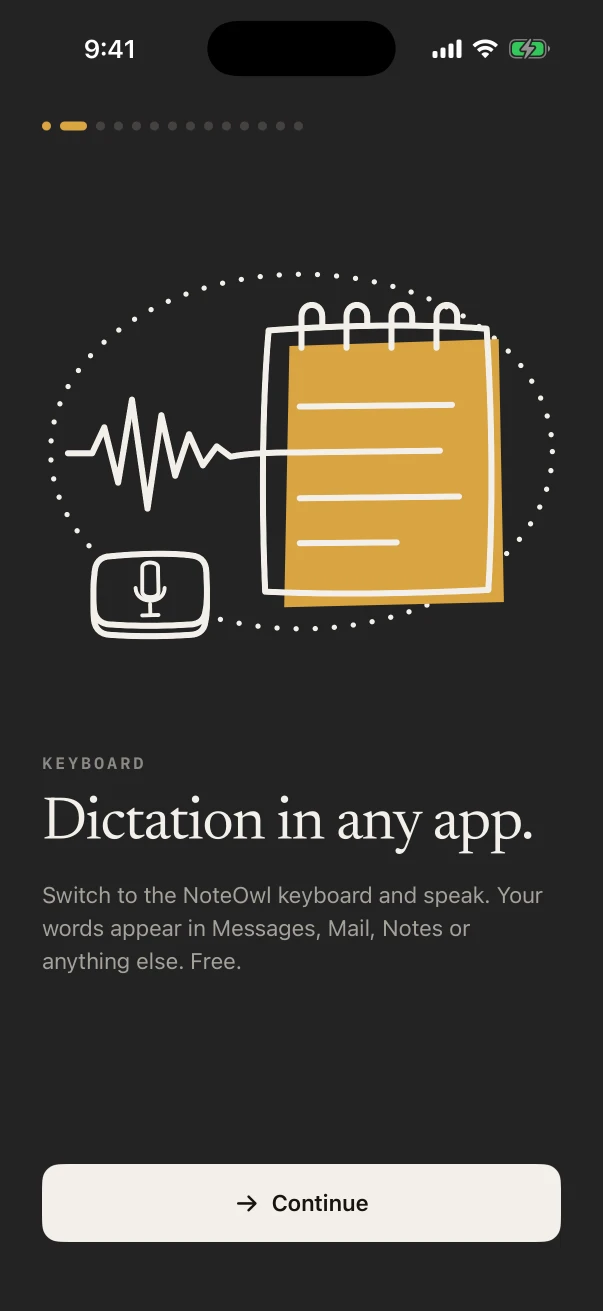
NoteOwl’s keyboard is a free voice typing keyboard for iPhone: switch to it in Messages, Mail, Notes or any other app, tap the microphone and talk, and your words type as you speak. There is no word limit, and your speech is turned into text on the iPhone.
Every dictation is also kept in NoteOwl under Notes › Dictations. On iPhone 15 Pro or later, Polish tidies what you said in one tap, in the languages your iPhone’s built-in on-device AI supports; NoteOwl Pro adds Rewrite styles and custom vocabulary.
How do you add the NoteOwl keyboard on iPhone?
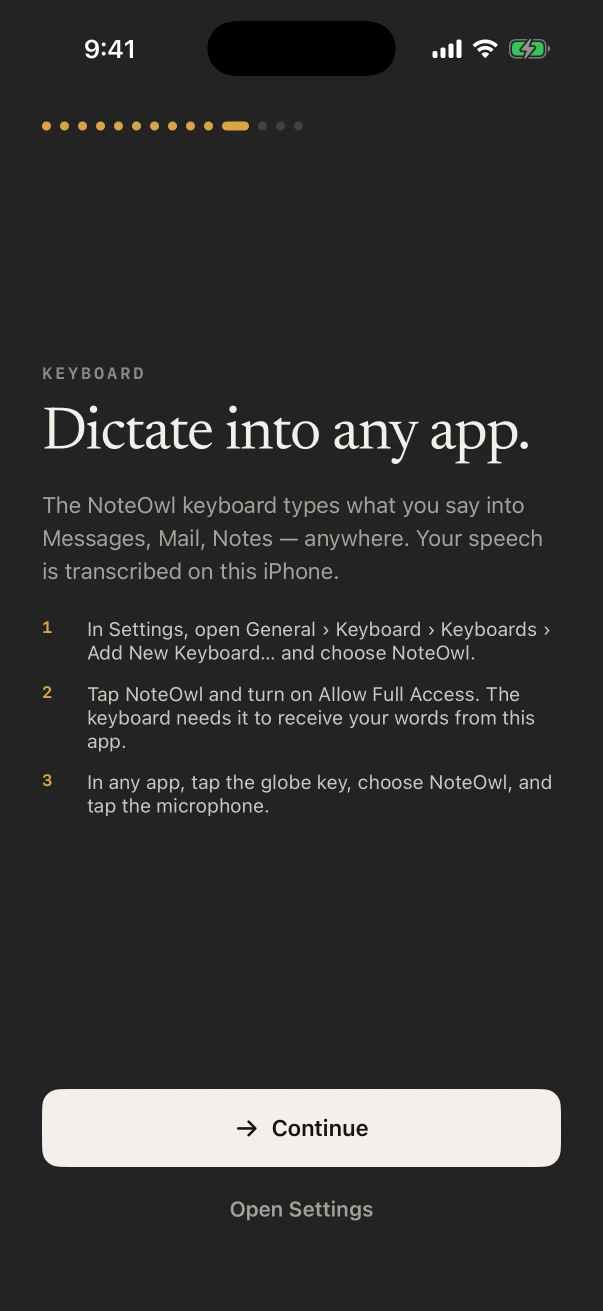
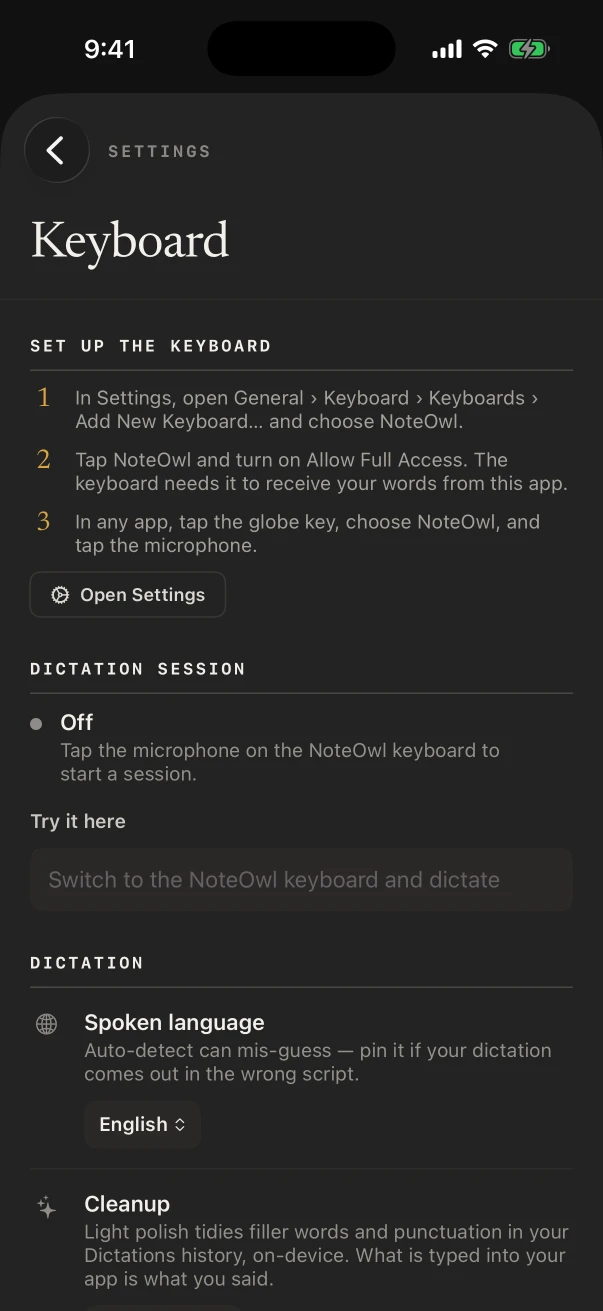
In the Settings app, open General › Keyboard › Keyboards › Add New Keyboard… and choose NoteOwl. Then tap NoteOwl in that list and turn on Allow Full Access, which the keyboard needs to receive your words from the NoteOwl app.
- 1
Add the keyboard
In the Settings app, open General › Keyboard › Keyboards › Add New Keyboard… and choose NoteOwl.
- 2
Turn on Allow Full Access
Tap NoteOwl in the list of keyboards and turn on Allow Full Access. The keyboard needs it to receive your words from the NoteOwl app.
- 3
Switch to it and talk
In any app, tap the globe key, choose NoteOwl, and tap the microphone.
How do you use voice typing on iPhone with NoteOwl?
Tap the microphone on the NoteOwl keyboard: NoteOwl opens for a moment to start listening, then you go back to your app, with ◀ at the top left, and talk. Your words type into the field as you speak, and the session stays on until five minutes pass without dictation.
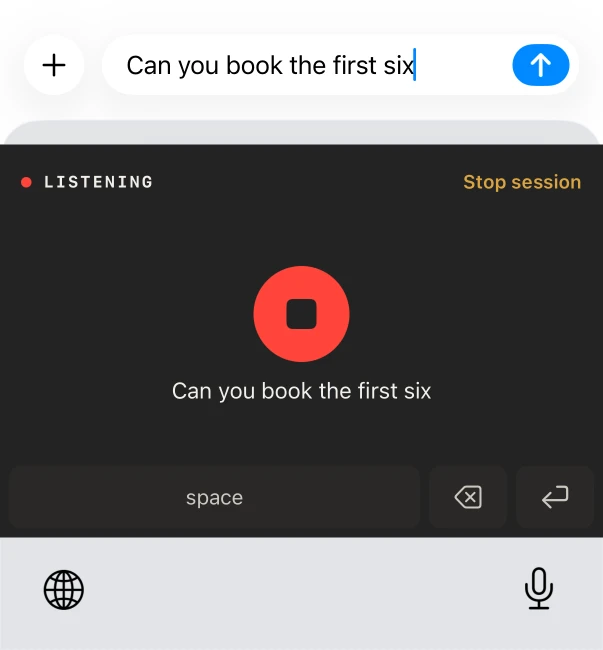
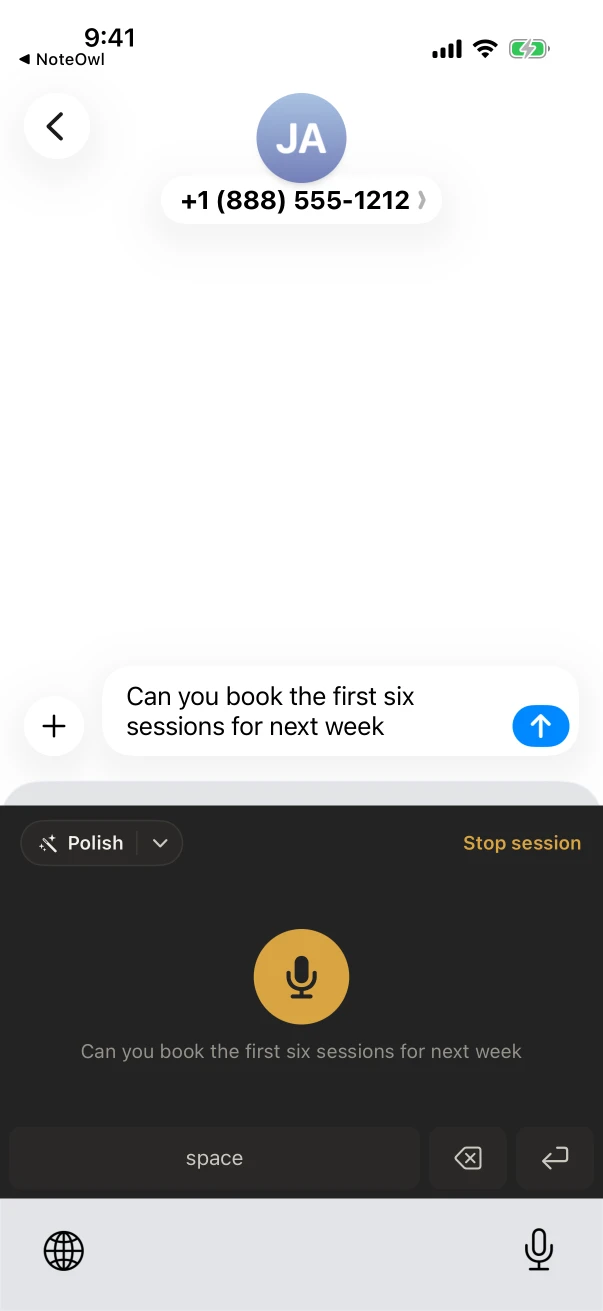
As a voice keyboard for iPhone, it lives where you already type, so there is no separate dictation app for iPhone to open and copy from. While the session is on, a “Dictation on” Live Activity on the Lock Screen and in the Dynamic Island shows the keyboard is ready, with Stop.
To skip the trip into NoteOwl, turn dictation on first with the Keyboard widget or the Dictation control in Control Center or on the Action button.
Which languages does the NoteOwl keyboard support?
Auto-detect, English, Hindi, Spanish, French and German. Choose one in NoteOwl’s Settings › Keyboard › Spoken language. Auto-detect can guess wrong, so pin your language if your words come out in the wrong script.
English, Spanish, French and German share one speech model; Hindi and Auto-detect use another, which NoteOwl offers to download when you choose one of them. It is voice to text for iPhone that works offline once the model is on the phone.
- Price
- Free, with no word or time limit
- Works in
- Messages, Mail, Notes and the other apps you type in
- Spoken languages
- Auto-detect, English, Hindi, Spanish, French and German
- Where it listens
- In the NoteOwl app, on the iPhone; nothing is uploaded
- Speech model
- about 600 MB, downloaded once; then it works offline
- Polish
- iPhone 15 Pro or later, in the languages your iPhone’s built-in on-device AI supports; cleanup styles free, Rewrite styles with NoteOwl Pro
- Needs
- iOS 26 or later, the keyboard added in Settings, and Allow Full Access
Can the NoteOwl keyboard clean up what you dictate?
Yes, on iPhone 15 Pro or later. After you dictate, tap Polish on the keyboard and NoteOwl rewrites what you just said, right in the text field, with Undo if you prefer your own words. The cleanup styles are free; Rewrite styles need NoteOwl Pro.
Cleanup · free
- Polish
- Professional email
- Casual message
- Tidy notes
- Code
Rewrite · NoteOwl Pro
- Shorten
- Clarify
- Make formal
- Make friendly
- Fix grammar only
The arrow beside Polish picks a style for this dictation; Settings › Keyboard sets the one Polish uses with a single tap.
Where does NoteOwl keep your dictations?
In NoteOwl, under Notes › Dictations. Each one keeps its date and length, the tidied Output beside the Raw words you said, and Copy and Edit buttons, so what you dictated stays findable after you have sent it.
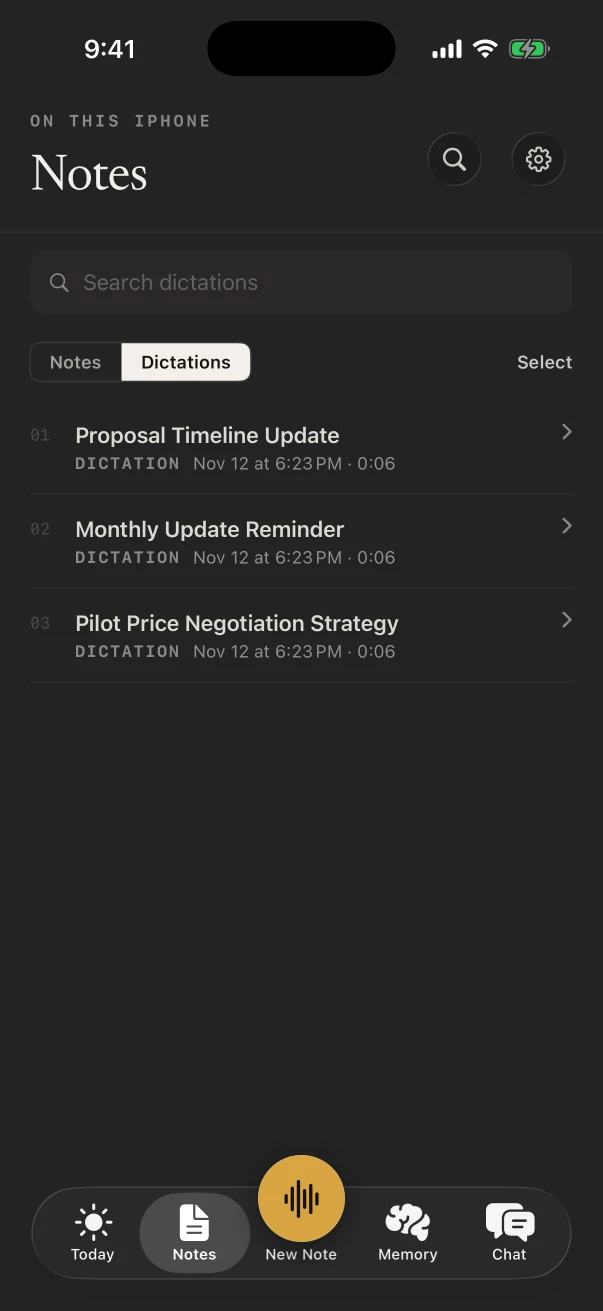
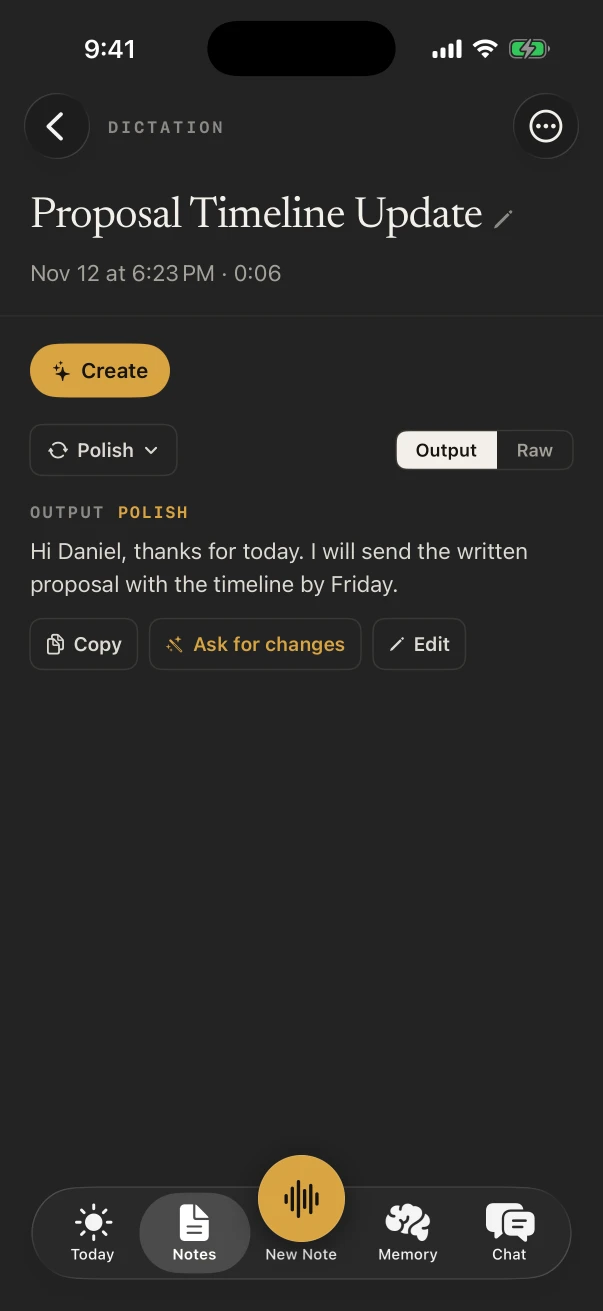
On a Mac, NoteOwl dictates into any app with a tap of fn, and custom vocabulary spells your names and jargon right on both.
FAQ
Questions about the NoteOwl keyboard
Is the NoteOwl keyboard free?
Yes. Dictating with the NoteOwl keyboard is free in any app, with no word or time limit. The Polish cleanup styles are free too, on iPhone 15 Pro or later. Rewrite styles and custom vocabulary are part of NoteOwl Pro, $20 lifetime.
Why does the NoteOwl keyboard need Allow Full Access?
The keyboard needs Allow Full Access to receive your words from the NoteOwl app, where your speech is turned into text on the iPhone. Until it is on, the keyboard shows where to turn it on: Settings › General › Keyboard › Keyboards › NoteOwl.
Why does NoteOwl open when I tap the microphone?
The listening runs in the NoteOwl app, so NoteOwl opens for a moment to start it. Go back to your app with ◀ in the top-left corner and talk. The session then stays on until five minutes pass without dictation.
Does the NoteOwl keyboard work offline?
Yes. Speech is turned into text on the iPhone with on-device AI models, so once the speech model (about 600 MB) has downloaded, dictation works with no connection.
How do I turn the NoteOwl keyboard’s microphone off?
Tap Stop session on the keyboard, or Stop in the “Dictation on” Live Activity on the Lock Screen or in the Dynamic Island. It also turns off by itself after five minutes without dictation.
Can I teach the NoteOwl keyboard names and jargon?
Yes, with NoteOwl Pro. In Settings › Vocabulary, add “When I say” → “Replace with” rules, and NoteOwl applies them from then on to keyboard dictation, recordings and imports.
Related
- NoteOwl for iPhone The keyboard, recordings, summaries and memory, all on the iPhone.
- Turn on dictation with the Action button One press gets the keyboard ready in any app.
- Dictation on Mac Speech to text in every Mac app: tap fn and talk.
- Custom vocabulary Names and jargon spelled right, on Mac and iPhone.
Keep exploring
More on iPhone
- Voice memos to text on iPhoneShare a recording from Voice Memos, Files or Photos to NoteOwl on iPhone for a transcript with speakers and times and a summary (NoteOwl Pro), with the steps
- iPhone widgetsNoteOwl’s iPhone widgets (New note, Keyboard, Capture, Last capture, Due today, Up next), what each does and needs, and its Live Activities in the Dynamic Island
- iPhone Action button and SiriStart a NoteOwl recording, dictation or a question from the Action button, Control Center, the Lock Screen, Back Tap, Siri or the Shortcuts app
On Mac
- Free dictation into any appFree, unlimited speech to text in every app on your Mac (tap fn, talk, and the words type at your cursor; one tap polishes them in the right tone) and on iPhone with the NoteOwl keyboard
- Custom vocabularyTeach NoteOwl names, jargon and spellings once, and every dictation, meeting and import uses them
- Voice notes on your MacVoice notes and dictations saved as searchable text on your Mac or iPhone, with the raw words beside the polished version on the Mac; free
Dictate in these apps
- Dictate in MessagesHow to dictate an iMessage with the free NoteOwl keyboard on iPhone or with fn in Messages on a Mac, a casual tone in one tap, and how it compares with Apple’s Dictation and audio messages
- Dictate in RemindersHow to say a to-do into Apple Reminders with the NoteOwl keyboard on iPhone or fn on a Mac, when Siri fits better, and what to say
Who uses it
- Home inspectorsFindings narrated room by room on iPhone as free voice notes, written up in your own report template with Pro, the buyer walk-through, and dictation into your report app
- TeachersParent-teacher conferences, department meetings, professional development and observation debriefs recorded on iPhone, with free dictation for emails and report card comments
Guides
- Best dictation app for iPhoneEight iPhone dictation apps compared on six tests (works in every app, where your voice is processed, offline, price, languages, limits), from each maker’s own pages, with NoteOwl’s free keyboard first
- iPhone dictation fixesApple’s fixes when iPhone dictation isn’t working on iOS 26 (Enable Dictation, language, the 30-second stop, microphone, Screen Time, restart, update), each sourced, then the NoteOwl keyboard as an on-device option
- Voice to text on iPhoneApple’s Dictation on iOS 26 step by step (turn it on, the spoken commands for punctuation and edits, other languages) and the free NoteOwl keyboard, compared
- Allow Full Access, explainedWhat Allow Full Access lets a third-party keyboard do on iPhone, from Apple’s developer documentation, how to turn it off, and exactly what NoteOwl’s keyboard does with it, from its source
Dictate into any app on your iPhone, free
Free to download. Runs entirely on your Mac or iPhone.
Mac: macOS 26 or later · Apple Silicon (M1 or newer) · 16 GB memory minimum, 24 GB recommended · iPhone: iOS 26 or later
About NoteOwl
NoteOwl is private AI meeting notes and memory for Mac and iPhone. It captures meetings without a bot joining the call, labels every speaker, writes summaries and action items, and builds a memory of every conversation that you can chat with — fully offline, because the speech recognition and the AI run on the Mac or iPhone itself. Dictation into any app is free; Pro is a lifetime licence.
NoteOwl pricing: what’s free and what Pro adds
Last updated