For pastors
AI note taker for pastors
NoteOwl is an AI note taker for pastors and church leaders, for the meetings that fill a week: the church council, the staff meeting, the family planning a wedding or a memorial service. Record on your iPhone, and the transcript is free; so is the transcript of your own sermon.
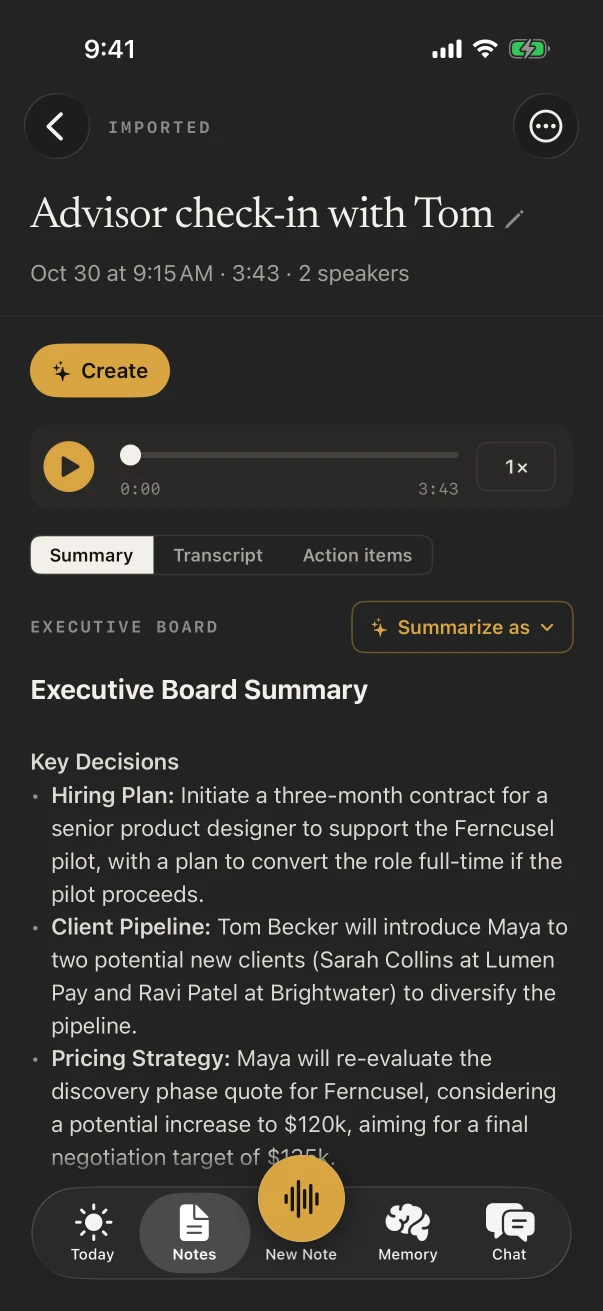
With NoteOwl Pro, the Executive Board template writes the decisions, the money and the action items with owners, and ✦ Create turns a sermon into a draft blog post or social post. Online meetings run on your Mac with no bot. NoteOwl never uploads what you record.
How do pastors use an AI note taker?
For the meetings and the words a church runs on. Pastors record council and staff meetings for the decisions and follow-ups, planning conversations with families for the details of a service, and their own sermons and ideas for everything that comes after Sunday.
Council and elder meetings
Decisions, money, owners
The Executive Board template writes the key decisions, the risks, the financial highlights and the action items with owners.
Planning a service
The readings, the music, who speaks
Sit with the family and talk it through. NoteOwl keeps every name and request, and NoteOwl Pro lists what you said you would arrange.
Sunday
The sermon, transcribed
Record your own sermon on the iPhone and the transcript is free. With NoteOwl Pro, ✦ Create drafts a blog post or a social post from it.
During the week
Sermon ideas, when they come
A voice note on a walk or in the car is free and unlimited. The Brainstorm template groups the ideas by theme.
What does NoteOwl do in a church council meeting?
It records the meeting in the room through the iPhone’s microphone and writes the transcript as people talk, free. With NoteOwl Pro, choose Summarize as › Executive Board for the key decisions, risks, financial highlights and action items with owners.
- 1
Put the phone in the middle of the table
Tap New Note as the meeting opens; the transcript fills in as each person speaks.
- 2
Name the members once
With NoteOwl Pro, Rename speakers puts each person’s name on their lines, and NoteOwl learns their voices for the next meeting.
- 3
Send it to the secretary
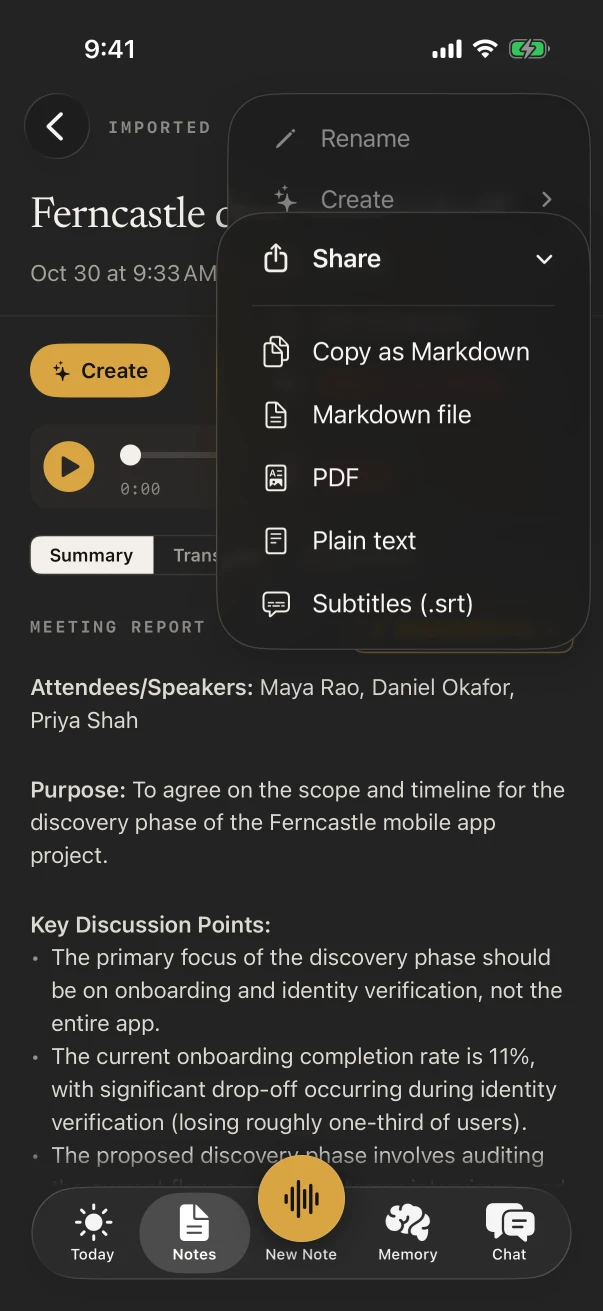
From the note’s ⋯ menu, share it as a PDF, plain text or Markdown, free, as a start on the minutes.
Can NoteOwl turn a sermon into a blog post?
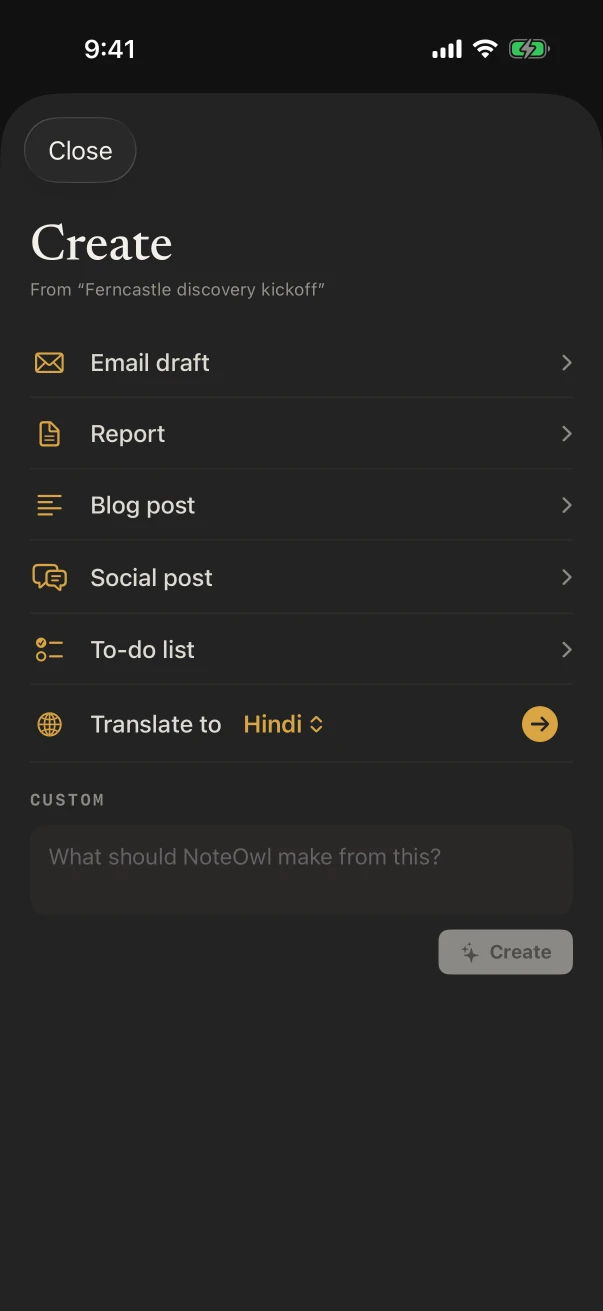
Yes, with NoteOwl Pro. Record the sermon on your iPhone, then open the note and tap ✦ Create › Blog post or Social post for a draft built from what you said, ready to edit for the newsletter or the church website.
For sermon notes, Summarize as › Presentation writes the main message, the key points section by section and the lines that stood out. Translate makes a copy in another language.
Which notes templates fit church meetings?
Executive Board for the council or elders, Meeting Report for the staff meeting, To-Do List after planning a wedding or memorial service with a family, Presentation for sermon notes and Brainstorm for a series you’re planning. All with NoteOwl Pro.
- Church council or elder meeting
- TemplateExecutive Board
- What it writesKey decisions · Risks · Financial highlights · Action items
- Weekly staff meeting
- TemplateMeeting Report
- What it writesAttendees · Purpose · Key points · Decisions · Action items · Open questions
- Planning a service with a family
- TemplateTo-Do List
- What it writesHigh priority · Medium · Low · Owners & deadlines
- Ideas for a sermon series
- TemplateBrainstorm
- What it writesIdeas by theme · Standouts · Next experiments
| The moment | Template | What it writes |
|---|---|---|
| Church council or elder meeting | Executive Board | Key decisions · Risks · Financial highlights · Action items |
| Weekly staff meeting | Meeting Report | Attendees · Purpose · Key points · Decisions · Action items · Open questions |
| Planning a service with a family | To-Do List | High priority · Medium · Low · Owners & deadlines |
| Your sermon | Presentation | Main message · Key points · Standout moments · Q&A |
| Ideas for a sermon series | Brainstorm | Ideas by theme · Standouts · Next experiments |
Can a pastor answer messages by voice during the week?
Yes, free. The NoteOwl keyboard types what you say into Messages, Mail or any app on the iPhone: tap its microphone and talk. NoteOwl opens for a moment to start listening, and every dictation is kept under Notes › Dictations.
- A note to the worship leader about Sunday’s songs
- The bulletin announcement for next week
- A reply to a family about the time of the service
- A reminder to call a volunteer back
What does NoteOwl on Mac add for a pastor?
Online meetings and writing. NoteOwl on Mac records Zoom, Teams or Google Meet with no bot joining, such as a call with your denomination or a remote board member, and fn dictation types sermons, letters and newsletters in any app, free.
Online meetings, no bot
NoteOwl ProRecorded from your microphone and the Mac’s audio, with nothing added to the call.
Write the sermon by voice
FreeTap fn in Pages, Word or any app on the Mac and talk; the words type at your cursor.
What did the council decide?
NoteOwl ProChat answers from the meetings on your Mac and shows the passage it came from.
Where do recordings of church meetings go?
They stay in NoteOwl on your iPhone. On-device AI models transcribe and summarize them on the phone, and NoteOwl never uploads what you record, so what was said about a family or the church’s finances isn’t passed to a cloud service.
- Processed
- On the iPhone, with on-device AI models
- Uploaded
- Nothing you record
- A sanctuary with no Wi-Fi
- Works offline once the models have downloaded (about 3.2 GB)
- Keep only the text
- Open a note and choose ⋯ › Delete recording
How much does NoteOwl cost for a pastor?
Recording a meeting or a sermon, the transcript and the keyboard are free. Templates, speakers, action items and ✦ Create are NoteOwl Pro: $20 lifetime on iPhone, with no subscription and a 7-day free trial. On a Mac, Pro is $79 lifetime for one Mac.
- Record a meeting or your sermon, with the live transcript
- FreeYes
- NoteOwl ProYes
- Voice notes for sermon ideas
- FreeYes
- NoteOwl ProYes
- Share a note as PDF, plain text or Markdown
- FreeYes
- NoteOwl ProYes
- Executive Board, Presentation and the other templates
- FreeNo
- NoteOwl ProYes
- Speakers and action items with owners
- FreeNo
- NoteOwl ProYes
- Blog post and social post drafts from a sermon
- FreeNo
- NoteOwl ProYes
| Free | NoteOwl Pro | |
|---|---|---|
| Record a meeting or your sermon, with the live transcript | Yes | Yes |
| Voice notes for sermon ideas | Yes | Yes |
| Share a note as PDF, plain text or Markdown | Yes | Yes |
| Executive Board, Presentation and the other templates | No | Yes |
| Speakers and action items with owners | No | Yes |
| Blog post and social post drafts from a sermon | No | Yes |
FAQ
Questions pastors ask about NoteOwl
Can NoteOwl write church meeting minutes?
It gives the secretary a strong start. With NoteOwl Pro, the Executive Board or Meeting Report template writes the decisions, who made them and the action items with owners, and the note can be shared as a PDF or text to edit into your minutes.
Can I record my sermon on iPhone?
Yes. Tap New Note as you begin and NoteOwl records through the iPhone’s microphone, with the transcript free. Keep the phone near you, such as on the pulpit, so it hears you clearly.
Can NoteOwl record an online council meeting?
On a Mac, yes: NoteOwl on Mac records Zoom, Teams, Google Meet or any call app with no bot joining. NoteOwl on iPhone records meetings in the room and never captures calls.
Does NoteOwl work in a church with no Wi-Fi?
Yes. Once its on-device AI models are on your iPhone (about 3.2 GB), NoteOwl records and transcribes in a sanctuary, a fellowship hall or a retreat center with no connection.
Is NoteOwl free for pastors?
Recording in the room with the transcript, voice notes, the dictation keyboard and sharing are free on iPhone. Templates, speakers, action items, ✦ Create and Chat are NoteOwl Pro, $20 lifetime on iPhone with no subscription.
Keep exploring
Made for this work
- Board meeting minutes templateA board meeting minutes template to copy, what each section holds, an example, and how NoteOwl writes board minutes
- Presentation notes templateA presentation notes template to copy, what each section holds, an example, and how NoteOwl writes it
- Voice notes on your MacVoice notes and dictations saved as searchable text on your Mac or iPhone, with the raw words beside the polished version on the Mac; free
More jobs away from a desk
- Real estate agentsListing appointments, buyer consultations, showings and inspection walk-throughs recorded on iPhone, the Consultation template, a profile per client, and calls on the Mac
- Property managersMove-in and move-out walk-throughs, vendor visits and owner meetings recorded on iPhone, turned into to-do lists by priority, with what you owe and are owed due today
- ConstructionSite walks, OAC meetings, morning huddles and punch walks recorded on iPhone with the phone locked, Meeting Report and To-Do List notes, and trade terms taught with Vocabulary
In these situations
- Sermons and Bible studyRecord a sermon on iPhone from your seat and keep every word, the Presentation template, Vocabulary for names, Bible study and small-group notes with who said what, and services watched online on a Mac
- Ideas on the goRecord an idea by voice in one press on iPhone (Action button, widgets) on a walk or a commute, keep the audio and a searchable transcript, Brainstorm or Quick Summary with Pro, and voice notes on Mac
Take NoteOwl to your next council meeting
Free to download. Runs entirely on your Mac or iPhone.
Mac: macOS 26 or later · Apple Silicon (M1 or newer) · 16 GB memory minimum, 24 GB recommended · iPhone: iOS 26 or later
About NoteOwl
NoteOwl is private AI meeting notes and memory for Mac and iPhone. It captures meetings without a bot joining the call, labels every speaker, writes summaries and action items, and builds a memory of every conversation that you can chat with — fully offline, because the speech recognition and the AI run on the Mac or iPhone itself. Dictation into any app is free; Pro is a lifetime licence.
NoteOwl pricing: what’s free and what Pro adds
Last updated