For interior designers
AI note taker for interior designers
NoteOwl is an AI note taker for interior designers, made for the conversations that happen in the client’s living room, the showroom and the half-finished kitchen. Record on your iPhone while you walk the space together, and the transcript is free.
With NoteOwl Pro, the Consultation template writes the client’s goals and the options you discussed, Presentation keeps their reactions to a concept, and ✦ Create drafts the follow-up email. Calls with suppliers run on your Mac with no bot. NoteOwl never uploads what you record.
How do interior designers use an AI note taker?
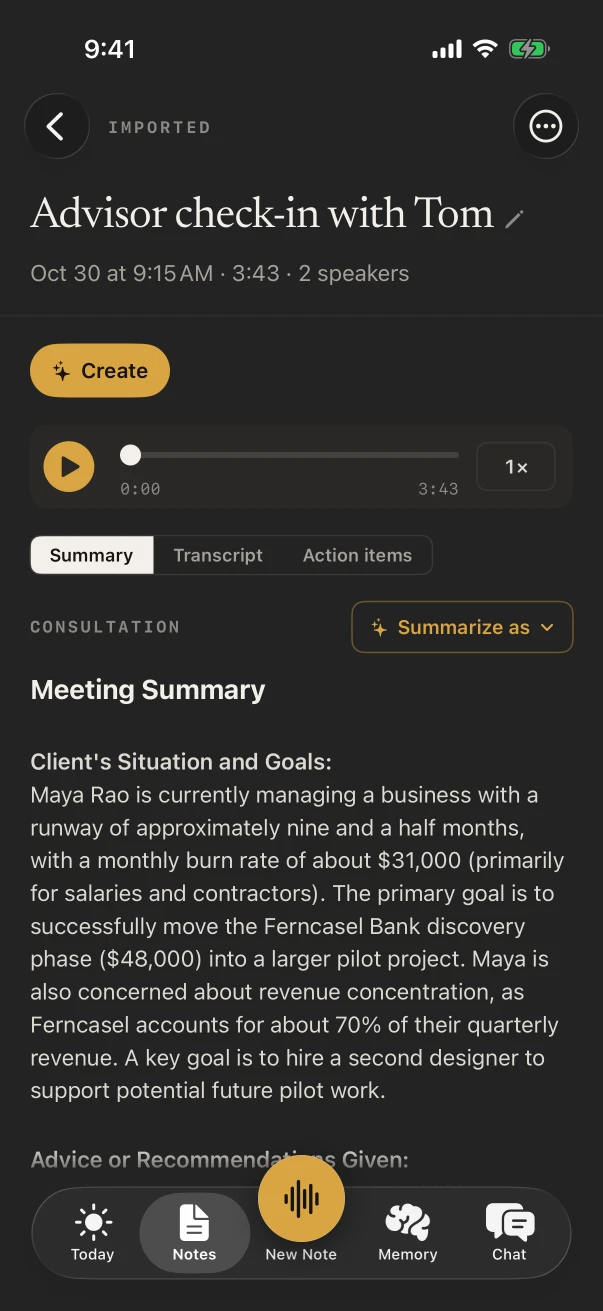
To hold on to what clients say about how they live. The offhand comment about the dog, the chair they can’t part with, the color they hate: record the conversation where it happens and those details reach the brief instead of disappearing on the drive home.
First consultation
How they live in the space
Who uses the room and when, what they love, what has to go, the budget and the date. The Consultation template writes it up with NoteOwl Pro.
Measuring
Dimensions, said not scribbled
Talk through the walls, windows and outlets in a voice note while your hands hold the tape. Your own voice notes are free.
Showroom visit
What they kept coming back to
The sofa they sat on twice, the fabric they didn’t like in daylight. Record the visit and read it back when you build the selections.
Concept presentation
Reactions, in their words
The Presentation template writes the main message, the key points by section, the standout moments, and the client’s questions with your answers.
What does NoteOwl do at a design consultation?
It records the conversation in the room through the iPhone’s microphone as you walk through the space, with the transcript free. With NoteOwl Pro, choose Summarize as › Consultation for the client’s situation and goals, your recommendations, the options discussed and the agreed next steps.
- 1
Start at the front door
Tap New Note and walk the rooms together; the transcript fills in as you talk.
- 2
Type the numbers you need
A ceiling height or a window width goes under Notes & questions and stays with the note.
- 3
Name the household
With NoteOwl Pro, tap Rename speakers so each partner’s wishes are under their own name.
Can NoteOwl capture a client’s reactions to a design concept?
Yes, with NoteOwl Pro. Record the presentation and choose Summarize as › Presentation: the main message, the key points section by section, the standout moments, and the client’s questions with your answers, so the likes and the firm no’s are in one place.
Which notes templates fit an interior design project?
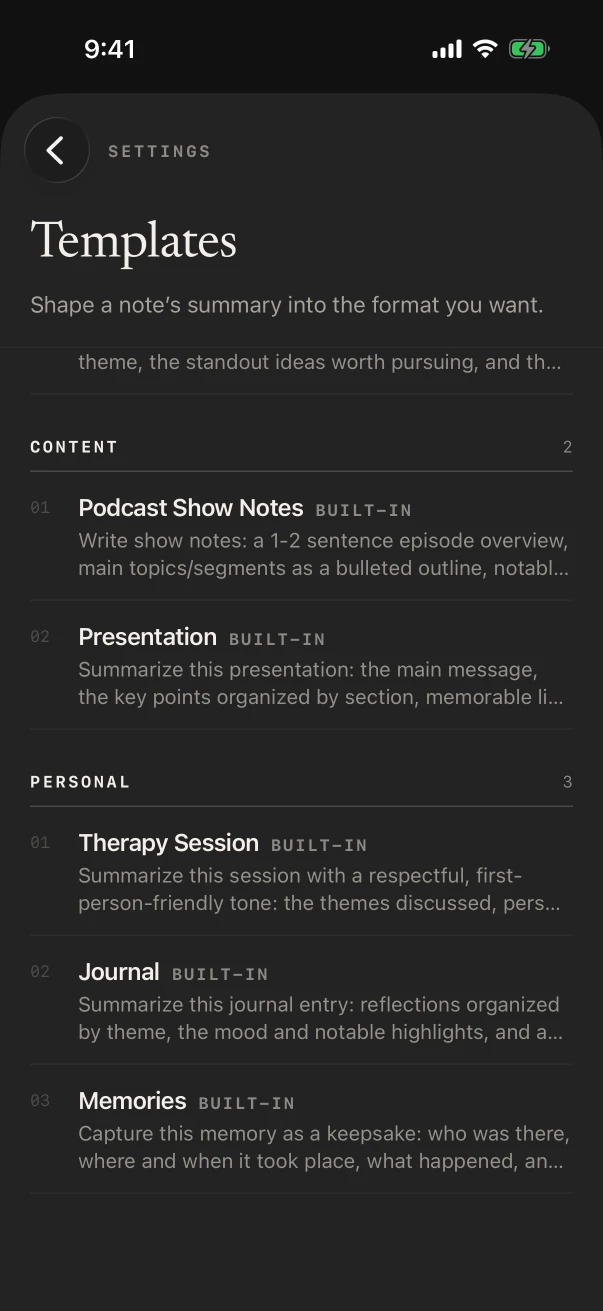
Consultation for the first meeting, Quick Summary for a showroom visit, Presentation for the concept meeting, To-Do List for the punch list at install, and Meeting Report when the contractor and the client are both on site. Each is a NoteOwl Pro template.
- Client consultation in their home
- TemplateConsultation
- What it writesSituation & goals · Advice · Options · Next steps
- Concept presentation
- TemplatePresentation
- What it writesMain message · Key points · Standout moments · Q&A
- Site meeting with the contractor and client
- TemplateMeeting Report
- What it writesAttendees · Purpose · Key points · Decisions · Action items · Open questions
- Install-day punch list
- TemplateTo-Do List
- What it writesHigh priority · Medium · Low · Owners & deadlines
| The moment | Template | What it writes |
|---|---|---|
| Client consultation in their home | Consultation | Situation & goals · Advice · Options · Next steps |
| Showroom or sourcing visit | Quick Summary | 3–5 key points · Bottom line |
| Concept presentation | Presentation | Main message · Key points · Standout moments · Q&A |
| Site meeting with the contractor and client | Meeting Report | Attendees · Purpose · Key points · Decisions · Action items · Open questions |
| Install-day punch list | To-Do List | High priority · Medium · Low · Owners & deadlines |
Can NoteOwl write the follow-up for a client?
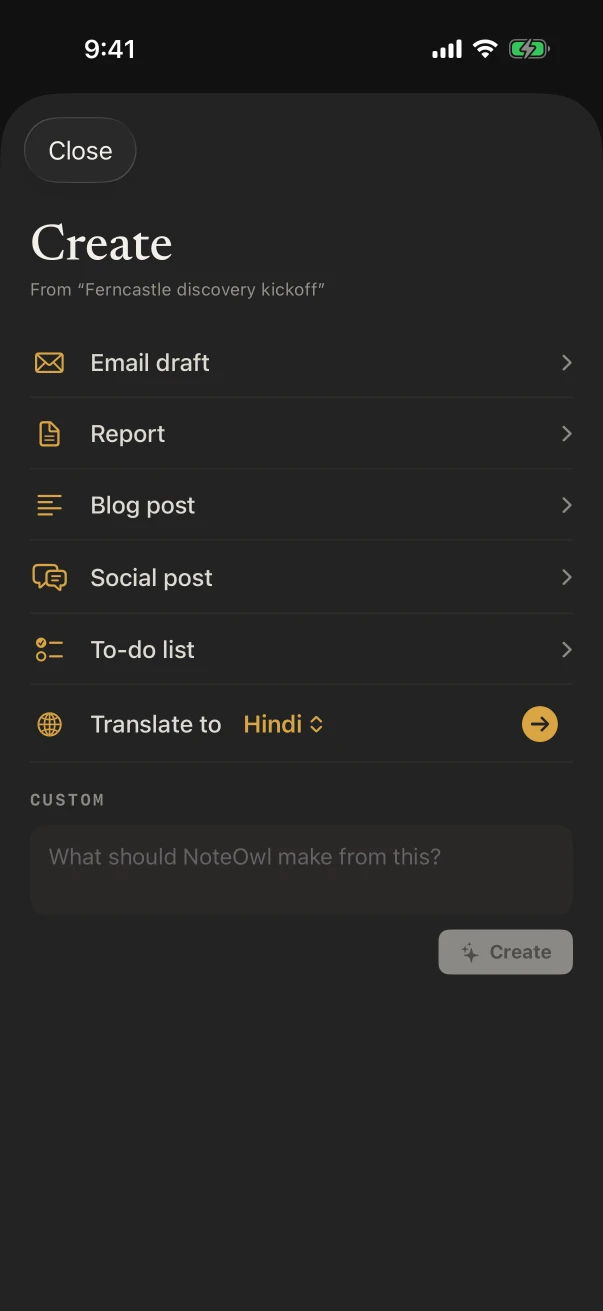
Yes, with NoteOwl Pro. On any note, ✦ Create makes an email draft, a report or a to-do list from what was said, and Custom takes a request in your own words, such as “list every finish the client approved”. You check it and send it yourself.
For quick replies, the free NoteOwl keyboard types what you say in Messages, Mail or any app. Social post turns a voice note about a finished room into a draft caption.
What does NoteOwl on Mac add for a designer?
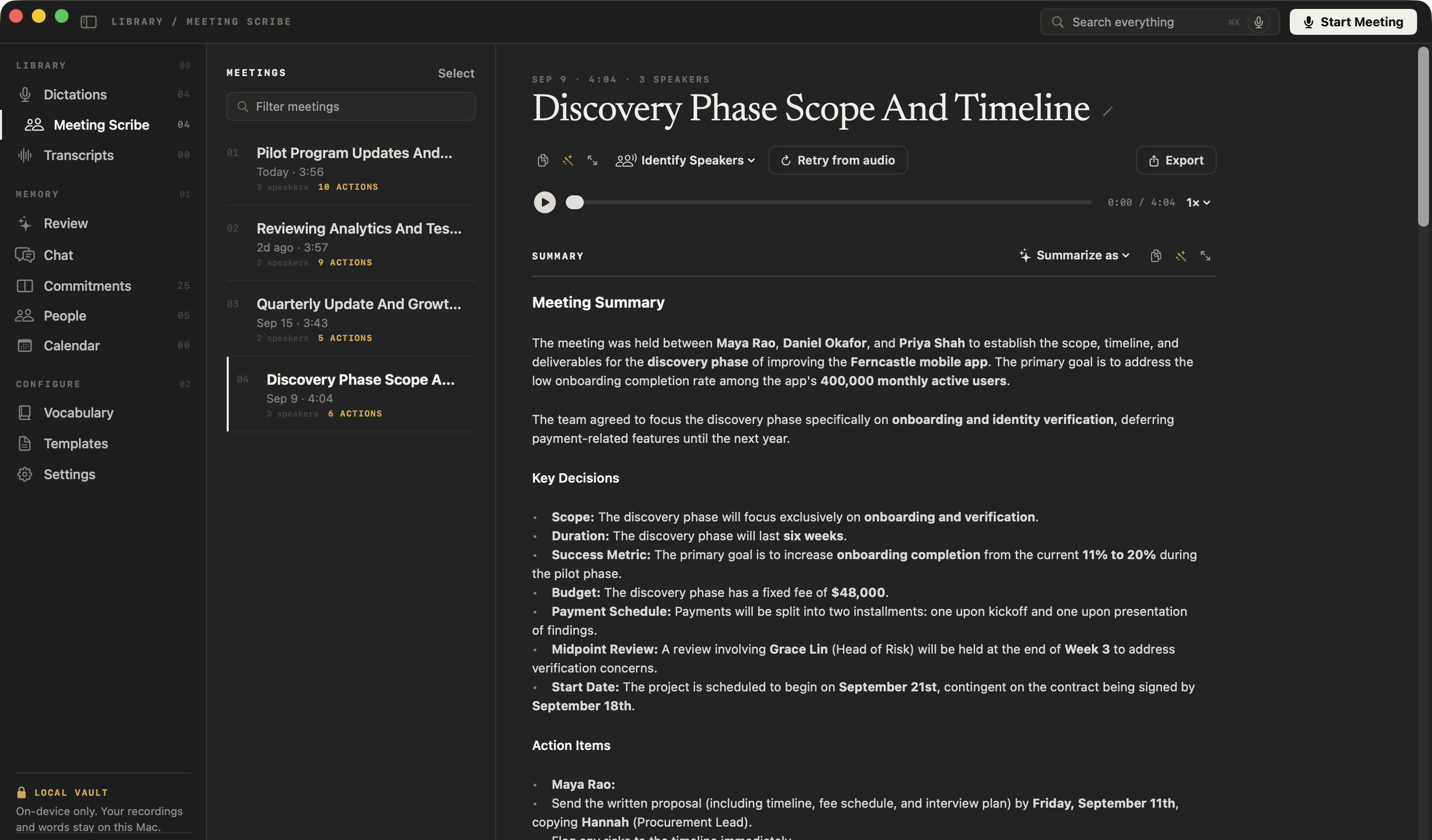
Calls with clients, suppliers and the architect. NoteOwl on Mac records Zoom, Teams or Google Meet with no bot joining, writes them up when they end, and lets you dictate proposals and specifications with fn in any app, free.
Supplier and client calls
NoteOwl ProRecorded from your microphone and the Mac’s audio, so it works in any call app.
What did they approve?
NoteOwl ProChat answers from the calls on your Mac and cites the passage, so a lead time or a finish is easy to check.
Specs by voice
FreeTap fn and talk in a spreadsheet, a proposal or an email on the Mac.
Where do recordings made in clients’ homes go?
They stay in NoteOwl on your iPhone. Conversations about a client’s home, family and budget are transcribed and summarized on the phone with on-device AI models, and NoteOwl never uploads what you record.
- Processed
- On the iPhone
- Uploaded
- Never, by NoteOwl
- A gutted house with no Wi-Fi
- Works offline once the models have downloaded (about 3.2 GB)
- When the project closes
- Export the notes as Markdown, PDF or plain text, then delete them
How much does NoteOwl cost for an interior designer?
Recording a consultation, its transcript and the keyboard are free. Consultation and Presentation notes, ✦ Create, People and Chat are NoteOwl Pro: $20 lifetime on iPhone, no subscription, with a 7-day free trial. On a Mac, Pro is $79 lifetime for one Mac.
- Record a consultation or showroom visit, with the live transcript
- FreeYes
- NoteOwl ProYes
- Voice notes while you measure
- FreeYes
- NoteOwl ProYes
- The dictation keyboard in any app
- FreeYes
- NoteOwl ProYes
- Consultation, Presentation and the other templates
- FreeNo
- NoteOwl ProYes
- Email drafts, to-do lists and custom requests from a note
- FreeNo
- NoteOwl ProYes
- A profile per client, and Chat
- FreeNo
- NoteOwl ProYes
| Free | NoteOwl Pro | |
|---|---|---|
| Record a consultation or showroom visit, with the live transcript | Yes | Yes |
| Voice notes while you measure | Yes | Yes |
| The dictation keyboard in any app | Yes | Yes |
| Consultation, Presentation and the other templates | No | Yes |
| Email drafts, to-do lists and custom requests from a note | No | Yes |
| A profile per client, and Chat | No | Yes |
FAQ
Questions interior designers ask about NoteOwl
Can NoteOwl remember what each client liked?
Yes, with NoteOwl Pro. Memory › People keeps a profile for each client with every conversation and your private notes, and Chat answers questions such as which fabric a client preferred, showing the notes it used.
Can NoteOwl record a video call with a client on iPhone?
No. NoteOwl on iPhone records conversations in the room and never captures Zoom, Teams, Meet or FaceTime calls. NoteOwl on Mac records those calls, with no bot joining.
Can NoteOwl write a social media caption about a finished project?
Yes, with NoteOwl Pro. Record a voice note describing the project, then tap ✦ Create › Social post for a draft you can edit and post yourself.
Does NoteOwl work on a site with no Wi-Fi?
Yes. With its on-device AI models on the phone (about 3.2 GB, downloaded once at setup), NoteOwl records and transcribes in a gutted house with no router.
Is NoteOwl free for interior designers?
Recording in the room with the transcript, voice notes and the dictation keyboard are free on iPhone. Templates, ✦ Create, People and Chat are NoteOwl Pro, $20 lifetime on iPhone with no subscription.
Related
Keep exploring
Made for this work
- Consultation notes templateA consultation notes template to copy, what each section holds, an example, and how NoteOwl writes it
- Presentation notes templateA presentation notes template to copy, what each section holds, an example, and how NoteOwl writes it
- AI voice recorder for iPhoneRecord in the room on iPhone with a live transcript (free), then speakers, a summary and action items with Pro; the timer on the Lock Screen and in the Dynamic Island
More jobs away from a desk
- Event plannersVenue walkthroughs, vendor meetings, tastings and client consultations recorded on iPhone, turned into checklists with owners and dates, with what’s due on the Home Screen
- TeachersParent-teacher conferences, department meetings, professional development and observation debriefs recorded on iPhone, with free dictation for emails and report card comments
- CoachesIn-person and walking coaching sessions on iPhone, video sessions on the Mac with no bot, the 1:1 Check-in template, and a profile with every session for each client
In these situations
- Site visitsSite visit notes spoken on iPhone as you walk (Action button, Lock Screen), the Project Log and To-Do List templates for a report and a punch list, sharing as PDF, and dictating the write-up on a Mac
- In-person meetingsRecord a meeting around a table on iPhone (who said what, a summary and action items) or on a Mac (a hybrid meeting with a call), which device fits, the Meeting Report template, and Free vs Pro
Take NoteOwl to your next client consultation
Free to download. Runs entirely on your Mac or iPhone.
Mac: macOS 26 or later · Apple Silicon (M1 or newer) · 16 GB memory minimum, 24 GB recommended · iPhone: iOS 26 or later
About NoteOwl
NoteOwl is private AI meeting notes and memory for Mac and iPhone. It captures meetings without a bot joining the call, labels every speaker, writes summaries and action items, and builds a memory of every conversation that you can chat with — fully offline, because the speech recognition and the AI run on the Mac or iPhone itself. Dictation into any app is free; Pro is a lifetime licence.
NoteOwl pricing: what’s free and what Pro adds
Last updated