For property managers
AI note taker for property managers
NoteOwl is an AI note taker for property managers who spend the day between units, not at a desk. Talk your way through a move-out, a vendor visit or an owner meeting on your iPhone, and NoteOwl records the room with a free transcript.
With NoteOwl Pro, the To-Do List template turns a walk-through into a checklist by priority, and every promise lands in one list of what you owe and what you’re owed. Calls with owners run on your Mac with no bot. NoteOwl never uploads what you record.
How do property managers use an AI note taker?
For the conversations that happen on site and get lost by evening: what a tenant pointed out at move-in, what the plumber found under the sink, what the owner wants done before the lease renews. NoteOwl keeps each one, then sorts out who does what next.
Move-in walk-through
What the new tenant noticed
The sticky window, the scuffed floor in the hall, the smoke alarm that chirps. Say it as you go from room to room and it’s written down by the time you reach the door.
Move-out walk-through
The turnover list
Paint, carpet, the oven, the blinds in the second bedroom. NoteOwl Pro turns the walk into a to-do list grouped High, Medium and Low priority.
Vendor visit
What the contractor said
The cause, the part on order, the day they’re coming back. The Support Call template writes the issue, what was tried, the fix and the follow-ups.
Owner meeting
Decisions about the building
The roof quote, the rent review, the upgrade budget. A Meeting Report lists the decisions, who made them and the action items with dates.
What does NoteOwl do during a unit walk-through?
It records you and anyone with you through the iPhone’s microphone, and the transcript appears as you talk, free. Name each room out loud as you enter it, and the transcript reads like an inspection sheet you didn’t have to fill in.
- 1
Start without fumbling
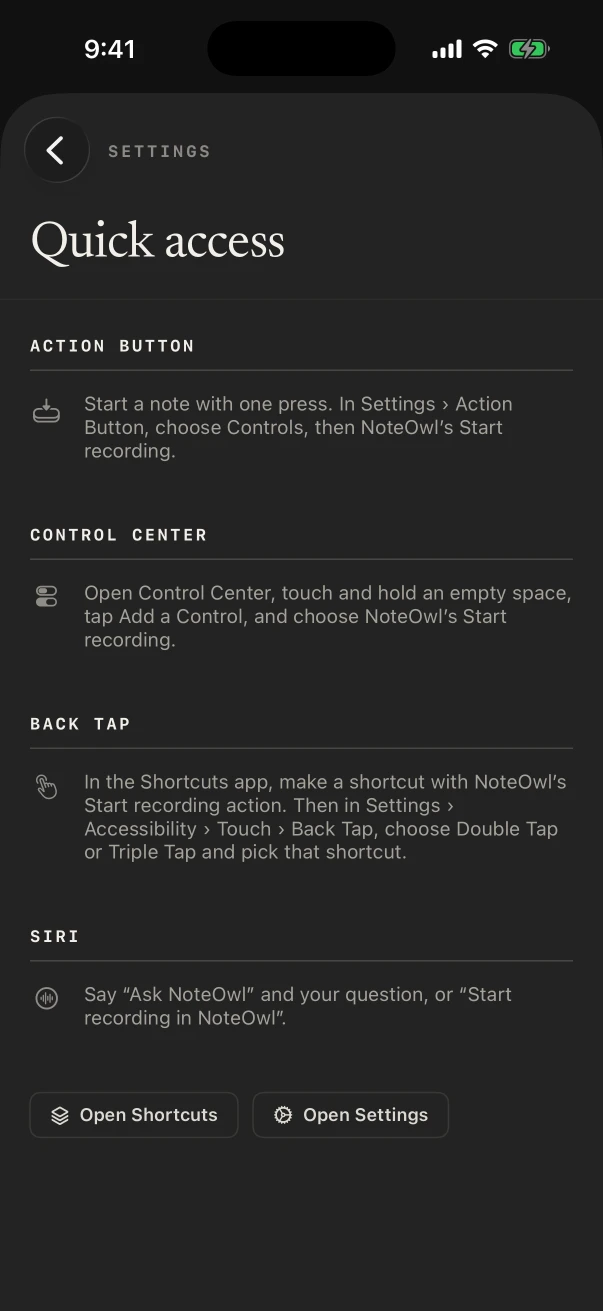
On an iPhone with an Action button, set it to NoteOwl’s New note control and press and hold to start. On any iPhone, add the same control to Control Center.
- 2
Say the room first
“Kitchen: the tap drips and a cabinet hinge is loose.” A spoken label makes the transcript easy to scan later.
- 3
Turn it into tasks
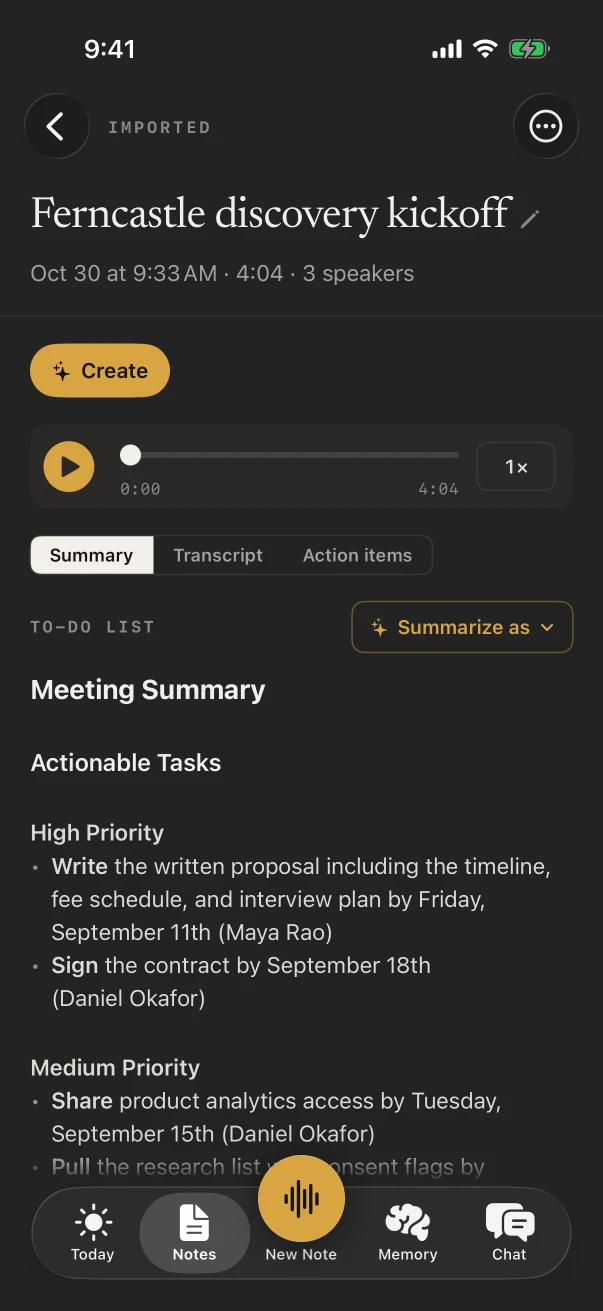
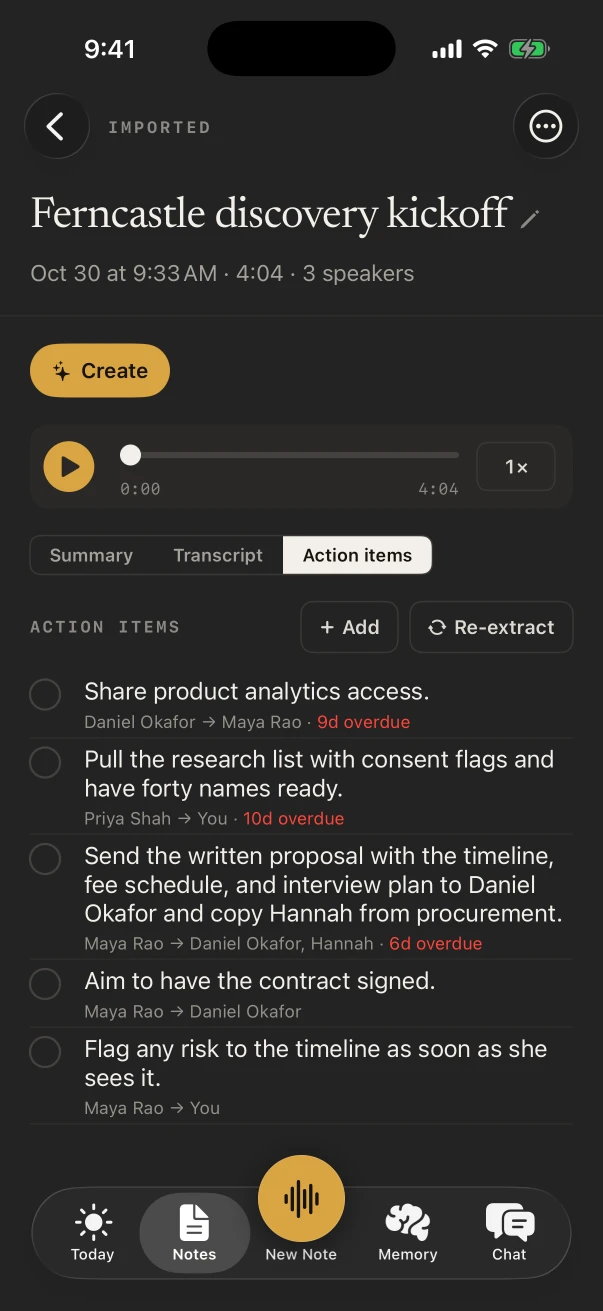
With NoteOwl Pro, Summarize as › To-Do List writes a checklist by priority, with the owner and deadline wherever you said them.
Which templates suit property management?
To-Do List for walk-throughs, Support Call for a repair, Meeting Report for an owner, and Executive Board when you sit in on an association board meeting. Choose one under Summarize as, or make it the default for each kind of note.
Templates come with NoteOwl Pro. Your own layout, such as a turnover checklist with your room order, is one tap away under New template.
- Move-in or move-out walk-through
- TemplateTo-Do List
- What it writesHigh priority · Medium · Low · Owners & deadlines
- A vendor visit on a repair
- TemplateSupport Call
- What it writesThe issue · Steps tried · Resolution · Follow-ups
- Owner meeting
- TemplateMeeting Report
- What it writesAttendees · Purpose · Key points · Decisions · Action items · Open questions
- Association or condo board meeting
- TemplateExecutive Board
- What it writesKey decisions · Risks · Financial highlights · Action items
| The moment | Template | What it writes |
|---|---|---|
| Move-in or move-out walk-through | To-Do List | High priority · Medium · Low · Owners & deadlines |
| A vendor visit on a repair | Support Call | The issue · Steps tried · Resolution · Follow-ups |
| Owner meeting | Meeting Report | Attendees · Purpose · Key points · Decisions · Action items · Open questions |
| Association or condo board meeting | Executive Board | Key decisions · Risks · Financial highlights · Action items |
| A leasing tour | Quick Summary | 3–5 key points · Bottom line |
Can NoteOwl remind you what’s due at each property?
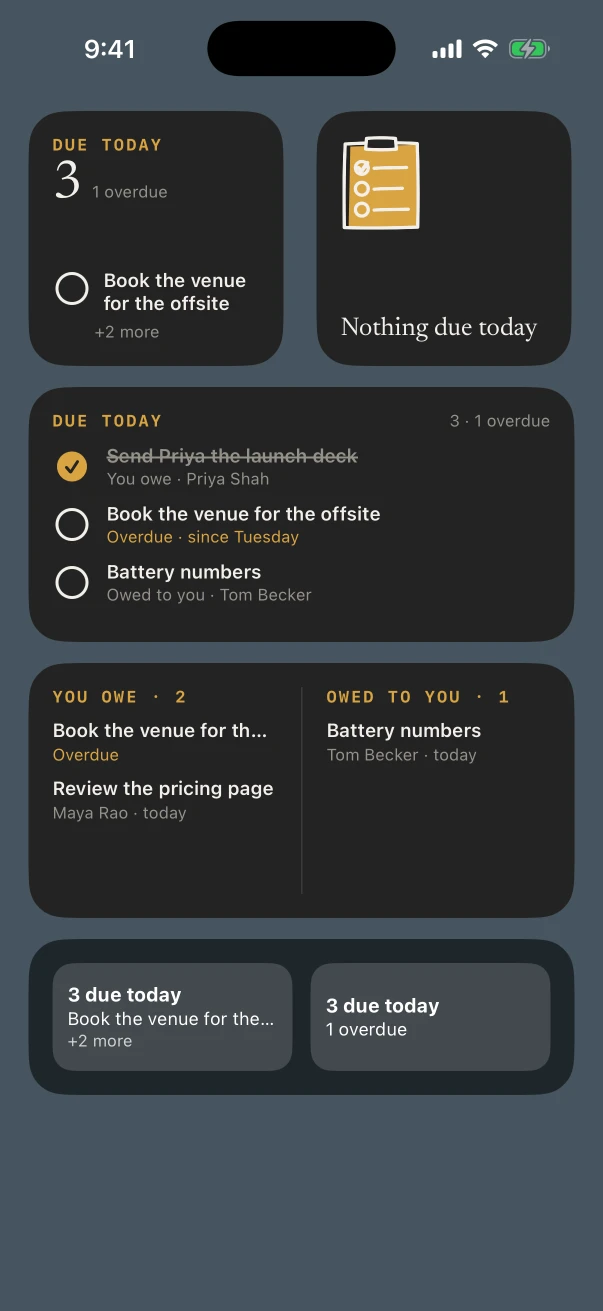
With NoteOwl Pro, the action items from every note collect in Memory › Action items, split into what you owe and what you’re owed. The Due today widget puts the ones due on your Home Screen, so the vendor who promised Thursday is there on Thursday.
Can you reply to tenants by voice between properties?
Yes, free. The NoteOwl keyboard dictates into Messages, Mail and any app you type in: tap its microphone and talk. It needs Allow Full Access in the iPhone’s Settings, and NoteOwl opens for a moment to start listening.
- A text to the tenant that the plumber is on the way
- The work order you type into whatever app your company uses
- A note to the owner about the quote that came in
- A reminder to collect the spare keys on Friday
What does NoteOwl on Mac add for a property manager?
Owner calls and vendor calls. NoteOwl on Mac records Zoom, Teams or Google Meet with no bot joining, writes the notes when the call ends, and tracks the action items from every call in one board. Dictating long emails with fn is free.
Owner calls, no bot
NoteOwl ProNoteOwl records your microphone and the Mac’s audio, so it works in any call app with no bot joining.
One list of promises
NoteOwl ProI owe and Owed to me, each with a due label and the call it came from.
Owner reports by voice
FreeTap fn in Mail, Word or any app on the Mac and talk the monthly update instead of typing it.
Where do walk-through recordings go?
Into NoteOwl on your iPhone, and no further. On-device AI models write the transcript and the notes on the phone, and NoteOwl never uploads what you record. Settings › Your data shows the space recordings use, and exports or deletes everything.
- Where notes are written
- On the iPhone, with on-device AI models
- Uploads
- None of your recordings or notes
- A basement unit with no signal
- Fine, once the models have downloaded (about 3.2 GB)
- Running low on space
- Delete a note’s recording and keep its text
How much does NoteOwl cost for a property manager?
The recording, its transcript and the keyboard cost nothing. To-do lists, action items, the Due today widget and the other Pro features are $20 lifetime on iPhone, with no subscription, after a 7-day free trial. NoteOwl Pro on a Mac is $79 lifetime for one Mac.
- Record a walk-through, with the live transcript
- FreeYes
- NoteOwl ProYes
- Start from the Action button or Control Center
- FreeYes
- NoteOwl ProYes
- Reply to tenants with the dictation keyboard
- FreeYes
- NoteOwl ProYes
- To-Do List, Support Call and the other templates
- FreeNo
- NoteOwl ProYes
- Action items, and the Due today widget
- FreeNo
- NoteOwl ProYes
- Search what was said about a unit, across every note
- FreeNo
- NoteOwl ProYes
| Free | NoteOwl Pro | |
|---|---|---|
| Record a walk-through, with the live transcript | Yes | Yes |
| Start from the Action button or Control Center | Yes | Yes |
| Reply to tenants with the dictation keyboard | Yes | Yes |
| To-Do List, Support Call and the other templates | No | Yes |
| Action items, and the Due today widget | No | Yes |
| Search what was said about a unit, across every note | No | Yes |
FAQ
Questions property managers ask about NoteOwl
Can NoteOwl turn a move-out walk-through into a to-do list?
Yes, with NoteOwl Pro. Open the note and choose Summarize as › To-Do List: NoteOwl writes every task as a checklist grouped High, Medium and Low priority, with the owner and the deadline wherever they were said.
Can I find everything that was said about one unit?
Yes. Title each note with the address and the free search finds it by title. With NoteOwl Pro, search what was said across all your notes: type the unit number or the tenant’s name and NoteOwl lists the notes and passages that mention it.
How do I start a recording quickly at a property?
Tap New Note in NoteOwl, add the New note widget to your Home Screen, or add NoteOwl’s New note control to Control Center. On an iPhone with an Action button, set the button to that control and press and hold it to start.
Does NoteOwl need Wi-Fi in a vacant unit?
No. NoteOwl downloads its on-device AI models once (about 3.2 GB); from then on it records and transcribes on the iPhone in a unit with the internet cut off.
Is NoteOwl free for property managers?
Recording in the room with a transcript, voice notes and the dictation keyboard are free on iPhone, as many times as you like. Templates, action items, People and Chat are NoteOwl Pro, $20 lifetime on iPhone with no subscription; on a Mac, NoteOwl Pro is $79 lifetime for one Mac.
Keep exploring
Made for this work
- To-do list templateA to-do list template to copy, what each section holds, an example, and how NoteOwl writes it
- Support call notes templateA support call notes template to copy, what each section holds, an example, and how NoteOwl writes it
- iPhone widgetsNoteOwl’s iPhone widgets (New note, Keyboard, Capture, Last capture, Due today, Up next), what each does and needs, and its Live Activities in the Dynamic Island
More jobs away from a desk
- ConstructionSite walks, OAC meetings, morning huddles and punch walks recorded on iPhone with the phone locked, Meeting Report and To-Do List notes, and trade terms taught with Vocabulary
- Home inspectorsFindings narrated room by room on iPhone as free voice notes, written up in your own report template with Pro, the buyer walk-through, and dictation into your report app
- Insurance adjustersClaim inspections and room-by-room damage notes recorded on iPhone, speakers, summaries and action items with Pro, search across every claim, and calls on the Mac
In these situations
- Site visitsSite visit notes spoken on iPhone as you walk (Action button, Lock Screen), the Project Log and To-Do List templates for a report and a punch list, sharing as PDF, and dictating the write-up on a Mac
- In-person meetingsRecord a meeting around a table on iPhone (who said what, a summary and action items) or on a Mac (a hybrid meeting with a call), which device fits, the Meeting Report template, and Free vs Pro
Take NoteOwl on your next walk-through
Free to download. Runs entirely on your Mac or iPhone.
Mac: macOS 26 or later · Apple Silicon (M1 or newer) · 16 GB memory minimum, 24 GB recommended · iPhone: iOS 26 or later
About NoteOwl
NoteOwl is private AI meeting notes and memory for Mac and iPhone. It captures meetings without a bot joining the call, labels every speaker, writes summaries and action items, and builds a memory of every conversation that you can chat with — fully offline, because the speech recognition and the AI run on the Mac or iPhone itself. Dictation into any app is free; Pro is a lifetime licence.
NoteOwl pricing: what’s free and what Pro adds
Last updated