Use case · Voice journaling
A private voice journal app
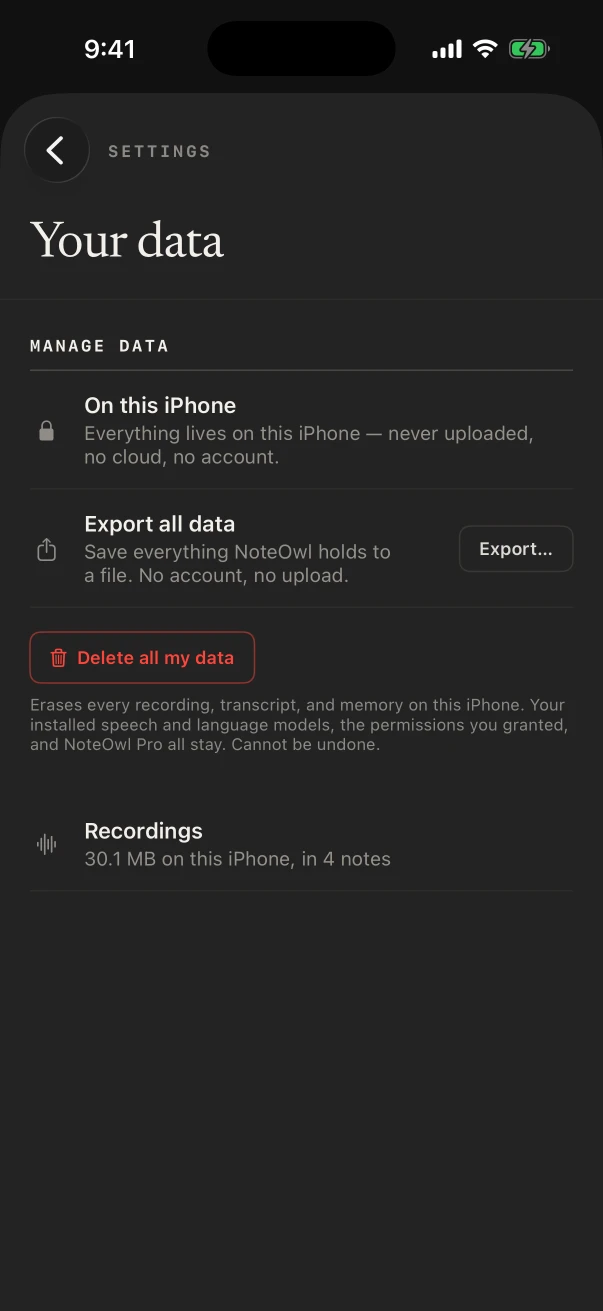
NoteOwl is a voice journal app that keeps your entries on your own iPhone or Mac: talk through the day, and it saves the recording and the words, transcribed by on-device AI models. NoteOwl never uploads what you record.
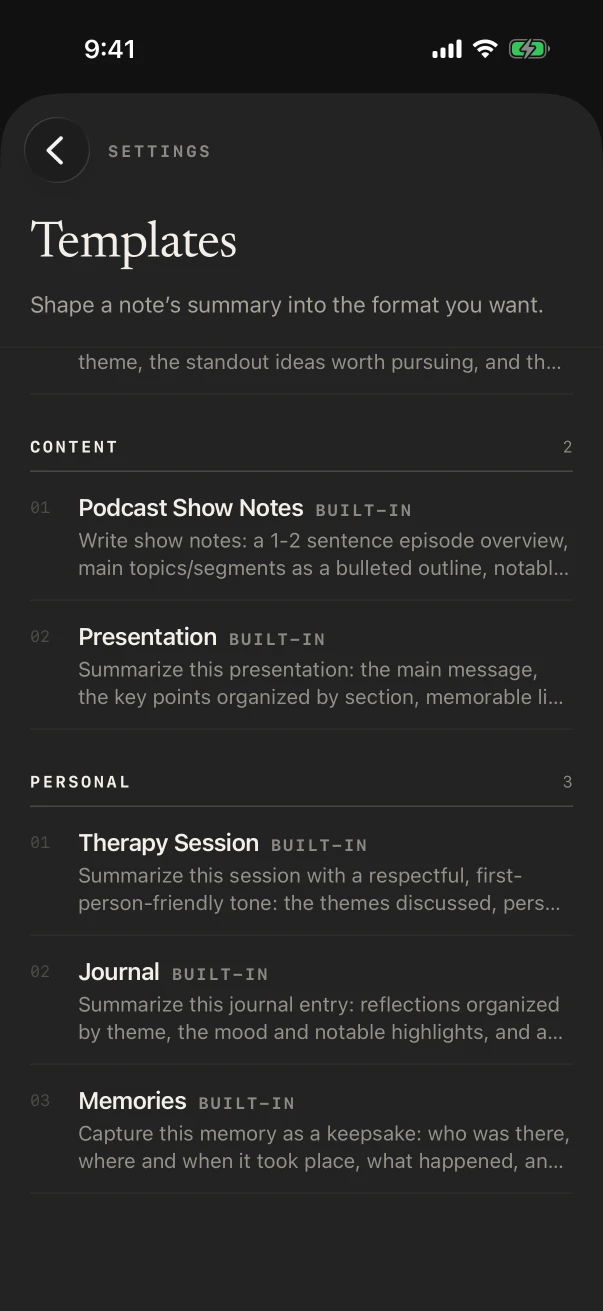
Recording and the transcript are free. With NoteOwl Pro, the Journal template turns a ramble into reflections, mood and highlights, and gratitude, in your own voice, and Chat can tell you what you decided about the move last spring.
Is voice journaling better than writing?
It’s different. Talking is quicker than writing and keeps the tone of the day, so a minute on the walk home is enough. Writing is slower and more deliberate. A voice journal that transcribes keeps both: your voice, and words you can reread.
Say it, keep it
FreeEach entry is a note with its audio and its transcript, dated, in the Notes tab. No limit on how many.
Your words, gently tidied
NoteOwl ProThe Journal template sorts an entry into reflections by theme, the mood and highlights, and any gratitude or intentions, keeping your voice.
Look back by asking
NoteOwl ProChat answers from past entries, such as “When did I last mention the half marathon?”, and lists the entries it used.
Typed, when you can’t talk
FreeOn a quiet train, touch and hold New Note and choose New typed note instead.
Built-in template
Journal
- Reflections
- Mood & highlights
- Gratitude
Memories writes a moment as a keepsake: who was there, where and when, what happened and why it mattered. The sections and an example entry are on the journal template page.
Also worth trying
- Memories
- Quick Summary
- To-Do List
How do you start a voice journal on iPhone?
Pick a time and a trigger, such as the walk home or the ten minutes before bed, then press the Action button or tap New Note and talk. Set Journal as the default template for voice notes, so every entry comes out the same way.
A nightly entry on iPhone
- 1
Set the default once
In Settings › Templates, under Defaults, choose Journal for Voice note. Templates are part of NoteOwl Pro.
- 2
Start talking
Tap New Note, or hold the Action button if you’ve set it up. The recording starts at once.
- 3
Say it untidily
What happened, how it felt, what you’re grateful for, what tomorrow needs. Pauses and tangents are fine.
- 4
Stop
Tap Stop. The transcript is free; with NoteOwl Pro the Journal entry and a title follow, written on the phone.
Is a voice journal app private?
It depends on where the transcribing happens. NoteOwl does it on the iPhone or Mac you record on, with on-device AI models, and never uploads what you record. Your entries stay in NoteOwl on that device until you delete them.
- Transcripts and entries
- Written on the device, with on-device AI models
- Without Wi-Fi
- Works offline once the models have downloaded
- Keep the words, drop the audio
- ⋯ › Delete recording keeps the transcript
- Keep entries out of Chat
- Settings › What feeds memory › Notes
- Take everything with you
- Settings › Your data › Export all data
Can you keep a voice journal on a Mac?
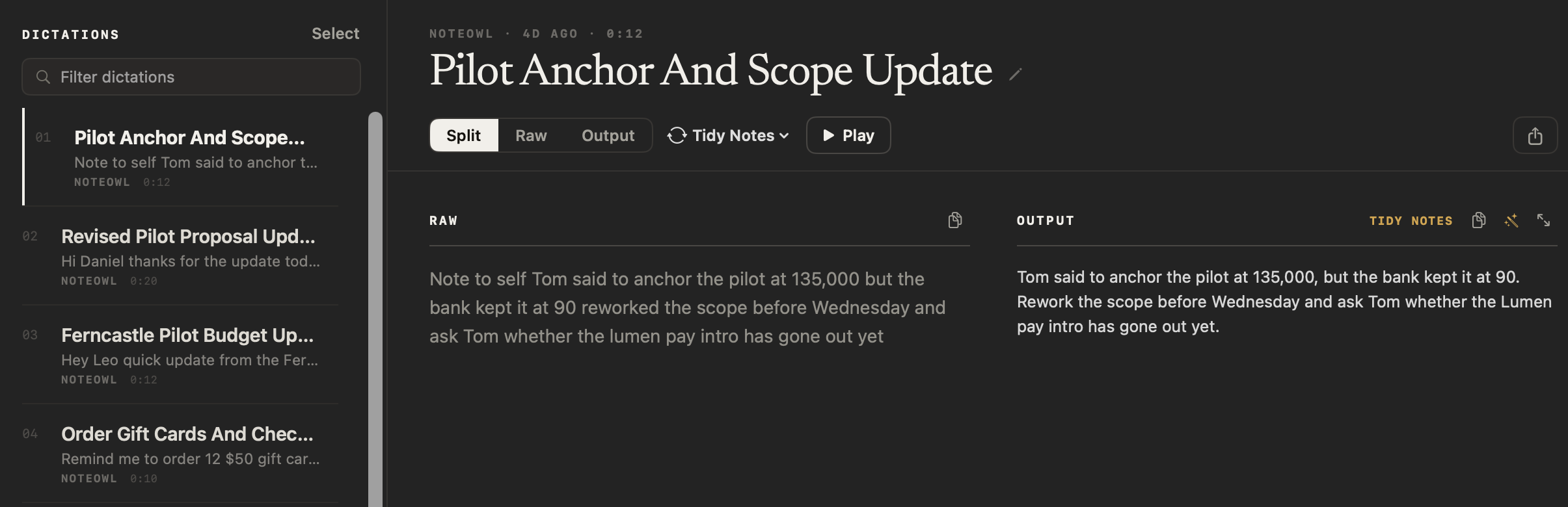
Yes. In Dictations, New Dictation records a voice note with its audio and a tidied text, free. With NoteOwl Pro, Transform as › Journal rewrites it in the Journal template’s sections, on the Mac.
Is there a free voice journal app?
NoteOwl is free for the journal itself: unlimited recorded entries with transcripts on iPhone, and voice notes on Mac. NoteOwl Pro adds the Journal template, titles, search of what you said and Chat, for $20 lifetime on iPhone or $79 lifetime on Mac, with no subscription.
FAQ
Questions about voice journaling
Is an audio journal app the same as a voice journal?
Yes. Voice journal app, audio journal app and voice diary app all describe the same habit: you speak entries instead of writing them. NoteOwl adds a transcript to every entry, so the journal is one you can read and search.
Can I keep a voice journal without an internet connection?
Yes. NoteOwl records and transcribes on the iPhone or Mac, so it works on a plane, a hike or anywhere without signal, once its models have downloaded.
Does NoteOwl keep the recording of each entry?
Yes, unless you remove it. Each entry keeps its audio and transcript; ⋯ › Delete recording drops the audio and keeps the words, and Delete removes the entry.
Can I search old journal entries?
Yes. On NoteOwl Free, search matches entry titles. NoteOwl Pro searches what you said and lets you ask Chat about past entries, with the entries it used listed under the answer.
Will my journal show up when I ask Chat about work?
It can, because Chat answers from every source switched on in Settings › What feeds memory. If you’d rather it didn’t use your notes, switch Notes off there; your entries stay in Notes.
Related
- Journal template Reflections, mood and highlights, and gratitude, with an example.
- Memories template Who was there, where and when, and why it mattered.
- Offline AI notes Recording, transcripts and summaries with Wi-Fi off.
- App to record ideas One press on the Action button, and the idea is kept as text.
Keep exploring
Made for this situation
- Journal templateA journal template to copy, what each section holds, an example, and how NoteOwl writes it
- Memories templateA memories template to copy, what each section holds, an example, and how NoteOwl writes it
- Voice notes on your MacVoice notes and dictations saved as searchable text on your Mac or iPhone, with the raw words beside the polished version on the Mac; free
- Offline AI meeting notesEvery NoteOwl feature works offline after a one-time model download; what the app sends over the network, and what it never does
More situations
- Parent-teacher conferencesRecord a parent-teacher conference on iPhone and keep the teacher’s points and who agreed to do what: questions to ask, the 1:1 Check-in template, follow-ups and Translate to, video-call conferences on a Mac, and notes for teachers
- House viewingsRecord each house or apartment viewing on iPhone, say what the photos don’t show, then compare viewings by asking Chat; writing your own viewing template, and Free vs Pro
- Field researchRecord interviews and spoken observations in the field on iPhone with no signal, transcribed on the phone; the Research template, participant codes, imports from a recorder on Mac, and exporting
Start a voice journal with NoteOwl tonight
Free to download. Runs entirely on your Mac or iPhone.
Mac: macOS 26 or later · Apple Silicon (M1 or newer) · 16 GB memory minimum, 24 GB recommended · iPhone: iOS 26 or later
About NoteOwl
NoteOwl is private AI meeting notes and memory for Mac and iPhone. It captures meetings without a bot joining the call, labels every speaker, writes summaries and action items, and builds a memory of every conversation that you can chat with — fully offline, because the speech recognition and the AI run on the Mac or iPhone itself. Dictation into any app is free; Pro is a lifetime licence.
NoteOwl pricing: what’s free and what Pro adds
Last updated