For teachers
AI note taker for teachers
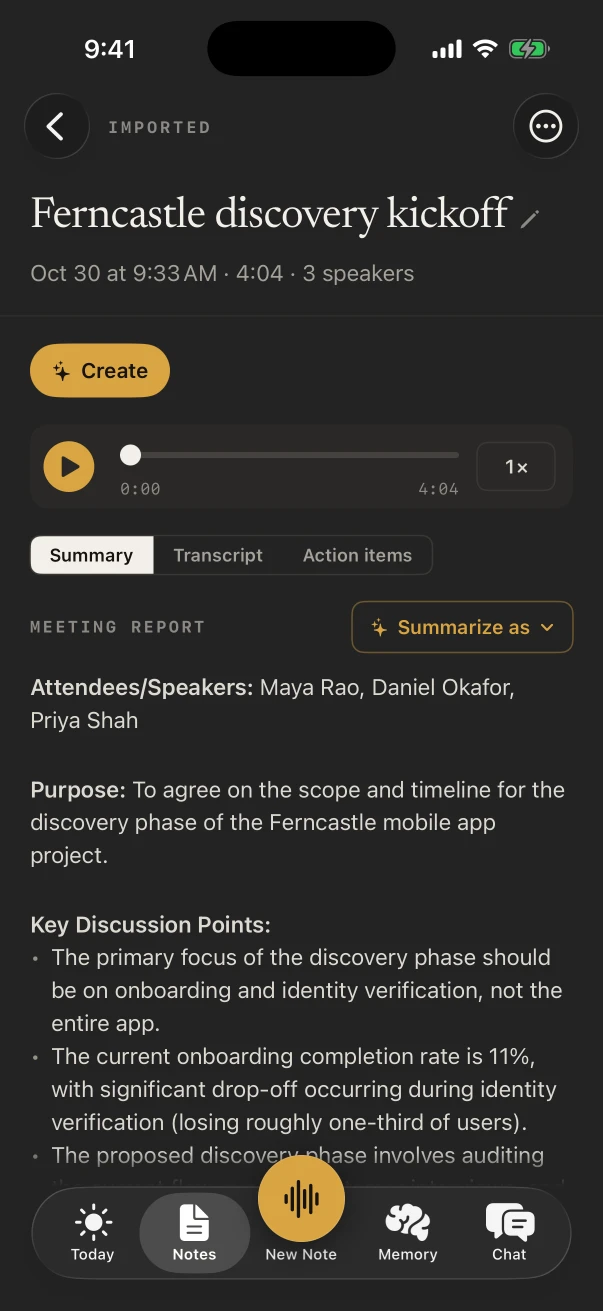
NoteOwl is an AI note taker for teachers, for the meetings around the teaching: parent-teacher conferences, department meetings, professional development and the debrief after an observation. Put your iPhone on the table, tap New Note, and the transcript is free.
With NoteOwl Pro, each meeting gets a summary in a template such as Meeting Report or Training, with the follow-ups and who owns them. The free keyboard dictates emails to families in any app. NoteOwl never uploads what you record.
How do teachers use an AI note taker?
For the adult conversations that pile up around a school day, where writing notes means not looking at the person in front of you. Record the conference or the meeting on your iPhone, and the notes and follow-ups are waiting when the bell goes.
Parent-teacher conferences
Back-to-back, each one kept
Fifteen minutes per family and no time to write between them. Each conference becomes its own note, titled with the student’s name.
Department meetings
Who agreed to do what
The common assessment, the shared unit plan, who is booking the trip. NoteOwl Pro lists the action items with owners and dates.
Professional development
The training, kept
The Training template writes the objectives, the strategies and steps taught, the takeaways and the pitfalls to avoid.
Observation debrief
Feedback, both ways
The 1:1 Check-in template writes wins, challenges, feedback exchanged in both directions, growth topics and the follow-ups you agreed.
How can teachers take notes in parent-teacher conferences?
Put the iPhone on the table and tap New Note. NoteOwl records the conversation and writes the transcript as you talk, free, so you can look at the family instead of a notepad. With NoteOwl Pro, each conference gets a summary and its action items.
- 1
Title it with the student’s name
Tap Untitled note while it records and type the name, so the free title search finds it in March.
- 2
Stop between families
Each conference becomes its own note in the Notes tab, with its audio and transcript.
- 3
Read what you agreed
With NoteOwl Pro, the Action items tab shows what you said you’d send home and what the family will try.
Which notes templates suit school meetings?
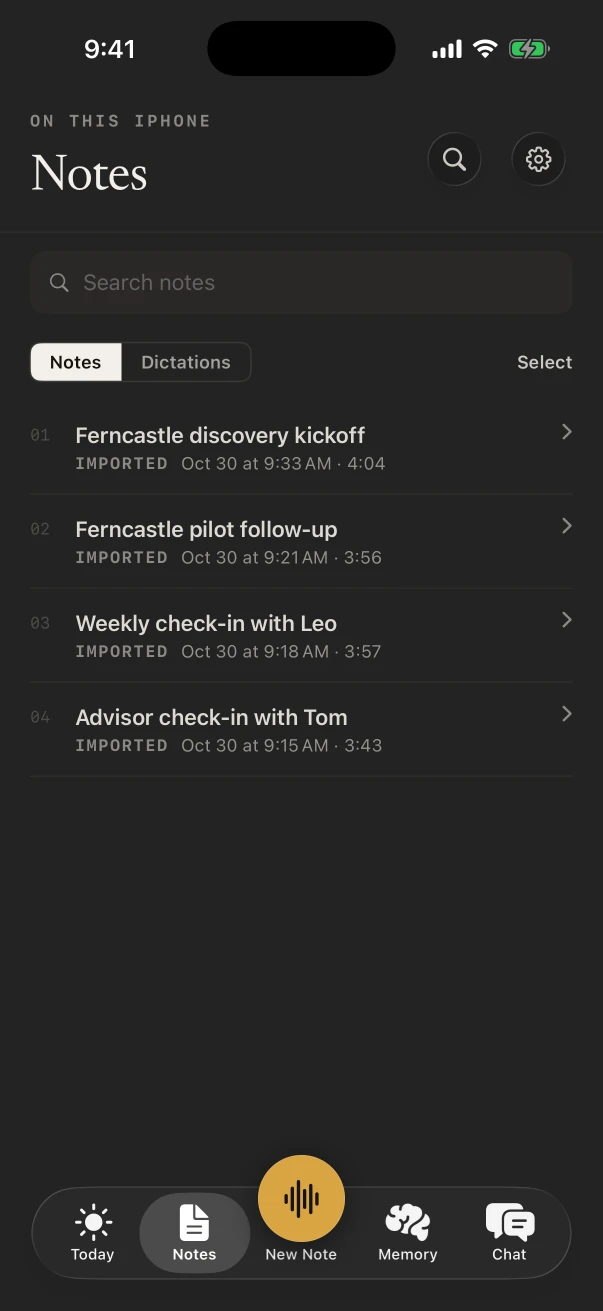
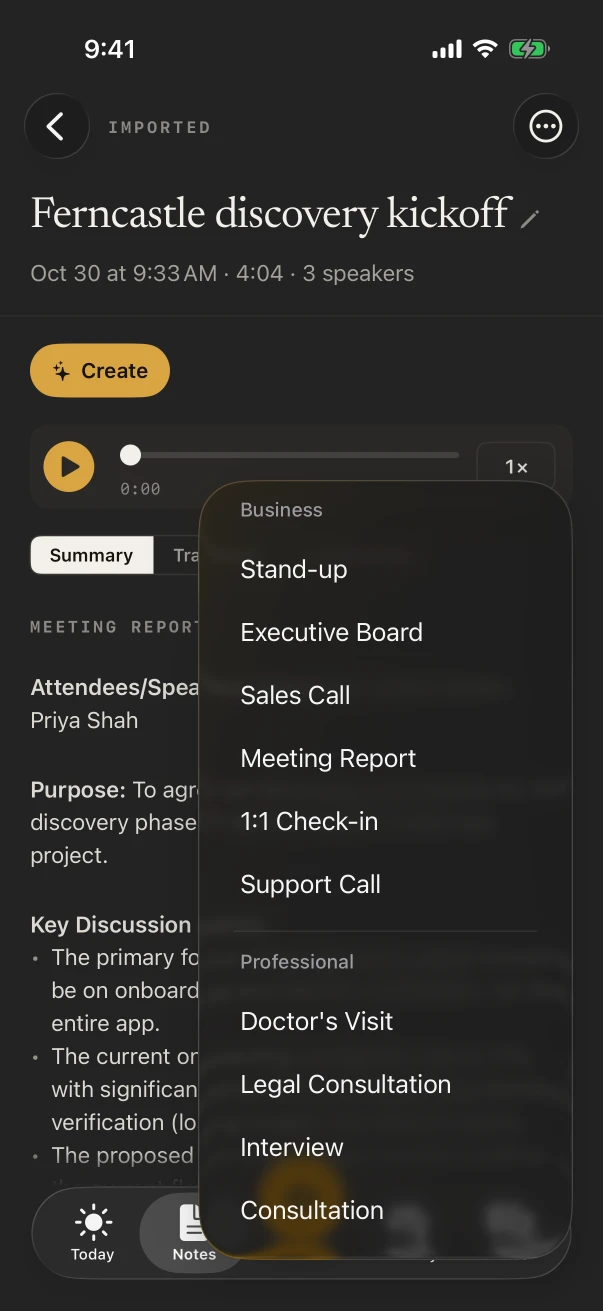
Meeting Report for a conference with a family, Project Log for grade-level planning, Training for a PD day, 1:1 Check-in for a coaching or observation debrief, and Brainstorm when a team plans a new unit. Pick one under Summarize as, with NoteOwl Pro.
- Parent-teacher conference
- TemplateMeeting Report
- What it writesAttendees · Purpose · Key points · Decisions · Action items · Open questions
- Grade-level or department planning
- TemplateProject Log
- What it writesProgress · Decisions · Blockers · Next milestones
- Professional development session
- TemplateTraining
- What it writesObjectives · Skills & steps · Takeaways · Pitfalls
- Observation debrief with a coach or principal
- Template1:1 Check-in
- What it writesWins · Blockers · Feedback · Growth · Follow-ups
- Planning a new unit with colleagues
- TemplateBrainstorm
- What it writesIdeas by theme · Standouts · Next experiments
| The moment | Template | What it writes |
|---|---|---|
| Parent-teacher conference | Meeting Report | Attendees · Purpose · Key points · Decisions · Action items · Open questions |
| Grade-level or department planning | Project Log | Progress · Decisions · Blockers · Next milestones |
| Professional development session | Training | Objectives · Skills & steps · Takeaways · Pitfalls |
| Observation debrief with a coach or principal | 1:1 Check-in | Wins · Blockers · Feedback · Growth · Follow-ups |
| Planning a new unit with colleagues | Brainstorm | Ideas by theme · Standouts · Next experiments |
Can you plan lessons out loud on the drive home?
Yes. A voice note of your own voice is free and unlimited: start it from the Action button or a Home Screen widget and talk through tomorrow’s lesson. With NoteOwl Pro it gets a short summary and a title, and Brainstorm groups the ideas by theme.
- Tomorrow’s warm-up, and the question to open with
- What worked in third period and what didn’t
- Ideas for the next unit, before they’re gone
- Who to check in with on Monday
What does NoteOwl on Mac add for a teacher?
Online meetings and free dictation at your desk. NoteOwl on Mac records parent meetings and staff calls in Zoom, Teams or Google Meet with no bot joining, and fn dictation types lesson plans and emails in any app.
Online parent meetings
NoteOwl ProRecorded on the Mac from your microphone and its audio, with nothing added to the call.
Lesson plans by voice
FreeTap fn in Docs, Word or any app on the Mac and talk; the words type at your cursor.
What did we decide?
NoteOwl ProChat answers from the meetings on your Mac, such as the date set for the field trip, and shows where it heard it.
Where do recordings of school meetings go?
They stay in NoteOwl on your iPhone. On-device AI models transcribe and summarize them on the phone, NoteOwl never uploads what you record, and you can delete any note, or everything, whenever you choose.
- Transcribed
- On the iPhone, with on-device AI models
- Uploaded
- Never, by NoteOwl
- School Wi-Fi down
- No difference, once the models have downloaded (about 3.2 GB)
- End of the school year
- Settings › Your data › Delete all my data erases every recording, transcript and memory
How much does NoteOwl cost for a teacher?
Recording a meeting, its transcript, voice notes and the keyboard are free. Summaries, templates, action items and Rewrite styles are NoteOwl Pro: $20 lifetime on iPhone, with no subscription and a 7-day free trial. On a Mac, Pro is $79 lifetime for one Mac.
- Record a conference or meeting, with the live transcript
- FreeYes
- NoteOwl ProYes
- Voice notes for lesson ideas
- FreeYes
- NoteOwl ProYes
- The dictation keyboard for emails and comments
- FreeYes
- NoteOwl ProYes
- Meeting Report, Training and the other templates
- FreeNo
- NoteOwl ProYes
- Action items with owners and dates
- FreeNo
- NoteOwl ProYes
- Rewrite styles in the keyboard
- FreeNo
- NoteOwl ProYes
| Free | NoteOwl Pro | |
|---|---|---|
| Record a conference or meeting, with the live transcript | Yes | Yes |
| Voice notes for lesson ideas | Yes | Yes |
| The dictation keyboard for emails and comments | Yes | Yes |
| Meeting Report, Training and the other templates | No | Yes |
| Action items with owners and dates | No | Yes |
| Rewrite styles in the keyboard | No | Yes |
FAQ
Questions teachers ask about NoteOwl
Can I use NoteOwl for back-to-back parent conferences?
Yes. Tap stop when a family leaves and New Note when the next one sits down; each conference is its own note with its transcript. With NoteOwl Pro, each also gets a summary and its action items.
Can NoteOwl on iPhone record a virtual parent meeting?
No. NoteOwl on iPhone records people in the room and never captures Zoom, Teams, Meet or phone calls. For online meetings, NoteOwl on Mac records any call app with no bot joining.
Does NoteOwl work without school Wi-Fi?
Yes. NoteOwl transcribes on the iPhone itself, so once its on-device AI models are downloaded (about 3.2 GB), a classroom with no Wi-Fi makes no difference.
Can NoteOwl help with report card comments?
Dictate them with the free NoteOwl keyboard, in whatever app your school uses, and read them over. With NoteOwl Pro, Rewrite styles such as Make formal, Clarify or Shorten tidy a comment in place.
Is NoteOwl free for teachers?
Recording in the room with the transcript, voice notes and the dictation keyboard are free on iPhone, with no limit. Summaries, templates, action items and Rewrite styles are NoteOwl Pro, $20 lifetime on iPhone with no subscription.
Keep exploring
Made for this work
- Meeting minutes templateA meeting minutes template to fill in online or copy, what each section holds, an example, and how NoteOwl writes minutes
- Training notes templateA training notes template to copy, what each section holds, an example, and how NoteOwl writes it
- iPhone dictation keyboardThe free NoteOwl keyboard: voice typing in any iPhone app, how to add it, its languages, Polish and Rewrite styles, and Notes › Dictations
More jobs away from a desk
- CoachesIn-person and walking coaching sessions on iPhone, video sessions on the Mac with no bot, the 1:1 Check-in template, and a profile with every session for each client
- HRExit interviews, new-hire orientation, benefits sessions and site visits recorded on iPhone, notes in your own template, and what you keep or delete under your control
- PastorsChurch council and staff meetings recorded on iPhone, decisions and action items with the Executive Board template, sermons transcribed free and turned into blog or social post drafts
In these situations
- Parent-teacher conferencesRecord a parent-teacher conference on iPhone and keep the teacher’s points and who agreed to do what: questions to ask, the 1:1 Check-in template, follow-ups and Translate to, video-call conferences on a Mac, and notes for teachers
- Team meetingsNotes from the weekly team or staff meeting, from an iPhone on the table or the Mac running a hybrid call: decisions, owners and open questions, the Project Log template, and finding what was decided last week
Take NoteOwl to your next parent-teacher conference
Free to download. Runs entirely on your Mac or iPhone.
Mac: macOS 26 or later · Apple Silicon (M1 or newer) · 16 GB memory minimum, 24 GB recommended · iPhone: iOS 26 or later
About NoteOwl
NoteOwl is private AI meeting notes and memory for Mac and iPhone. It captures meetings without a bot joining the call, labels every speaker, writes summaries and action items, and builds a memory of every conversation that you can chat with — fully offline, because the speech recognition and the AI run on the Mac or iPhone itself. Dictation into any app is free; Pro is a lifetime licence.
NoteOwl pricing: what’s free and what Pro adds
Last updated
Can teachers dictate emails and report card comments?
Yes, free. The NoteOwl keyboard types what you say into any app on the iPhone: an email to a family, comments in your school’s app, a sub plan in Notes. Tap its microphone, talk, and read it over before you send.
With NoteOwl Pro, the keyboard’s Rewrite styles, such as Make formal and Make friendly, change the tone of what you dictated in place.
The NoteOwl dictation keyboard for iPhone