For HR
AI note taker for HR teams
NoteOwl is an AI note taker for HR teams who spend their week at plants, warehouses and stores as much as at a desk. Record an exit interview, an orientation or a site visit on your iPhone, and the transcript is written on the phone, free.
With NoteOwl Pro, each meeting gets a summary in a built-in template or your own, with the follow-ups and who owns them. Calls with remote staff run on your Mac with no bot joining. NoteOwl never uploads what you record, and you decide what to keep.
How do HR teams use an AI note taker?
For the in-person conversations HR has on site: exit interviews, new-hire orientation, benefits sessions and visits to the managers they support. Recording means you can listen properly, and the follow-ups don’t depend on a notebook that stays in the car.
Exit interviews
Why people leave, in their words
Record the conversation and, with NoteOwl Pro, write it up in your own exit interview template, so every one reads the same way.
New-hire orientation
The questions people ask on day one
The Presentation template writes the main message, the key points and the audience’s questions with your answers.
Benefits sessions
What employees want explained
A session on the shop floor or in the break room, with the questions it raised and the follow-ups you promised.
Site visits
Time with the site manager
Staffing, open roles, the issues on their list. A Meeting Report lists the decisions and the action items with owners and dates.
What does NoteOwl do in an HR meeting on site?
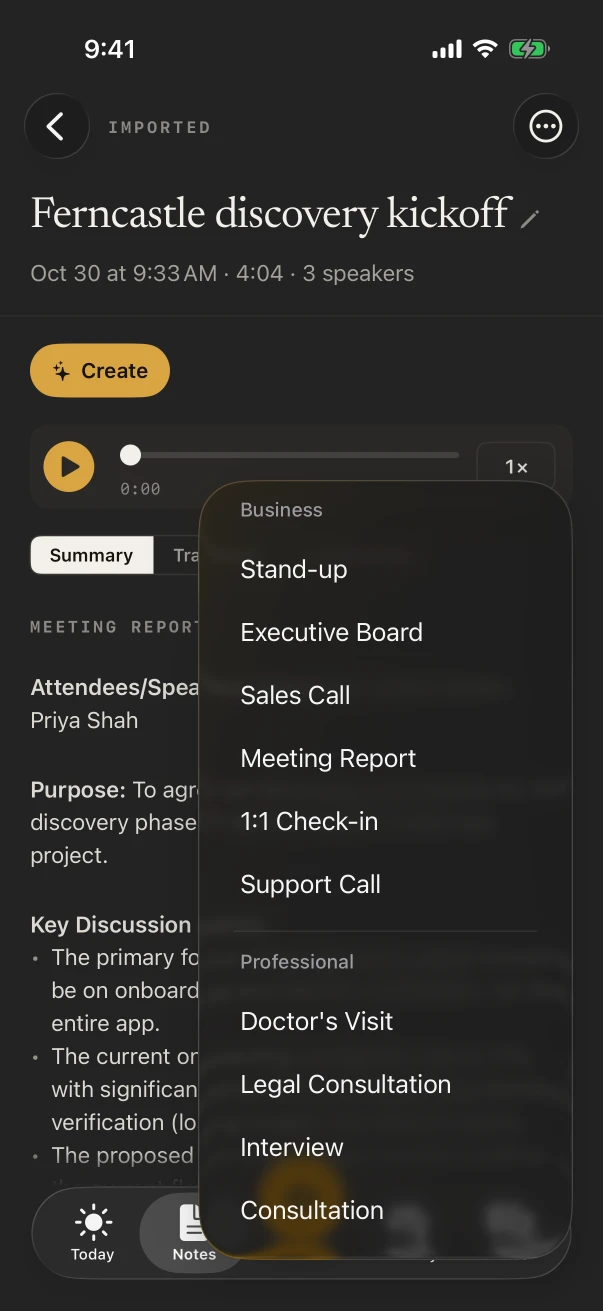
It records the meeting in the room through the iPhone’s microphone and writes the transcript as people talk, free. With NoteOwl Pro, turn on the Meeting chip for speakers, a summary in the template you choose and the action items with owners.
- 1
Pick a default for meetings
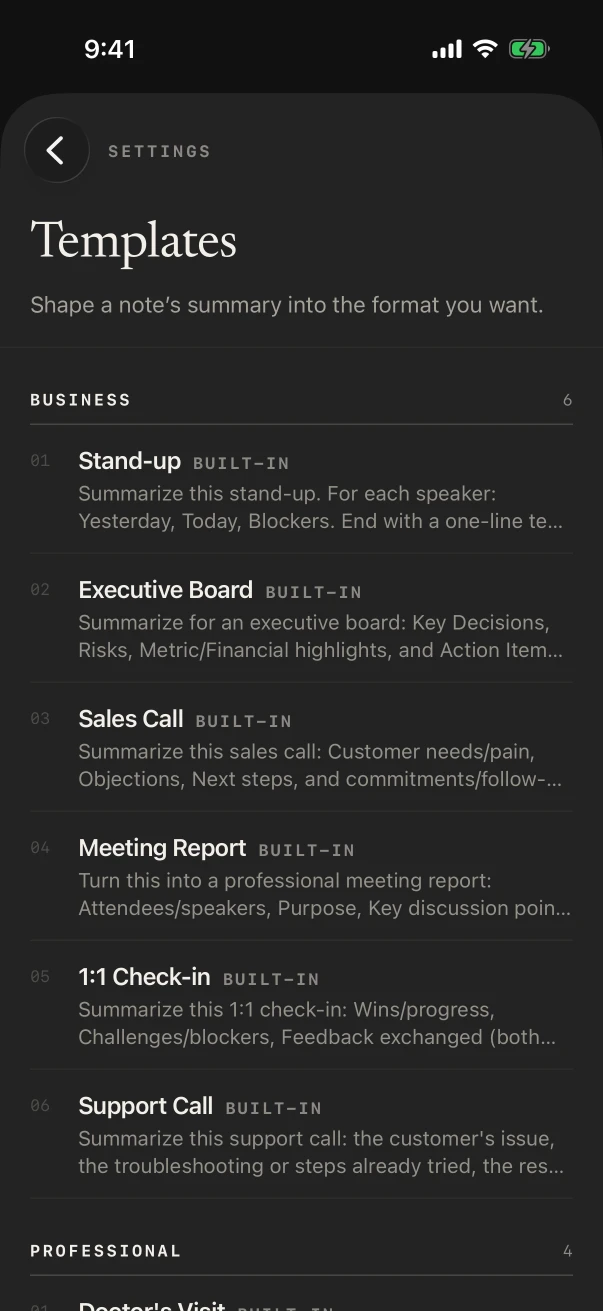
Settings › Templates › Defaults sets the template every meeting is written in, such as Meeting Report.
- 2
Change it for one note
Summarize as rewrites a single note in another template, such as Presentation for an orientation.
- 3
Follow up from the list
The Action items tab shows who owes what to whom, so a promised answer on a benefit question isn’t lost.
Can you use your own exit interview format?
Yes, with NoteOwl Pro. In Settings › Templates, tap New template and write your sections, such as reasons for leaving, what would have kept them, feedback on their manager and suggestions, or tap Create by speaking and say them. Then choose it under Summarize as.
Which built-in templates fit HR meetings?
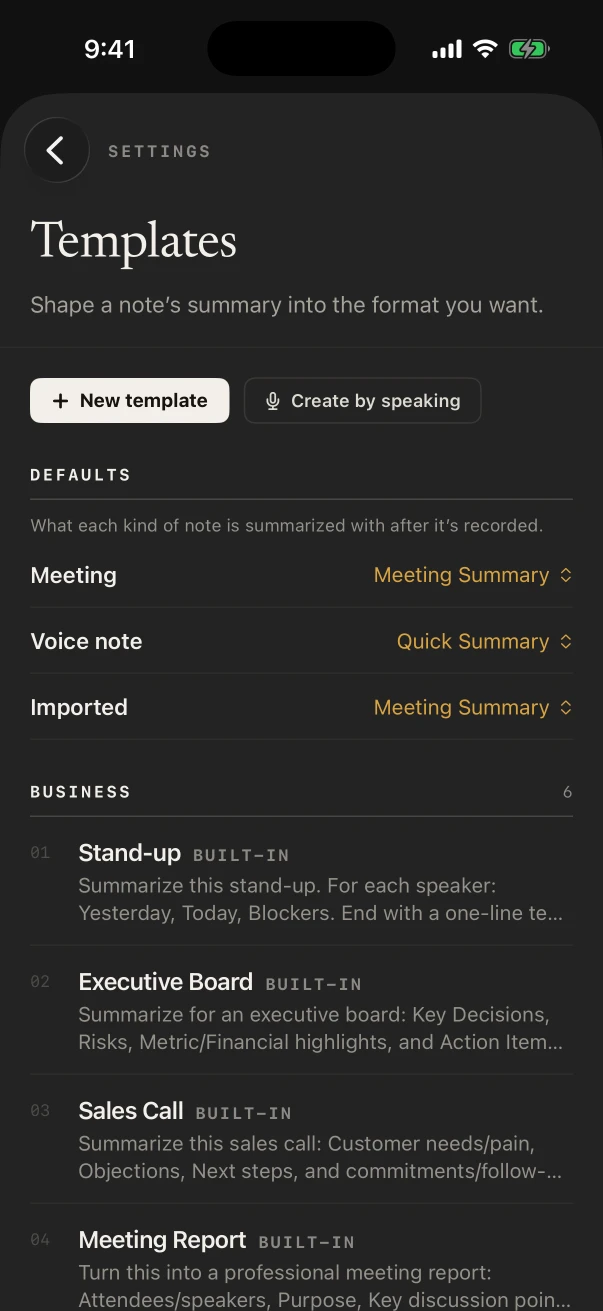
Presentation for an orientation or a benefits session, Training for a session you run on a new process or system, Meeting Report for a site visit, 1:1 Check-in for a regular meeting with a manager you support, and Quick Summary for anything short. All with NoteOwl Pro.
NoteOwl for managers’ 1:1s · NoteOwl for candidate interviews
- New-hire orientation
- TemplatePresentation
- What it writesMain message · Key points · Standout moments · Q&A
- Benefits or open enrollment session
- TemplatePresentation
- What it writesMain message · Key points · Standout moments · Q&A
- A training you deliver on site
- TemplateTraining
- What it writesObjectives · Skills & steps · Takeaways · Pitfalls
- Visit with a site manager
- TemplateMeeting Report
- What it writesAttendees · Purpose · Key points · Decisions · Action items · Open questions
- Regular check-in with a manager you support
- Template1:1 Check-in
- What it writesWins · Blockers · Feedback · Growth · Follow-ups
| The moment | Template | What it writes |
|---|---|---|
| New-hire orientation | Presentation | Main message · Key points · Standout moments · Q&A |
| Benefits or open enrollment session | Presentation | Main message · Key points · Standout moments · Q&A |
| A training you deliver on site | Training | Objectives · Skills & steps · Takeaways · Pitfalls |
| Visit with a site manager | Meeting Report | Attendees · Purpose · Key points · Decisions · Action items · Open questions |
| Regular check-in with a manager you support | 1:1 Check-in | Wins · Blockers · Feedback · Growth · Follow-ups |
Where do HR meeting recordings go?
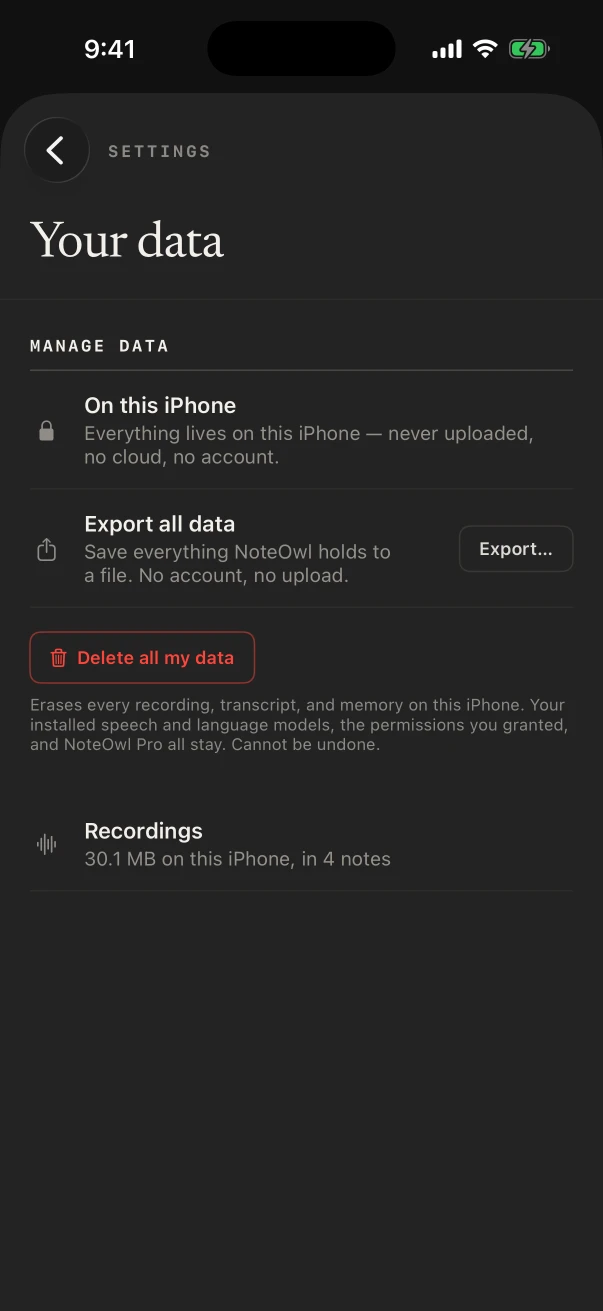
They stay in NoteOwl on your iPhone. On-device AI models transcribe and summarize them on the phone, and NoteOwl never uploads what you record, so no note-taking vendor holds what employees told you. You choose what to keep and what to delete.
- Uploaded
- Never, by NoteOwl
- Keep notes out of Chat
- Settings › What feeds memory switches a source off
- Older recordings
- Settings › Your data can delete recordings older than 30 days and keep their text
- Everything
- Delete all my data erases every recording, transcript and memory on the iPhone
Can HR dictate follow-ups between sites?
Yes, and it’s free. The NoteOwl keyboard types what you say into Mail, Messages or any app on the iPhone; tap its microphone and talk. With NoteOwl Pro, Rewrite styles such as Make formal or Shorten tidy the wording in place.
- The answer you promised a new hire about their first paycheck
- A recap to the site manager after the visit
- Onboarding reminders for next week’s starters
- Notes for your own site visit report
What does NoteOwl on Mac add for HR?
Meetings with remote staff and other offices. NoteOwl on Mac records Zoom, Teams or Google Meet with no bot joining, and writes the notes on the Mac when the call ends.
Video meetings, no bot
NoteOwl ProYour microphone and the Mac’s audio are recorded, so it works in any call app with no bot.
Find what was agreed
NoteOwl ProChat answers from the calls on your Mac and shows the passages, such as the start date agreed for a transfer.
Policies and emails by voice
FreeTap fn in any app on the Mac and talk; the words type at your cursor.
How much does NoteOwl cost for HR?
Each person installs it on their own iPhone. Recording, transcripts and the keyboard are free; templates, speakers, action items and Chat are NoteOwl Pro: $20 lifetime on iPhone, with no subscription and a 7-day free trial. On a Mac, Pro is $79 lifetime for one Mac.
- Record a meeting on site, with the live transcript
- FreeYes
- NoteOwl ProYes
- Export, delete and Delete all my data
- FreeYes
- NoteOwl ProYes
- The dictation keyboard in Mail and any app
- FreeYes
- NoteOwl ProYes
- Your own exit interview template
- FreeNo
- NoteOwl ProYes
- Speakers, summaries and action items
- FreeNo
- NoteOwl ProYes
- Rewrite styles in the keyboard
- FreeNo
- NoteOwl ProYes
| Free | NoteOwl Pro | |
|---|---|---|
| Record a meeting on site, with the live transcript | Yes | Yes |
| Export, delete and Delete all my data | Yes | Yes |
| The dictation keyboard in Mail and any app | Yes | Yes |
| Your own exit interview template | No | Yes |
| Speakers, summaries and action items | No | Yes |
| Rewrite styles in the keyboard | No | Yes |
FAQ
Questions HR teams ask about NoteOwl
How is NoteOwl different from cloud AI note takers?
NoteOwl never joins a call as a bot and never uploads what you record. On iPhone it records meetings in the room; on Mac it records calls from the computer. Transcripts and summaries are written on the device with on-device AI models.
Can NoteOwl on iPhone record a Teams meeting?
No. NoteOwl on iPhone records people in the room and never captures Zoom, Teams, Meet or phone calls. NoteOwl on Mac records Teams and any other call app, with no bot joining.
Can I delete old recordings automatically?
Not automatically. Settings › Your data offers Delete recordings older than 30 days when you have them, which removes the audio and keeps the text; you can also delete any note, or Delete all my data to erase everything.
Does NoteOwl work at a site with no Wi-Fi?
Yes. A plant floor or a warehouse with no Wi-Fi is fine once NoteOwl’s on-device AI models are downloaded (about 3.2 GB): recording and transcription happen on the iPhone.
Is NoteOwl free for HR?
Recording in the room with the transcript, voice notes, the dictation keyboard, export and delete are free on iPhone. Templates, speakers, summaries, action items and Chat are NoteOwl Pro, $20 lifetime on iPhone with no subscription.
Related
Keep exploring
Made for this work
- Presentation notes templateA presentation notes template to copy, what each section holds, an example, and how NoteOwl writes it
- Training notes templateA training notes template to copy, what each section holds, an example, and how NoteOwl writes it
- Export your notesExport meetings, dictations and notes as Markdown or PDF, imported transcripts as text or SRT, or everything as plain files; nothing is locked in
More jobs away from a desk
- PastorsChurch council and staff meetings recorded on iPhone, decisions and action items with the Executive Board template, sermons transcribed free and turned into blog or social post drafts
- Real estate agentsListing appointments, buyer consultations, showings and inspection walk-throughs recorded on iPhone, the Consultation template, a profile per client, and calls on the Mac
- Property managersMove-in and move-out walk-throughs, vendor visits and owner meetings recorded on iPhone, turned into to-do lists by priority, with what you owe and are owed due today
In these situations
- In-person meetingsRecord a meeting around a table on iPhone (who said what, a summary and action items) or on a Mac (a hybrid meeting with a call), which device fits, the Meeting Report template, and Free vs Pro
- Team meetingsNotes from the weekly team or staff meeting, from an iPhone on the table or the Mac running a hybrid call: decisions, owners and open questions, the Project Log template, and finding what was decided last week
Take NoteOwl to your next site visit
Free to download. Runs entirely on your Mac or iPhone.
Mac: macOS 26 or later · Apple Silicon (M1 or newer) · 16 GB memory minimum, 24 GB recommended · iPhone: iOS 26 or later
About NoteOwl
NoteOwl is private AI meeting notes and memory for Mac and iPhone. It captures meetings without a bot joining the call, labels every speaker, writes summaries and action items, and builds a memory of every conversation that you can chat with — fully offline, because the speech recognition and the AI run on the Mac or iPhone itself. Dictation into any app is free; Pro is a lifetime licence.
NoteOwl pricing: what’s free and what Pro adds
Last updated