Use case · Field research
A field notes app for interviews and observations
NoteOwl is a field notes app for iPhone that works with no signal: record interviews and spoken observations in the field, and it writes the transcript on the phone, with speakers and a summary in NoteOwl Pro.
Back at your Mac, import the files from a separate recorder for transcripts with speakers, and ask a whole study a question in Chat. Neither device uploads what you record.
Does a field notes app work without signal?
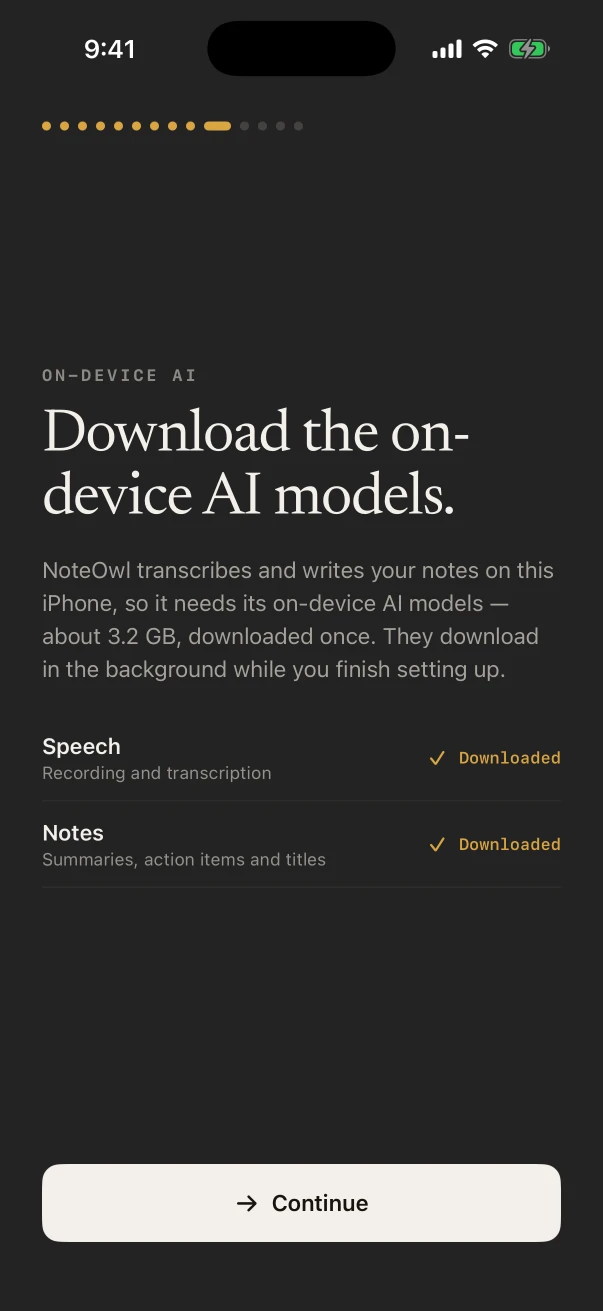
NoteOwl does. Its speech and notes models run on the iPhone, so it records, transcribes and summarizes in a village, on a farm or underground with no network, once the models are on the phone. Download them on Wi-Fi before you travel: about 3.2 GB in all.
- Speech model
- about 600 MB, downloaded once
- Notes model
- about 2.6 GB, downloaded once
- On the Mac
- about 8 GB, downloaded once after install (keep around 10 GB free)
- Network in the field
- None needed after the download
- Uploads
- None. NoteOwl never uploads what you record
How do you take field notes by voice?
Describe what you see as you see it, with the time and the place, and keep your interpretation apart: “Observation: … My read: …”. Spoken notes catch detail you’d skip if you were writing, and the transcript keeps each one in order.
Observations
FreeHold the Action button and describe the scene. The note keeps the audio and the words, dated and in order.
Jottings mid-interview
FreeType under Notes & questions while it records: a follow-up to ask, a name to check, a gesture the audio won’t catch.
The end-of-day debrief
Free and ProA voice note of what surprised you, before you sleep on it. With NoteOwl Pro, Chat can answer from it next week.
Can NoteOwl record interviews in the field?
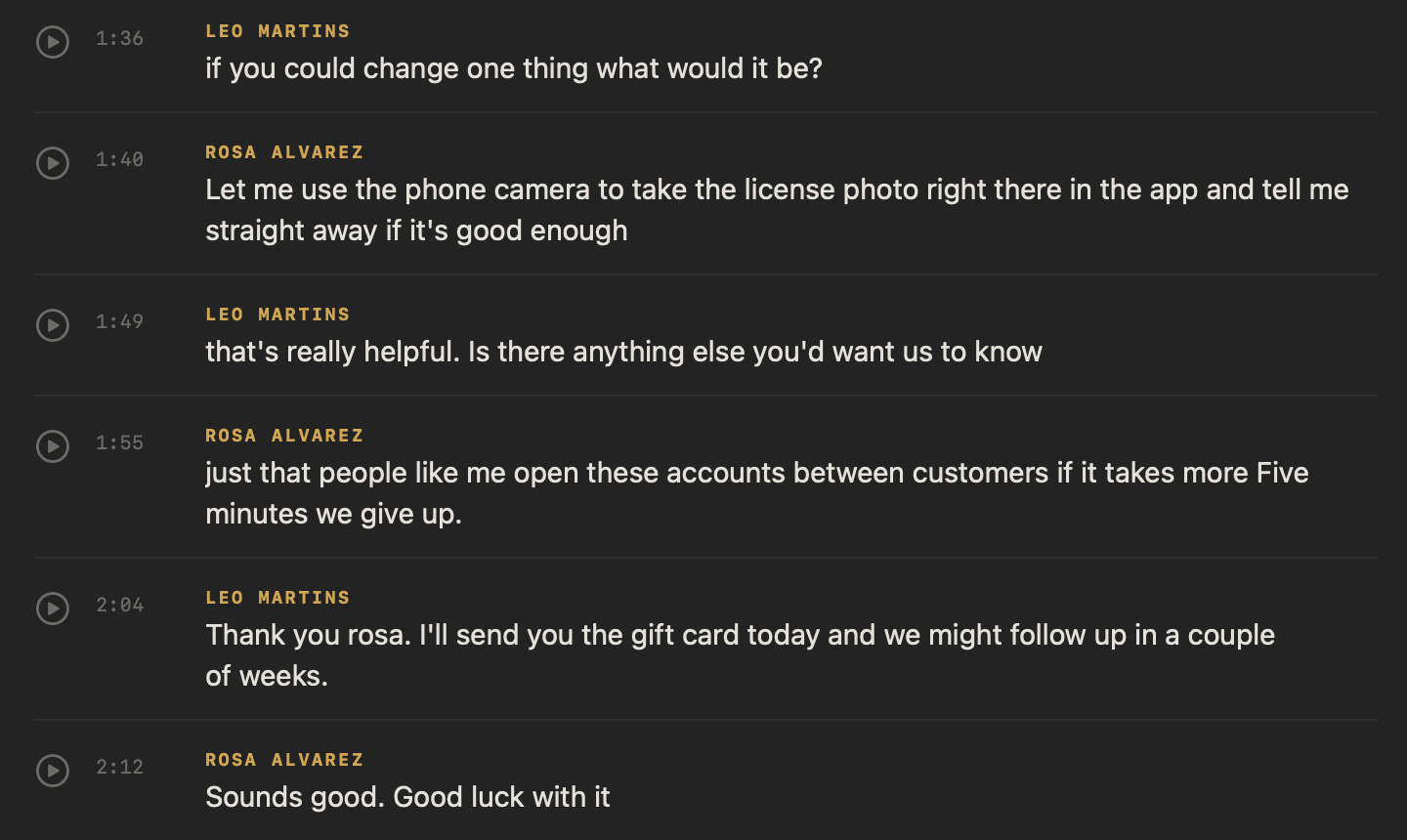
Yes, in person. Set the iPhone between you and the participant and tap New Note with the Meeting chip on. NoteOwl Pro separates the voices, so the transcript shows who said what, and you can name each speaker afterwards.
On iPhone
- Interviews in a home, a shop or out on site, recorded through the iPhone’s microphone.
- Working with participant codes? Rename a speaker P07 instead of a name, and the whole transcript and summary update.
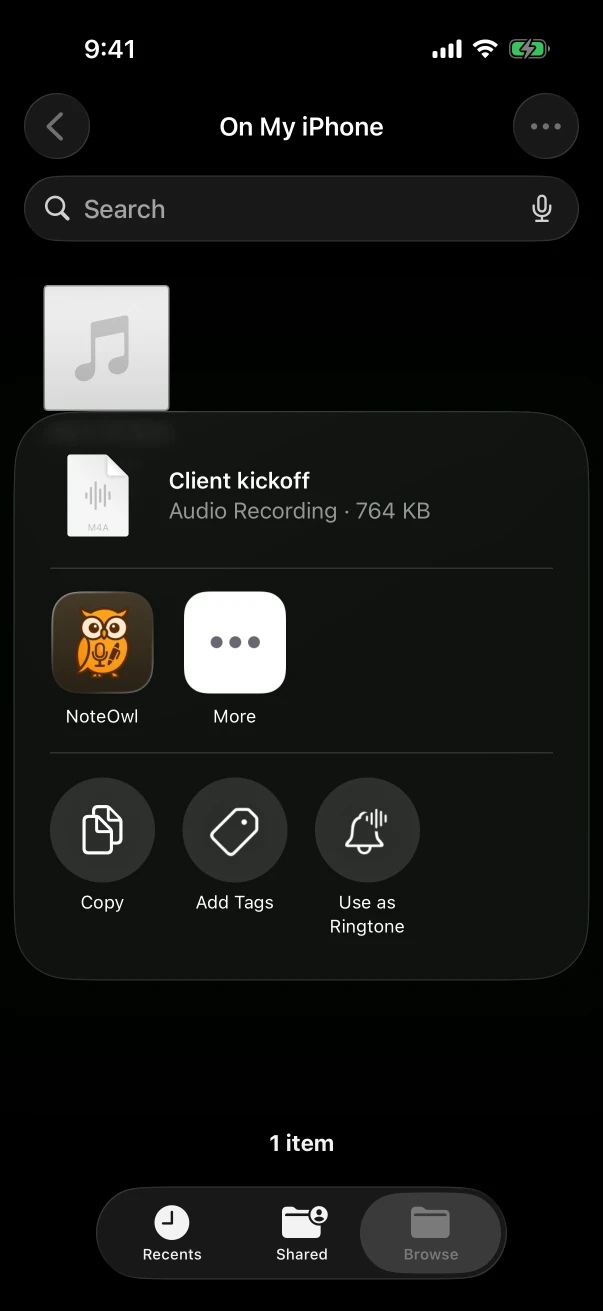
- A recording from another app or recorder can be shared to NoteOwl from Files or Voice Memos. NoteOwl Pro. Import audio on iPhone
On Mac
- Remote interviews on a video call: NoteOwl records your microphone and the Mac’s audio, with no bot joining. NoteOwl Pro.
- Files from a dedicated recorder, such as WAV, MP3 or M4A, import for a transcript with speakers. NoteOwl Pro. Transcribe recordings on Mac
- Search everything (⌘K) and Chat cover every interview recorded or imported on the Mac.
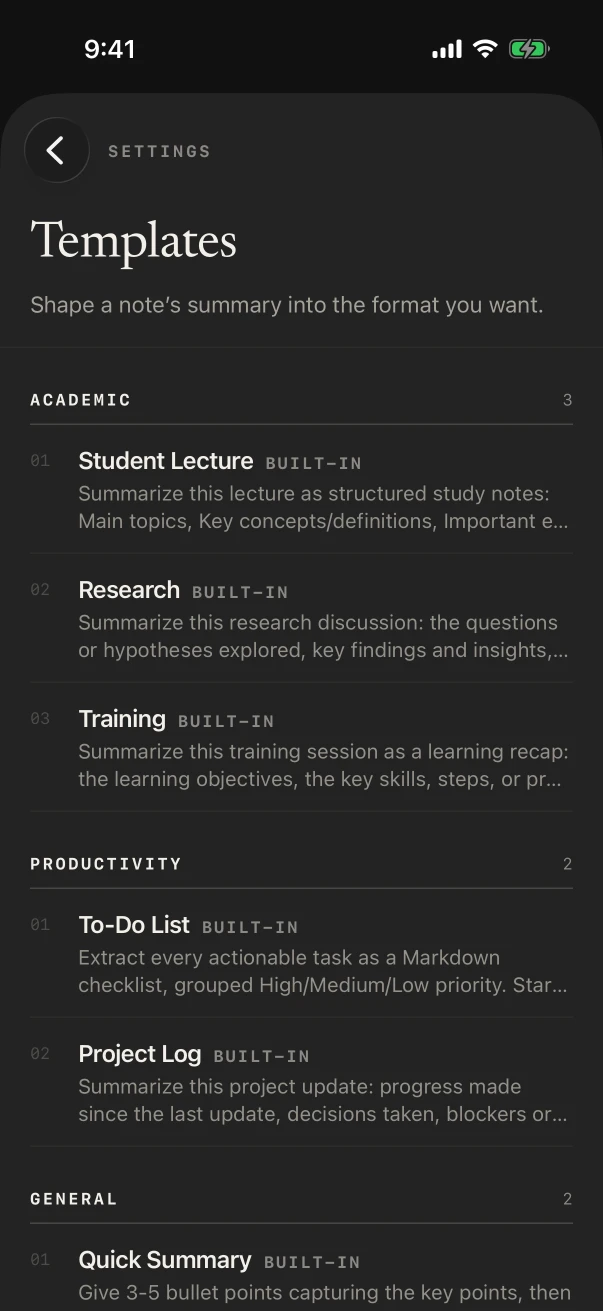
Which template fits field research?
Research: the questions explored, the findings, the evidence behind them and the open questions still to chase. For a participant interview, Interview writes the background, questions and answers, and next steps; for a long project, Project Log tracks progress and blockers.
Built-in template
Research
- Questions
- Findings
- Evidence
- Open questions
For a study with its own coding frame, write a template in plain words, such as “Context, What we observed, Quotes, Themes, Follow-ups”. For interview guides and synthesis, see the user interview template.
Also worth trying
- Interview
- Project Log
- Quick Summary
What does fieldwork with NoteOwl cost?
Recording observations and interviews with transcripts is free on iPhone. Speakers, summaries, templates, imports and Chat are NoteOwl Pro: $20 lifetime on iPhone, $79 lifetime on Mac, with nothing to keep paying between projects.
FAQ
Questions about field notes
What happens if NoteOwl closes during an interview?
The audio recorded up to then is kept. Next time you open NoteOwl, the note says Needs attention; tap Rebuild from recording for the transcript, and with NoteOwl Pro the speakers and summary as well.
Can I export field notes for analysis software?
Yes. Share a note as Markdown, PDF, plain text or subtitles (.srt) with timings, free, and Export all data in Settings › Your data saves everything at once.
Can NoteOwl transcribe recordings from another recorder?
Yes, with NoteOwl Pro. On iPhone, share the file to NoteOwl from Files or Voice Memos; on a Mac, import it. M4A, MP3, WAV, AIFF and MP4 files work on both.
How do I take a name out of a transcript?
On iPhone, touch and hold the line and choose Edit line to change its words. Renaming a speaker, such as to a participant code, changes every line and the summary at once.
Is anything uploaded from the field?
No. NoteOwl never uploads what you record: transcription, speakers and summaries run on the iPhone or Mac. Interviews in places with no network get the same notes as ones at your desk.
Related
- AI note taker for researchers Interviews across a whole study, searchable and private.
- User interview template Findings, quotes and open questions, with an example.
- Offline AI meeting notes Everything works with Wi-Fi off, after the model download.
- Transcribe voice memos on iPhone Bring a recording from Voice Memos or Files into NoteOwl.
Keep exploring
Made for this situation
- User interview templateA user interview template to copy, what each section holds, an example, and how NoteOwl writes research notes from a user interview
- Offline AI meeting notesEvery NoteOwl feature works offline after a one-time model download; what the app sends over the network, and what it never does
- Voice memos to text on iPhoneShare a recording from Voice Memos, Files or Photos to NoteOwl on iPhone for a transcript with speakers and times and a summary (NoteOwl Pro), with the steps
- Audio to textTranscription software for Mac and iPhone: drop in or share an audio or video file and get a speaker-labelled transcript with timestamps, unlimited, with nothing uploaded
More situations
- Sermons and Bible studyRecord a sermon on iPhone from your seat and keep every word, the Presentation template, Vocabulary for names, Bible study and small-group notes with who said what, and services watched online on a Mac
- In-person meetingsRecord a meeting around a table on iPhone (who said what, a summary and action items) or on a Mac (a hybrid meeting with a call), which device fits, the Meeting Report template, and Free vs Pro
- Team meetingsNotes from the weekly team or staff meeting, from an iPhone on the table or the Mac running a hybrid call: decisions, owners and open questions, the Project Log template, and finding what was decided last week
Take NoteOwl into the field
Free to download. Runs entirely on your Mac or iPhone.
Mac: macOS 26 or later · Apple Silicon (M1 or newer) · 16 GB memory minimum, 24 GB recommended · iPhone: iOS 26 or later
About NoteOwl
NoteOwl is private AI meeting notes and memory for Mac and iPhone. It captures meetings without a bot joining the call, labels every speaker, writes summaries and action items, and builds a memory of every conversation that you can chat with — fully offline, because the speech recognition and the AI run on the Mac or iPhone itself. Dictation into any app is free; Pro is a lifetime licence.
NoteOwl pricing: what’s free and what Pro adds
Last updated