Use case · Sermons and small groups
A sermon notes app that listens with you
NoteOwl is a sermon notes app that listens with you: record the sermon on your iPhone from your seat, follow the words on the screen, and keep every passage the preacher read in the transcript, without writing through the service.
With NoteOwl Pro, the Presentation template writes the sermon up on the phone, and a Bible study or small group gets notes with who said what. NoteOwl never uploads what you record.
How do you take sermon notes?
Write the passage at the top, then the main point, the supporting points with their verses, an illustration that stayed with you, and one thing to apply this week. A recorder keeps the rest, so you can listen instead of copying.
Every word, on the screen
FreeThe live transcript follows the preacher, so a sentence you missed is a glance away.
The sermon, written up
NoteOwl ProPresentation writes the main message, the key points by section and the standout moments.
Names spelled your way
NoteOwl ProVocabulary replaces a word NoteOwl hears with the spelling you set, for names like Nebuchadnezzar or your pastor’s surname.
Your own response
FreeAfter the service, a separate voice note of what you want to remember or do. It sits beside the sermon in Notes.
Can you record a sermon on your iPhone?
Yes. Tap New Note as the sermon begins, lock the phone, and NoteOwl keeps recording through the microphone while you listen. Tap Stop at the end; the transcript is ready on the phone, and with NoteOwl Pro the notes follow.
On iPhone
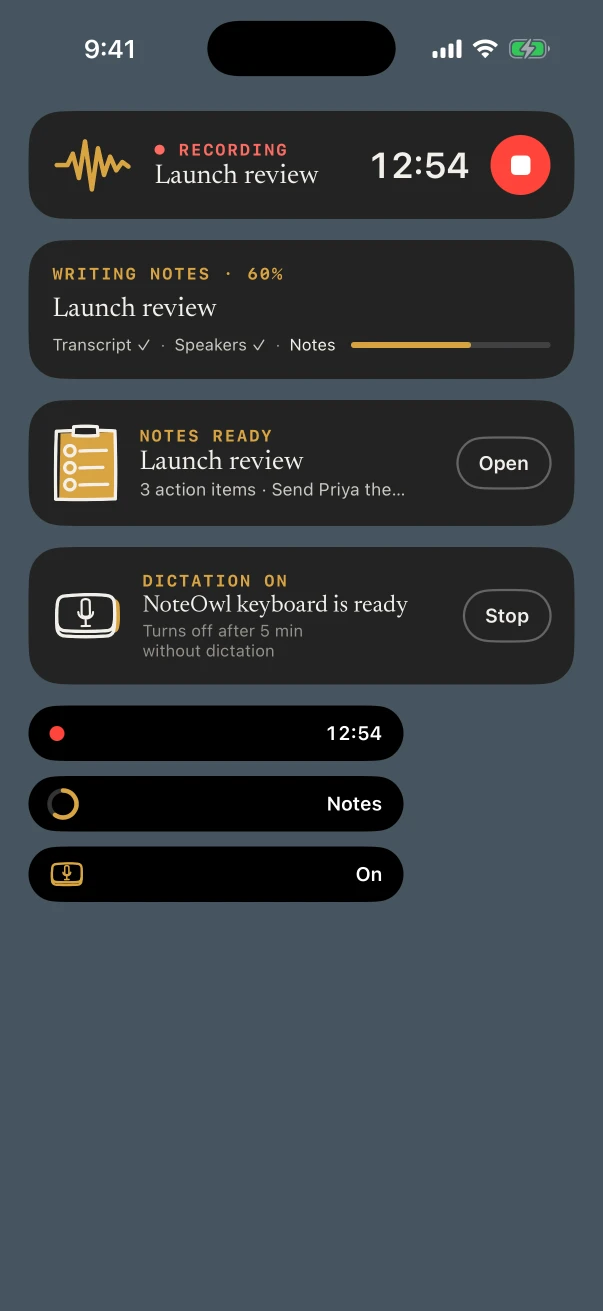
- Start from the Action button or the Lock Screen, so it’s one press as the preacher starts.
- The timer sits in the Dynamic Island and on the Lock Screen, with Stop.
- Name the note with the passage, such as “Romans 8”, so the Notes list doubles as an index.
- Recording and the transcript are free, every week.
On Mac
- Watching the service online? Start a meeting on the Mac and NoteOwl records what the Mac plays, with NoteOwl Pro.
- A sermon podcast or video file can be imported for a transcript and summary. NoteOwl Pro.
- Preparing a study guide? Tap fn and dictate it into Pages or Word, free.
Which template fits sermon notes?
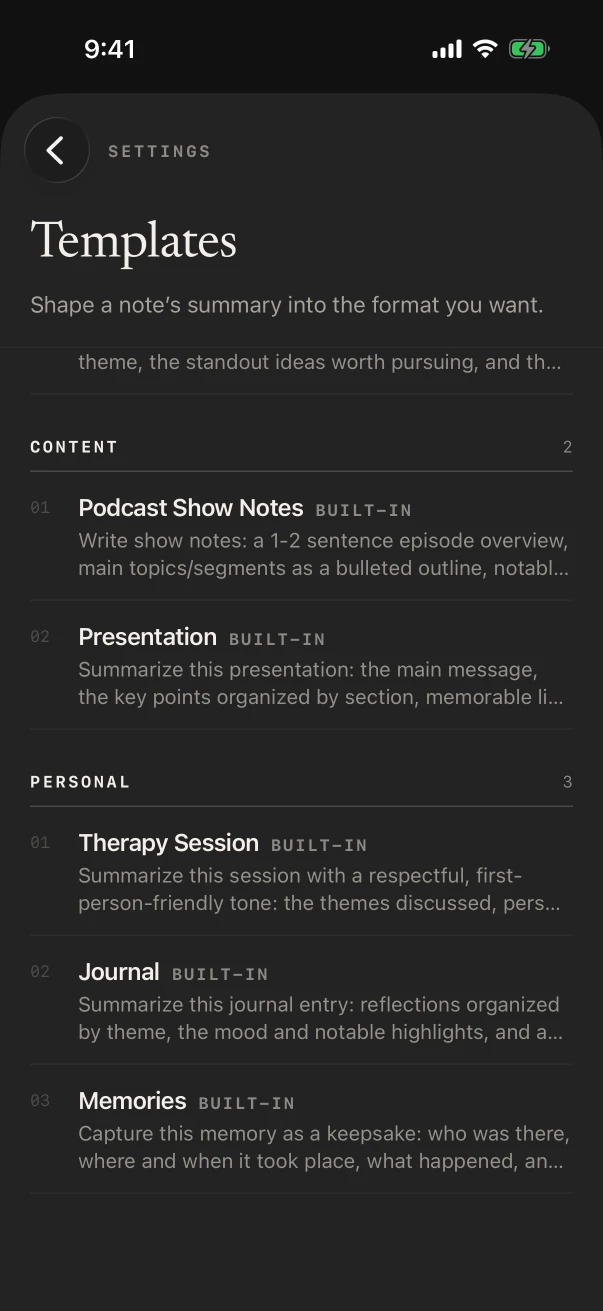
Presentation: the main message, the key points by section, the standout moments, and the Q&A when there is one. For a teaching series, Student Lecture adds key concepts and examples. Or write a template with headings like Passage, Big idea, Points, Application.
Built-in template
Presentation
- Main message
- Key points
- Standout moments
- Q&A
Set your template as the default for voice notes in Settings › Templates, and each Sunday’s recording is written the same way. Templates are part of NoteOwl Pro.
Also worth trying
- Student Lecture
- Quick Summary
- Journal
Can NoteOwl take notes at a Bible study or small group?
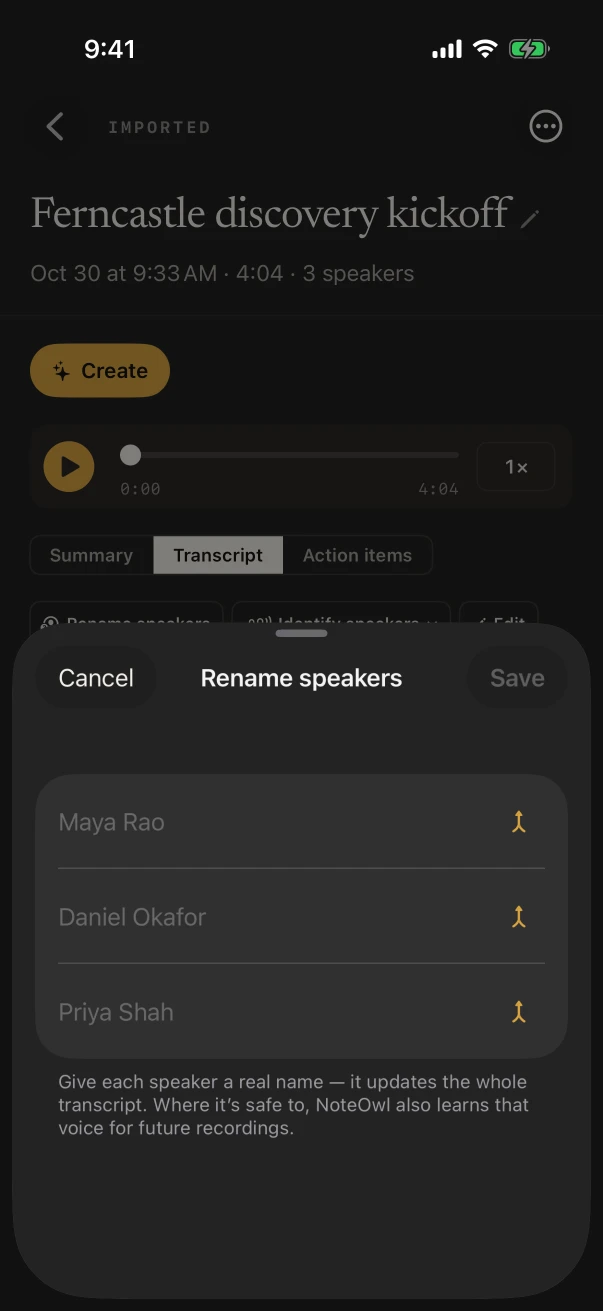
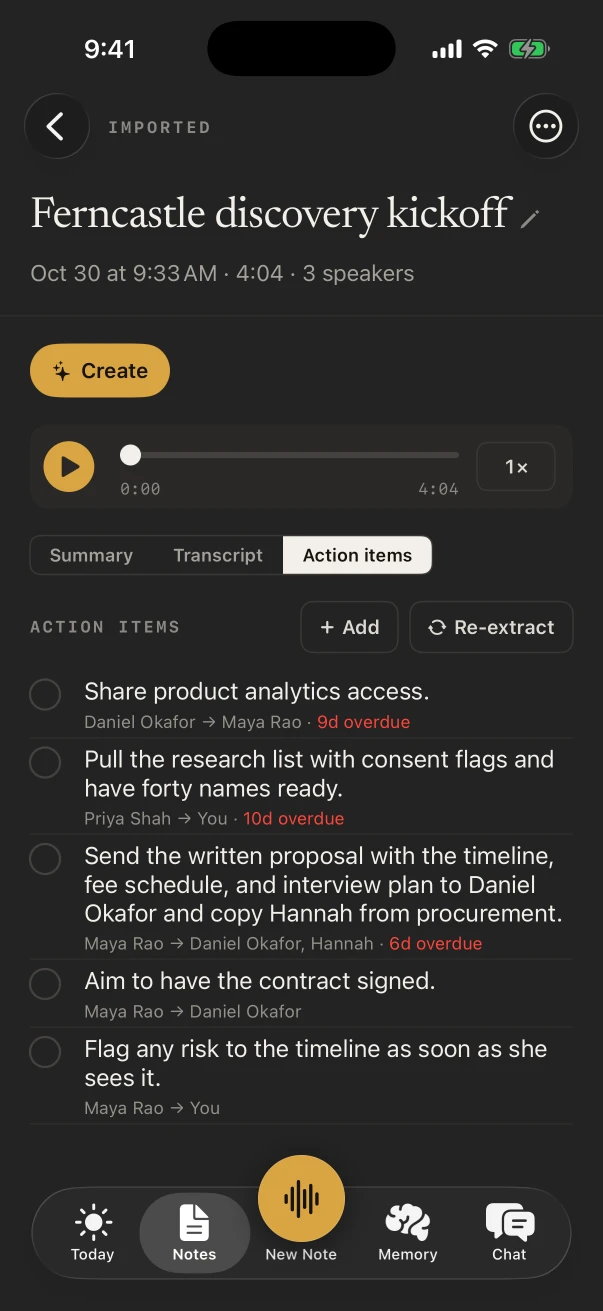
Yes. Put the iPhone in the middle of the circle with the Meeting chip on, and NoteOwl Pro writes who said what, the main threads of the discussion and anything the group agreed to do. Brainstorm suits an open discussion; Meeting Report a planning meeting.
Personal stories and prayer requests stay on the phone that recorded them: NoteOwl never uploads what you record, and you can delete a recording and keep only its text, or delete the note entirely.
Is there a free sermon notes app?
NoteOwl records sermons and writes the transcripts on iPhone for free, with no limit. The Presentation summary, your own templates, speaker names, Vocabulary and Chat are NoteOwl Pro: $20 lifetime on iPhone, or $79 lifetime on Mac, with no subscription.
FAQ
Questions about sermon notes
Can I search past sermons?
Yes. On NoteOwl Free, search matches note titles, so name each sermon with its passage. NoteOwl Pro searches what was said and answers questions in Chat, such as “Which sermons were on forgiveness?”, with the notes listed under the answer.
Does NoteOwl work in church with no Wi-Fi?
Yes. It records and transcribes on the iPhone, so a stone building with no signal makes no difference once the models have downloaded.
Can I share sermon notes with my small group?
Yes. Share a note as Markdown, PDF or plain text from its ⋯ menu, free. With NoteOwl Pro, ✦ Create can turn it into a short post, or into discussion questions you describe under Custom.
Can I fix the spelling of names in a sermon transcript?
Yes. Touch and hold a line and choose Edit line to correct it. With NoteOwl Pro, Vocabulary sets the spelling for later recordings, and Re-transcribe applies it to one you’ve already saved.
Is a Bible study notes app different from NoteOwl?
A Bible study notes app is mostly for writing. NoteOwl records the study and writes the notes from what was said; type your own thoughts alongside under Notes & questions while it records.
Keep exploring
Made for this situation
- Presentation notes templateA presentation notes template to copy, what each section holds, an example, and how NoteOwl writes it
- Custom vocabularyTeach NoteOwl names, jargon and spellings once, and every dictation, meeting and import uses them
- iPhone Action button and SiriStart a NoteOwl recording, dictation or a question from the Action button, Control Center, the Lock Screen, Back Tap, Siri or the Shortcuts app
- Lecture recorderRecord lectures in the room on your Mac or iPhone, in an online class on the Mac with no bot, or from a file, then turn them into study notes
More situations
- In-person meetingsRecord a meeting around a table on iPhone (who said what, a summary and action items) or on a Mac (a hybrid meeting with a call), which device fits, the Meeting Report template, and Free vs Pro
- Team meetingsNotes from the weekly team or staff meeting, from an iPhone on the table or the Mac running a hybrid call: decisions, owners and open questions, the Project Log template, and finding what was decided last week
- Site visitsSite visit notes spoken on iPhone as you walk (Action button, Lock Screen), the Project Log and To-Do List templates for a report and a punch list, sharing as PDF, and dictating the write-up on a Mac
Take NoteOwl to church this Sunday
Free to download. Runs entirely on your Mac or iPhone.
Mac: macOS 26 or later · Apple Silicon (M1 or newer) · 16 GB memory minimum, 24 GB recommended · iPhone: iOS 26 or later
About NoteOwl
NoteOwl is private AI meeting notes and memory for Mac and iPhone. It captures meetings without a bot joining the call, labels every speaker, writes summaries and action items, and builds a memory of every conversation that you can chat with — fully offline, because the speech recognition and the AI run on the Mac or iPhone itself. Dictation into any app is free; Pro is a lifetime licence.
NoteOwl pricing: what’s free and what Pro adds
Last updated