Use case · Conferences, talks and seminars
AI note taker for conferences and talks
NoteOwl is an AI note taker for conferences you attend: record each talk from your seat on your iPhone, follow the live transcript, and leave with the speaker’s main message, the key points and the Q&A, written on the phone.
Between sessions, a quick voice note keeps who you met and what you promised them. Online sessions you watch on a Mac are recorded from the Mac’s audio. Neither device uploads what you record.
How do you take notes at a conference?
Listen, and let a recorder keep the words. Note the slide or moment that matters in a line or two, then rewrite the talk as its main message, three or four key points and the questions from the floor. Do it the same evening, while the hallway conversations are fresh.
Each talk, as text
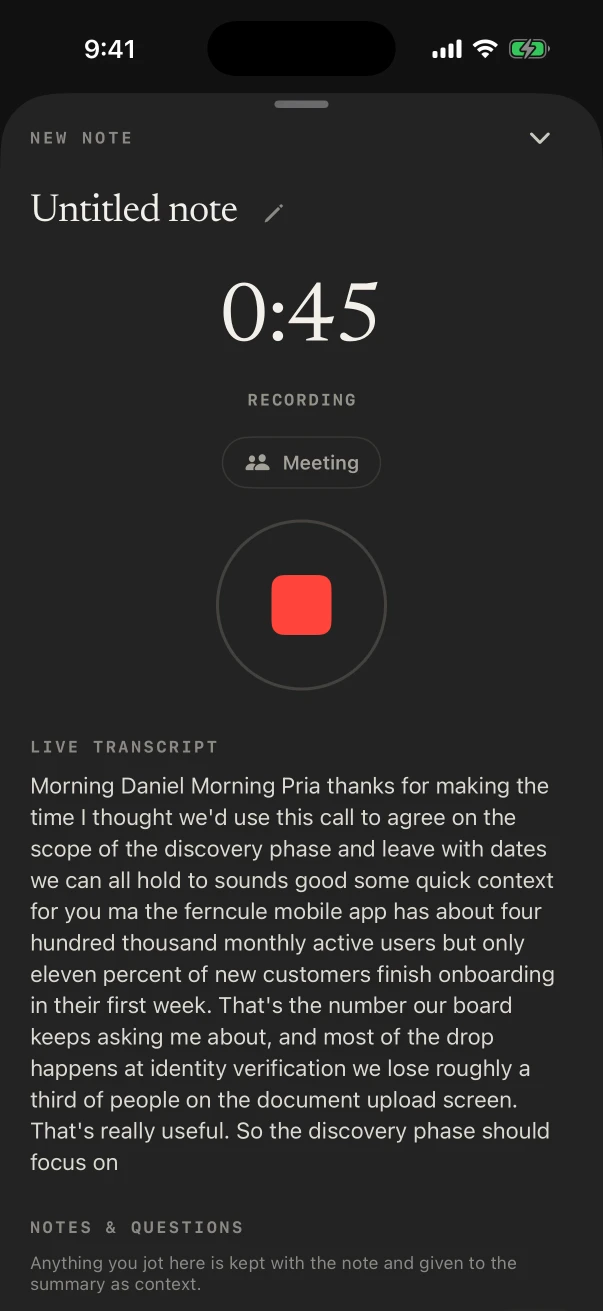
FreeThe live transcript fills in from your seat. Glance down to catch a figure you missed, without asking the person beside you.
Mark the moment
FreeType a line under Notes & questions, such as “slide on churn by cohort”. It stays with the talk and goes into the summary.
The talk, written up
NoteOwl ProThe Presentation template writes the main message, key points by section, standout moments and the audience’s questions with their answers.
Lost the thread?
NoteOwl ProOn iPhones with enough free memory, Assist’s Catch up sums up what NoteOwl has heard of the talk so far, while it keeps recording.
Can you record a conference talk on your iPhone?
Yes. Tap New Note as the speaker starts and NoteOwl records through the iPhone’s microphone, with the transcript appearing as they talk. Lock the phone and it keeps going. One talk per note keeps each summary to one speaker’s argument.
On iPhone
- Sit where you can hear the speaker well: NoteOwl hears what the phone hears.
- Stop between sessions, and name each note after the talk and the speaker.
- Answering a call pauses the recording; NoteOwl carries on when iOS hands the microphone back, or you tap Resume.
- Recording, the transcript and Notes & questions are free.
On Mac
- Watching a session online, or the recording of last year’s keynote? Start a meeting and NoteOwl records what the Mac plays, with a speaker on each line. NoteOwl Pro.
- A talk you downloaded as an MP4 can be imported for a transcript and summary. NoteOwl Pro. Transcribe recordings on Mac
- A laptop open in the hall hears the room through its microphone, labelled You.
Which template fits a conference session?
Presentation: the main message, the key points by section, the standout moments and the Q&A. For a panel, Meeting Report keeps track of who argued what; for a hands-on workshop, Training writes the steps and the pitfalls to remember.
Built-in template
Presentation
- Main message
- Key points
- Standout moments
- Q&A
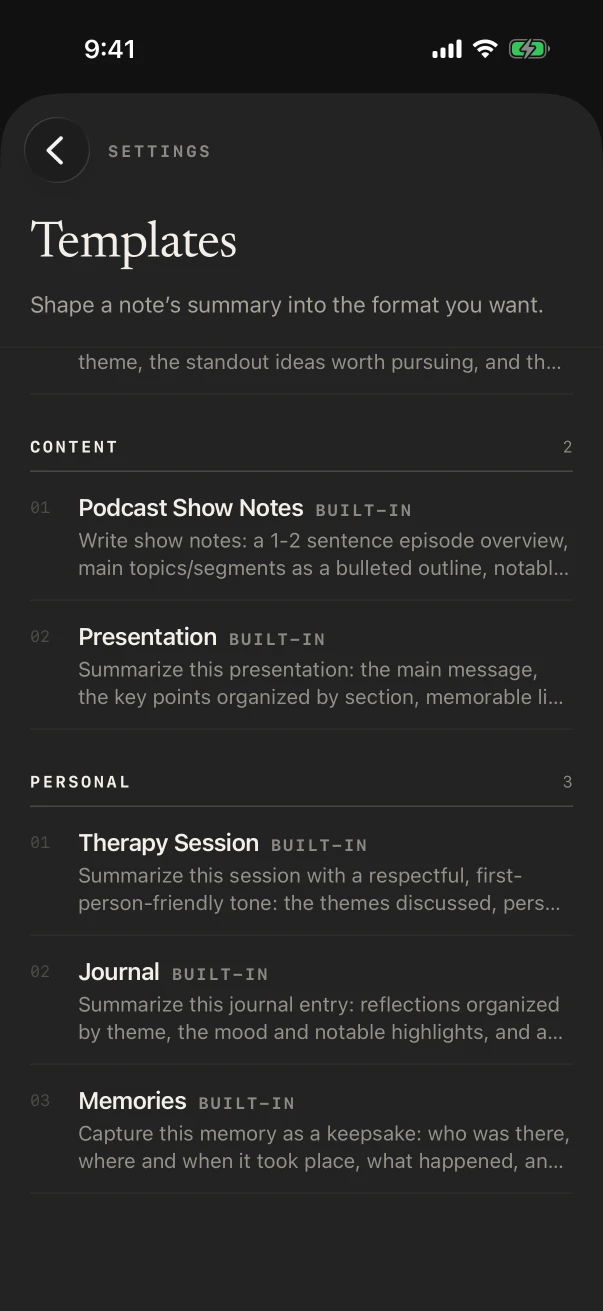
Before the first session, make Presentation the default for voice notes and meetings in Settings › Templates, and every talk you record that day is written the same way. A seminar in a small room works the same as a keynote.
Also worth trying
- Training
- Meeting Report
- Research
- Quick Summary
How do you remember the people you meet at a conference?
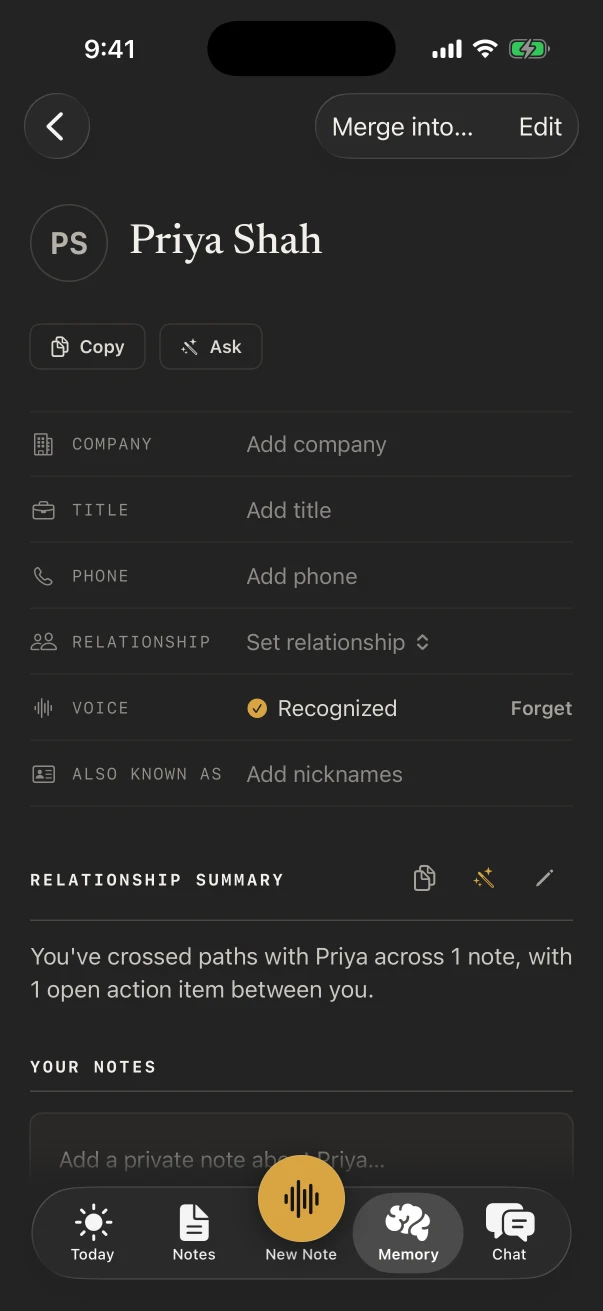
Record a short voice note after each conversation: their name, their company, what you talked about and what you said you’d send. With NoteOwl Pro, People keeps a profile for each person, and you can add the follow-up to your action items with a date.
On the train home, ask Chat “Who did I meet who works on onboarding?” and it answers from your voice notes, with the notes it used. People, NoteOwl’s personal CRM
Do you need NoteOwl Pro at a conference?
Not to record. Every talk and its transcript are free on iPhone. The Presentation summary, People, Chat and Assist are NoteOwl Pro, $20 lifetime on iPhone, and the 7-day free trial is long enough to cover a three-day event.
Free
- Recording each talk from your seat, with the live transcript
- Notes & questions while it records
- Typed notes between sessions
- Sharing a talk’s transcript as Markdown, PDF or plain text
NoteOwl Pro
- Presentation summaries, with the Q&A
- Assist during a talk, on iPhones with enough free memory
- People profiles for everyone you meet
- Chat across every talk: “Which speakers mentioned pricing?”
- Recording online sessions on the Mac
NoteOwl Pro is $20 lifetime on iPhone and $79 lifetime on Mac, with no subscription. NoteOwl pricing
FAQ
Questions about conference notes
Does NoteOwl need the conference Wi-Fi?
No. Transcripts and summaries are written on the iPhone with on-device AI models, so a crowded hall with weak Wi-Fi doesn’t matter once the models have downloaded. NoteOwl never uploads what you record.
Can NoteOwl tell the speaker from the audience questions?
With NoteOwl Pro, yes. With the Meeting chip on, NoteOwl finds the voices in the room, and the Presentation template writes the audience’s questions with the answers the speaker gave.
Can I share my conference notes with my team?
Yes. Share a note as Markdown, PDF or plain text from its ⋯ menu, free. With NoteOwl Pro, ✦ Create turns a talk into a report, a blog post or a social post for you to edit and send.
Will the recording stop if I open my email during a talk?
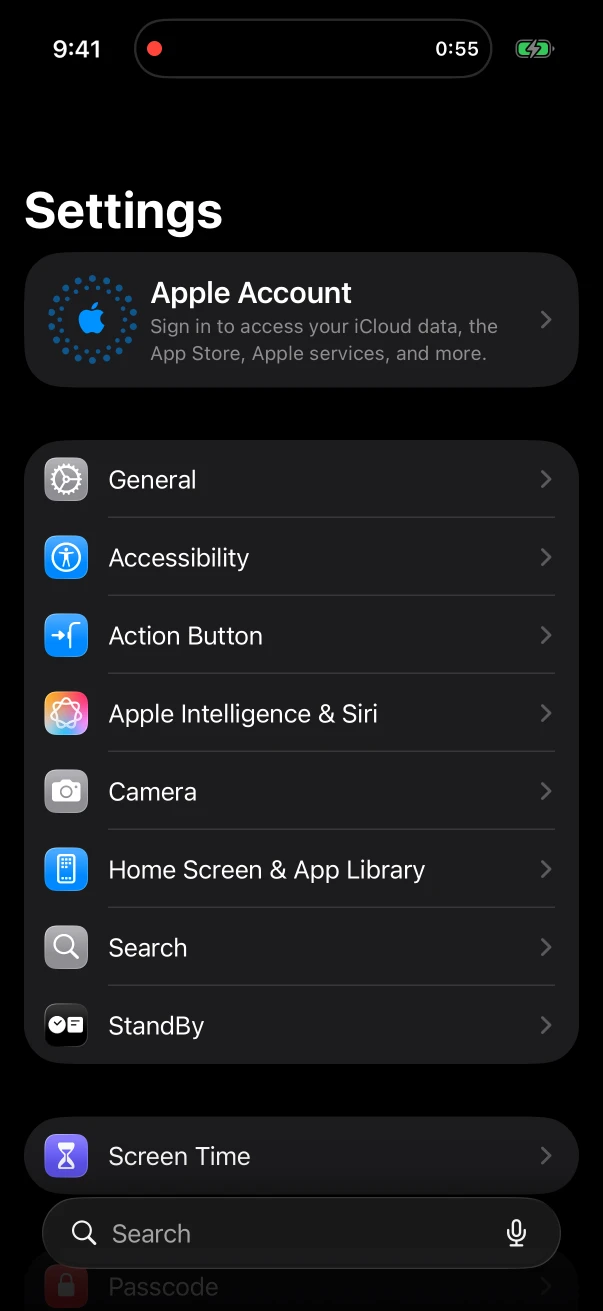
No. NoteOwl keeps recording while you use another app, and the timer stays in the Dynamic Island, where you can also stop it.
Can NoteOwl take notes on a webinar or an online conference?
Yes, on a Mac. Start a meeting while the session plays and NoteOwl records the Mac’s audio, splits the speakers and writes the notes, with NoteOwl Pro. NoteOwl on iPhone records the room through its microphone, not other apps’ audio.
Related
- Presentation notes template Main message, key points, standout moments and Q&A.
- Personal CRM A profile for everyone in your notes, with what’s open between you.
- Chat with your meetings Ask across every talk and get the answer with its source.
- Sermon notes app The same idea for Sunday: record the talk, keep the message.
Keep exploring
Made for this situation
- Presentation notes templateA presentation notes template to copy, what each section holds, an example, and how NoteOwl writes it
- People profilesA personal CRM that fills itself from your meetings: who they are, what is open between you, every conversation
- Chat with your meetingsAsk your own meetings a question on your Mac or iPhone, even offline; every answer cites its sources
- AI voice recorder for iPhoneRecord in the room on iPhone with a live transcript (free), then speakers, a summary and action items with Pro; the timer on the Lock Screen and in the Dynamic Island
Who it’s for
- Field salesIn-person customer visits on iPhone: Up next before the visit, Sales Call notes during it and a follow-up email draft after, with calls on the Mac
- Event plannersVenue walkthroughs, vendor meetings, tastings and client consultations recorded on iPhone, turned into checklists with owners and dates, with what’s due on the Home Screen
More situations
- Ideas on the goRecord an idea by voice in one press on iPhone (Action button, widgets) on a walk or a commute, keep the audio and a searchable transcript, Brainstorm or Quick Summary with Pro, and voice notes on Mac
- Voice journalingA private voice journal on iPhone or Mac: entries recorded and transcribed on the device, the Journal template with Pro, asking Chat about past entries, and what stays private
- Parent-teacher conferencesRecord a parent-teacher conference on iPhone and keep the teacher’s points and who agreed to do what: questions to ask, the 1:1 Check-in template, follow-ups and Translate to, video-call conferences on a Mac, and notes for teachers
Take NoteOwl to your next conference
Free to download. Runs entirely on your Mac or iPhone.
Mac: macOS 26 or later · Apple Silicon (M1 or newer) · 16 GB memory minimum, 24 GB recommended · iPhone: iOS 26 or later
About NoteOwl
NoteOwl is private AI meeting notes and memory for Mac and iPhone. It captures meetings without a bot joining the call, labels every speaker, writes summaries and action items, and builds a memory of every conversation that you can chat with — fully offline, because the speech recognition and the AI run on the Mac or iPhone itself. Dictation into any app is free; Pro is a lifetime licence.
NoteOwl pricing: what’s free and what Pro adds
Last updated