Use case · Team meetings
Team meeting notes, from the room or the call
Team meeting notes, written for you: NoteOwl records the weekly meeting on an iPhone in the middle of the table, or on the Mac that runs the call, and writes the decisions, the owners and the open questions when it ends.
Next week, ask Chat what the team agreed and it answers from that meeting, with the source. All of it happens on your own device, and nothing you record is uploaded.
What should team meeting notes include?
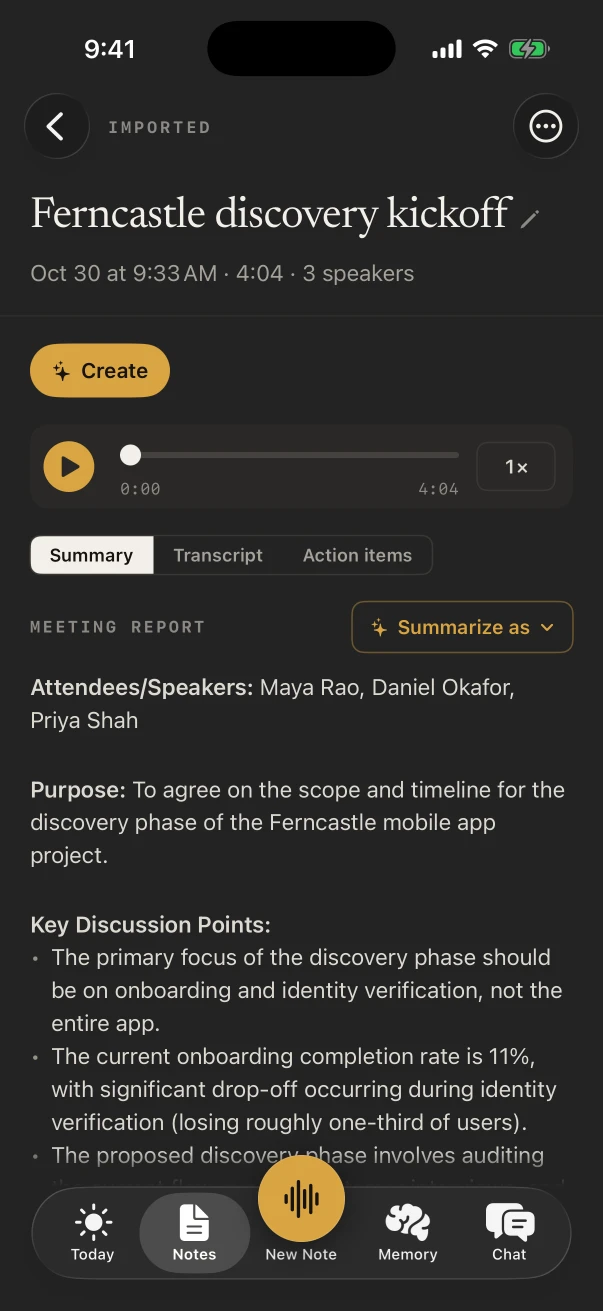
Who was there, what was decided and by whom, each action item with an owner and a date, and what is still open. Most teams also want the reasoning behind a decision, which a transcript keeps and a hurried bullet list loses.
- Attendees
- Where it comes fromThe voices NoteOwl heard, by name once you’ve named them
- PlanNoteOwl Pro
- Decisions
- Where it comes fromWho decided what, taken from the speaker-labelled transcript
- PlanNoteOwl Pro
- Action items
- Where it comes fromAn owner and a due date each; yours land under I owe
- PlanNoteOwl Pro
- Open questions
- Where it comes fromRaised and not settled, ready for next week’s agenda
- PlanNoteOwl Pro
- Transcript
- Where it comes fromEvery word with its time; tap a line to hear it
- PlanFree on iPhone
| Part of the notes | Where it comes from | Plan |
|---|---|---|
| Attendees | The voices NoteOwl heard, by name once you’ve named them | NoteOwl Pro |
| Decisions | Who decided what, taken from the speaker-labelled transcript | NoteOwl Pro |
| Action items | An owner and a due date each; yours land under I owe | NoteOwl Pro |
| Open questions | Raised and not settled, ready for next week’s agenda | NoteOwl Pro |
| Transcript | Every word with its time; tap a line to hear it | Free on iPhone |
How do you record a hybrid team meeting?
From the Mac that has the call open. NoteOwl records its microphone and its audio together, with no bot in the call: remote colleagues are split by speaker, and the people in the room are heard under You.
When everyone is in the same room, use the iPhone instead: it tells the voices at the table apart.
On iPhone
- Everyone in one room: the iPhone in the middle of the table, New Note, Meeting chip on.
- With the calendar on, the note is linked to the meeting happening now, and the Up next widget offers Record this meeting.
- If NoteOwl merges two colleagues, Identify speakers lets you say how many spoke.
- The iPhone hears the room only; it doesn’t record a call.
On Mac
- Join the call from the meeting-room Mac and press ⌥ Space. With the default setting, NoteOwl asks Scribe this meeting? when a call app starts using the microphone.
- Any call app the Mac plays works, from Zoom and Teams to Meet in a browser. Meeting notes without a bot
- Meetings on Mac are part of NoteOwl Pro, with a free trial and no card.
Which template fits a weekly team meeting?
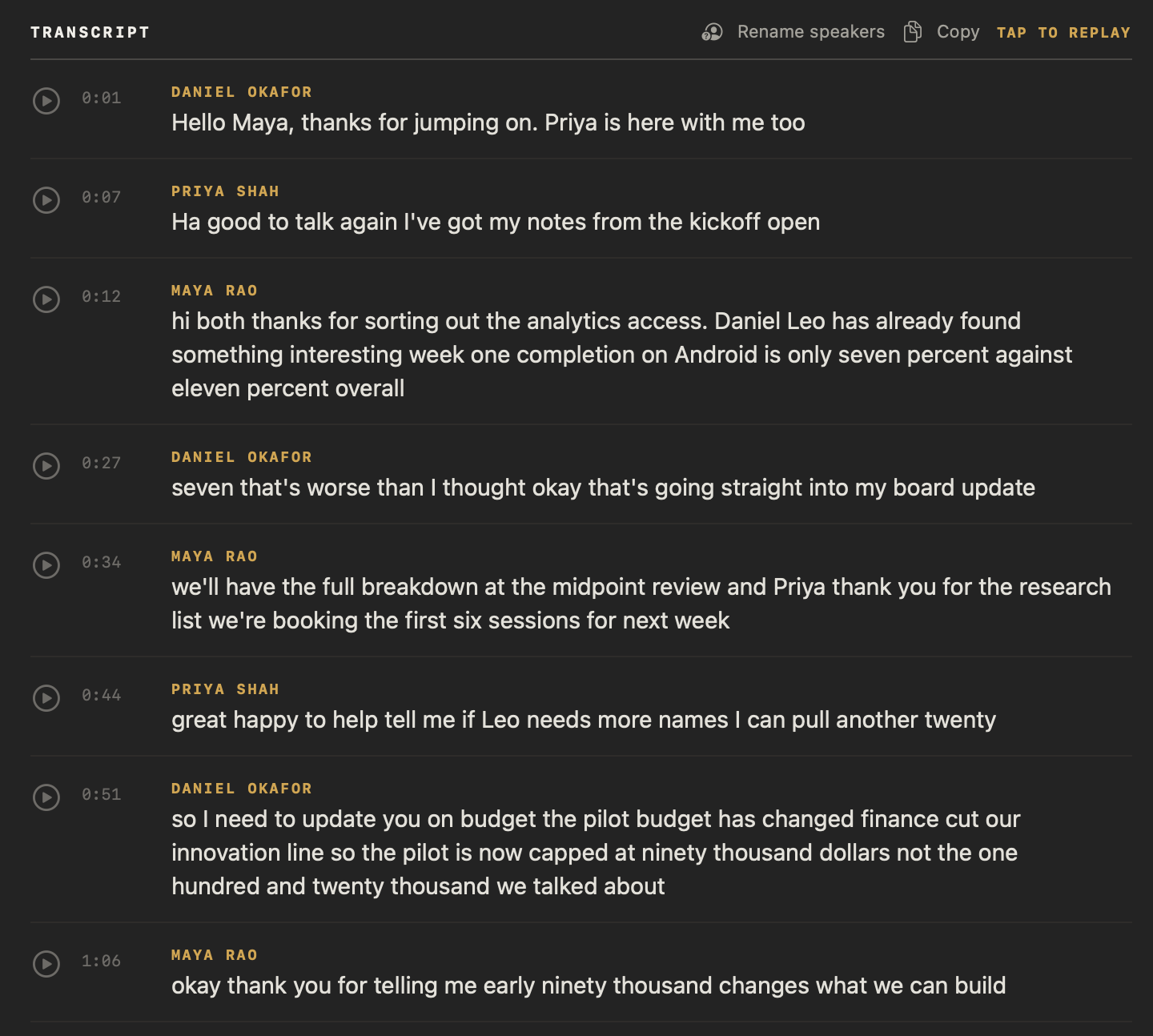
Project Log, when the meeting walks through work: progress since last week, decisions, blockers and the next milestones. Meeting Report suits a staff meeting with an agenda, and Stand-up a short daily check-in.
Built-in template
Project Log
- Progress
- Decisions
- Blockers
- Next milestones
Pick one as the default for meetings in Settings › Templates and every team meeting starts in that shape; Summarize as rewrites any single meeting in another. Planning next week’s? The team meeting agenda template has the standing items.
Also worth trying
- Meeting Report
- Stand-up
- Executive Board
- To-Do List
How do you find what the team decided last week?
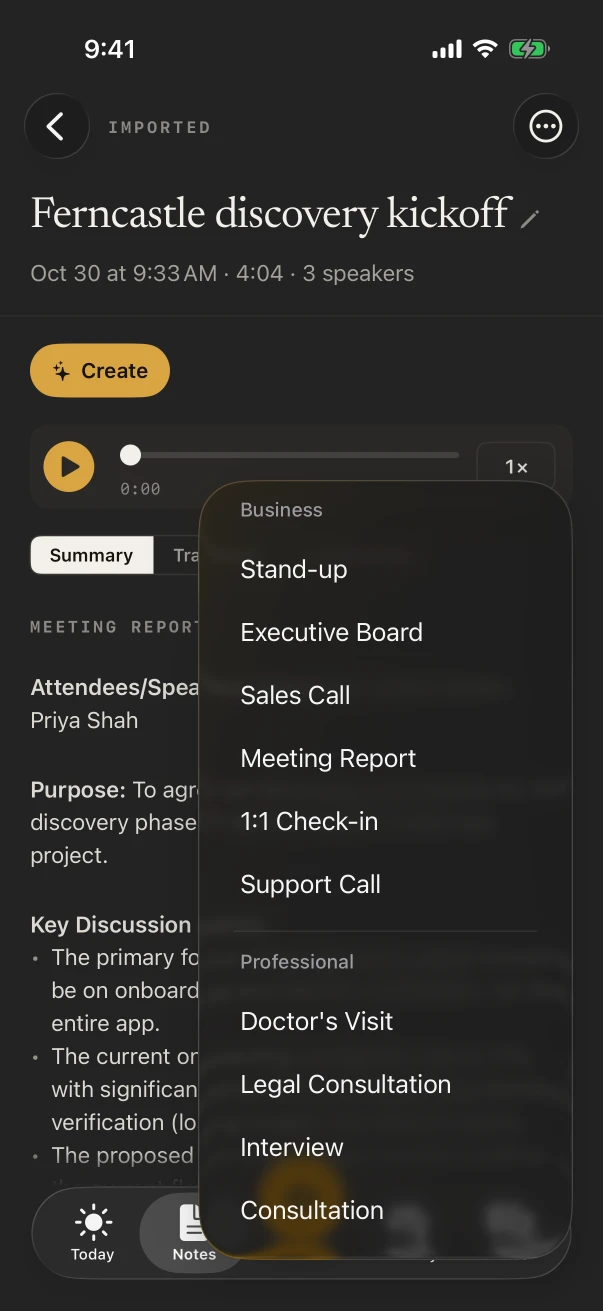
Ask. NoteOwl Pro’s Chat answers from your meetings on the iPhone or Mac and lists the notes it used, so “What did we decide about the launch date?” comes back with the answer and the meeting it came from.
Search finds the exact words: the magnifying glass on iPhone, or Search everything (⌘K) on Mac. Action items from every meeting stay on one list, so last week’s open ones are in front of you before this week’s starts. Chat with your meetings
Do team meeting notes need NoteOwl Pro?
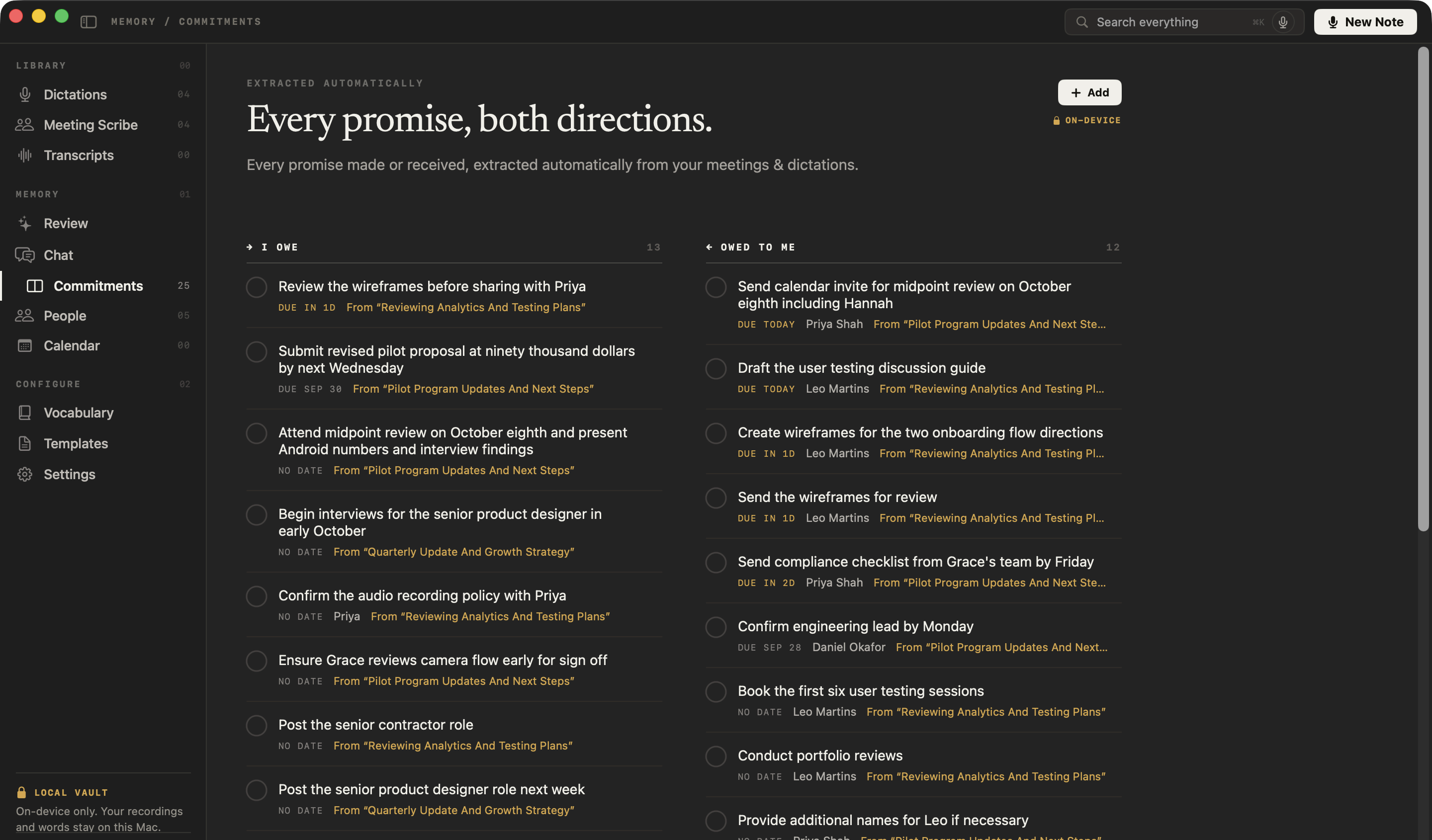
The notes do; the recording doesn’t. NoteOwl Free on iPhone records the meeting with a full transcript. Speakers, the summary, action items and Chat are NoteOwl Pro on either device, and a hybrid meeting with a call needs the Mac.
- Recording and transcript
- Free on iPhone, with no limit
- Speakers, summary, action items
- NoteOwl Pro, on iPhone or Mac
- Room plus a call
- NoteOwl Pro on Mac
- Price
- $20 lifetime on iPhone, $79 lifetime on Mac, no subscription
- Free trial
- 7 days on either device
FAQ
Questions about team meeting notes
Does a bot join the call when NoteOwl takes team meeting notes?
No. On a Mac, NoteOwl records the microphone and the Mac’s own audio, so there is no bot to admit into the call or remove afterwards. On iPhone, it listens to the room through the phone’s microphone.
Can NoteOwl write the notes in our team’s own format?
Yes, with NoteOwl Pro. Describe the format in plain words, such as “Wins, Metrics, Risks, Owners”, as a new template in Settings › Templates on iPhone or Templates on Mac, and Summarize as uses it. A built-in template can be customised as your own copy.
Can I send the notes to the team?
Yes. Copy the summary, or share the note as Markdown, PDF or plain text. With NoteOwl Pro, Create › Email draft on iPhone, or Ask on Mac, writes a follow-up email from the meeting for you to send yourself.
Does NoteOwl remember who is on the team?
Yes, with NoteOwl Pro. Rename each speaker once and NoteOwl learns the voice, so later meetings name them by themselves. Each colleague also gets a profile in People, with the action items open between you.
Does NoteOwl work for a daily stand-up?
Yes. Summarize as › Stand-up rewrites the meeting as each person’s yesterday, today and blockers, plus the team’s status. Make it the default for meetings in Settings › Templates if most of yours are stand-ups.
Are team meeting notes uploaded anywhere?
No. NoteOwl never uploads what you record. The transcript, speakers, summary and action items are written with on-device AI models on the iPhone or Mac that recorded the meeting, and it works with Wi-Fi off.
Related
- Team meeting agenda template Standing items and this week’s topics, ready to fill in.
- Stand-up meeting template Yesterday, today and blockers, for each person.
- AI note taker for managers 1:1s and team meetings, with every commitment tracked both ways.
- Meeting action items Owners and due dates from every meeting, on one list.
Keep exploring
Made for this situation
- Team meeting agenda templateA weekly team meeting agenda builder: standing items, topics added this week, last week’s action items and a rotating facilitator, timed from the start
- Stand-up meeting templateA stand-up meeting template to fill in online or copy, what each section holds, an example, and how NoteOwl writes stand-up notes
- AI meeting notes without a botHow NoteOwl records calls from your Mac with no bot joining, or a meeting in the room on iPhone, and what you get when it ends
- Action items and commitmentsAction items that involve you become commitments: what you owe and what you are owed, sorted by what is due
Who it’s for
- AI note taker for managers1:1s and team meetings: commitments tracked both ways, what is open with each person before you meet, plus free dictation
- ConstructionSite walks, OAC meetings, morning huddles and punch walks recorded on iPhone with the phone locked, Meeting Report and To-Do List notes, and trade terms taught with Vocabulary
- TeachersParent-teacher conferences, department meetings, professional development and observation debriefs recorded on iPhone, with free dictation for emails and report card comments
More situations
- Site visitsSite visit notes spoken on iPhone as you walk (Action button, Lock Screen), the Project Log and To-Do List templates for a report and a punch list, sharing as PDF, and dictating the write-up on a Mac
- Conferences and talksRecord talks, panels and seminars from your seat on iPhone, the Presentation template with the Q&A, remembering the people you meet, and online sessions recorded on a Mac
- Ideas on the goRecord an idea by voice in one press on iPhone (Action button, widgets) on a walk or a commute, keep the audio and a searchable transcript, Brainstorm or Quick Summary with Pro, and voice notes on Mac
Get notes from your next team meeting with NoteOwl
Free to download. Runs entirely on your Mac or iPhone.
Mac: macOS 26 or later · Apple Silicon (M1 or newer) · 16 GB memory minimum, 24 GB recommended · iPhone: iOS 26 or later
About NoteOwl
NoteOwl is private AI meeting notes and memory for Mac and iPhone. It captures meetings without a bot joining the call, labels every speaker, writes summaries and action items, and builds a memory of every conversation that you can chat with — fully offline, because the speech recognition and the AI run on the Mac or iPhone itself. Dictation into any app is free; Pro is a lifetime licence.
NoteOwl pricing: what’s free and what Pro adds
Last updated