NoteOwl for iPhone
The private AI note taker for iPhone, fully on-device
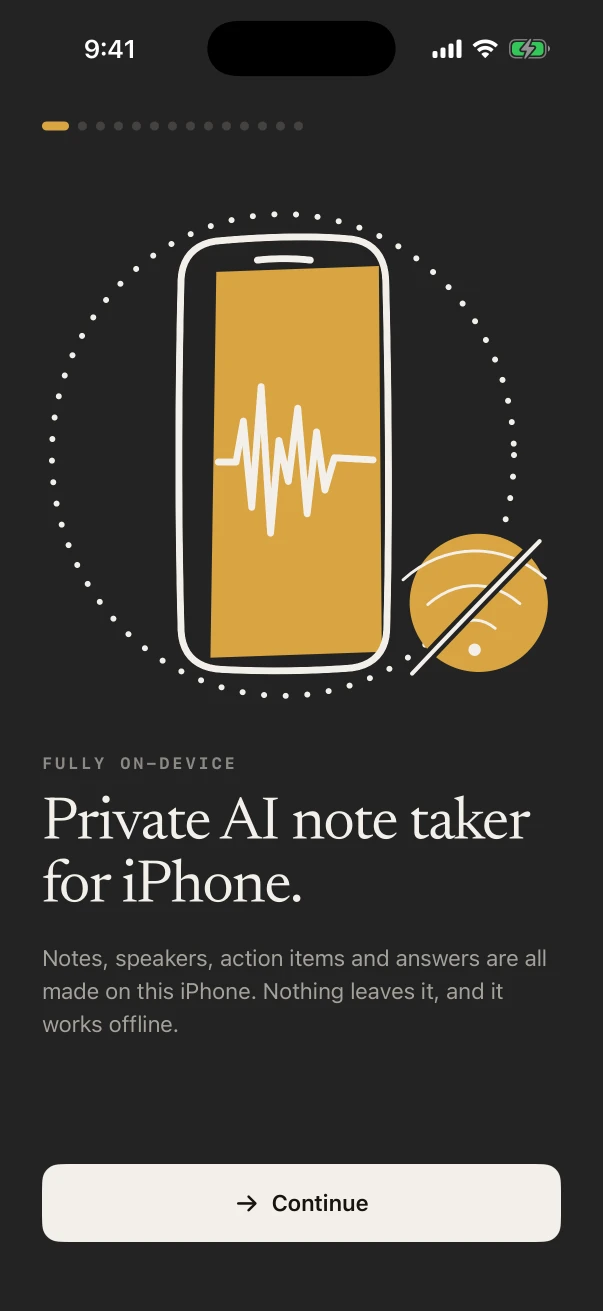
NoteOwl is a private AI note taker for iPhone. Put the phone on the table and it records meetings, lectures and voice notes in the room while the transcript fills in; with NoteOwl Pro it tells the speakers apart and writes the summary and action items, all on the iPhone.
Its keyboard dictates into any app for free, a widget or the Action button starts a recording in one press, and once its models have downloaded (about 3.2 GB) it works offline. NoteOwl Pro on iPhone is $20 lifetime, with no subscription.
What can NoteOwl do on iPhone?
It records what’s said in the room and shows the transcript as you go, types what you say into any app, and starts from a widget or the Action button. With NoteOwl Pro it adds speakers, summaries, action items and a memory you can ask.
Unlike a cloud AI note taker app, NoteOwl runs the speech recognition and the AI on the iPhone itself, so nothing you record is uploaded.
Record in the room
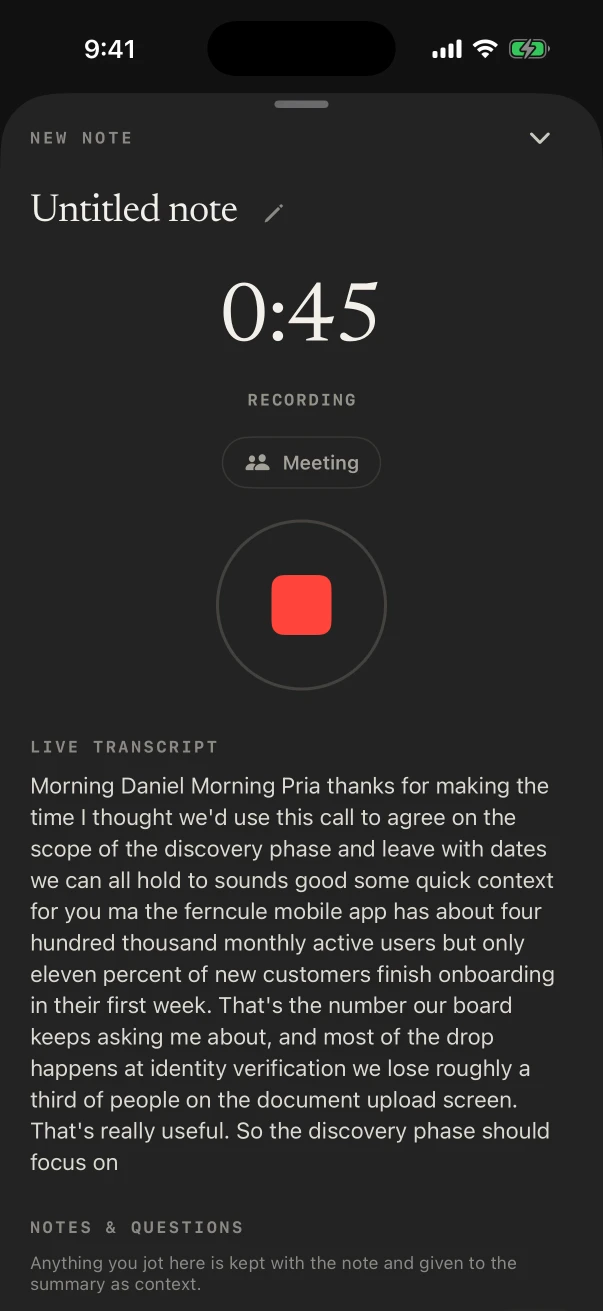
FreeTap New Note and the iPhone records through its microphone while the transcript appears as people talk. It keeps going with the screen locked.
Who said what
NoteOwl ProA meeting gets a speaker on every line. Name a voice once with Rename speakers and, where it can, NoteOwl knows it in later notes.
Summaries in templates
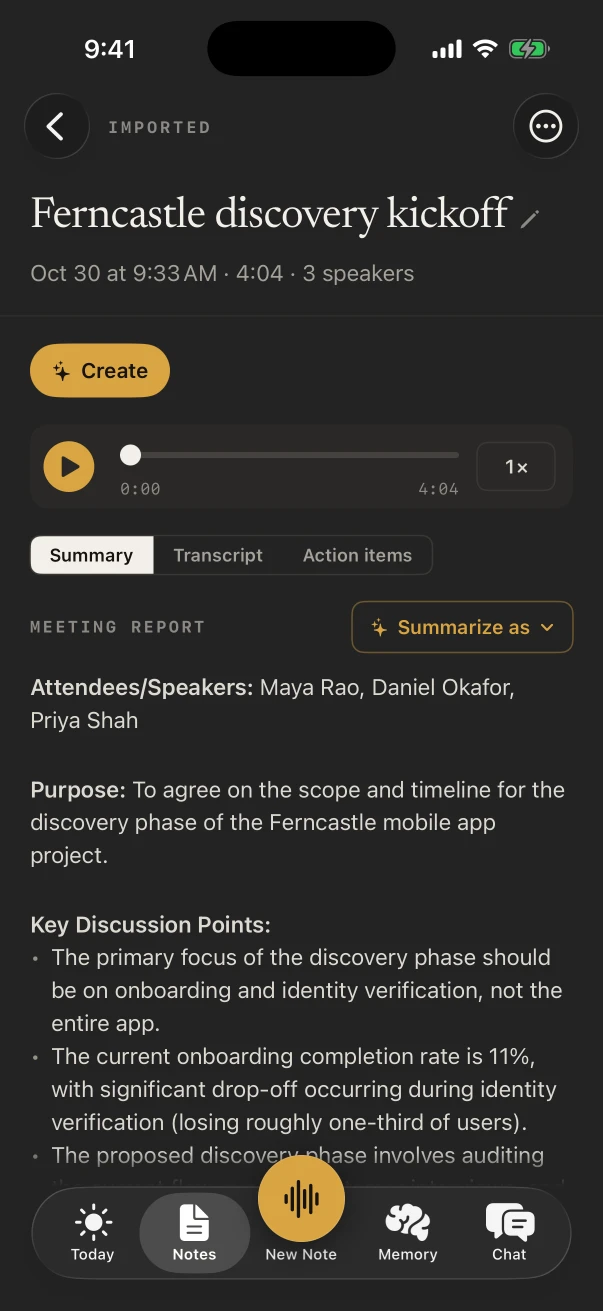
NoteOwl ProWhen you stop, NoteOwl writes a summary and a title. Summarize as rewrites it in another template, such as Meeting Report or Student Lecture.
Action items
NoteOwl ProWho owes what, under “I owe” and “Owed to me”. The ones due show on the Today screen and in the Due today widget.
Memory, People and Chat
NoteOwl ProAsk your notes a question in Chat, typed or spoken, and see the notes the answer came from. People keeps a profile for everyone in your notes.
A keyboard that types what you say
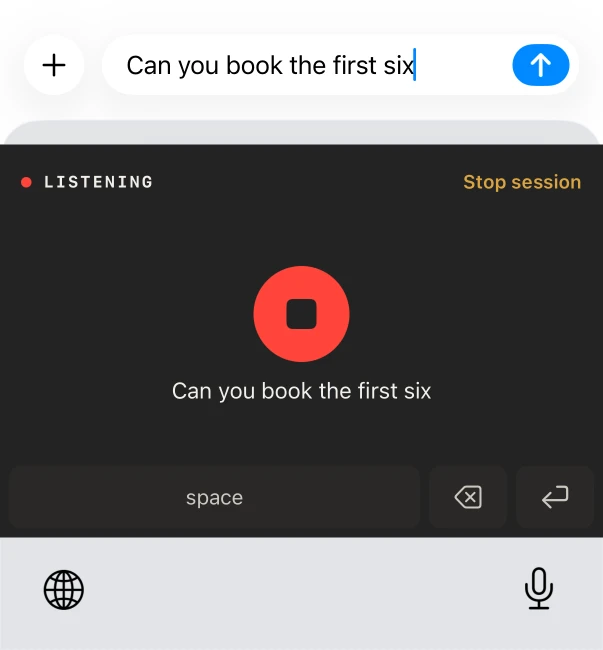
FreeSwitch to the NoteOwl keyboard in Messages, Mail or Notes, tap the microphone and talk. No word limit, and every dictation is kept in NoteOwl.
Voice memos and audio files
NoteOwl ProShare a recording from Voice Memos, Files or Photos to NoteOwl and get a transcript with speakers, times and a summary.
Widgets and the Dynamic Island
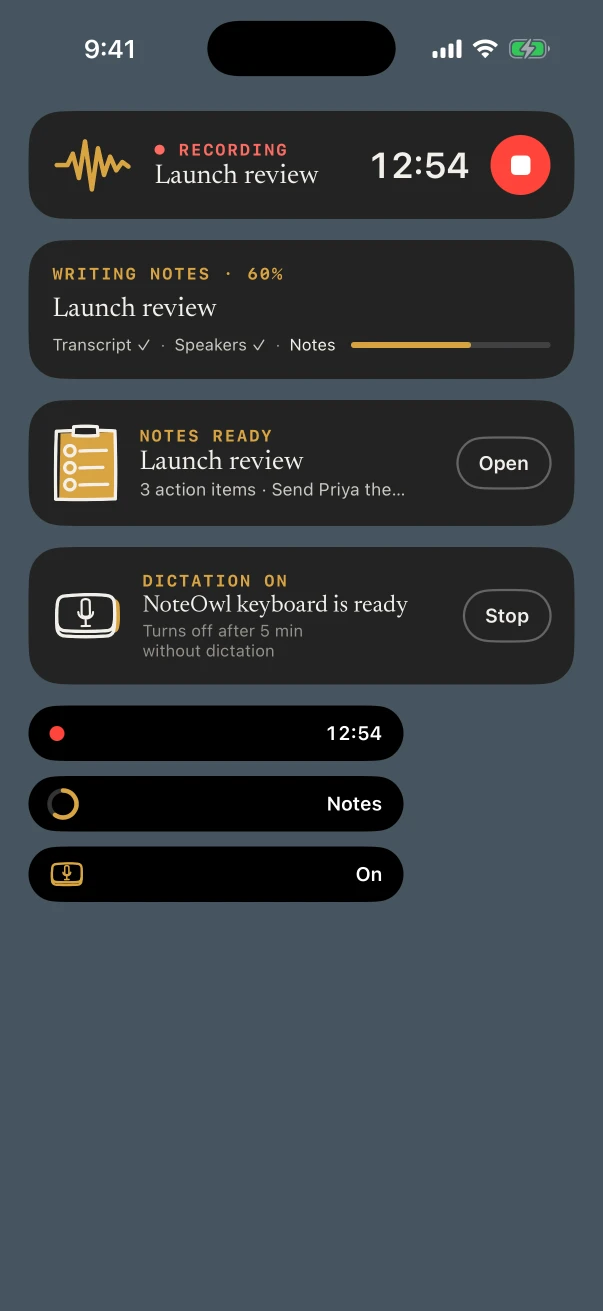
Free and ProRecord or dictate from the Home Screen or Lock Screen in one tap. While NoteOwl records, the timer sits in the Dynamic Island.
Action button and Siri
FreePress and hold the Action button to start recording, add NoteOwl to Control Center, or say “Start recording in NoteOwl”.
Is NoteOwl free on iPhone?
Yes, for your own voice. Recording in the room with a transcript, voice notes and the dictation keyboard are free and unlimited, and reading, exporting or deleting your notes is always free. NoteOwl Pro on iPhone is $20 lifetime, with no subscription; try it free for 7 days.
Free
- Recording in the room, with the live transcript, as many times as you like
- Voice notes and typed notes
- The dictation keyboard in any app, with no word limit
- Polish cleanup styles in the keyboard, on iPhone 15 Pro or later, in the languages your iPhone’s built-in on-device AI supports
- Searching your notes by title
- Export as Markdown, PDF, plain text or subtitles (.srt), and Export all data
NoteOwl Pro
- Importing audio and video from Voice Memos, Files or Photos
- A speaker on every line, and voices it learns
- Summaries, action items and titles, in templates
- Memory: Chat, People and search across everything
- Custom vocabulary for names and jargon
- Your calendar on Today and in the Up next widget
- The keyboard’s Rewrite styles
Pro is bought in the app. See what’s free and what Pro adds.
What do you need to run NoteOwl on iPhone?
An iPhone with iOS 26 or later and space for the on-device AI models: about 600 MB for speech plus about 2.6 GB for the notes model Pro uses, about 3.2 GB in all. They download once during setup, and from then on NoteOwl works offline.
- System
- iOS 26 or later
- Speech model
- about 600 MB, downloaded once at setup
- Notes model
- about 2.6 GB, for the summaries, Chat and memory Pro uses
- Free space
- Room for the download, plus about 1 GB
- Keyboard Polish
- iPhone 15 Pro or later
- Keyboard languages
- Auto-detect, English, Hindi, Spanish, French and German
- After setup
- Works offline; nothing you record is uploaded
FAQ
Questions about NoteOwl for iPhone
Is there an AI note taker for iPhone that works offline?
Yes. NoteOwl for iPhone records, transcribes and writes its notes on the iPhone with on-device AI models. Once those models have downloaded (about 3.2 GB), it works with no connection, and nothing you record is uploaded.
Which meetings can NoteOwl record on iPhone?
Meetings, lectures, interviews and conversations in the room, through the iPhone’s microphone.
How much is NoteOwl Pro on iPhone?
NoteOwl Pro on iPhone is $20 lifetime, with no subscription, bought in the app, with a 7-day free trial. Recording in the room with a transcript, voice notes and the dictation keyboard are free and stay free.
Which iPhones can run NoteOwl?
An iPhone with iOS 26 or later and room for about 3.2 GB of on-device AI models, plus about 1 GB. Polish in the keyboard, which tidies what you dictate in one tap, needs iPhone 15 Pro or later.
Is NoteOwl Pro on iPhone its own purchase?
Yes. NoteOwl Pro on iPhone is bought in the app through the App Store, $20 lifetime with no subscription, and it belongs to your Apple Account. Your notes stay on the iPhone you make them on; NoteOwl doesn’t sync them.
Does NoteOwl have a dictation keyboard on iPhone?
Yes, and it is free. Add the NoteOwl keyboard in the iPhone’s Settings, turn on Allow Full Access, then tap its microphone in any app and talk. Every dictation is also kept in NoteOwl under Notes › Dictations.
NoteOwl on iPhone
- AI voice recorder for iPhone Record the room, read the transcript as it happens, and stop from the Lock Screen.
- Voice typing keyboard Free dictation in Messages, Mail and every other app.
- Voice memos to text Share a memo to NoteOwl for a transcript with speakers and a summary.
- Widgets and Live Activities Record, dictate or see what’s due from the Home Screen and Lock Screen.
- Action button, Siri and Shortcuts Start a recording or dictation without opening the app.
- All NoteOwl features Meeting notes, transcription, chat and memory, dictation and templates, on Mac and iPhone.
- NoteOwl pricing What is free and what NoteOwl Pro adds, on Mac and on iPhone.
Keep exploring
More on iPhone
- AI voice recorder for iPhoneRecord in the room on iPhone with a live transcript (free), then speakers, a summary and action items with Pro; the timer on the Lock Screen and in the Dynamic Island
- iPhone dictation keyboardThe free NoteOwl keyboard: voice typing in any iPhone app, how to add it, its languages, Polish and Rewrite styles, and Notes › Dictations
- Voice memos to text on iPhoneShare a recording from Voice Memos, Files or Photos to NoteOwl on iPhone for a transcript with speakers and times and a summary (NoteOwl Pro), with the steps
On Mac
- AI meeting notes without a botHow NoteOwl records calls from your Mac with no bot joining, or a meeting in the room on iPhone, and what you get when it ends
- AI meeting summariesAI meeting summaries, decisions and action items written on your Mac or iPhone from any template, when the meeting ends
- Offline AI meeting notesEvery NoteOwl feature works offline after a one-time model download; what the app sends over the network, and what it never does
Record your next meeting with NoteOwl on iPhone
Free to download. Runs entirely on your Mac or iPhone.
Mac: macOS 26 or later · Apple Silicon (M1 or newer) · 16 GB memory minimum, 24 GB recommended · iPhone: iOS 26 or later
About NoteOwl
NoteOwl is private AI meeting notes and memory for Mac and iPhone. It captures meetings without a bot joining the call, labels every speaker, writes summaries and action items, and builds a memory of every conversation that you can chat with — fully offline, because the speech recognition and the AI run on the Mac or iPhone itself. Dictation into any app is free; Pro is a lifetime licence.
NoteOwl pricing: what’s free and what Pro adds
Last updated