Memory, People and Chat on iPhone
Last updated Checked against NoteOwl 0.1.0
NoteOwl's memory on iPhone is what it learns from your notes: the people in them, what each person owes, and answers to your questions. Open the Memory tab for People and Action items, and the Chat tab to ask your notes a question. It all happens on the iPhone, with NoteOwl Pro.
What's in the Memory tab?
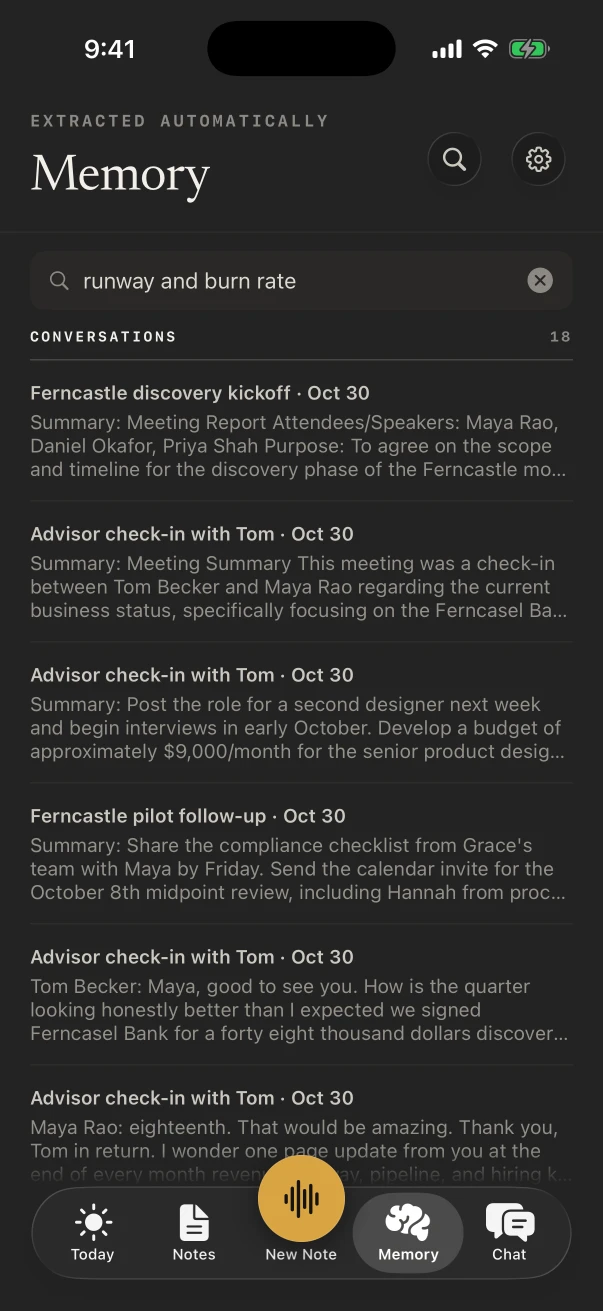
People, a profile for everyone in your conversations, and Action items, what you owe and what you're owed. Switch between them at the top. The search box, Search people and conversations, finds people as you type; press return to search what was said in your notes.
NoteOwl fills Memory from your meetings, imports and dictations, on the iPhone. You can add, edit or remove anything. Memory is part of NoteOwl Pro: on NoteOwl Free, the tab shows what NoteOwl Pro adds, with See NoteOwl Pro.
How do I add or edit a person?
NoteOwl adds people from your notes by itself. To add someone yourself, open Memory › People and tap Add person, or Add from Contacts to pick people from your contacts.
- Open the Memory tab and tap People at the top.
- Tap Add person.
- Type their Name and, if you like, a role, such as "Acme · Client".
- Tap Add.
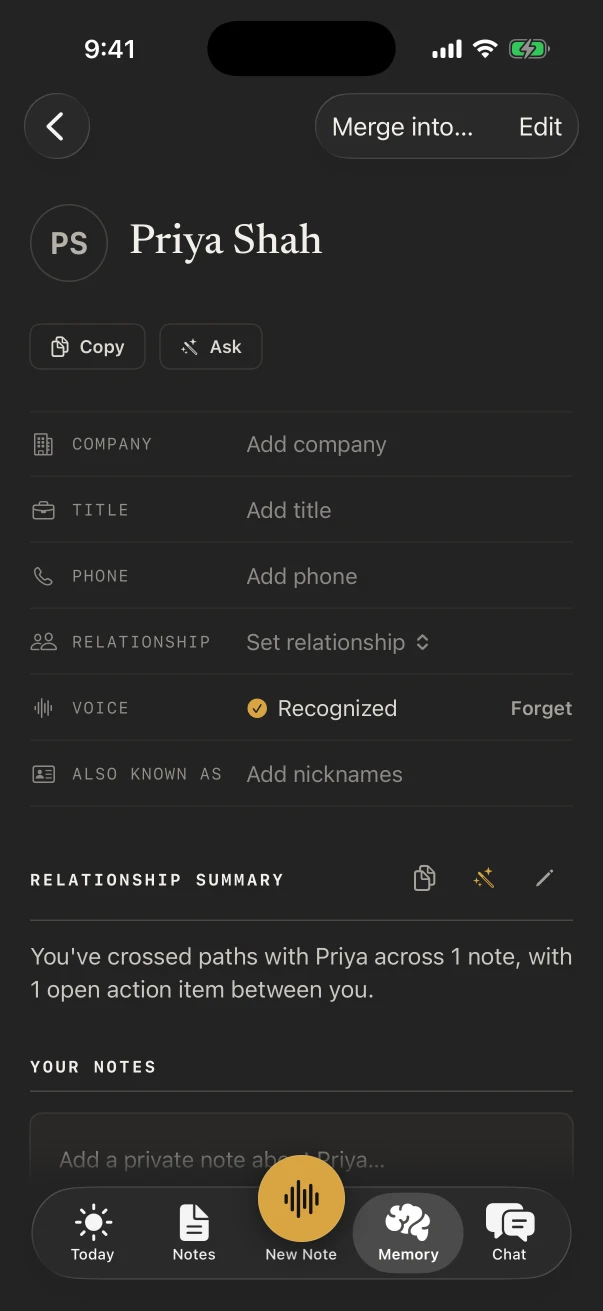
Tap a person to open their profile. Tap any row to fill it in or change it:
| Part of the profile | What it holds |
|---|---|
| Company, Title, Phone | Typed by you, or copied from a contact you added. With a phone number, you can call or message from here |
| Relationship | Client, Colleague, Partner, External, Family, Friend, Other, or Custom… |
| Voice | Recognized when NoteOwl knows their voice, with Forget; or Not learned yet |
| Also known as | Nicknames NoteOwl uses to match them in your notes |
| Relationship summary | A few sentences NoteOwl writes about where things stand. When it says Out of date, tap Refresh |
| Your notes | Your own notes about them, saved on the iPhone and seen only by you |
| Last met, Meetings, Open action items | When you last met, how many meetings they were in, and what's open between you |
Below those come their action items, facts NoteOwl picked up, and a timeline of the notes they appear in. To combine two profiles for the same person, tap Merge into… and choose the other one. Edit changes the name and role. Remove profile, at the bottom, deletes the profile, your notes about them and their learned voice; the conversations and action items that mention them are kept.
Where do I see my action items?
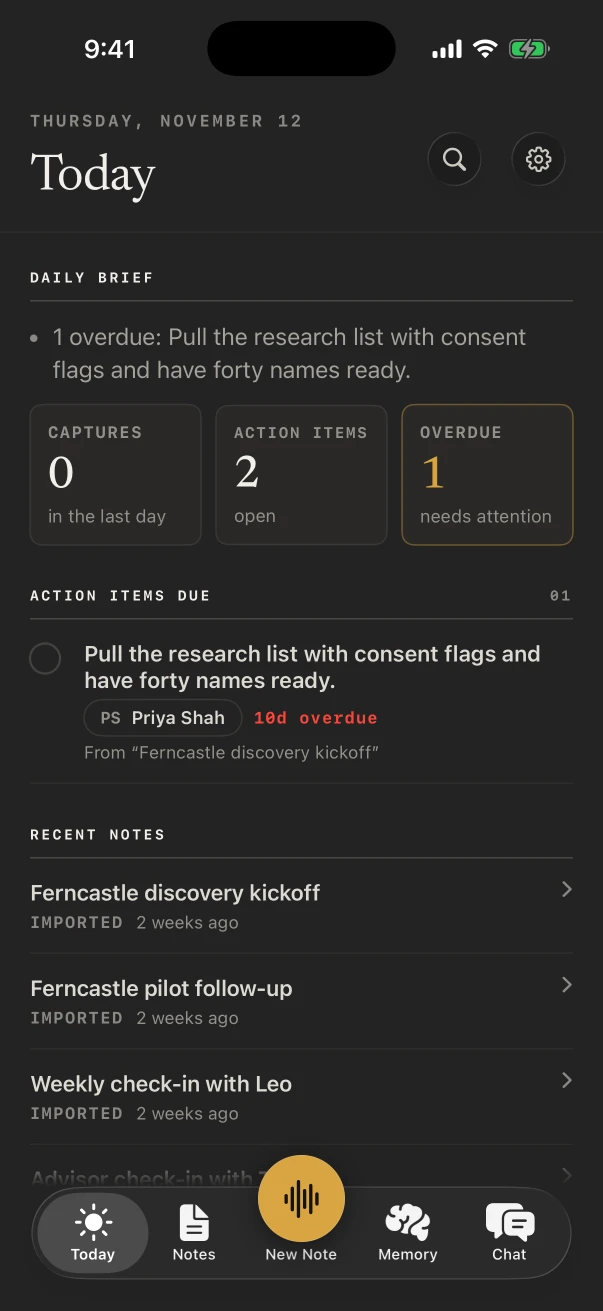
In Memory › Action items, under I owe, Owed to me and Resolved. Each one shows who it's with, when it's due and the note it came from. Tap the circle to mark it done. Today lists the ones overdue or due in the next three days.
- Tap Add action item to add one yourself, and Overdue only to see just the late ones.
- Tap an item to change what it says, who it's with, whether I owe or Owed to me, and the due date, such as "Friday" or "tomorrow".
- For NoteOwl to tell what you owe from what's owed to you, add your name in Settings › Who you are.
The Due today widget shows the same items on your Home Screen: see widgets, Live Activities and shortcuts on iPhone.
How do I ask my notes a question?
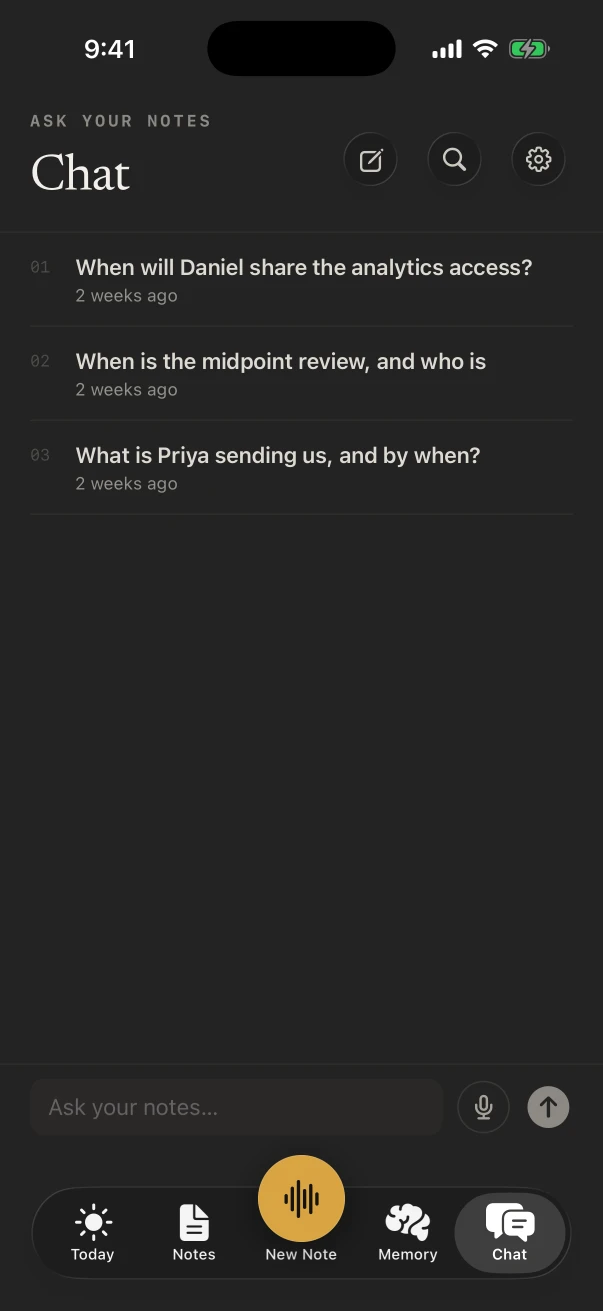
Open the Chat tab and type in Ask your notes…, or tap the microphone and ask out loud. NoteOwl answers from your notes on the iPhone and lists its Sources under the answer; tap a source to open that note.
- A new chat suggests questions from your own notes, such as "What's overdue?".
- Touch and hold an answer to copy it. Tap ⋯ for New chat and Delete chat; deleting a chat leaves your notes and memory as they are.
- You can also ask from Siri, with "Ask NoteOwl", or from the Ask control: see widgets, Live Activities and shortcuts on iPhone.
How do I search my notes on iPhone?
Tap the magnifying glass at the top of any tab and type, or tap the microphone and say what you're looking for. Results come in Notes, People and Conversations. Ask a question, and NoteOwl puts a short answer from your memory, with its sources, above the results.
On NoteOwl Free, search matches the titles of your notes. Searching what was said, and the answer from your memory, are part of NoteOwl Pro.
What does the Today tab show?
Daily brief, a few lines on what needs you; Action items due; Today's calendar, when the calendar is on; and Recent notes. Tap any of them to open it.
To see your meetings on Today, open Settings › Calendar and turn on Use your calendar, then choose which calendars NoteOwl reads. Each meeting shows who's coming, the last time you met them, and the action items open with them. Under Remind me before a meeting, NoteOwl can send a notification when each meeting starts, or 5, 10 or 15 minutes before: tap it to start a note. The calendar is part of NoteOwl Pro.
How do I choose what feeds memory?
In Settings › What feeds memory, switch each source on or off: Notes (voice notes, meetings and typed notes), Imported audio, and Dictations from the NoteOwl keyboard. All three are on to start with.
A source you switch off stays in Notes; Chat and Memory just stop using it. Nothing is deleted, and switching it back on brings it back.
Common questions
Is Chat free in NoteOwl on iPhone?
No. Asking questions in Chat, searching your memory, People and action items are part of NoteOwl Pro. On NoteOwl Free, search matches note titles, and chats you had during a trial stay readable.
Does NoteOwl change my contacts or my calendar?
No. NoteOwl copies a phone number, company and title only from contacts you pick with Add from Contacts, and it reads your calendars to prepare you for meetings. It never changes either.
Where is my memory stored?
On your iPhone. NoteOwl builds People, action items and Chat answers from your notes on the iPhone, with its on-device AI models, and doesn't upload them.
How do I stop a note being used in Chat?
Open Settings › What feeds memory and switch off Notes, Imported audio or Dictations. Those notes stay in Notes; Chat and Memory stop using them until you switch the source back on.
Speakers, summaries and templates on iPhone
Name the speakers in a NoteOwl note on iPhone, change the summary with Summarize as, make your own templates and track action items. NoteOwl Pro.
Widgets, shortcuts and Siri on iPhone
Add NoteOwl widgets on iPhone, start a recording from the Action button, Control Center or Back Tap, ask Siri, and follow it all in Live Activities.